
A UV printer 9060 for small business is often considered by product makers that need more than a hobby desktop setup but do not have the floor space, order volume, or budget for a very large industrial flatbed. The 9060 size category is useful for sample runs, personalized products, branded packaging, short-run manufacturing, flat parts, jigs, and mixed daily orders. It gives a shop enough bed area to produce real commercial work while keeping workflow manageable.
This guide explains how a UV Printer 9060 fits small product manufacturing, what the bed size means in daily production, how jigs affect profit, which materials to test first, and how to judge ROI. It supports the core UV printer 9060, UV printer, visual positioning UV printer, and machine comparison pages by targeting a commercial long-tail buyer who is already close to equipment research.

Who Should Consider a UV Printer 9060?
The best buyer is not someone who wants to print one occasional gift. The strongest fit is a small manufacturer, customization shop, product developer, signage studio, promotional product seller, packaging sample shop, or ecommerce brand that needs repeat short-run production. These buyers need a machine that can handle several types of work without forcing every order into a large-format workflow.
- Product startups making prototypes, test batches, and branded samples.
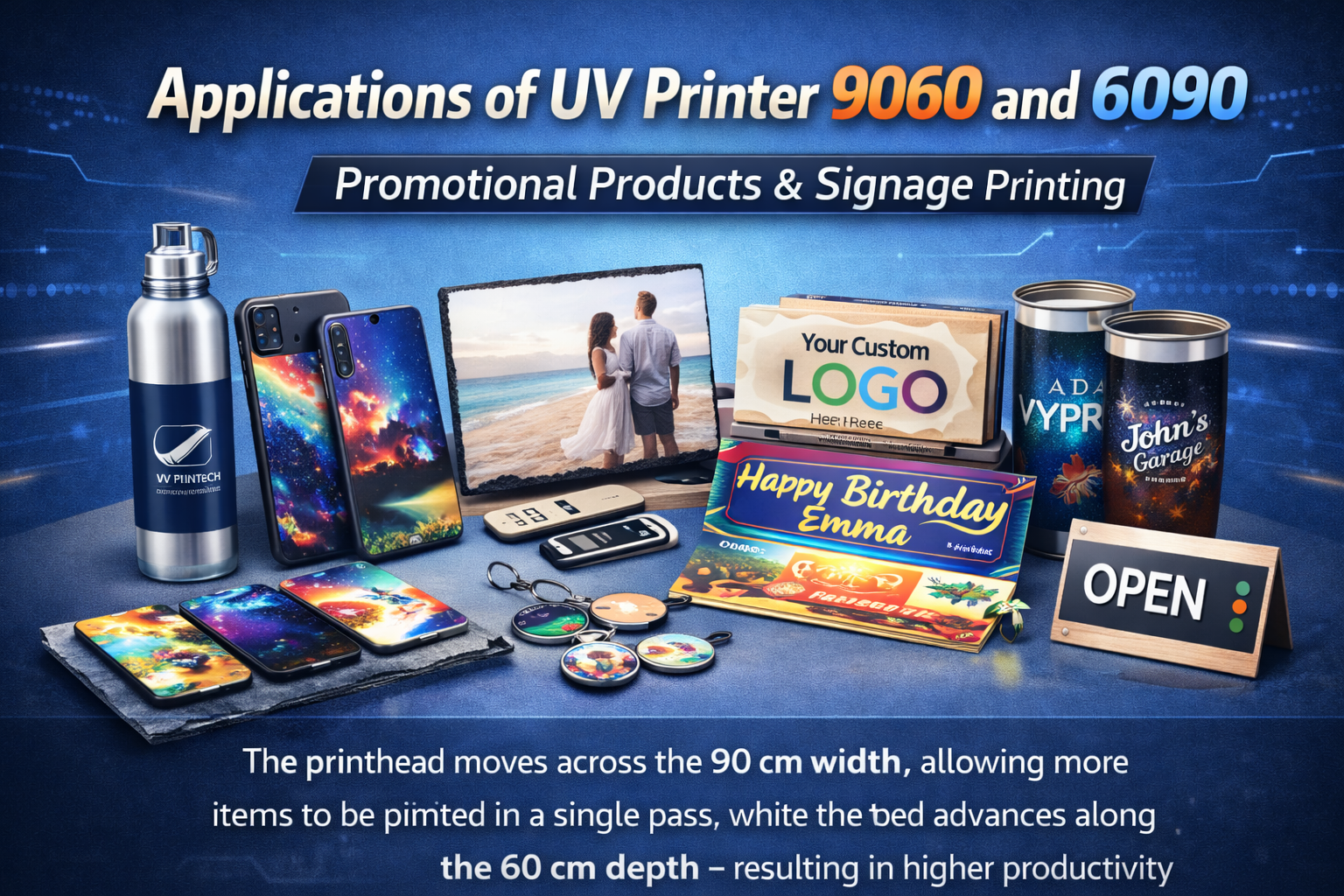
- Promotional product shops printing phone cases, badges, acrylic items, signs, and gifts.
- Packaging teams producing sample boxes, inserts, panels, and product mockups.
- Electronics accessory brands printing shells, lids, and small hard parts.
- Small factories adding logos, serial codes, and direct marks to product components.
- Print shops that want a mid-size flatbed before moving into larger UV equipment.
Why the 9060 Bed Size Matters
The 9060 size category is attractive because it sits between compact desktop-style printers and large industrial flatbeds. It gives enough bed area for small sheets, trays of products, short production fixtures, and multi-item batches. For many small shops, the bed is large enough to be useful but not so large that every job becomes a big-machine setup.
Bed size affects how many parts can be printed in one cycle, how large a fixture can be, and whether the shop can combine small orders efficiently. It also affects the type of customers the shop can target. A 9060 machine can support short-run product manufacturing, packaging samples, acrylic work, metal plates, phone cases, promotional items, small signs, and specialty B2B parts.
Common Products for a UV Printer 9060
| Product Type | Why It Fits | Internal Link Path |
|---|---|---|
| Phone cases and tech accessories | Flat or shallow products can be placed in trays and printed in batches. | Phone case design practices |
| Acrylic signs and badges | Small rigid products are easy to batch and personalize. | Applications |
| Electronic enclosures | Short runs need logos, icons, QR codes, and serial marks. | UV printer |
| Packaging samples | Direct printing supports mockups, prototypes, and small brand launches. | Commercial UV printer guide |
| Metal plates and panels | Durable labels, equipment plates, and industrial samples fit well. | UV printing on metal |
| Custom promotional products | Mixed small objects can be organized with jigs and trays. | Machine comparison |
Jigs Are the Difference Between Samples and Production
A UV Printer 9060 becomes more valuable when the operator uses jigs well. One phone case is easy to place by hand. Fifty phone cases need a tray. A dozen different product shells need a template. A repeat B2B customer needs a saved fixture and print profile. Without jigs, the machine can still print, but the operator spends too much time positioning every part.
Good jigs reduce placement errors, protect margins, and make reorders easier. They can be made from acrylic, foam, printed guides, laser-cut sheets, or simple mechanical stops depending on the product. For irregular pre-cut parts, a visual positioning UV printer or camera alignment workflow can reduce the fixture burden.
Material Testing Before Selling Production Jobs
Small manufacturers often print on many materials: acrylic, glass, metal, coated plastic, leather, wood, PVC, ABS, packaging board, aluminum, and product shells. The 9060 bed size makes those materials possible, but material testing still decides whether the finished work is reliable. Adhesion, color, white ink, curing, and surface cleaning should be tested before promising volume.
A smart shop builds a material sample library. Each sample should note cleaner, print mode, white ink setting, curing behavior, adhesion result, and any limitations. That library becomes a sales tool and a production reference. Internal links to substrate compatibility, metal printing, glass and ceramic printing, and white ink help buyers understand why testing matters.
White Ink, Varnish, and Layered Effects
White ink is important for dark products, clear acrylic, transparent packaging, black phone cases, metal panels, and colored promotional items. Varnish can add gloss, texture, or premium highlight effects. A UV Printer 9060 that supports these workflows can handle higher-value work than a basic CMYK-only setup.
The key is to use effects where they help the product, not just because the machine can do them. White ink should improve readability. Varnish should support the design. Multi-layer printing should be tested for curing and height control. The multi-layer UV printing guide is a useful support article for buyers who want raised effects or premium finishes.
How a 9060 Supports Sample Runs
Sample runs are one of the best use cases for a UV Printer 9060. A buyer may need packaging mockups, sample product shells, award prototypes, branded panels, product labels on rigid material, or a small influencer kit. These jobs are often too small for outsourced mass production but too important to look cheap. A 9060 printer gives the shop control over fast revisions and small-batch presentation quality.
Sample work can also lead to production work. If a startup approves a packaging sample, it may later need 100 units. If a manufacturer likes a printed part, it may reorder every month. The shop should treat sample settings seriously because today’s proof can become tomorrow’s repeat order.
Cost Factors and ROI
| Cost Factor | Why It Matters | Practical Note |
|---|---|---|
| Machine investment | Defines monthly payback pressure and service expectations. | Compare total workflow value, not only purchase price. |
| Ink and consumables | White ink, varnish, cleaning fluid, and maintenance affect real cost. | Track actual use by product type. |
| Jig setup | Fixture time can be larger than print time for small products. | Charge setup on first orders and save fixtures for repeats. |
| Rejected parts | Mistakes can be expensive if customer supplies finished blanks. | Proof first and inspect early. |
| Operator time | Loading, cleaning, alignment, and packing are part of the job. | Do not price only by square inch. |
| Service and downtime | Production value depends on uptime and support. | Review buyer criteria in the commercial UV printer buying guide. |
ROI improves when the shop targets work with strong value per part: prototypes, branded product batches, small B2B parts, premium promotional goods, packaging samples, and repeat customer fixtures. It becomes weaker when the shop chases low-cost commodity jobs that do not pay for setup, testing, and inspection.
How to Price 9060 Work
There are three useful pricing layers. First, charge setup for artwork review, material testing, white ink setup, and fixture creation. Second, charge production based on part count, print coverage, handling, and inspection. Third, charge premium options for varnish, raised effects, variable data, urgent turnaround, or customer-supplied blanks with higher risk.
For repeat customers, keep the setup separate from the reorder price. The customer should see that the first order includes discovery and fixture work, while future orders benefit from saved templates and settings. This makes the service easier to sell and protects the shop from undercharging the most time-consuming part of the job.
Workflow for Small Product Manufacturers
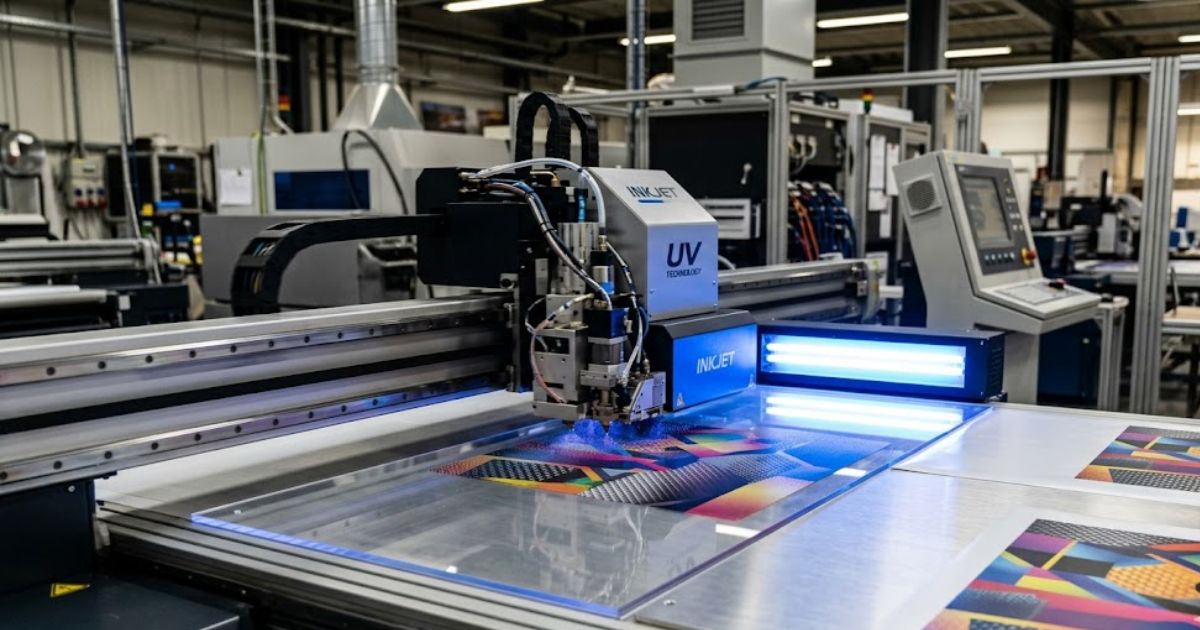
- Choose a core product group instead of accepting every material on day one.
- Build a small material and sample library for the target customers.
- Create jigs for repeat products and document placement rules.
- Prepare artwork with white ink, varnish, and cut-safe zones where needed.
- Print a proof and inspect adhesion, alignment, color, and small text.
- Save approved settings, product photos, and reorder notes.
- Run batches in groups and inspect before packing.
- Track actual cost, setup time, rejects, and reorder potential.
Visual Positioning vs Standard Fixtures
Not every 9060 buyer needs camera alignment, but many small manufacturers benefit from it. Standard fixtures are best for repeat products with consistent dimensions. Visual positioning helps when parts are pre-cut, irregular, mixed, or too low-volume for a dedicated jig. It can also help when artwork must align to an existing printed mark, edge, hole, or product feature.
For SEO and buyer education, this is a useful cross-link. A visitor reading about 9060 workflow may realize that a visual positioning UV printer fits their product better. The camera alignment guide can support that decision with more technical context.
How to Decide Between 9060 and Other UV Printers
A UV Printer 9060 is not automatically the right size for every buyer. A very small hobby workflow may not need it. A large sign producer may need a bigger flatbed or hybrid machine. A round-product business may need a cylindrical printer or 360 rotary UV printer. The best choice depends on product size, quantity, material, floor space, operator skill, and expected order mix.
The machine comparison page should be the decision hub after this article. This post captures the 9060 small-manufacturer search intent, then helps visitors move toward the correct machine category instead of staying on a general blog page.
Common Mistakes Small Buyers Make
- Buying only by bed size: workflow, white ink, RIP software, service, and fixtures matter just as much.
- Ignoring actual part height: some products need more clearance than a flat sample sheet.
- Skipping material tests: adhesion and curing vary by surface and coating.
- Underpricing setup: jigs, proofing, and file correction are real labor.
- Taking every job too early: start with a controlled product menu before expanding.
- Not saving settings: repeat production becomes slow if every reorder starts from memory.
Best First Product Menu
A new 9060 owner should start with a focused menu. Good first categories include acrylic signage, small product shells, phone cases, badges, metal plates, packaging samples, and promotional products. These categories teach bed setup, white ink, materials, and pricing without forcing the shop into too many unknowns at once.
Once the workflow is stable, the shop can expand into more specialized work such as electronic enclosures, industrial labels, interior decor panels, personalized gifts, and product launch kits. The goal is to build a profitable repeat system, not only show that the printer can print many objects.
First 90 Days With a UV Printer 9060
The first 90 days should be treated as workflow building, not just sales hunting. In the first month, the operator should learn the machine, build a material test library, document white ink behavior, and produce a small set of sales samples. In the second month, the shop should narrow the product menu and build fixtures for the products that show the best margin. In the third month, the focus should move toward repeat customers, reorder templates, and better quoting.
This staged approach protects the buyer from a common mistake: trying to sell everything the machine can print before the workflow is stable. A UV Printer 9060 can print many products, but traffic and revenue usually grow faster when the business has clear examples, predictable pricing, and strong internal proof. A visitor who sees controlled product categories is more likely to trust the machine recommendation than a visitor who sees only a broad list of possible materials.
How This Page Should Support Commercial Rankings
This article should act as a bridge between informational search and commercial product pages. Someone searching for a UV Printer 9060 for small business is often comparing machine size, application fit, and payback. The article answers those questions, then links to the UV printer 9060 product page when the buyer is ready to compare specifications.
It should also support related keyword groups such as small UV flatbed printer, UV printer for product samples, flatbed UV printer for small business, and UV printer for product manufacturing. Those are not all the same query, but they share the same buyer problem. With strong internal linking, this post can help Google connect 9060, small business, product samples, jigs, and short-run production into one stronger topical cluster.
Internal Link Strategy for This Post
This post should link strongly to the UV printer 9060 product page, then support buyer comparison through the UV printer, machine comparison, commercial UV printer buying guide, and UV printer 9060 buying guide. Supporting links to materials, white ink, file preparation, and visual positioning help the page feel complete and help search engines understand the 9060 cluster.
What to Monitor After Publishing
Watch impressions for UV printer 9060 for small business, UV printer 9060 price, 9060 UV printer for product printing, small UV flatbed printer, UV printer for small manufacturers, and UV printer sample production. If impressions appear but clicks stay weak, adjust the title toward small manufacturers and ROI. If clicks are good but commercial-page movement is low, add stronger contextual calls to compare the 9060 product page.
FAQ
Is a UV Printer 9060 good for small business?
Yes. It can be a strong fit for small businesses that print short-run products, samples, promotional goods, packaging mockups, and custom rigid items, as long as the workflow includes material testing and jigs.
What can a UV Printer 9060 print?
It can print many rigid or semi-rigid products such as acrylic pieces, phone cases, metal plates, packaging samples, small signs, product shells, badges, wood items, glass samples, and flat parts that fit the bed and height limits.
Should buyers choose 9060 or a larger UV printer?
Choose based on product size, order mix, floor space, fixture needs, and growth plan. Compare the UV printer 9060 page with the broader machine comparison page before deciding.
Final Recommendation
A UV Printer 9060 for small product manufacturers is a strong commercial-support topic because it answers real buying questions: bed size, jigs, samples, cost, ROI, and workflow. The article should rank for long-tail 9060 searches while passing authority to the main 9060 page and related machine comparison content. For best results, keep the internal links practical and position the 9060 as a production tool, not just a general printer.