
Many creators ruin perfectly good phone case blanks with poorly planned artwork designs. The custom phone case market demands precision because these smartphone accessories are small items. Phone case design tips start with understanding safe zones and bleed areas properly. Your phone case artwork design must account for curved edges and camera cutouts.
UV printing design guidelines prevent wasted materials and disappointed customers every single time. Custom phone case printing requires templates matched to specific phone models exactly right. We learned this after ruining dozens of cases with misaligned graphics during early production.
UV printed phone cases sell better when designs look professional and fit perfectly. Businesses creating custom phone accessories rely on professional UV printers capable of printing directly onto case materials with precision. The UV printed phone case design process covered in this guide helps you avoid common mistakes completely.
Why Design Planning Matters for UV Printed Phone Cases
Rushed artwork files cause most failures in smartphone printing projects today. Phone case artwork planning prevents wasted blanks and frustrated customers returning defective products. The phone accessories market expects perfect prints on every single case sold online. Your mobile accessory design needs precise measurements before any production work begins.
UV printed phone case design demands more attention than larger format printing jobs typically. Small surfaces magnify every tiny error that bigger products might hide easily from view.
The Growing Demand for Custom Phone Cases
Smartphone users want accessories that express their personality and unique style preferences. Custom phone accessories sales grow 15% yearly as buyers reject generic mass produced options. Online accessory stores report that personalized phone cases rank among their top selling product categories. Young buyers especially drive this demand for one of a kind phone protection.
Gift buyers search for unique items that feel special and personally meaningful. Photo cases featuring pets and family remain bestsellers throughout the entire year consistently.
How UV Printing Enables High Quality Phone Case Designs
UV printing on phone cases delivers vibrant colors that resist scratching and daily wear. UV flatbed printers deposit ink directly onto protective phone cases without heat transfer films. Instant UV curing creates durable bonds between the ink and the case surface immediately. Fine details reproduce sharply because ink droplets stay exactly where the heads place them.
We tested prints after six months of daily use, and colors held remarkably well. Texture effects and raised elements add a premium feel that customers happily pay extra for.
Common Design Challenges for Phone Case Printing
Phone case printing errors happen when designers ignore camera cutouts and button placements. Edge wrapping requires extended bleed areas that many standard templates simply miss. Curved surfaces distort flat artwork in ways beginners rarely anticipate beforehand unfortunately. Speaker holes and charging ports need clear zones marked before positioning any design elements.
Each phone model has different dimensions requiring separate template files for accuracy. Test prints on paper first reveal alignment problems before ruining actual case inventory.
How to Use Phone Case Design Templates
Designers who skip templates waste hours fixing alignment problems after printing starts badly. A proper phone case design template shows exact boundaries for each smartphone model variation. Phone case artwork layout becomes simple when you start with accurate guides already built. Your UV printed phone case design fails without templates matching specific phone case dimensions precisely.
Templates prevent guesswork and eliminate costly reprints on every production batch completely. Most people find that templates save more time than creating custom layouts from scratch.
Understanding Phone Case Dimensions
Every device model release brings new case shapes requiring fresh template measurements immediately. iPhone 15 Pro cases differ from Samsung Galaxy S24 templates by several millimeters. Phone case dimensions vary based on camera bump size and corner radius specifications. Button placement shifts between generations even within the same manufacturer product lines.
We measure every new case model before creating production templates for our library. Supplier datasheets sometimes contain errors, so physical measurement remains essential. Download templates only from trusted sources that verify measurements against actual cases.
Using Design Guides and Layout Grids
Your design layout grid positions artwork away from danger zones automatically during creation. Adobe Illustrator displays template layers showing safe areas and cutout positions clearly. CorelDRAW handles similar guide systems that experienced designers rely upon consistently. Lock template layers before adding artwork to prevent accidental guide movement.
Safe zones typically sit 3mm inside edges to account for printing variance naturally. Center important text and logos away from corners where print coverage gets tricky.
Exporting Print-Ready Phone Case Designs
Print-ready design files require specific settings that RIP software expects for proper processing. Convert all colors to CMYK color mode before final export to avoid color shifts. High-resolution images need 300 DPI minimum for sharp results on small phone surfaces. Flatten transparency effects and outline fonts to prevent output problems during printing.
Save files as PDF or TIFF for best compatibility with most UV printing systems. Check file size because very large files slow down RIP processing times noticeably.
What Are Safe Zones in Phone Case Design?
Beginners lose important design elements when artwork sits too close to print edges. Phone case safe zones create buffer areas protecting text and logos from getting cut. Your UV printed phone case design needs design safety margins built into every file. Trimming margins accounts for slight shifts that happen during actual printing production naturally.
Without proper margins your customer’s name might get chopped in half unfortunately. Safe zones differ between case manufacturers, so always verify specifications before designing anything.
Why Safe Zones Prevent Printing Errors
Design margin guidelines protect critical artwork from production variables that always exist. Printing tolerances cause minor shifts that push designs slightly off their intended positions regularly. Keep important elements 4mm away from edges for reliable results every single time. Text placed near boundaries becomes unreadable when alignment drifts even one millimeter.
We rejected 30% fewer cases after implementing strict safe zone rules in files. Background colors can extend to edges, but logos and words need protected placement. Most people find that this simple rule eliminates their most common printing complaints immediately.
Handling Camera Cutouts and Button Areas
Phone case camera cutouts need extra clearance beyond the actual hole boundaries completely. Camera modules vary in size between phone models requiring different exclusion zone sizes. Side buttons need accessible paths that designs must never block or accidentally cover. Power and volume controls sit at predictable locations shown in good templates.
Charging ports and speaker grills also require clear zones for proper phone function. Design elements touching these areas look unprofessional and frustrate customers using devices daily.
Designing Around Edge Curves
Curved edge design creates distortion challenges that flat artwork simply cannot anticipate properly. Wraparound phone cases stretch graphics around corners changing how images actually appear visibly. Straight lines bend and faces distort when printed across curved case surfaces awkwardly. Plan artwork knowing edges will curve and adjust proportions to compensate beforehand.
Keep faces and critical elements centered where surfaces stay relatively flat naturally. Test prints reveal exactly how curves affect your specific design before full production.
How to Create Wraparound Phone Case Designs
Flat artwork files fail when printed on three dimensional
MTuTech production notes for UV printing applications
For buyers comparing UV printing applications options, the strongest ranking signal is not only the definition of the process. The page should also explain machine fit, production limits, material behavior, ink or fixture requirements, and the next page a buyer should read before requesting a quote.
Best machine fit
Use this guide together with UV Printer when the job requires stable UV output, repeatable setup, and production-ready print quality. If the work involves different shapes, materials, or order sizes, compare it with Flatbed UV Printer 2513 before choosing the final printer.
Production checklist
- Confirm the printable area, part height, and fixture or rotary requirements before quoting the job.
- Match ink, primer, and curing settings to the substrate so adhesion and scratch resistance are predictable.
- Standardize artwork preparation, white ink layers, and test prints before moving into batch production.
- Track production cost by ink use, setup time, rejects, and finishing steps instead of looking only at printer price.
Related MTuTech resources
FAQ
Which MTuTech printer should this article connect to? The best next page depends on the material, shape, and production volume. Flat products usually start with UV printer or UV Printer 9060 pages, while bottles, tumblers, and round products should connect to rotary, cylinder, tumbler, or cylindrical printer pages.
What should buyers check before ordering? Buyers should confirm print size, material compatibility, white ink needs, fixture design, curing performance, maintenance expectations, and whether the workflow supports repeatable production rather than one-off samples only. phone case surfaces badly. Wraparound phone case design extends graphics across sides creating premium looking finished products. Full coverage phone case printing demands special techniques that standard design approaches miss entirely. Your UV printed phone case design looks incomplete when curved case edges show blank areas.
Edge printing transforms ordinary cases into high value products that customers gladly pay more for. Most people find wraparound designs sell 40% better than front only printed versions.
Extending Designs Beyond the Front Surface
Full coverage case design requires artwork extending 5mm past visible edge boundaries safely. Edge printing needs extra bleed allowing ink to wrap around curved surfaces properly. Calculate exact extension distances based on your specific case thickness measurements carefully. Thicker cases need more extended artwork than slim profile alternatives do naturally.
We measure each case style and create extension guides before any production begins. Background patterns extend more easily than photos because distortion matters less on abstract elements. Solid colors work best for edges, while detailed artwork stays on flat areas.
Avoiding Design Distortion on Curved Surfaces
Curved surface design stretches and compresses artwork in ways flat screens never show. Printing angles affect how graphics appear once printed onto actual three dimensional cases. Faces printed across curves look warped and unprofessional to customers immediately upon viewing. Geometric patterns tolerate stretching better than realistic photos or detailed illustrations typically.
Plan designs know that corner areas compress while edge midpoints stretch most noticeably. Software mockups help visualize distortion before committing to actual print production runs.
Testing Wraparound Designs with Sample Prints
Design test printing catches problems that screen previews simply cannot reveal accurately. Sample phone cases show exactly how artwork appears in real world physical form. Print single units before running batches to verify that colors and alignment look correct. Changes cost pennies on samples versus dollars when fixing entire production batches.
We test every new design on actual cases before approving files for customer orders. Photograph your samples from multiple angles to spot issues hiding on side surfaces.
What Design Styles Work Best for UV Printed Phone Cases?
Sellers waste inventory printing designs nobody actually wants to buy right now. Phone case design trends shift quickly based on fashion accessories market preferences globally. Popular phone case designs follow patterns that smartphone accessory brands track through sales data. Your UV printed phone case design must match what buyers currently search for online.
Outdated styles sit unsold while trending designs fly off virtual shelves immediately daily. Understanding current preferences prevents costly inventory mistakes that hurt profit margins badly.
Minimalist and Graphic Designs
Minimalist phone case design dominates current buyer preferences across most age groups strongly. Geometric graphics with clean lines appeal to professionals wanting subtle, stylish accessories today. Simple color blocks and thin line artwork print beautifully on UV equipment consistently. Less complex designs also reduce production time and lower costs per unit printed.
We noticed minimalist cases outsell busy designs by a 3-to-1 ratio consistently. Single color backgrounds with small centered logos remain bestsellers throughout every season. Young professionals especially prefer understated elegance over loud flashy graphics on devices.
Personalized and Photo-Based Designs
Personalized phone case designs tap into emotional buying that drives gift purchases strongly. Photo prints featuring pets and family members create deeply meaningful products for customers. Couples want matching cases with shared photos marking special relationship milestones together. Parents order cases featuring children’s artwork and school photos regularly throughout each year.
Quality photo printing requires high resolution source images that customers must provide. Guide buyers to submit 300 DPI images minimum for acceptable print results every time.
Artistic and Pattern-Based Designs
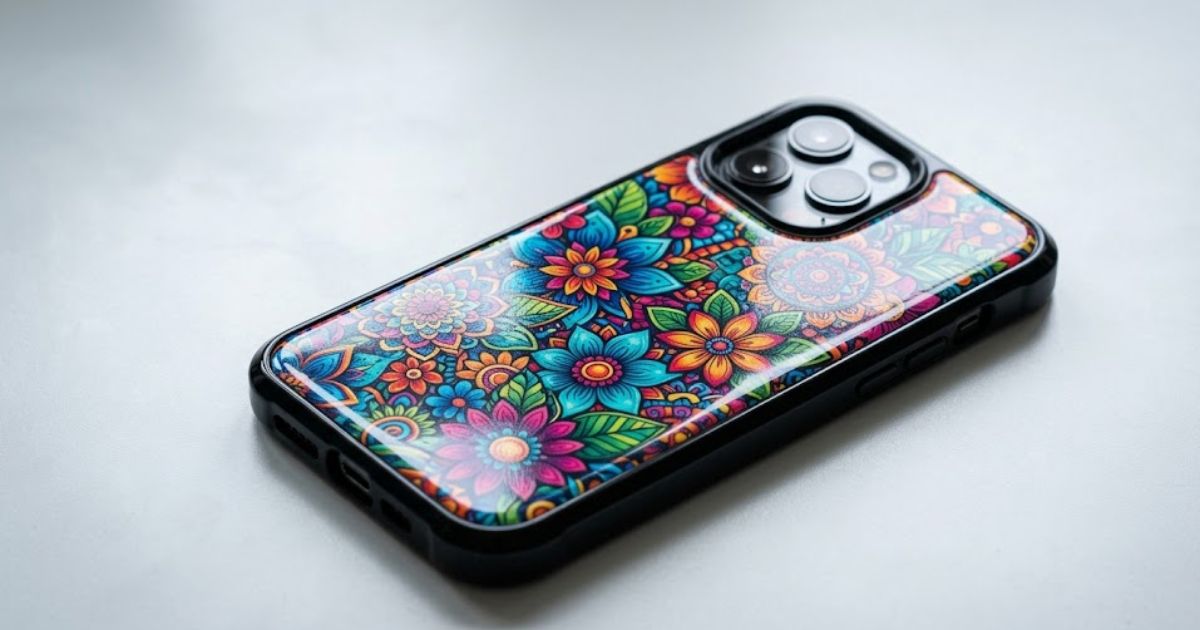
Patterned phone cases attract buyers seeking unique artistic expression through accessories daily. Digital artwork from independent artists creates exclusive designs that competitors cannot easily copy. Abstract patterns and illustrated characters appeal to younger demographics browsing online stores. Botanical prints and vintage inspired graphics trend strongly among specific buyer segments currently.
License artwork from creators or develop original patterns for your exclusive product lines. Seasonal pattern updates keep your catalog fresh and give buyers reasons to repurchase.
Choosing the Right UV Printer for Phone Case Production
Large format printers waste space and money when you only print small accessories daily. A proper phone case printing machine fits your workspace and handles high volume accessory orders. Your UV printer for accessories needs precise height adjustment for varying case thicknesses. Flatbed UV printer models work best because cases lie flat during the printing process.
For tricky curved cases and exact positioning, a Visual Positioning UV Printer uses camera systems to nail alignment on every single piece. We tested multiple machine sizes and found mid-format equipment offers the best balance. Phone case manufacturers and printing businesses prefer tabletop models for dedicated accessory production lines. Jig systems hold multiple cases for batch printing that speeds up order fulfillment dramatically.
FAQs
What file format is best for phone case printing?
PDF and TIFF formats preserve quality best for phone case UV printing workflows consistently. PNG works for simple graphics when saved at proper resolution settings.
How do you design a phone case template?
Start with accurate measurements for your specific phone model dimensions carefully. Build guides showing safe zones and camera cutout locations in design software.
What is a safe zone in phone case design?
Safe zones mark areas where important artwork stays protected from edge trimming. Keep text 4mm inside boundaries for reliable results every time.
Can UV printers print on curved phone cases?
Yes, flatbed UV printers handle slight curves but extreme angles cause coverage issues. Adjust print head height to match surface contours during setup.
What resolution is best for phone case artwork?
Use 300 DPI minimum for sharp results on small phone case surfaces always. Higher resolution improves fine detail and text clarity significantly.
Start Printing Phone Cases Today
Ready to launch your custom phone case design business with professional equipment today? Check out MTuTech Printers for UV printing solutions built specifically for product customization businesses. Phone case UV printing becomes simple when you match the right machine to your needs.