
White ink in UV printing creates opacity on surfaces where CMYK inks alone cannot work. Dark substrates, glass panels, and acrylic sheets all absorb or transmit light incorrectly. Your designs look faded, muddy, or completely invisible without proper white ink application. We handle these challenges daily across thousands of production jobs yearly.
This guide covers when to use white ink UV printer workflows for professional results. White underbase printing techniques, UV white ink settings, and file preparation are explained thoroughly. You’ll learn how to print white ink on acrylic and glass with confidence. UV printing white ink modes and maintenance requirements round out the essential knowledge needed. Browse our UV printer for machines engineered with reliable white ink systems.
What Is White Ink in UV Printing
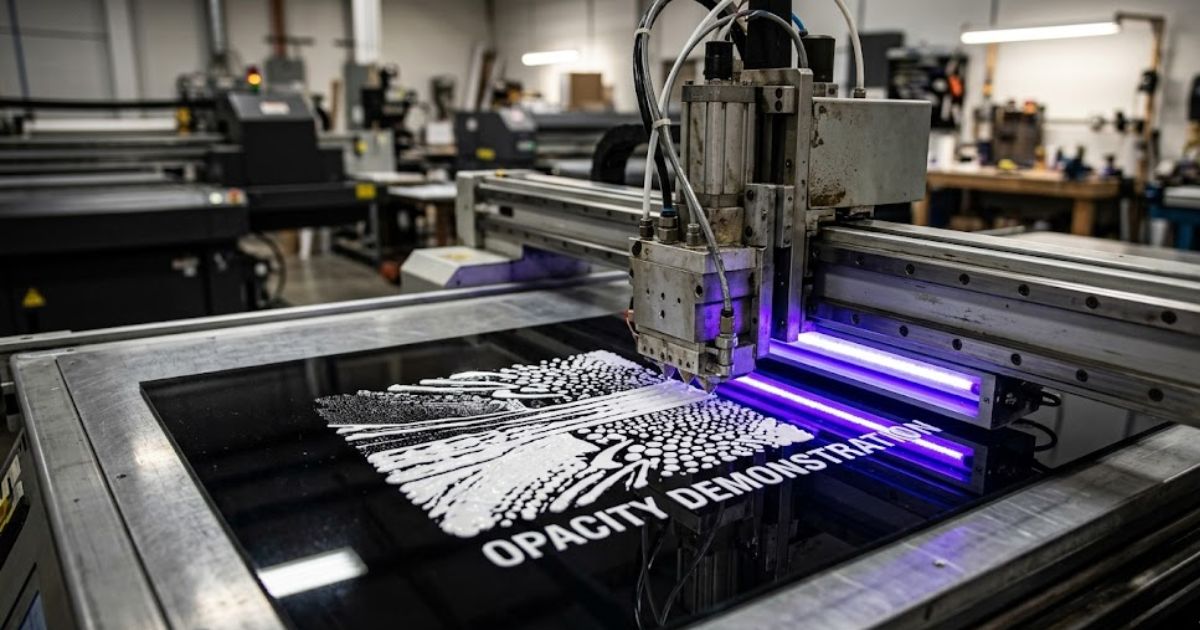
Titanium dioxide pigments give white ink UV printing its unique opacity properties. These heavy mineral blocks prevent substrate colors from affecting your printed design completely. CMYK inks subtract light wavelengths but cannot produce white on their own naturally. UV printing white ink fills this gap by reflecting light through color layers.
UV printer white ink opacity varies based on pigment concentration and deposit thickness. Denser formulations create brighter, more solid coverage beneath your artwork colors. UV white ink layer setup determines final opacity levels achieved on each substrate. We calibrate these variables for every material type entering our production workflow.
When Do You Need White Ink in UV Printing
Printing on Transparent Materials
UV printing on transparent materials demands white ink for visible graphic output. Light passes straight through glass and acrylic without any ink reflection occurring. Clear phone cases and glass award plaques demonstrate this challenge perfectly. Transparent substrate printing looks ghostly and unprofessional without white backing.
White ink creates the reflective foundation your colors need underneath. We produce acrylic sheets and glass panels for graphics throughout every production week. Clear plastic promotional products require this treatment for customer satisfaction guaranteed. Store window displays depend on proper UV printing on glass for visibility.
Printing on Dark or Colored Substrates
UV printing on dark materials challenges even experienced print operators regularly. Bright yellow printed on black acrylic becomes an ugly brownish tone instantly. Dark surfaces absorb color wavelengths instead of bouncing them toward viewers. White underbase UV printing prevents this color distortion problem completely.
Colored PVC boards and metal panels behave identically to dark substrates. A white underbase acts as a reflective barrier between material and colors. Reds stay red and blues remain blue as your original design intended. Clients contact us weekly after competitors delivered distorted prints without white.
Creating Layered and Backlit Designs
Backlit graphic printing requires strategic white placement for illuminated displays. Signage panels positioned before light sources need careful layer planning. Colors print first, white follows, then additional color layers build depth. This layered UV printing method creates a visual dimension impossible otherwise.
White controls light transmission through different design areas precisely. Some zones remain opaque while others glow from backlighting beautifully. When to use white ink relates directly to your final display environment.
White Ink Printing Modes in UV Printers
Underbase White Mode
Underbase mode deposits white first with CMYK colors firing afterward directly. This sequence maximizes color vibrancy in dark substrate coverage situations. Onyx RIP provides underbase density controls ranging from 50% to 100% easily. Caldera RIP delivers similar functionality through print queue configuration panels.
White underbase density at 80% handles medium toned materials effectively. Jet black surfaces need 100% density for complete substrate blocking underneath. Our production runs underbase mode on approximately 70% of weekly jobs.
Overprint White Mode
Overprint mode reverses the sequence by placing white above finished colors. Highlights, white text, and specialty effects benefit from this approach specifically. The print layering process flips completely versus the underbase methodology.
White ink pass count typically remains at a single application for overprint jobs. Double passes build raised tactile surfaces popular with luxury packaging clients. UV white ink settings precisely control overprint opacity and thickness results.
Sandwich Mode for Glass Applications
White sandwich printing merges both approaches into one comprehensive workflow. White prints first, colors follow, then white seals everything in three passes. Glass panel printing uses this method for dual sided backlit signage viewing.
The initial white layer establishes opacity against transparent glass substrates. Middle color layers display with full vibrancy and accuracy achieved. Final white seals graphics for professional backlit results from either direction.
| Mode | Print Order | Best Application |
| Underbase | White → CMYK | Dark materials |
| Overprint | CMYK → White | Highlights, text |
| Sandwich | White → CMYK → White | Glass, backlit signs |
How White Ink Improves Color Vibrancy
Understanding UV Printer White Ink Opacity
UV printer white ink opacity directly determines your final color brightness. Thin white allows substrate tones to bleed through and contaminate designs. Thick deposits block everything while creating solid reflective foundations underneath.
Titanium dioxide concentration controls light reflection through printed color layers. Higher pigment density means brighter CMYK results above the white base. We verify opacity levels before committing materials to large production runs.
White Underbase vs Top White Layer
White underbase printing deposits white before colors touch substrate surfaces. This bottom-up print layering process builds colors with proper foundation support. UV color accuracy remains true when the underbase eliminates substrate interference.
Top white layers add highlights or text above finished color artwork instead. Raised visual elements catch light differently to create dimensional effects. Choke settings contract white slightly smaller to prevent edge visibility.
Best Materials for White Ink UV Printing
Substrate behavior varies dramatically regarding UV ink and white requirements. Some materials always demand white while others function without it. This reference shows what materials need white ink UV printing in situations.
| Material | White Required | Density Setting |
| Clear Glass | Always | 100% |
| Clear Acrylic | Always | 100% |
| Black Acrylic | Always | 90-100% |
| Dark Metals | Usually | 80-100% |
| Colored PVC | Usually | 70-90% |
| Natural Wood | Sometimes | 50-70% |
| White Substrate | Never | N/A |
Glass surfaces cannot display visible graphics without white ink underneath. Clear acrylic sheets behave identically to glass for printing purposes. Dark plastics and metal surfaces absorb colors without white blocking. Wood occasionally skips white when designers want natural grain showing.
How to Prepare Files for White Ink Printing
Creating White Ink Layers in Design Software
The UV white ink layer setup begins inside your design application first. Adobe Illustrator requires a dedicated layer labeled White for RIP recognition. Access the swatches panel and generate a new spot color specifically designated. Naming must match your print facility expectations exactly or machines ignore it.
CorelDRAW follows comparable procedures through different menu navigation paths. White elements belong on isolated layers for proper file organization to be maintained. We receive incorrectly structured files daily from designers mixing white into artwork. White ink file preparation fails when this fundamental step is skipped.
Preparing White Ink Layers for RIP Software
RIP software interprets spot channels and routes them to designated print heads. Onyx RIP displays white as an independent channel within job preview screens. Caldera RIP manages print layer mapping through queue configuration options.
RIP layer processing determines whether white fires before or after colors. Spread settings extend white beyond artwork edges for backlit overlap needs. Always verify previews before releasing files to production equipment.
Common File Setup Mistakes
Missing layers generate more production headaches than any other issue. Designers lock white layers then forget to unlock before file export occurs. Incorrect spot color naming causes RIP software to bypass white channels entirely.
White ink file errors waste materials and production hours through reprints required. Printing setup mistakes occur when RGB formatted files reach UV printers. Convert all artwork to CMYK plus dedicated white spot channels before submission.
RIP Settings for White Ink Optimization
White Underbase Density Configuration
White underbase density governs base layer opacity on printed substrates. Onyx RIP features density sliders adjustable from 0% to 150% precisely. Begin at 80% density and increase only if colors appear washed out.
Caldera RIP provides comparable percentage based white ink channel controls. Excessive application wastes ink without quality improvements being visible. We print test strips on unfamiliar materials before full production commitment.
Choke and Spread Settings Explained
Choke settings contract white layers slightly smaller than colored elements. This prevents white edges from peaking beyond graphic boundaries visibly. Standard UV production uses 0.2-0.5mm choke values successfully.
MTuTech production notes for UV printer ink
For buyers comparing UV printer ink options, the strongest ranking signal is not only the definition of the process. The page should also explain machine fit, production limits, material behavior, ink or fixture requirements, and the next page a buyer should read before requesting a quote.
Best machine fit
Use this guide together with UV Printer when the job requires stable UV output, repeatable setup, and production-ready print quality. If the work involves different shapes, materials, or order sizes, compare it with UV DTF Printer before choosing the final printer.
Production checklist
- Confirm the printable area, part height, and fixture or rotary requirements before quoting the job.
- Match ink, primer, and curing settings to the substrate so adhesion and scratch resistance are predictable.
- Standardize artwork preparation, white ink layers, and test prints before moving into batch production.
- Track production cost by ink use, setup time, rejects, and finishing steps instead of looking only at printer price.
Related MTuTech resources
FAQ
Which MTuTech printer should this article connect to? The best next page depends on the material, shape, and production volume. Flat products usually start with UV printer or UV Printer 9060 pages, while bottles, tumblers, and round products should connect to rotary, cylinder, tumbler, or cylindrical printer pages.
What should buyers check before ordering? Buyers should confirm print size, material compatibility, white ink needs, fixture design, curing performance, maintenance expectations, and whether the workflow supports repeatable production rather than one-off samples only.
Spread settings expand white past artwork edges for opposite effects. Backlit glass panel projects need to be spread to ensure complete color backing. UV white ink settings apply these modifications during file processing automatically.
White Ink Pass Count Options
Single pass white suits light substrates requiring minimal opacity only. Double pass white delivers full coverage for dark substrate jobs completely. Triple passes serve glass backlit signage demanding maximum density.
Additional passes consume more ink while improving color vibrancy results. White ink pass count selection depends on substrate and appearance goals.
Common White Ink Printing Problems and Solutions
Banding and Uneven Opacity Issues
White ink banding manifests as horizontal striping across printed areas. Print head alignment faults cause most banding problems encountered. Nozzle blockage creates opacity inconsistencies throughout solid white zones.
Execute nozzle checks before every white ink job begins printing. Pigment sedimentation generates density variations across print surfaces. Daily head cleaning plus 30 minute circulation prevents these issues.
White Ink Misalignment Problems
Layer registration errors allow white to show beyond color edges incorrectly. Weekly print head calibration maintains accurate layer positioning consistently. Camera alignment systems on newer machines detect and correct positioning automatically.
Visual positioning printers handle printing on irregular objects through object detection printing features. These capabilities ensure alignment that older equipment cannot achieve.
Ink Cracking and Curing Failures
White ink cracking results from UV lamps curing deposits too aggressively. Thick white layers require reduced curing energy levels for flexibility. Under curing leaves ink is soft and vulnerable to scratching damage.
Balance curing power between 70-85% for most applications successfully. Flexible substrates need lower settings preventing layer cracking problems.
White Ink Cost and Ink Usage
Why White Ink Costs More
Titanium dioxide market pricing elevates white ink above colored alternatives. This dense pigment demands more raw material per production volume. White ink consumption exceeds CMYK by 30-50% for equivalent coverage areas.
Slower print speeds during white application extend production time costs. Higher deposit requirements mean more ink per square inch consumed. We calculate white ink budgets separately for accurate project costing.
Factors Affecting White Ink Usage
Substrate darkness directly determines white ink volume requirements. Mode selection among underbase, overprint, or sandwich affects consumption significantly. UV white ink settings within RIP software control deposit precision.
Production speed impacts hourly ink consumption rates measurably. Faster speeds reduce deposits while slower builds thicker coverage.
White Ink vs No White Ink Comparison
Results differ dramatically depending on the presence or absence. This comparison demonstrates real outcomes on common substrates.
| Surface | Without White | With White |
| Clear Acrylic | Faded, transparent | Vibrant, solid |
| Black Plastic | Nearly invisible | Bright, accurate |
| Glass Panel | See through colors | Opaque, defined |
| Dark Wood | Muddy, absorbed | Clean, sharp |
| Colored Metal | Dull, muted | Vivid, precise |
UV print contrast increases 40-60% with proper white underbase application. Colors match designs exactly when the substrate influence is eliminated.
Real Production Workflow Example
White Ink Workflow for Acrylic Sign Production
Step one opens Adobe Illustrator with completed artwork prepared. Generate a layer named White positioned beneath color artwork. Create a spot color swatch matching your RIP naming requirements.
Step two exports the file as PDF preserving spot color channels intact. Step three imports into Onyx RIP or Caldera RIP for processing. Configure underbase white mode with 85% density selected.
Step four verifies print layer mapping through preview confirmation. Step five secures acrylic substrate on the vacuum bed properly. Step six executes printing with white first and CMYK following automatically. Step seven cures at 80% UV power for proper hardening.
Our facility completes this workflow over 50 times weekly.
What Maintenance Does White Ink Require
Why White Ink Clogs Print Heads
Titanium dioxide particles weigh significantly more than standard color pigments. These heavy particles settle faster inside ink delivery systems. Pigment sedimentation accumulates within tubes and nozzles during idle periods.
Ink clogging issues escalate from minor to expensive rapidly if neglected. We replaced heads after just one weekend of printer inactivity. Heavy pigments harden inside microscopic channels extremely quickly.
Daily Maintenance for White Ink Systems
Daily printer maintenance ensures white ink flows through heads properly. Execute cleaning cycles every morning before production begins. Nozzle cleaning eliminates dried pigment from head surfaces efficiently.
Ink circulation pumps maintain particle suspension preventing settlement. The ink circulation system should operate even during non-printing days. Five minutes of print head cleaning prevents thousands in repair costs.
How Modern UV Printers Reduce Issues
Automated ink circulation operates continuously in current printer models. Automatic cleaning systems engage when nozzle performance decreases slightly. These advancements reduce maintenance requirements by approximately 60%.
Modern UV printer design incorporates sensors detecting clog development early. Premium machines cost more initially but deliver long term repair savings.
Exploring UV Printers with Advanced White Ink Systems
Printer quality varies substantially regarding white ink handling capabilities. Budget machines experience frequent clogging and waste ink supplies weekly. Advanced UV printing systems incorporate superior engineering, preventing these problems.
The UV Printer 9060 pro includes integrated circulation eliminating pigment settling. This flatbed UV printer handles glass, wood, metal, and acrylic effortlessly. Dual head designs maintain consistent white output without production delays. Our testing covered dozens of machines before selecting proven performers.
Visual positioning printers employ camera systems for irregular object alignment. Object detection printing positions artwork accurately on curved surfaces. These machines extend capabilities beyond flat substrate limitations.
FAQs
Why do UV printers use white ink?
White ink provides opacity on transparent and dark surfaces. Colors appear faded or invisible on certain materials without it.
Can you print without white ink in UV printing?
Printing works on white or light surfaces without white ink. Dark materials require white base layers for accurate color reproduction.
What materials require white ink printing?
Glass, acrylic, dark plastics, and metals need white ink. Requirements depend entirely on substrate color characteristics.
Does white ink improve color vibrancy?
White prevents substrate colors from contaminating your design. Colors display brighter and more accurately with proper base layers.
Is white ink harder to maintain in UV printers?
Heavy pigments settle faster than standard CMYK formulations. Daily circulation and cleaning maintain smooth operation.
How to print white ink on acrylic properly?
Create a white spot layer in Illustrator, export as PDF, configure underbase mode in RIP software, then print.
See White Ink UV Printers
Want prints that pop on dark and clear materials? MTuTech Printers builds production grade UV machines with solid white ink performance for shops that don’t mess around. Phone cases, glass panels, acrylic signs, these printers handle it all without breaking a sweat.
Stop losing jobs because your white ink looks washed out or patchy. Check out our full UV printer lineup and find a machine that fits your budget and pumps out the volume you need. Our crew helps you pick the right setup for your exact workflow.