
A commercial UV printer buying guide should not begin with the cheapest price or the biggest advertised bed. It should begin with the products a business needs to sell every week. Commercial buyers are not purchasing a machine for a showroom sample. They are buying uptime, repeatability, operator control, material range, service support, and a workflow that can turn inquiries into finished orders without constant surprises.
This guide supports buyers comparing UV printers, industrial flatbed models, the UV Printer 9060, larger flatbed systems, hybrid UV printer options, and application-specific machines. It also supports the broad ‘UV printer’ cluster by giving Google and buyers a stronger commercial explanation of how the main product pages fit together.
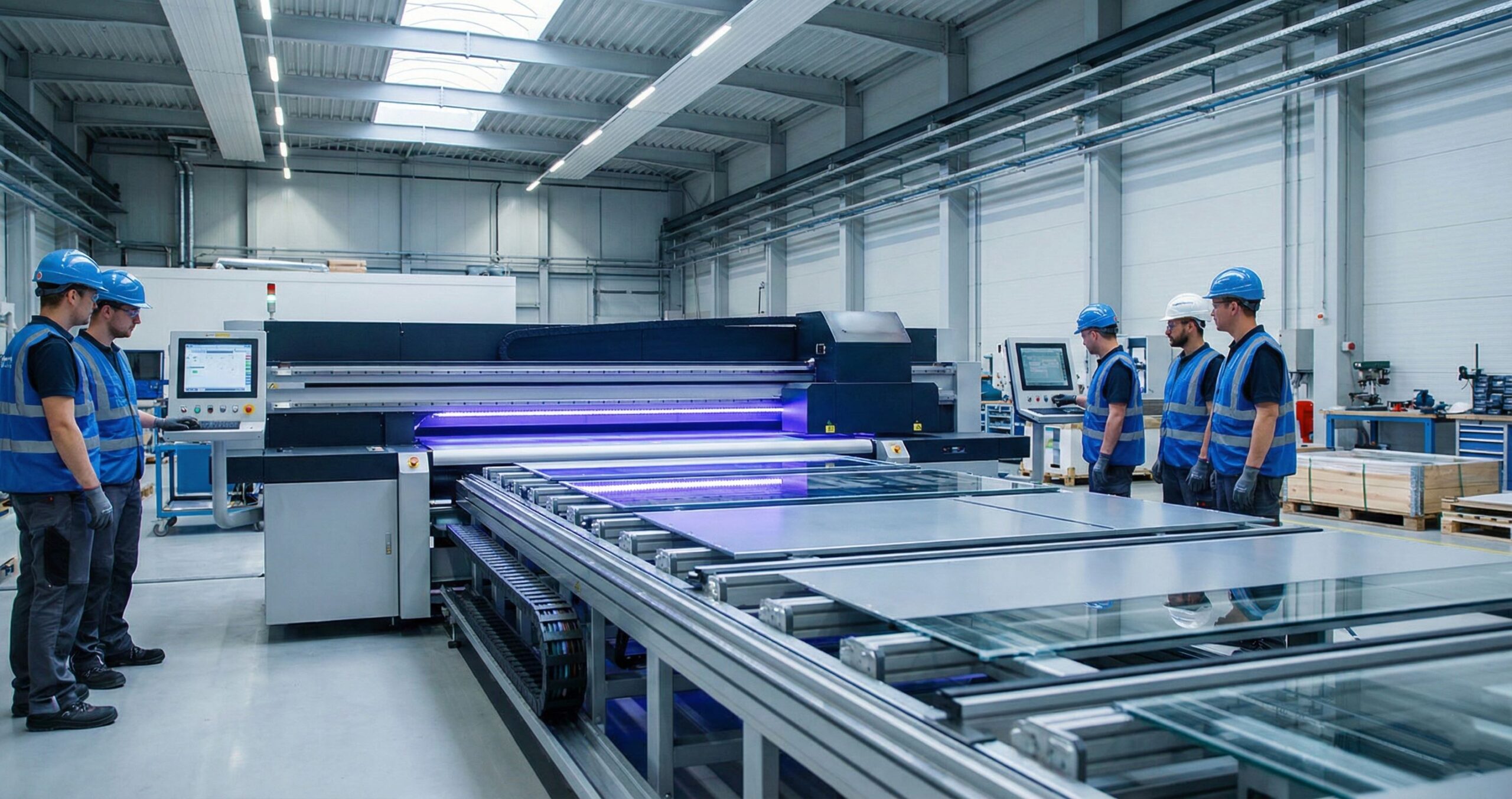
Start With the Product Mix
Before comparing machine specs, define the real product mix. A shop printing acrylic awards has different needs from a packaging team, a signage company, a promotional product supplier, or a factory marking parts. The product mix determines bed size, ink configuration, material handling, fixture requirements, software needs, and finishing workflow.
- Flat rigid goods: acrylic, wood, glass, metal, phone cases, cards, plaques, boards, and panels.
- Packaging and prototypes: sample boxes, product mockups, cosmetic bottles, retail displays, and inserts.
- Round products: bottles, tumblers, tubes, jars, caps, and cylindrical packaging.
- Mixed small goods: gifts, tags, labels, event merchandise, branded products, and ecommerce items.
- Wide-format work: signs, display boards, rigid sheets, roll media, and production panels.
Bed Size Is a Business Decision
Bed size should be matched to order value and workflow. A compact model can be profitable if the shop sells small products with strong margins. A mid-size model such as the UV Printer 9060 can support phone cases, plaques, cards, sample boards, packaging pieces, and small batches. A large flatbed UV printer is better when the shop handles boards, panels, signage, industrial parts, or multiple-up batch production.
Do not buy more bed than the business can fill, but do not buy so small that every profitable job is broken into too many passes. The right size is the one that reduces handling while matching the most common order dimensions.
| Business type | Likely machine path | Why it fits |
|---|---|---|
| Gift and promotional products | UV Printer 9060 or compact flatbed | Good for small objects, sample batches, and repeat jigs |
| Signage and display work | UV printer or large flatbed | Supports panels, boards, acrylic, metal, and display materials |
| Packaging prototype team | UV printer or hybrid UV printer | Handles boards, sheets, sample boxes, and display assets |
| Bottle and drinkware shop | 360 rotary UV printer, tumbler printer, or cylinder UV printer | Round goods need rotation and wrap control |
| Mixed production shop | machine comparison | The best setup may include more than one workflow |
Material Compatibility Must Be Tested
Commercial buyers often ask whether a UV printer can print on metal, glass, acrylic, wood, PVC, leather, ceramic, board, coated plastic, or packaging. The honest answer is that many materials are possible, but the surface condition matters. Coating, cleaning, static, primer, ink settings, curing, and handling affect the final result.
Use the applications page as a practical starting point, then test the exact material. A sample printed on one acrylic sheet does not prove that every acrylic supplier will behave the same way. Commercial work needs a material library with approved settings, supplier notes, and quality-control records.
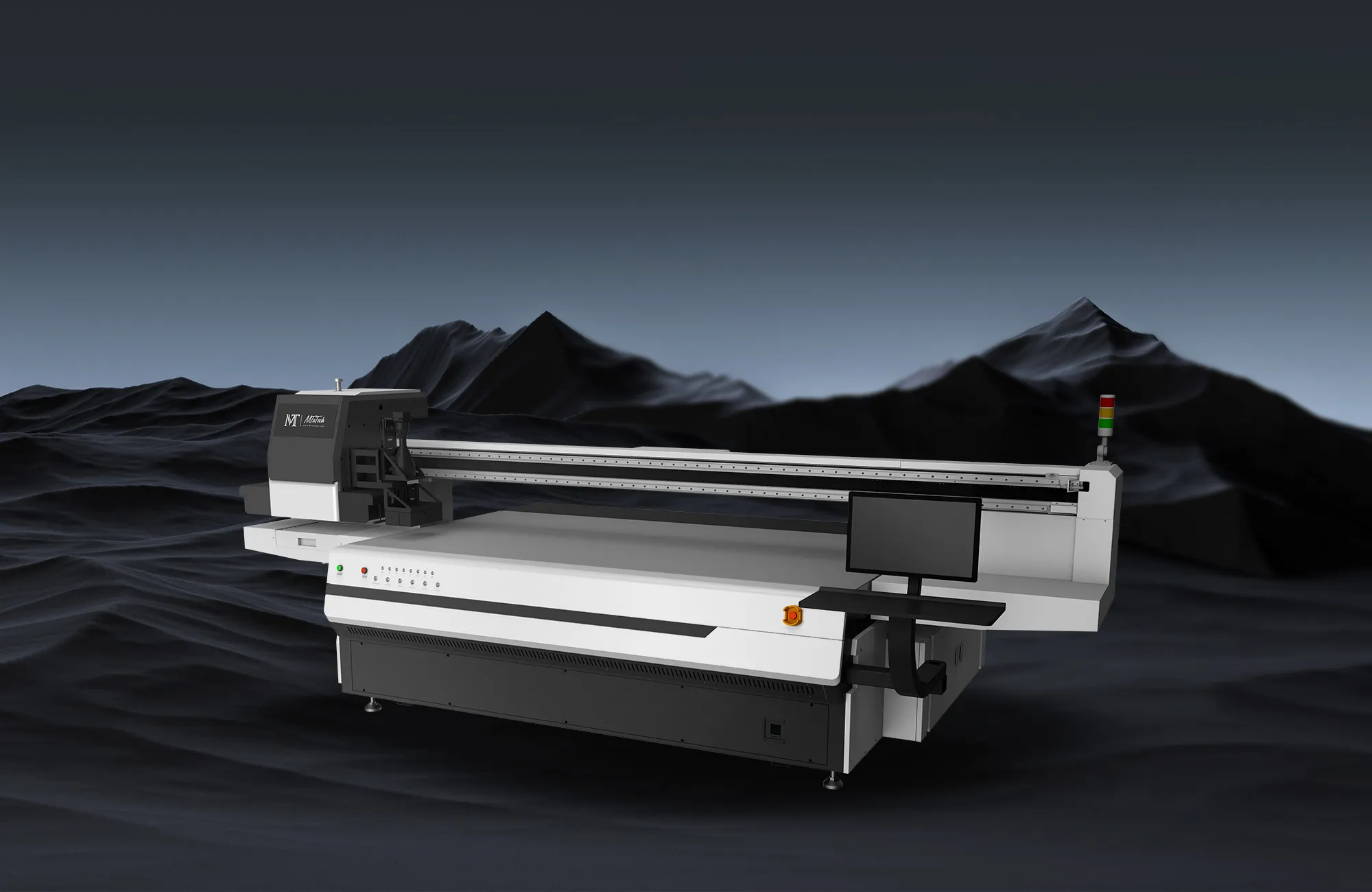
White Ink and Varnish Are Not Optional Details
White ink is one of the biggest commercial differences between casual printing and serious production. It supports dark materials, clear acrylic, glass, colored products, metallic substrates, and layered graphics. Varnish can add gloss, raised effects, and premium finish. But both features add setup time and maintenance responsibilities.
Any buyer comparing machines should read about white ink in UV printers before making a purchase. A machine with white ink is only valuable if the team can maintain circulation, run nozzle checks, prepare files correctly, and price the extra production time.
Speed Claims Need Context
Speed numbers can mislead buyers. A printer may move quickly in a draft mode, but commercial orders need sellable quality. Real speed includes artwork preparation, material cleaning, loading, alignment, print mode, curing, unloading, inspection, packing, and rework. The fastest machine on paper is not always the fastest business workflow.
Ask how long a complete order takes, not only how fast the carriage moves. A production workflow with templates, jigs, saved profiles, and trained staff will outperform a faster machine that is poorly organized.
RIP Software and Color Control
Commercial UV printing depends heavily on RIP software. RIP software manages color, white ink layers, varnish, job queues, profiles, nesting, and repeat settings. Buyers should ask whether the workflow supports saved presets for repeat customers, profile control for different materials, and clear separation of CMYK, white, and varnish layers.
If a shop plans to serve brand owners, packaging teams, or industrial customers, color repeatability matters. The printer is only one part of the system. Artwork rules, RIP settings, substrate records, and operator habits decide whether the second order matches the first.
Fixture Planning and Camera Alignment
Commercial UV printing becomes profitable when repeat products are easy to position. Fixtures protect alignment and reduce operator stress. A visual positioning UV printer can help with irregular shapes, mixed jobs, and short-run alignment where manual measurement slows production. It is not a replacement for every fixture, but it can be valuable when the product mix changes frequently.
- Create reusable jigs for repeat products.
- Save bed origin, print mode, product height, and artwork templates.
- Photograph approved samples for future reference.
- Keep a fixture library organized by product type and customer.
- Use camera alignment or visual positioning when product variety makes fixed jigs inefficient.
Service, Training, and Spare Parts
A commercial printer is only as strong as its support plan. Buyers should ask about installation, operator training, printhead protection, ink supply, spare parts, remote troubleshooting, warranty terms, and maintenance routines. Cheap hardware can become expensive if downtime is frequent or parts are hard to source.
A proper buying decision includes the people who will run the machine. Who prepares files? Who cleans the machine? Who checks nozzles? Who talks to support? Who approves samples? If those responsibilities are unclear, production quality will drift.

ROI: What Actually Pays Back the Machine?
Return on investment is built from repeatable products, not random one-off experiments. Strong UV printer businesses package their services: acrylic signs, phone case batches, product prototypes, metal tags, gift items, control panels, drinkware decoration, packaging samples, and short-run branded merchandise. Each package should have size limits, minimum quantities, lead times, finish options, and pricing rules.
A machine pays back faster when the shop sells products with clear value and predictable setup. If every job is priced as a custom favor, the printer becomes busy but not profitable.
Questions to Ask Before Buying
- What are the top five products we expect to print every month?
- What is the largest product we need to print regularly, not once a year?
- Do we need white ink, varnish, primer, rotary printing, or visual positioning?
- What materials must be tested before we sell them?
- How much operator training is required?
- What support and spare parts are available?
- Which product pages should our website use as the main ranking targets?
Where This Guide Fits in the MTuTech SEO Cluster
This support article should strengthen the broad UV printer hub, pass model-intent relevance to UV Printer 9060, connect large production buyers to the hybrid UV printer page, route round-product buyers toward 360 rotary UV printer and tumbler printer, and move undecided visitors toward machine comparison or contact MTuTech. That internal routing is the reason this buying guide is useful for Phase 2 SEO.
Sample Proof and Buyer Trust
Commercial buyers do not buy only a machine; they buy confidence that the machine can produce sellable work. A strong sales process should include realistic sample proof. That means samples on real materials, examples of white ink, examples of varnish, close-ups of small text, product photos under normal lighting, and a clear explanation of what is possible with the selected workflow.
A sample kit should not be a random pile of prints. It should show common business outcomes: signage panels, packaging pieces, acrylic awards, product labels, phone cases, metal plates, wood samples, and dark-surface white ink tests. Each sample should be labeled with material, finish, and typical use case. This helps buyers understand the machine as a production tool rather than a novelty printer.
Red Flags When Comparing Commercial UV Printers
- The quote talks about maximum speed but not production-quality speed.
- The machine is promoted as printing on everything without material testing rules.
- White ink is included, but circulation, cleaning, and nozzle-check routines are not explained.
- RIP software, profiles, and color workflow are treated as minor details.
- There is no clear training plan for operators.
- Spare parts, support response, and maintenance responsibilities are vague.
- The buyer has not defined repeat products or expected monthly order volume.
First 90 Days After Installation
The first 90 days should be planned before purchase. In the first month, the team should learn daily maintenance, safe loading, nozzle checks, basic color control, and material testing. In the second month, the team should build templates, fixtures, sample kits, and product packages. In the third month, the sales team should start selling repeatable offers instead of vague custom printing.
This rollout matters because many UV printer problems are not hardware problems. They are workflow problems. When a business creates material records, approved settings, and product packages early, the printer becomes easier to sell and easier to manage.
How to Compare Quotes Properly
A low machine price can be attractive, but commercial buyers should compare total operating readiness. A proper quote should clarify machine size, printhead configuration, ink set, white and varnish capability, RIP software, included training, warranty terms, spare part availability, installation support, shipping, and recommended maintenance supplies.
If two quotes look similar, compare the application fit. A buyer who mainly prints rigid boards should prioritize bed stability and material handling. A buyer who wants wider signage and flexible media should compare hybrid UV printer options. A buyer selling mixed small products should consider whether a visual positioning UV printer or UV DTF printer workflow is also needed.
Commercial UV Printer Evaluation Scorecard
A serious commercial UV printer purchase should be scored against production realities, not only brochure features. The best choice is the machine that can handle the buyer’s profitable products repeatedly, with manageable maintenance, predictable color, and enough support to keep orders moving. A small gift shop, packaging sample room, signage producer, and industrial component supplier may all need UV printing, but they should not evaluate the same machine in the same way.
| Evaluation area | What to check | Why it matters |
|---|---|---|
| Product fit | Largest item size, smallest repeat part, height range, and material type | The machine should match real jobs, not hypothetical future work. |
| Ink setup | CMYK, white ink, varnish, primer needs, and daily circulation routine | Ink configuration affects color, opacity, texture, maintenance, and cost. |
| Workflow | RIP software, color profiles, fixture plan, operator skill, and sample approval process | Weak workflow turns a good printer into a slow production bottleneck. |
| Service | Training, spare parts, remote support, printhead guidance, and documentation | Commercial buyers need uptime, not only installation help. |
| ROI | Expected monthly jobs, sell price, consumables, labor, rejects, and maintenance | Profitability depends on repeatable output and realistic capacity. |
How Different Buyers Should Narrow the Machine Shortlist
Gift and promotional product businesses
Gift sellers should prioritize fixture simplicity, fast product changeover, small-batch accuracy, and the ability to print on popular items such as acrylic pieces, phone cases, nameplates, souvenirs, and branded accessories. If bottles and curved drinkware are part of the catalog, the buyer should also compare 360 rotary UV printer, tumbler printer, and cylindrical printer options.
Packaging and sample teams
Packaging teams need color repeatability, substrate testing, white ink control, sample durability, and the ability to produce short-run boards or prototypes that help sales teams win approvals. These buyers should care less about headline speed and more about whether the printer can produce approved samples consistently.
Signage and display shops
Signage shops should evaluate bed size, rigid board handling, floor space, media staging, operator movement, and whether a hybrid UV printer is required for roll media. A flatbed-only workflow may be cleaner for rigid panels, while hybrid production can make sense when flexible display graphics are also frequent.
What to Ask MTuTech Before Finalizing a Commercial UV Printer
- Which machine size best fits the buyer’s top five products by revenue, not only the largest possible product?
- Which sample tests should be completed before the buyer commits to a model?
- What training is needed for the operator to control white ink, varnish, color, and maintenance?
- Which commercial page should the buyer compare next: UV printer, UV Printer 9060, hybrid UV printer, or machine comparison?
Proof Before Purchase: Samples, Materials, and Repeat Jobs
Before a buyer approves a commercial UV printer, the supplier conversation should move from general capability to proof. The buyer should prepare real materials, real product dimensions, expected artwork types, and finish expectations. A printed sample on a random substrate is helpful, but it is not the same as testing the buyer’s actual product mix. The sample process should confirm adhesion, color, white ink opacity, varnish finish, edge detail, curing quality, and how the print looks after handling.
Repeatability is just as important as the first good sample. A machine may produce one attractive piece during a demonstration, but commercial value comes from producing the same approved result again and again. Buyers should ask how fixtures are built, how files are prepared in RIP software, how operators control height, and how rejected pieces are handled. This is especially important for packaging samples, branded promotional items, acrylic products, panels, and industrial parts where buyers expect consistency.
This is why MTuTech’s commercial pages should be used together. The main UV printer page explains the broader machine category, model pages help narrow the size, and application pages show where the workflow fits commercially. A buyer who compares these pages before requesting a quote will usually ask better questions and choose a machine with fewer surprises after installation.
FAQ
What is the best commercial UV printer for a small business?
The best machine depends on product mix. A shop focused on small rigid goods may start with a mid-size flatbed such as the UV Printer 9060. A signage or packaging shop may need a larger flatbed or hybrid workflow.
Is a commercial UV printer good for packaging samples?
Yes. Commercial UV printers can support rigid packaging prototypes, sample boards, cosmetic packaging, displays, and short-run branded pieces when the substrate and finishing requirements match the machine.
Should I buy a flatbed or hybrid UV printer?
Choose flatbed when most work is rigid and sheet-based. Choose hybrid UV printer when the business also needs roll media, display graphics, or wider mixed production.
What should I check before requesting a quote?
Prepare product sizes, materials, expected monthly volume, white ink needs, finish requirements, floor space, staff skill, and sample expectations. Then use contact MTuTech for a recommendation.
Bottom line: a commercial UV printer should be chosen around repeatable products, not vague potential. The strongest buying decision connects machine size, materials, software, service, fixtures, white ink, and ROI into one production plan.