
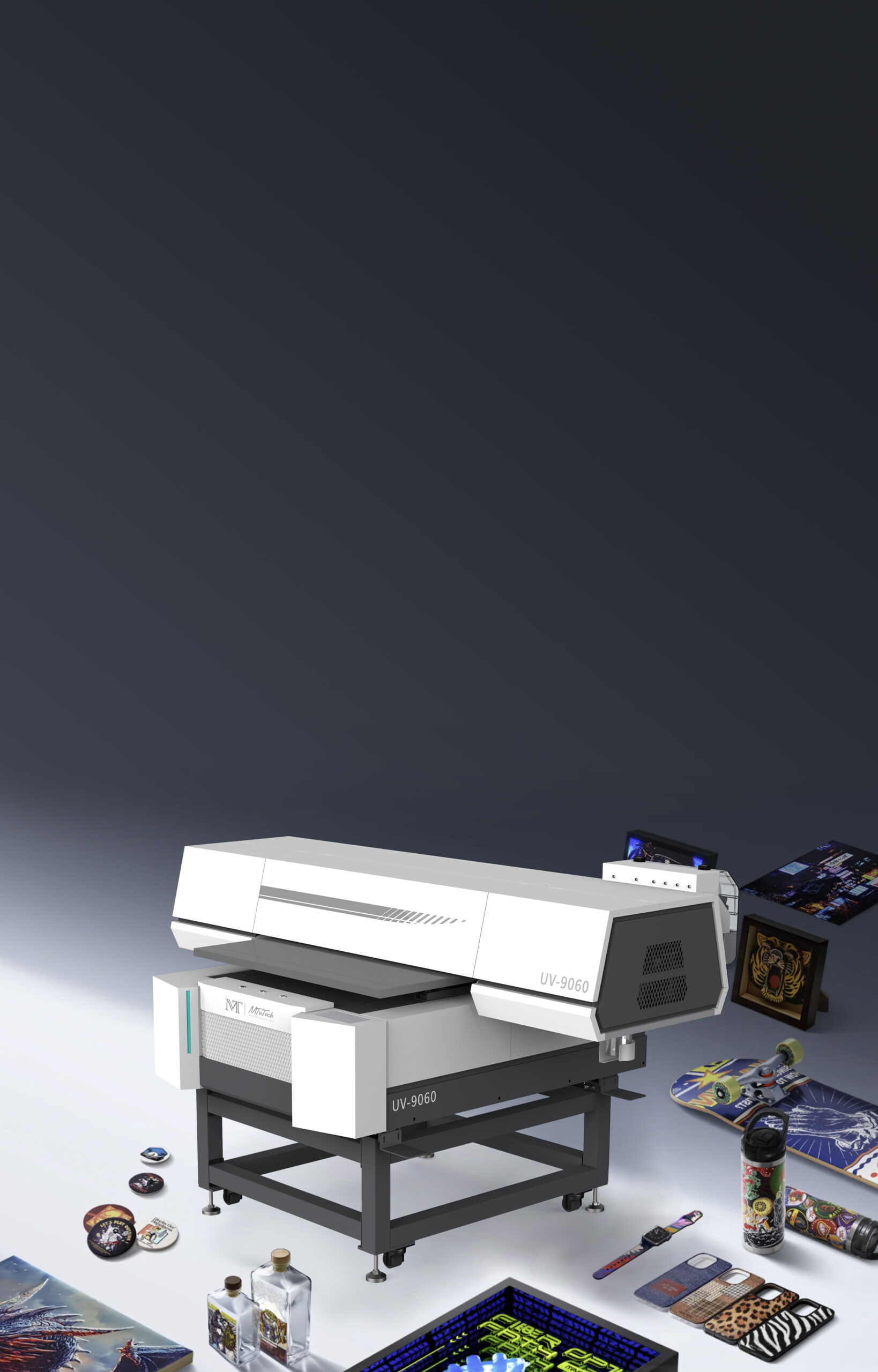
A UV printer 9060 is often the point where a print business moves from hobby-size work into commercial direct-to-object production. The bed is large enough for signs, panels, trays of small products, packaging blanks, promotional items, and repeatable fixture work, but it is still compact enough for a small shop, sampling room, or in-house customization department. That balance is why the 9060 format matters. It gives buyers a practical way to serve more product types without jumping straight into a large industrial flatbed.
The challenge is that many buyers compare UV printers only by machine size and price. That is too shallow. A 9060 flatbed affects the whole workflow: how artwork is prepared, how fixtures are made, how operators load products, how white ink is controlled, how varnish is used, and how fast a job can move from proof to repeat production. A machine with the right bed size but the wrong workflow can still become slow, expensive, or hard to keep consistent.
This guide is written for owners, production managers, and buyers who are considering the MTuTech UV Printer 9060 or comparing it with smaller and larger UV flatbed printers. It focuses on practical buying criteria rather than generic printer features. The goal is to help you understand when the 9060 format makes sense, what you should check before purchase, and how to use internal links between related MTuTech pages so Google also understands the role of this page inside the broader UV printer cluster.
What a UV Printer 9060 Is Designed to Do
The term UV printer 9060 usually refers to a flatbed printer with a working area close to 900 mm by 600 mm. In real production terms, that size can handle more than one type of job. A shop can print a single large panel, several medium products, or a full jig of smaller items in one setup. Compared with A3 or desktop machines, it gives more space for batching. Compared with 2513 or 3220 industrial flatbeds, it is easier to place in a smaller production area and easier to run for short orders.
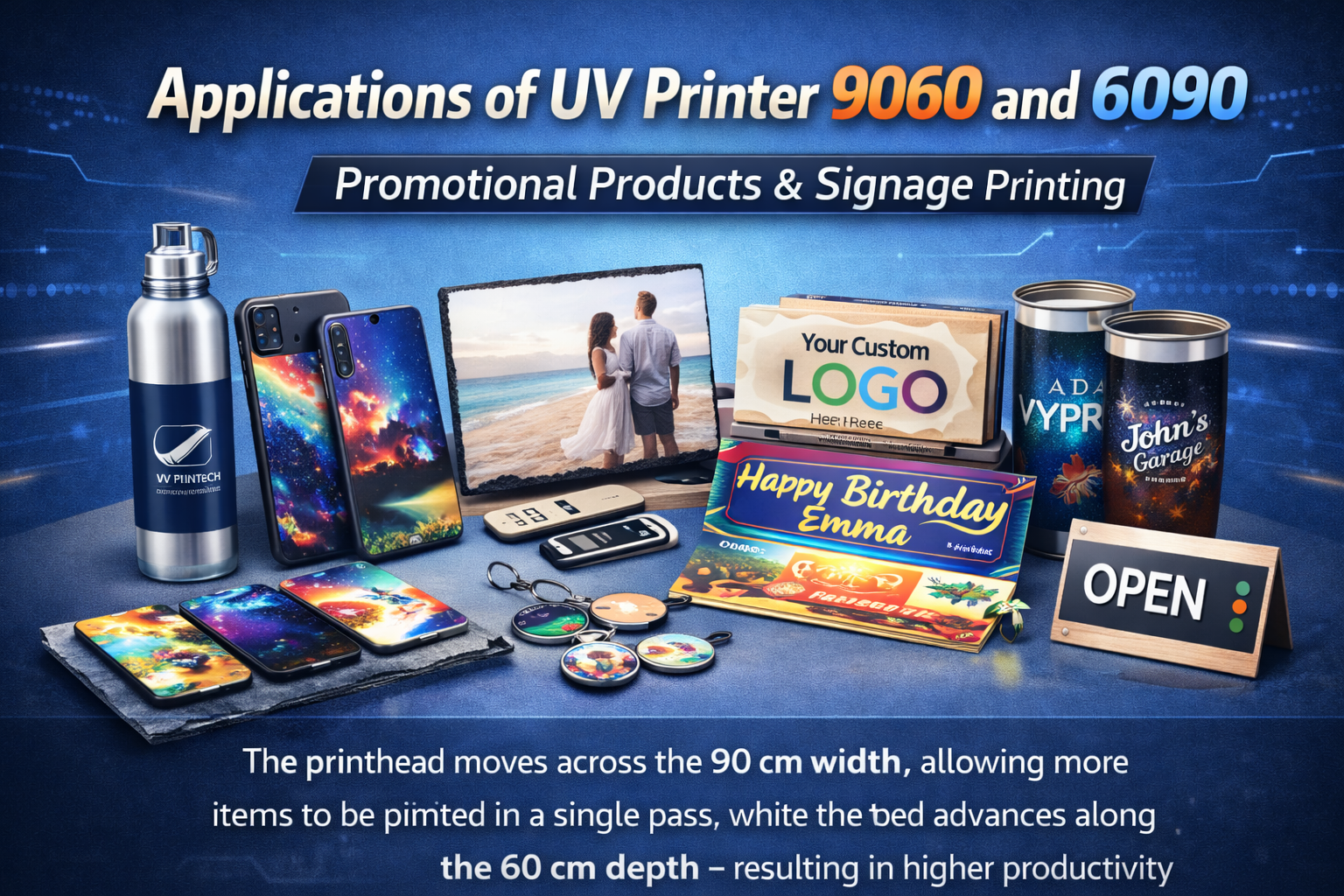
For many B2B buyers, this is the reason the 9060 format is attractive. It is not just a bigger desktop printer. It is a flexible production machine for teams that need to sell custom products, prototypes, short-run packaging, signs, awards, acrylic panels, metal plates, electronics accessories, drinkware components, and branded items. If your orders are mixed and your customers expect fast turnaround, the bed size gives you room to arrange the work intelligently.
Best-fit users for the 9060 format
- Custom gift and promotional product shops that print many small items per day.
- Sign and display businesses that need short-run acrylic, metal, PVC, and board printing.
- Packaging sample teams that print on rigid blanks before mass production.
- Industrial suppliers that need logos, markings, warning labels, serial plates, or prototypes.
- Print shops moving up from small desktop UV printers but not ready for a large-format flatbed.
The important point is not whether the machine can print one impressive sample. Most UV printers can do that in a showroom. The better question is whether it can support the daily job mix you actually expect. If a shop prints phone cases in the morning, acrylic signs at noon, and packaging samples in the afternoon, the 9060 size gives enough room to build a serious workflow without occupying the entire facility.
Why Bed Size Changes the Business Case
Bed size affects revenue more directly than many first-time buyers realize. The same design file, ink set, and operator can produce very different results depending on how many units fit into one pass. If a smaller printer forces the operator to load products repeatedly, the job becomes labor-heavy. If a larger printer is mostly empty for short orders, the shop pays for capacity it does not use. The 9060 format sits in the middle and is often easier to keep busy.
When comparing machines, map your products on paper before looking at price. A 900 by 600 mm bed can usually hold multiple phone cases, plaques, small boxes, keychains, nameplates, power banks, acrylic signs, or promotional items. It can also handle one larger board or a combination of products when the workflow is organized well. That makes it valuable for shops that sell variety rather than one high-volume SKU.
Questions to ask before choosing the size
- What are the largest products you need to print every week, not just once a year?
- How many small products should fit into one jig to make labor profitable?
- Do your jobs require white ink, varnish, primer, or layered effects?
- Will operators load individual products by hand, or will they use fixtures?
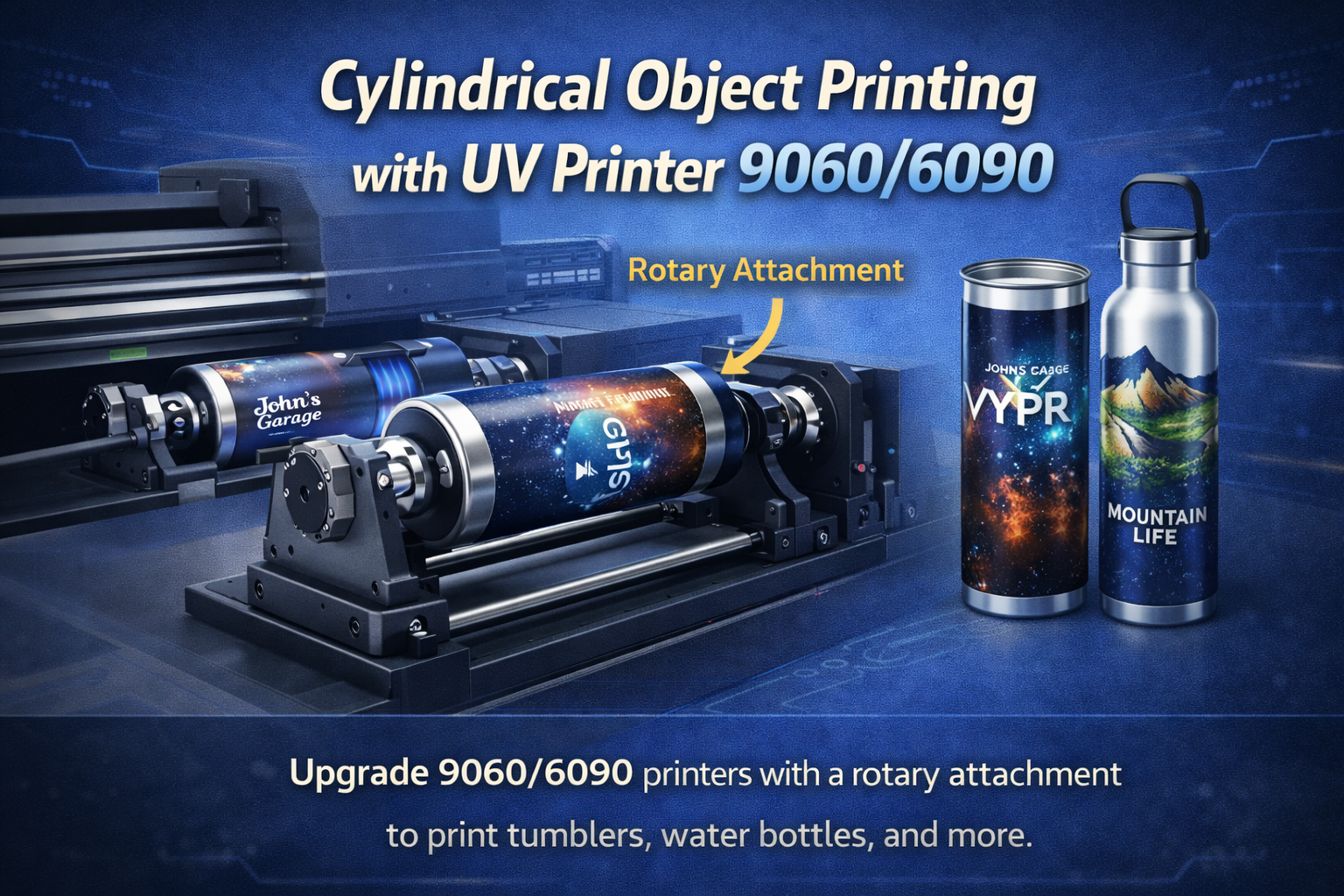
- Do you need space for a rotary attachment or raised cylindrical objects?
If the answers point toward repeated short-run work, the 9060 platform becomes stronger. If your shop mainly prints oversized sign boards, the flatbed UV printer 2513 or larger flatbed models may fit better. If your shop mainly prints very small items and has limited budget, a smaller flatbed may be enough. The 9060 is best when the business needs a practical middle size that can do real production without forcing the shop into large-format overhead.
Materials a UV Printer 9060 Can Handle
A UV printer cures ink with UV light as the print is produced. That allows it to print directly onto many rigid and semi-rigid materials. For a 9060 buyer, the material range is a major advantage because one machine can support several product categories. Common materials include acrylic, PVC, PET, wood, glass, coated metal, ceramic, leather, phone case blanks, small boards, signage materials, and packaging substrates.
Material compatibility still needs testing. A UV printer does not remove the need for surface preparation. Some plastics need treatment. Some metals need primer. Glass and ceramic may need adhesion promotion. Flexible or textured materials may need careful height control. The safest approach is to build a material testing routine before promising large orders to customers.
Material categories that suit the 9060 bed
- Acrylic and display products: nameplates, awards, menu boards, display inserts, and retail signage.
- Promotional products: pens, keychains, power banks, badges, gift boxes, and branded accessories.
- Packaging samples: rigid boxes, small cartons, cosmetic packaging tests, and product mockups.
- Industrial marking: labels, control panels, warning plates, serialized parts, and component branding.
- Consumer customization: phone cases, small decor, leather patches, souvenir items, and personalized gifts.
For a deeper material view, the existing guide on best substrates for UV printing is a useful supporting resource. Linking these articles together matters because it helps users move from broad material research into a specific machine size, and it helps search engines connect the UV printer 9060 page with practical application intent.
White Ink, Varnish, and Layered Printing
White ink is one of the main reasons businesses buy UV printers instead of relying only on transfer methods or traditional print suppliers. On dark, transparent, or colored materials, white ink creates a base layer so the printed color does not disappear into the substrate. On clear acrylic, glass, or packaging, white ink can also create selective opacity. A UV printer 9060 with reliable white ink circulation can open work that smaller or simpler machines struggle to produce consistently.
Varnish adds another layer of value. It can create gloss highlights, tactile texture, raised effects, or premium branding details. That does not mean every job should use varnish. Varnish adds time, ink cost, and quality-control steps. The better strategy is to use it where customers can see and pay for the difference: luxury packaging samples, awards, textured logos, small signage details, and custom gifts.
When white ink matters most
- Printing on black, colored, transparent, or reflective substrates.
- Creating opaque color on acrylic, glass, or clear packaging.
- Producing reverse prints where the image is viewed through a clear material.
- Printing logos on dark promotional products and industrial parts.
- Adding layered effects where color, white, and varnish need controlled order.
The existing MTuTech article on white ink in UV printers can support this section for users who want the ink behavior explained in more detail. From a buying perspective, the most important questions are whether the white ink system circulates well, whether maintenance is easy, and whether operators can control white layers in the RIP software without making every job complicated.
Workflow: From Artwork to Finished Product
A UV printer 9060 becomes profitable when the workflow is repeatable. The machine itself is only one part of the system. Artwork preparation, jig design, print settings, curing, surface cleaning, inspection, and packing all affect output. A buyer should look at the full path from order entry to finished product before deciding whether the machine will pay for itself.
1. Prepare artwork for the actual object
Artwork should be built to the product size, print area, and bleed requirements. For rectangular objects, this may be simple. For irregular promotional items, operators need templates. For transparent or dark materials, white layers must be planned in the file or RIP workflow. This is where many shops lose time. A printer with a good bed size cannot compensate for messy artwork preparation.
2. Build fixtures for repeat orders
Fixtures hold products in the same position every time. For one-off work, operators can align products manually. For repeat orders, a fixture saves labor and reduces errors. A 9060 bed gives enough room for multi-up jigs, which means a shop can print a tray of small products in one setup. This is especially useful for phone cases, tags, plaques, small boxes, badges, and parts that repeat.
3. Control height and surface distance
UV flatbed print quality depends heavily on the distance between the printhead and the surface. Too far away, and edges can look soft. Too close, and there is risk of head contact. The right workflow includes measuring product height, checking flatness, and using the proper print mode. If a product is uneven, the operator needs to decide whether it is suitable for flatbed printing or better suited to a specialized fixture or rotary workflow.
4. Standardize curing and handling
UV ink is cured during printing, but handling still matters. Operators should avoid touching printed surfaces too quickly, especially when heavy ink, white layers, or varnish are used. Shops should create a simple standard for inspection, packing, and adhesion testing. The goal is to reduce reprints, not only to make the first print look good.
The guide on preparing client files for UV printing is worth linking from any 9060 workflow because poor files can slow down even a well-chosen printer. Strong internal linking turns the blog section into a support system for the main commercial pages rather than isolated articles.
Cost Factors Buyers Should Estimate
The price of the printer is only the first line in the budget. A serious buyer should also estimate ink cost, maintenance parts, substrate testing, fixtures, operator training, rejected prints, power requirements, workspace, ventilation, and the time needed to develop repeatable settings. The 9060 format can be profitable, but only when the shop prices jobs around the real cost of production.
Ink use varies by design. A small full-color logo on a white item may be inexpensive. A heavy white layer plus full-color artwork plus varnish costs more. The same is true for speed. A simple CMYK print is faster than a textured layered print. When quoting, the shop should not price every UV job as if it were a flat sticker. Direct-to-object printing has different value, different setup time, and different quality checks.
Cost items to include in ROI planning
- Ink consumption by CMYK, white ink, and varnish separately.
- Fixture design time for repeatable product batches.
- Material waste during first-article approval and testing.
- Operator time for loading, cleaning, alignment, and inspection.
- Maintenance routines, including white ink circulation and nozzle care.
- Packaging and rework cost for premium or fragile items.
MTuTech already has a supporting article on UV printer ink cost, and that article should be part of the buyer journey. A buyer who understands ink and maintenance is more likely to select the correct machine and set profitable pricing. For ranking, this also strengthens the relationship between the broad UV printer cluster and the model-specific 9060 cluster.
UV Printer 9060 vs Smaller and Larger Machines
The 9060 is not automatically better than a smaller printer or a large industrial flatbed. It is better for a specific use case: mixed-product commercial work where a shop needs more capacity than a desktop unit but does not need the footprint of a large sign-production machine. Choosing the wrong size can create either a bottleneck or unused capacity.
Compared with A3 and small desktop UV printers
Smaller machines are easier to buy and easier to place, but they limit batching. If a job requires many small items, the operator may spend too much time loading and unloading. A 9060 printer can hold larger fixtures and more products per cycle, making it better for commercial repeat work. Small machines still make sense for testing, very low-volume personalization, and space-limited shops.
Compared with large flatbed UV printers
Large flatbeds are stronger for boards, signage, furniture panels, architectural materials, and high-volume sheet work. They are not always efficient for small daily orders. A 9060 printer can be easier to keep busy because it fits the order sizes many small and medium print businesses receive. Shops that need both may eventually use a 9060 for short-run product work and a larger flatbed for big boards.
The existing comparison article UV Printer 9060 vs 6090 should be used as a supporting comparison page. This new guide focuses more on buying logic, workflow, and ROI, while the older article supports size comparison intent.

How to Evaluate a UV Printer 9060 Before Purchase
Before buying, ask for sample prints that match your real products. Do not rely only on showroom samples. If you plan to print acrylic plaques, test acrylic. If you plan to print phone cases, test the exact case material. If you plan to print packaging samples, test the board or coating you will actually use. A good vendor should be willing to discuss preparation, ink settings, adhesion, and workflow honestly.
Proof checklist for buyers
- Request samples on at least three materials you expect to sell.
- Check small text, edge sharpness, color density, and white ink opacity.
- Test adhesion after handling, bending where relevant, and light scratching.
- Ask how the machine handles uneven objects and height detection.
- Review maintenance routines before comparing price.
- Confirm whether training includes RIP setup, white ink, varnish, and fixtures.
It is also helpful to compare the 9060 with the broader UV printer category page. The category page helps buyers understand the family of machines, while the 9060 page should own the model-specific keyword. This separation is important for SEO because it reduces the chance that Google sees several pages competing for the same exact intent.
Internal Link Map for the 9060 Cluster
For SEO, this article should not stand alone. It should push users toward the commercial 9060 page and connect sideways to helpful support articles. A clean internal link map makes the site easier to crawl and helps Google understand which URL should rank for which keyword.
- Primary commercial page: UV Printer 9060.
- Parent category page: UV Printer.
- Related machine page: Visual Positioning UV Printer.
- Related model page: Flatbed UV Printer 9060Pro.
- Support article: Best Substrates for UV Printing.
- Support article: UV Printer Troubleshooting.
Final Buying Direction
A UV printer 9060 is a strong choice when the buyer needs a practical commercial flatbed for mixed-product work. It is large enough to batch small products, handle medium rigid materials, and support fixtures, but it does not require the same space or budget planning as a large industrial flatbed. The best buyers are not only looking for a machine. They are building a workflow that can repeat jobs, protect margins, and serve several customer categories.
If the goal is short-run signage, promotional products, packaging samples, acrylic work, phone cases, and custom industrial parts, start by reviewing the UV Printer 9060 page and then compare it with the broader UV printer range. The right decision should be based on product size, batch quantity, white ink needs, operator workflow, fixture planning, and realistic ROI. That is how the 9060 format becomes a business tool, not just another printer purchase.