
-scaled.png)
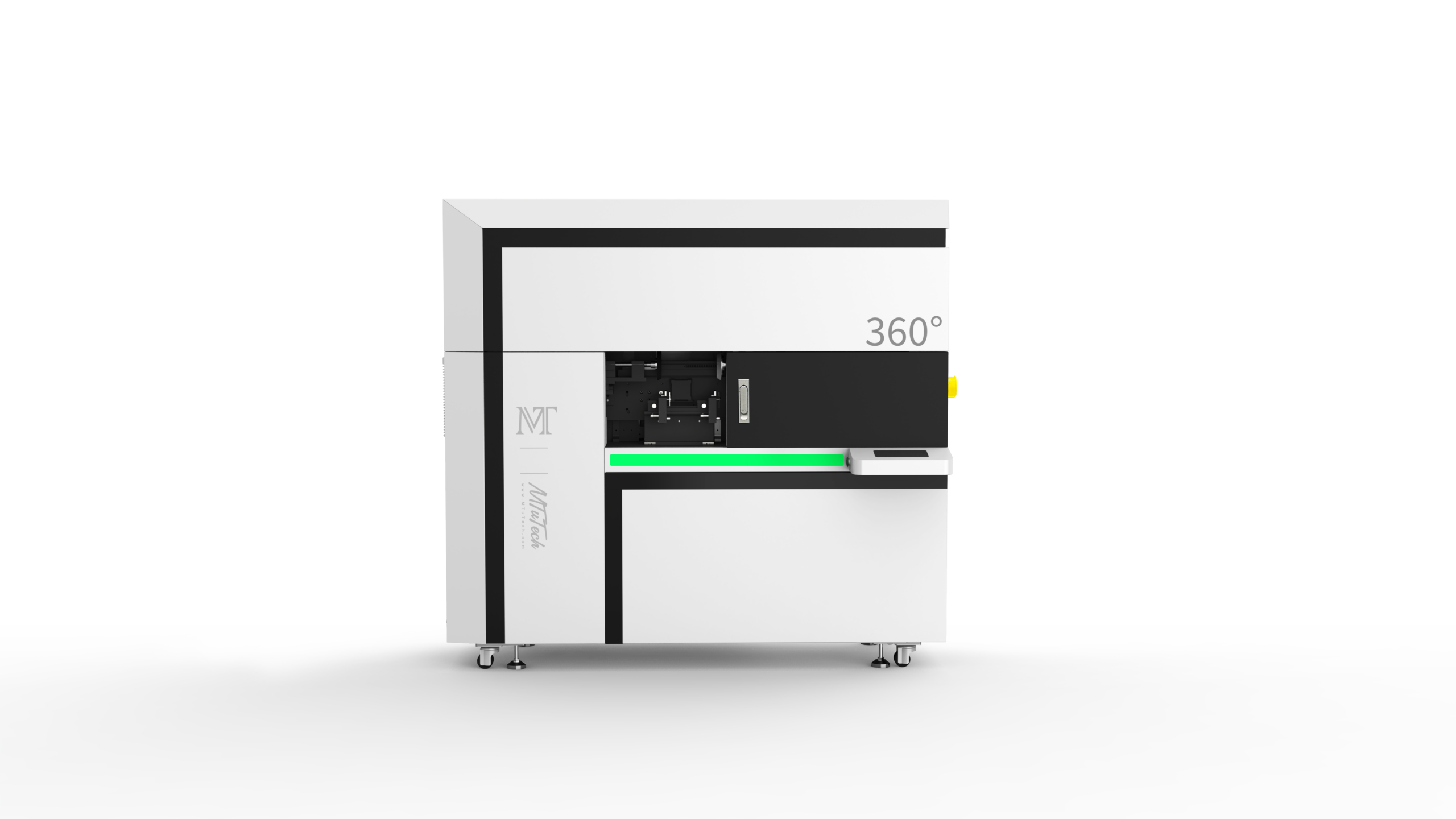
A 360 rotary UV printer is built for one of the hardest jobs in direct-to-object printing: printing around a round product without losing alignment, color consistency, or edge quality. Bottles, tumblers, cups, cosmetic containers, cans, and cylindrical packaging are valuable products, but they are also unforgiving. If the artwork drifts, the seam is visible. If the product slips, the print looks distorted. If the fixture is weak, repeat orders become slow and risky.
That is why buyers should evaluate a rotary printer as a production system, not only as a machine that can spin an object. The right system needs stable rotation, suitable fixtures, artwork templates, height control, white ink planning, curing consistency, operator training, and a clear quality-control routine. When these pieces work together, a 360 rotary UV printer can become a profitable machine for drinkware, promotional packaging, branded bottles, and short-run cylindrical product decoration.
This guide supports the MTuTech 360 Rotary UV Printer page and is designed for buyers who want to understand the real workflow behind full-wrap UV printing. It also connects to related pages for tumbler printer, cylinder UV printer, and cylindrical printer intent, so each page has a clearer role inside the site structure.
What Makes Rotary UV Printing Different
Flatbed UV printing places ink on a mostly flat surface. Rotary UV printing places ink while the object turns. That single difference changes the workflow. The printhead, object diameter, rotation speed, artwork width, and fixture grip must work together. If one part is wrong, the image can stretch, compress, overlap, or fail to meet cleanly at the seam.
A strong 360 rotary UV printer is therefore judged by repeatability. It should hold products securely, rotate smoothly, and allow operators to create artwork templates for different diameters. A buyer should not only ask, “Can it print on bottles?” The better question is, “Can it print the same bottle design fifty times with predictable alignment and acceptable waste?”
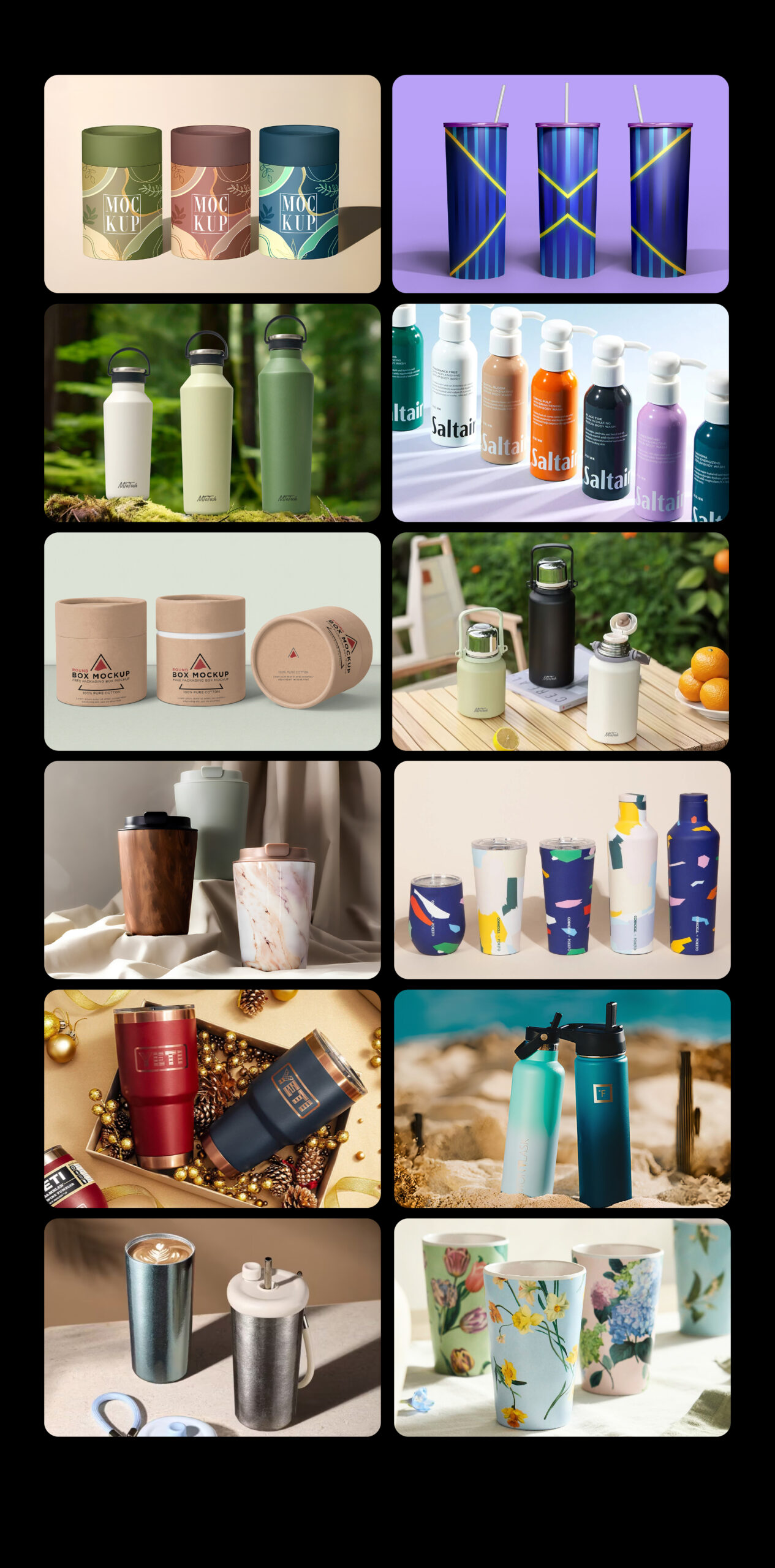
Common product types for rotary UV printing
- Stainless steel tumblers and insulated drinkware.
- Plastic, glass, and metal water bottles.
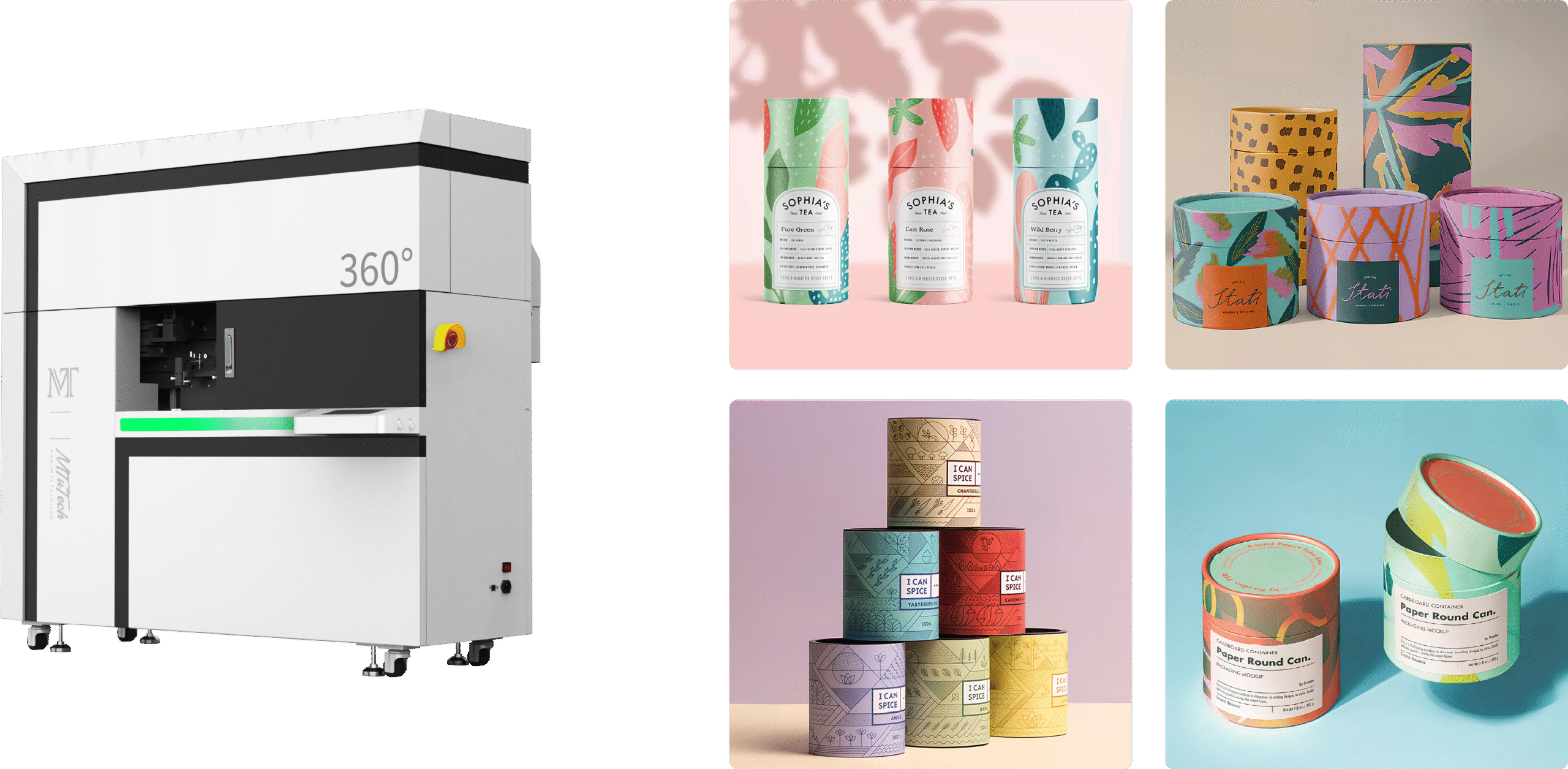
- Cosmetic bottles, jars, and cylindrical packaging.
- Paper tubes, tea cans, candle containers, and small metal tins.
- Sports bottles, shaker cups, mugs, and promotional drinkware.
- Industrial cylindrical parts that need markings, branding, or serial information.
Some of these products are straight cylinders. Others are tapered, handled, textured, coated, or slightly uneven. That matters. The more irregular the product, the more important fixture design and test printing become. A 360 rotary UV printer can open high-margin work, but it is not a shortcut around product preparation.
Who Should Consider a 360 Rotary UV Printer
The best buyer is usually a shop that already sees demand for custom cylindrical products or wants to build a focused product line around drinkware and packaging. A rotary printer can be especially useful for businesses selling corporate gifts, sports team bottles, event tumblers, brewery merchandise, cosmetic packaging samples, and private-label promotional products.
It also makes sense for manufacturers that need in-house branding on cylindrical components. Instead of ordering labels, decals, or transfer prints from outside vendors, a company can print short runs directly on selected products. That can reduce lead time, make sampling easier, and support customization for distributors or end customers.
Good signs that rotary UV printing fits your shop
- You receive regular requests for custom bottles, tumblers, or cylindrical packaging.
- You need small batches with many artwork variations.
- Your customers want full-color print rather than one-color pad printing or labels.
- You want to reduce outsourcing for samples and personalized orders.
- You can standardize a set of product blanks and build templates for them.
If your business only prints occasional round products, a flatbed with a basic attachment may be enough. If round products are central to the business model, a dedicated rotary workflow is easier to justify. The difference is not only print capability. It is how often the machine will be used, how quickly operators can set up repeat jobs, and whether customers will pay for the added value of direct full-wrap printing.
Artwork Setup for Full-Wrap Printing
Artwork is one of the biggest reasons rotary UV jobs succeed or fail. A flat logo placed on a curved object is not automatically ready for 360-degree printing. The operator needs to know the printable width, product circumference, safe margins, seam position, and whether the design will include a full background, spot graphics, or a wraparound pattern.
For straight cylinders, the basic calculation is product circumference. A design that wraps around the object must match that circumference closely. If the artwork is too wide, it can overlap. If it is too narrow, it can leave a gap. For products with taper, handles, ridges, or changing diameter, the artwork may need adjustment or the printable area may need to be limited.
Artwork details to standardize
- Exact printable height and width for each product blank.
- Safe margins near rims, bases, handles, and tapered areas.
- Seam placement so the join lands in the least visible area.
- White ink layers for dark, colored, transparent, or metallic products.
- Color profiles and print modes for matte, glossy, metal, or coated surfaces.
- Proofing routine before approving a large quantity.
A shop that builds product templates early will quote and produce more confidently. For example, if the shop sells three popular tumbler sizes and two bottle sizes, each blank should have a tested file template. That turns future orders into production jobs instead of new experiments every time.
Fixtures and Product Holding
In rotary UV printing, the fixture is not a small accessory. It is part of the print quality system. A product must rotate evenly and stay in place without slipping. If the grip is inconsistent, the image can stretch or shift. If the support points are not correct, the object may wobble. If the fixture is slow to adjust, setup time can eat into profit.
Buyers should look at the types of products they plan to print and ask whether the machine can hold them securely. Straight tumblers are different from tapered cups. Lightweight plastic bottles behave differently from heavy metal drinkware. Glass bottles may need careful pressure control. Small cosmetic containers may require separate support.
Fixture questions to ask
- What minimum and maximum diameters can the rotary system handle?
- How does it support tapered products?
- Can operators switch between bottle sizes quickly?
- How does it prevent slipping on glossy or coated surfaces?
- Does the fixture allow repeat placement for batch work?
- Can fragile or thin-walled containers be held without damage?
The related page for 360 Rotary UV Printer Application is useful for buyers who want more application context. The commercial page should own the product keyword, while application content and workflow guides should help buyers understand use cases and production planning.
White Ink and Color on Cylindrical Products
Many round products are stainless steel, black powder-coated metal, colored plastic, amber glass, clear glass, or glossy coated packaging. These surfaces often need white ink behind the color. Without white ink, the artwork may look dull or transparent. With too much white ink, edges may feel heavy or curing may need more attention. The best result comes from balancing opacity, print speed, and surface suitability.
White ink also matters for premium drinkware. A logo on a black tumbler needs enough white underbase to hold brand colors. A full-wrap design on a metallic bottle may need selective white so metallic areas remain visible. A clear cosmetic bottle may need reverse printing or carefully planned white layers. These choices affect both the look and the cost of the job.
Practical white ink rules
- Use white underbase when brand colors must stay accurate on dark products.
- Use selective white when metallic or transparent effects are part of the design.
- Avoid unnecessary white layers on light products if the color is already strong.
- Test adhesion and curing when heavy white coverage is required.
- Include white ink time and cost in job pricing.
Operators should also keep white ink maintenance in mind. A rotary printer may be used for many short jobs, which means idle periods and frequent job changes are common. White ink circulation, nozzle checks, and cleaning routines are part of keeping the machine stable.
Production Workflow: From Sample to Repeat Order
A profitable rotary UV workflow should move through stages. First, the shop selects approved product blanks. Then it builds artwork templates. Then it creates print settings and white ink rules. Then it prints a first article. After approval, the job can move into batch production. Skipping these steps may feel faster, but it usually increases waste later.
Stage 1: Select and test product blanks
Not every bottle or tumbler is equally suitable. The surface coating, shape, diameter, and straightness affect print quality. A shop should choose a core product range and test it thoroughly. Once a blank is approved, it becomes easier to sell repeat jobs. Random customer-supplied products can still be accepted, but they should be priced with testing risk included.
Stage 2: Build templates and alignment marks
Templates save time. The operator should know the printable height, wrap width, seam position, and safe zones. For repeat work, the same template can be reused with new artwork. This is especially valuable for corporate gifts, event merchandise, school and sports drinkware, and seasonal product lines.
Stage 3: Print first article and inspect
The first article should be checked for alignment, seam quality, color, edge sharpness, opacity, curing, and adhesion. If the job includes a full-wrap background, inspect the seam carefully. If the job includes small text, check readability from a normal viewing distance. If the product will be handled often, perform a practical rub test before approving the run.
Stage 4: Batch with consistent loading
Once the first article is approved, the main production risk is inconsistency. Operators should load each item the same way, monitor rotation, check early units, and separate any questionable product before packing. The more standardized the blank and fixture, the easier this becomes.
The older guide on how UV printers print on curved surfaces supports the technical side of this workflow. This new article is more production-focused and links users back to the main 360 rotary UV printer page for commercial evaluation.
Quality Control for Rotary UV Jobs
Quality control should be simple enough for operators to use every day. Rotary UV printing has specific failure points: seam mismatch, slippage, blurry edges, low opacity, poor adhesion, color shift, and curing issues. If the shop has a checklist, these problems are easier to catch before the customer receives the order.
Daily QC checklist
- Confirm product blank, diameter, and template before printing.
- Run nozzle check and confirm white ink condition.
- Check fixture grip and rotation before loading production quantity.
- Inspect the first article for seam, color, opacity, and alignment.
- Check small text and logo edges under normal viewing light.
- Perform a practical handling or rub check when the product will be used daily.
- Document settings for repeat orders.
Documentation is often overlooked. If a customer returns after three months for another batch, the shop should not have to rebuild the job from memory. Record the product blank, template, print mode, white ink setting, fixture setup, and any surface preparation notes. That turns rotary UV printing from custom chaos into a repeatable production service.
Pricing and ROI
Rotary UV jobs should be priced around setup, complexity, product handling, ink use, and perceived value. A simple one-color logo on a straight white bottle is not the same as a full-wrap design on a dark tapered tumbler. White ink, varnish, heavy coverage, testing, and fixture changes all affect production cost. The price should reflect that.
A shop can build pricing tiers around product type and artwork complexity. For example, spot logo printing can sit at one tier, partial-wrap at another, and full-wrap premium artwork at a higher tier. Rush orders, customer-supplied products, fragile items, and untested materials should carry additional cost. This protects margin and prevents difficult jobs from being priced like easy ones.
ROI signals to track
- Average setup time per product type.
- Average print time per unit and per batch.
- Ink use for CMYK, white, and varnish by job type.
- Rejected units during testing and production.
- Repeat order rate for standard product blanks.
- Gross profit per machine hour.
The easiest rotary UV jobs to scale are not always the flashiest. They are the jobs with repeatable blanks, stable templates, clear customer expectations, and enough margin to cover setup. A business that standardizes popular bottle and tumbler products can often produce more reliably than a shop that accepts every unusual item at the same price.
Common Mistakes That Reduce Rotary UV Profit
Most rotary UV problems are not caused by one dramatic failure. They come from small workflow gaps repeated across many jobs. A shop accepts a bottle without testing the coating. The artwork file is built without enough seam allowance. The operator loads a slightly tapered product as if it were a straight cylinder. The first sample looks acceptable from a distance, but the production batch shows drift, weak opacity, or inconsistent placement. These mistakes are avoidable when the workflow is built carefully.
Accepting too many untested blanks
Customer-supplied products can be profitable, but they should not be treated like approved blanks. Coating, diameter, surface texture, and product roundness can all change the result. For unknown products, quote testing time separately and explain that production approval depends on sample results. This protects the shop from absorbing waste that should be part of the custom job cost.
Pricing full-wrap jobs like simple logo jobs
A small logo and a full-wrap design do not carry the same risk. Full-wrap printing needs more artwork planning, seam checking, ink coverage, and inspection. If white ink or varnish is involved, the difference is even larger. Pricing should reflect the work required, not only the physical size of the product.
Ignoring operator notes after a successful run
When a job prints well, record the settings immediately. Product name, diameter, fixture setup, artwork width, print mode, white layer, curing notes, and inspection results should be saved with the order. Repeat orders become much easier when the team can reuse proven settings instead of rebuilding the job from memory.
How This Article Supports the 360 Rotary UV Printer Keyword
The SEO role of this article is to build topical depth around the commercial page for 360 rotary UV printer. The main product page should remain the page that targets buyers ready to evaluate the machine. This article supports that page by answering production questions that may not fit naturally into a product landing page.
- Link to 360 Rotary UV Printer for the main machine offer.
- Link to Tumbler Printer for drinkware-specific buyer intent.
- Link to Cylinder UV Printer for cylinder-focused commercial intent.
- Link to Cylindrical Printer for desktop and startup-oriented round-product intent.
- Link to UV vs DTF for Tumblers for comparison research intent.
Final Production Advice
A 360 rotary UV printer is a strong investment when round products are part of a clear business strategy. It is not only a way to print on bottles. It is a workflow for full-wrap branding, short-run personalization, packaging samples, drinkware production, and cylindrical product decoration. The shops that succeed are the ones that standardize blanks, build templates, test surfaces, price setup correctly, and train operators to inspect every job consistently.
If your business wants to sell bottles, tumblers, cups, cans, or cylindrical packaging with full-color direct printing, start with the MTuTech 360 Rotary UV Printer page and compare it with the related tumbler printer and cylinder UV printer pages. The right machine should match your products, workflow, operator skill, and profit model, not just the idea of printing around a cylinder.