
A UV DTF printer for small business can be a practical way to sell decorated products without printing directly on every object. The workflow uses printed transfer film, adhesive, lamination, and application pressure to place designs on cups, jars, packaging, plastics, metal items, promotional products, and awkward surfaces. For a small shop, the attraction is simple: one transfer workflow can serve many product categories.
This article explains how UV DTF fits product customization, what costs matter, which products are easiest to sell, how to organize film production, and when direct UV printing may still be the better choice. It supports the main UV DTF printer page, the commercial 60cm UV DTF printer guide, and the comparison path between UV printer vs UV DTF printer workflows.
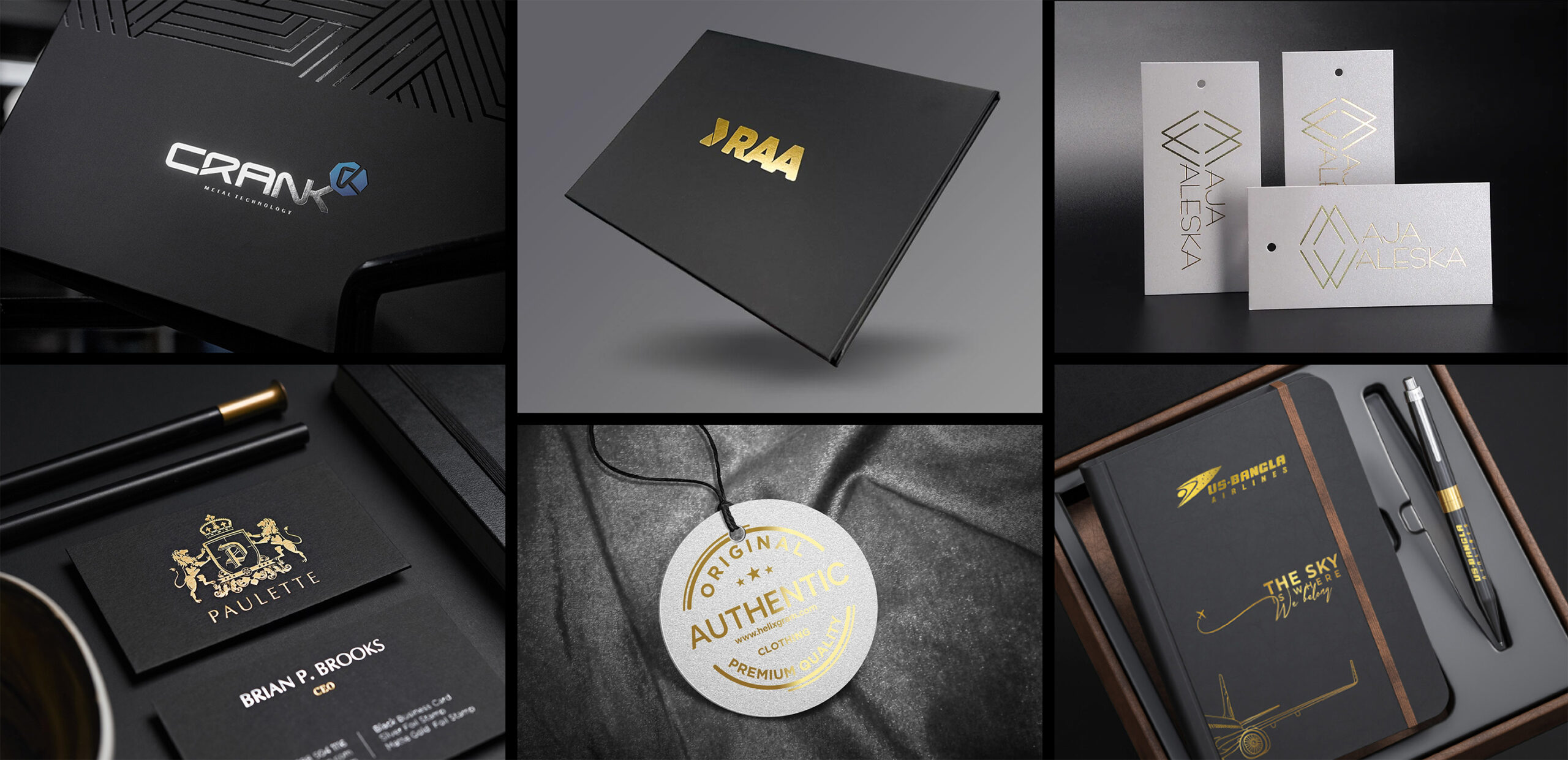
Why UV DTF Works for Small Product Businesses
Small businesses usually cannot afford a separate process for every product line. A shop may receive orders for cosmetic bottles, tumblers, candle jars, notebooks, boxes, and promotional items in the same week. Direct printing every object requires fixtures, height setup, surface testing, and operator time. UV DTF shifts much of that work into transfer production.
The shop prints designs on film, applies adhesive or lamination depending on the system, cuts the transfer, and applies it to the product. This makes it easier to batch artwork, hold inventory of popular designs, and fulfill small orders quickly. It is especially useful when the product shape is not friendly to direct flatbed printing.
Best Products for UV DTF Transfers
- Glass cups, candle jars, cosmetic bottles, skincare packaging, and small jars.
- Plastic products, phone accessories, notebooks, gift boxes, and promotional items.
- Metal containers, tins, labels, badges, and branded packaging samples.
- Products with curved, narrow, or irregular surfaces where direct UV setup would take too long.
- Short-run merchandise where designs change frequently and fast turnaround matters.
The Basic UV DTF Workflow
A small business should understand the workflow before buying equipment. A typical job starts with artwork preparation, including sizing, contour tolerance, white ink needs, and color checking. The design is printed on film, adhesive or glue is applied, the transfer is laminated, and the finished graphic is trimmed. The operator then cleans the product, places the transfer, applies pressure, and removes the carrier film.
The workflow looks simple, but consistency comes from process control. Film storage, humidity, lamination pressure, curing, and product cleaning all affect the final result. The strongest shops write down settings for each material instead of relying on memory.
| Step | Control Point | Small Business Note |
|---|---|---|
| Artwork | Size, safe margin, white layer, color profile | Prepare templates for repeat products |
| Printing | Ink density, curing, film feed, head condition | Run nozzle checks before paid batches |
| Transfer application | Surface cleaning, pressure, peel angle | Create a product-specific application guide |
Cost Factors That Affect Profit
UV DTF profit is not only machine price. A buyer should calculate film, adhesive or lamination material, ink, waste, labor, product rejects, packaging, and design time. The best margin usually comes from repeatable product menus, not random one-off requests. For example, a candle label set, cosmetic bottle package, or drinkware transfer bundle can be priced more cleanly than a single custom sticker.
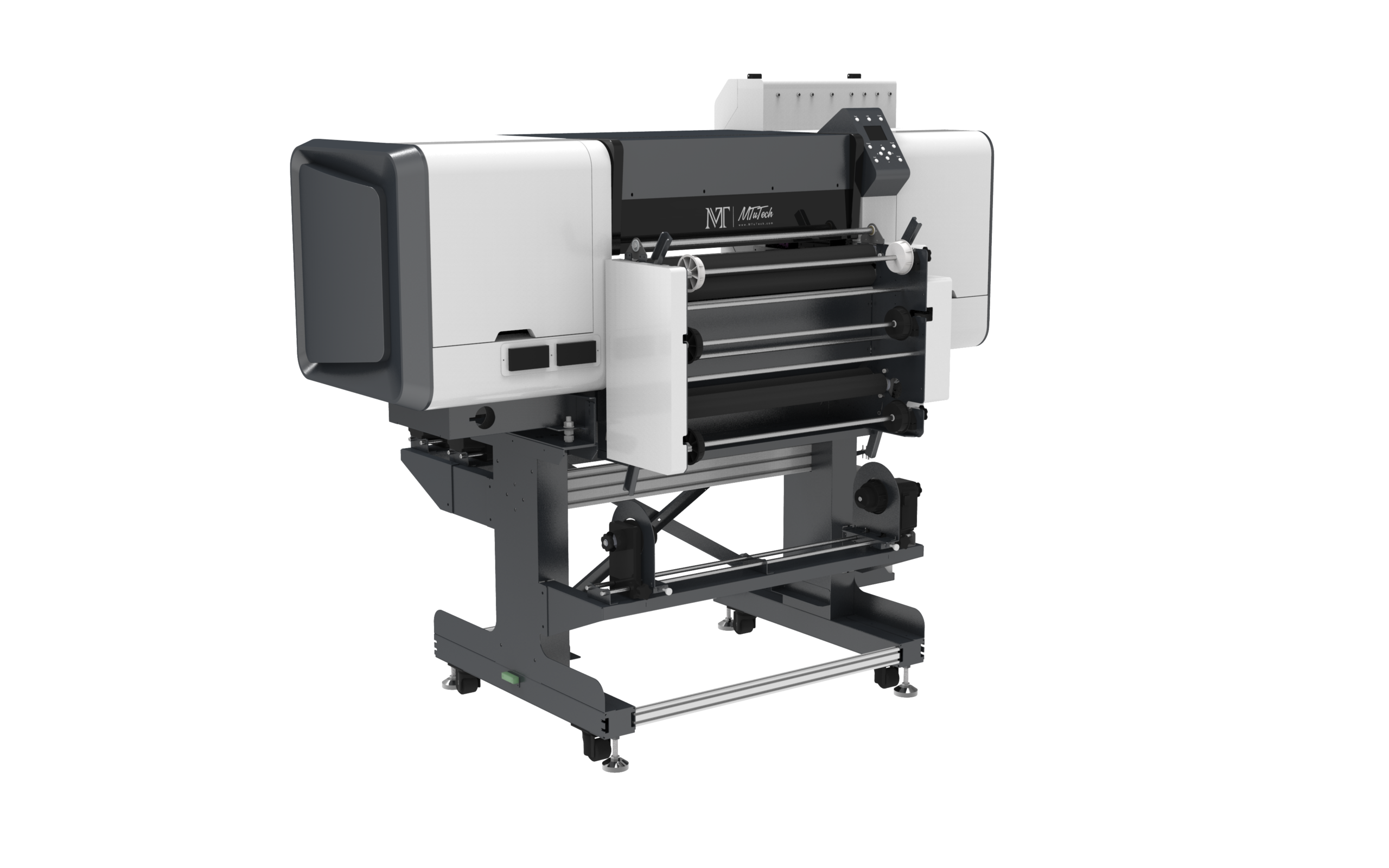
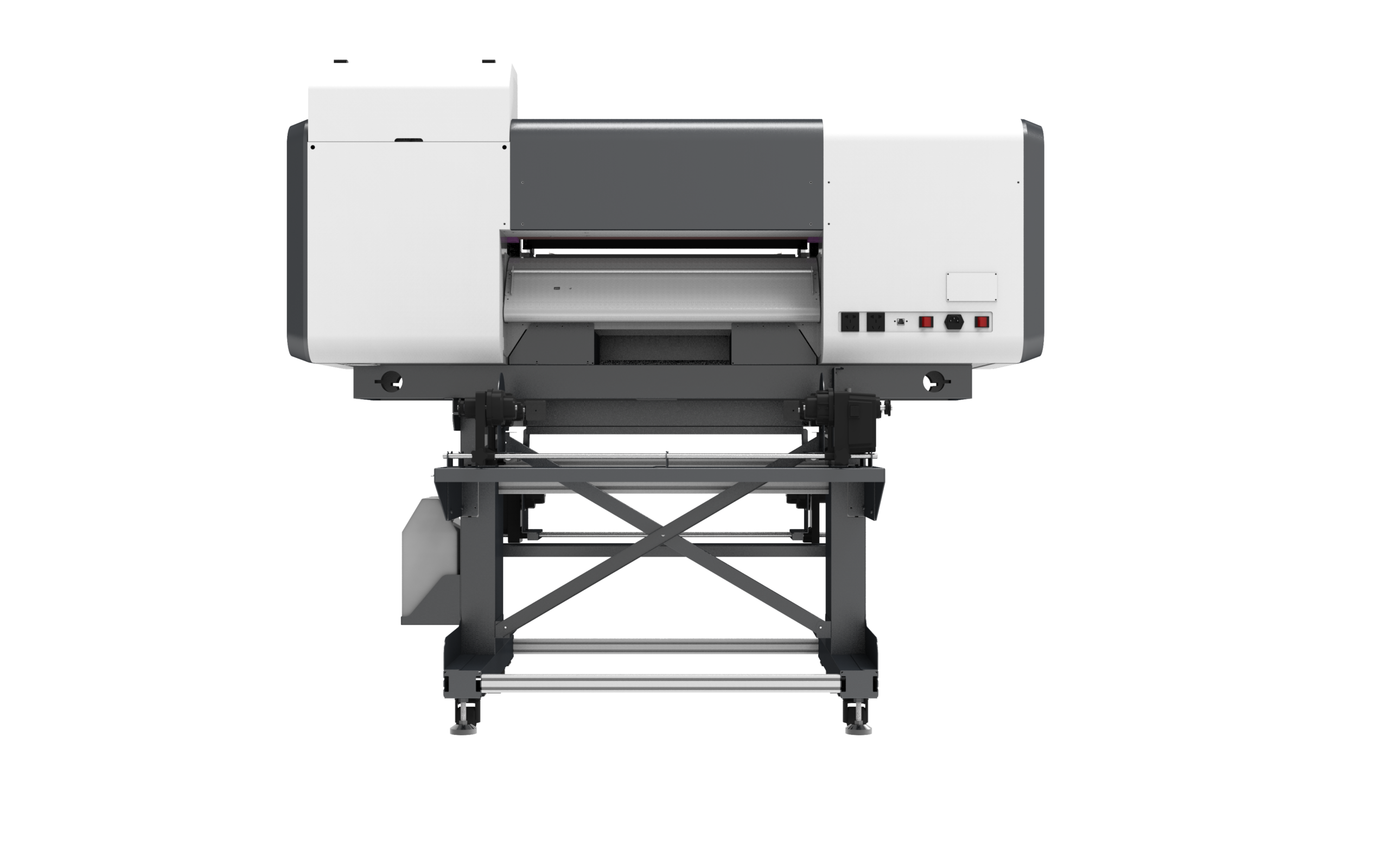
The 60cm UV DTF printer category is often attractive because it gives enough width for commercial transfer sheets while staying manageable for small teams. A wider format can improve batching, but it only helps if the shop has the order volume and artwork pipeline to fill the film efficiently.
How to Choose Product Niches
A small business should not launch with every possible product. It should choose niches where the transfer finish makes sense and buyers understand the value. Cosmetic packaging, candles, drinkware, event gifts, boutique boxes, and promotional merchandise are practical starting points. These products have visual value, small-batch demand, and enough repeatability for a shop to build templates.
For SEO and sales, the website should connect these topics to the main application pages. A UV DTF buyer who lands on content about candle jars should also find the main UV DTF printer page, relevant applications, and supporting maintenance or foil-stamping articles. This creates a stronger path from informational search to equipment inquiry.
When UV DTF Is Better Than Direct UV Printing
UV DTF is often better when the object is difficult to fixture, the print area is curved, the order quantity is small, or the design needs to be applied away from the printer. It also helps when a business wants to sell transfers separately or ship decorated graphics to partners. In these cases, transfer inventory can make fulfillment faster.
Direct UV printing is still better when the buyer needs exact placement, heavy production control, direct ink texture, varnish effects, or printing on flat rigid items at scale. The choice is not about one technology replacing the other. It is about matching the workflow to the product and order pattern.
Maintenance Tasks That Protect Output Quality
A UV DTF printer still uses UV ink, printheads, white ink circulation, films, and curing systems. Shops should not treat it as maintenance-free. Daily nozzle checks, film path cleaning, white ink agitation, wiper inspection, and controlled storage help prevent banding and adhesion problems. The existing UV DTF maintenance schedule is a useful support page for buyers who need a practical routine.
Daily Operating Checklist
- Check nozzle condition before running sellable transfers.
- Confirm film orientation and keep film clean before loading.
- Store film and adhesive materials away from dust, moisture, and heat.
- Record settings for each material and product category.
- Test adhesion and peel quality before shipping a new product batch.
Foil, Texture, and Premium Effects
Some UV DTF systems can support foil or premium visual effects. This can help small businesses sell higher-value packaging, limited edition products, and gift items. The key is not to offer effects randomly. Premium finishes should be connected to product categories where buyers will pay more, such as cosmetic labels, event packaging, luxury candles, or branded glassware.
The UV DTF foil stamping workflow article is a useful internal link for this topic because it explains where foil adds value and where it adds unnecessary complexity. Shops should price foil as a premium finish, not as a default feature included in every order.
Buyer Checklist Before Purchasing
- List the first five product categories you will sell and estimate monthly demand.
- Compare machine width, white ink handling, film cost, curing stability, and support.
- Ask for sample transfers on glass, plastic, metal, and packaging materials similar to your products.
- Check whether the supplier provides artwork setup guidance and maintenance training.
- Build a pricing sheet that includes film waste, labor, rejects, packaging, and profit.
- Use the machine comparison page if you are comparing UV DTF with direct UV, rotary, or hybrid printing.
How to Build a Profitable UV DTF Product Menu
A small business should turn the workflow into simple offers. Instead of selling every custom transfer as a separate experiment, create packages such as candle jar branding sets, cosmetic bottle starter packs, glass cup logo sets, event favor transfers, and small business packaging labels. Packages make pricing easier and help customers understand what they are buying.
Each package should define product size, transfer size, finish, minimum order quantity, turnaround time, and artwork rules. This reduces back-and-forth and protects production time. It also gives the business clear landing page sections and internal blog topics to support SEO growth.
Artwork Templates Reduce Waste
Waste often comes from artwork that is too close to the edge, too small to weed or apply cleanly, or not sized for the product curve. Templates solve this. A shop should create standard print areas for 8 oz candle jars, 16 oz glass cups, cosmetic tubes, dropper bottles, small boxes, and popular promotional products. These templates can be reused for design approvals and production sheets.
Templates also help train staff. When every designer and operator uses the same safe zones, fewer transfers fail during application. This is especially important for small businesses where one person may handle design, printing, finishing, and customer communication in the same day.
Quality Tests Before Selling a New Product
Before adding a product to the sales menu, test adhesion, scratch resistance, water exposure, handling, and peel behavior. For drinkware or cosmetic packaging, the shop should be careful with customer expectations. UV DTF can produce strong decorative results, but product use, washing habits, surface coating, and application technique all affect durability.
A simple test plan is enough for most small shops. Apply the transfer to three samples, wait for the adhesive to settle, rub the surface by hand, test light scratch resistance, and photograph the result. If the product is likely to face moisture, add a water exposure test. Keep notes so the same product can be quoted confidently later.
Common UV DTF Mistakes
- Selling too many product types before the workflow is stable.
- Ignoring film storage and then blaming the printer for transfer defects.
- Using low-resolution artwork for premium packaging jobs.
- Applying transfers to dusty, oily, or textured surfaces without testing.
- Pricing only by square inch and forgetting labor, rejects, packaging, and design time.
Inventory and Batch Planning
A UV DTF shop can improve profit by batching similar designs and products. Instead of printing one small design at a time, collect approved artwork into production sheets. This improves film usage and reduces setup interruptions. Popular designs can also be produced in advance if demand is predictable, such as seasonal labels, local event graphics, or standard brand marks.
Batching should not remove quality control. Each sheet still needs a job name, customer name, material note, print date, and application instruction. This prevents mistakes when several customers have similar designs or when transfers are applied later by another team member.
How UV DTF Content Supports Commercial Pages
Informational UV DTF articles should move readers toward commercial pages. A buyer learning about small-business product customization should be linked to the UV DTF printer product page, the commercial 60cm UV DTF printer guide, the stickers and product labels guide, and the machine comparison page. That internal structure helps the content support rankings instead of sitting alone.
This page targets small-business intent while the commercial product pages target machine intent. Together, they cover a wider buyer journey: idea, product niche, workflow, machine comparison, and inquiry. That is the correct role for blog content in an SEO system.
Monthly Review for a Small UV DTF Shop
At the end of each month, review which products sold, which transfers failed, which materials caused complaints, and which designs produced the best margin. Remove products that create too many rejects. Improve templates for products that sell well. Add supporting content only where there is evidence of buyer interest or ranking opportunity.
This keeps the business focused. UV DTF can decorate many things, but a profitable small shop usually becomes known for a few strong product categories first. Once those categories are stable, the shop can expand into premium finishes, wholesale transfer sheets, or direct partnerships with local brands.
Suggested Launch Plan for a New UV DTF Business
A new shop can launch UV DTF services in stages. Start with two or three products that are easy to source and easy to photograph, such as candle jars, glass cups, and small product boxes. Build templates, test transfer durability, set minimum order quantities, and publish clear examples. Once those products are stable, expand into cosmetic packaging, event gifts, and wholesale transfer sheets.
This staged launch is better than accepting every custom request immediately. It gives the business time to learn film behavior, application pressure, peel technique, and customer expectations. It also creates cleaner SEO content because the website can build strong pages around proven product categories instead of thin pages for random products.
Customer Education Improves Conversion
Many customers do not understand the difference between UV DTF transfers, vinyl stickers, labels, sublimation, and direct UV printing. A small business should explain what the finish looks like, where it works best, how it should be handled, and what limitations apply. This reduces complaints and increases buyer confidence.
Good product pages should include close-up photos, application notes, care notes, minimum quantities, and design requirements. Blog content can then support those pages by answering comparison and workflow questions. This is how informational content starts contributing to real inquiries instead of only generating impressions.
Final Takeaway
A UV DTF printer can be a strong small-business machine when the owner builds a focused product menu and controls the workflow. It is not only a sticker process. It is a flexible decoration system for products that are awkward, curved, seasonal, or frequently customized. The businesses that do best usually pick clear niches, maintain the printer carefully, price transfers with real costs, and connect each product offer to a repeatable production routine.