
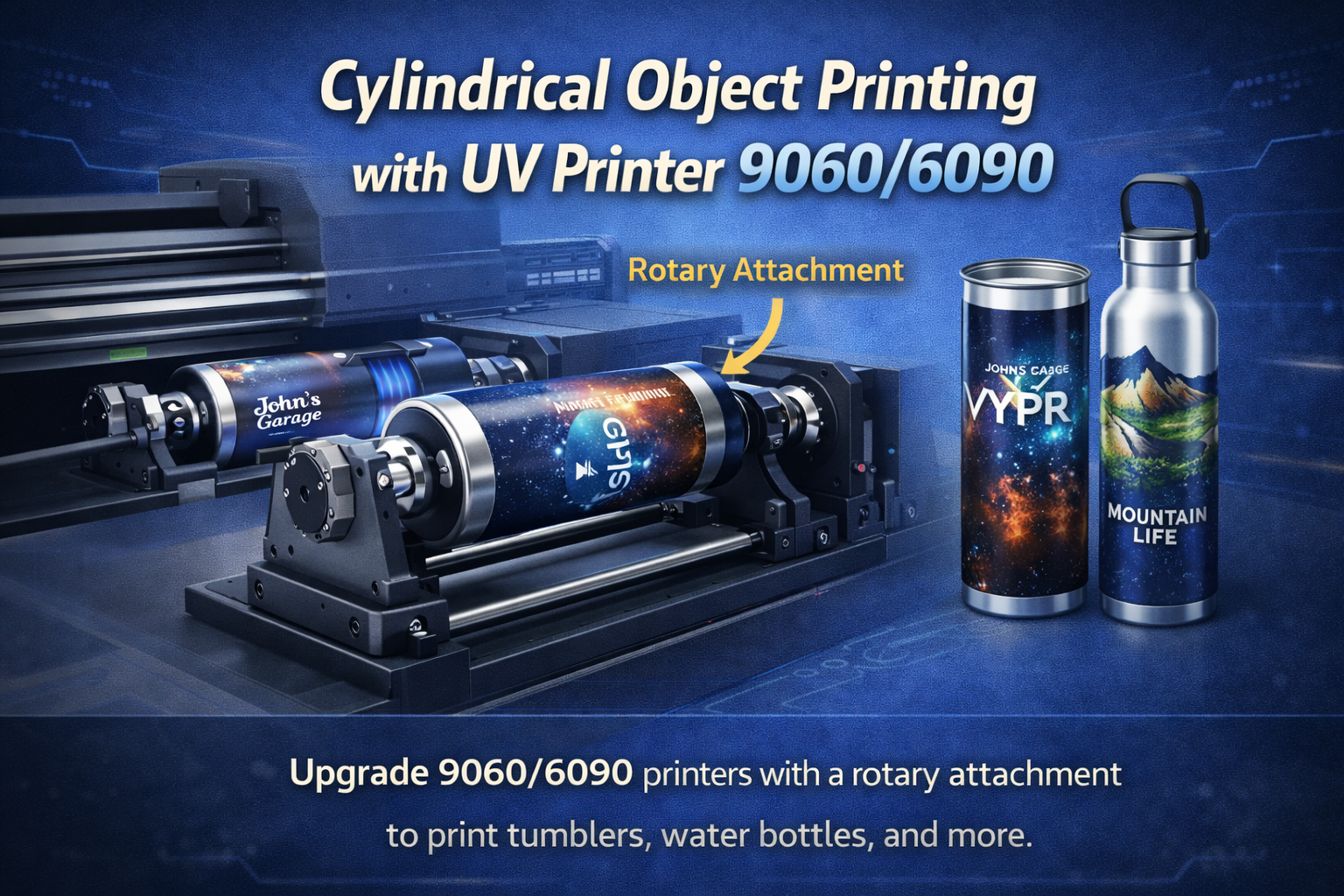
A desktop cylindrical printer is attractive to startups because it turns a focused product menu into a compact production workflow. Instead of trying to print every flat and curved item on day one, a small shop can build around tumblers, bottles, cups, mugs, cosmetic containers, and other round products with repeatable diameters. The opportunity is not only the machine. It is the product system around the machine.
This guide explains how to plan a cylindrical-printing product menu, choose profitable starter items, understand diameter setup, avoid common artwork mistakes, price small-batch orders, and decide when to upgrade to a larger 360 rotary UV printer. It supports the main cylindrical printer, tumbler printer, and cylinder UV printer pages without competing with them directly.
Why Start With a Product Menu Instead of Random Jobs?
Many new print businesses buy equipment and then accept every possible custom request. That feels flexible, but it creates slow quoting, inconsistent setup, wasted blanks, and frustrated operators. A desktop cylindrical printer becomes more profitable when the shop starts with a narrow product menu and expands only after the core workflow is stable.
A good starter menu answers three questions: what products will you sell, what sizes will you support, and what print styles will you standardize? Once those are defined, the shop can photograph samples, create price tiers, prepare templates, build jigs, and train staff. This also makes the website easier to rank because the business can publish product-specific pages and guides around real buyer intent.
Best Products for a Desktop Cylindrical Printer
The best first products are not always the trendiest. They are the ones that fit the machine, fit the local buyer market, and can be repeated without too much handling risk. A startup should choose products that are easy to source, easy to hold, and easy to explain to customers.
- Stainless steel tumblers with logo, name, team, or event designs.
- Water bottles for gyms, schools, corporate gifting, and sports teams.
- Glass cups and jars for cafes, wedding gifts, and boutique packaging.
- Candle jars and cosmetic bottles for small brands and product launches.
- Aluminum bottles, shaker cups, and promotional drinkware.
- Small cylindrical containers for samples, packaging, and branded kits.
- Short-run retail collections with seasonal or personalized artwork.
The existing cylindrical printer for drinkware business article covers startup workflow broadly. This article goes deeper into building the product menu and production system that makes the machine easier to monetize.
Desktop Cylindrical Printer vs Tumbler Printer vs 360 Rotary UV Printer
These terms often overlap in search, but they do not always mean the same thing. A buyer searching for a tumbler printer may only want drinkware. A buyer searching for a desktop cylindrical printer may want a compact machine for many round objects. A buyer searching for a 360 rotary UV printer may be comparing production speed, diameter range, and industrial duty cycle.
| Search Intent | Best Page to Support | Practical Meaning |
|---|---|---|
| desktop cylindrical printer | Cylindrical printer | Compact startup-friendly round-object printing. |
| tumbler printer | Tumbler printer | Drinkware-focused customization for cups, bottles, and tumblers. |
| cylinder UV printer | Cylinder UV printer | Broader cylindrical object printing with UV ink. |
| 360 rotary UV printer | 360 rotary UV printer | Higher-volume or full-wrap rotary production. |
The cylinder UV printer vs cylindrical printer vs tumbler printer comparison is useful for buyers choosing terminology and machine direction. A startup should use the term that matches its product menu, not simply the broadest keyword.
Diameter and Length Planning
Round-product printing is not only about whether the item fits. The operator must understand diameter, printable length, taper, handle clearance, lip shape, bottom shape, and artwork wrap. A tumbler with a straight wall is easier than a tapered cup. A bottle with a cap ridge may reduce printable area. A mug with a handle needs a different approach than a plain cylinder.
Measure These Before Accepting an Order
- Diameter at the top, middle, and bottom of the printable area.
- Total printable length and any safe margins near ridges or curves.
- Whether the product is straight, tapered, stepped, or slightly oval.
- Whether the product needs one-sided printing, partial wrap, or full wrap.
- Surface finish: powder coated, glossy, matte, bare metal, glass, or plastic.
- Quantity, artwork variations, and customer expectations for alignment.
When a shop documents these details, it can build reusable templates. That reduces the chance of distorted artwork, uneven spacing, or print placement errors. It also helps the operator know when a job belongs on a desktop cylindrical printer and when a larger rotary system is better.
Artwork Setup for Round Products
Artwork that looks great on a flat screen can fail on a curved object. Text may wrap too far around the product, logos may distort visually, and full-background designs may reveal a seam. For a startup, the safest first product menu uses front-facing logos, names, small patterns, monograms, vertical marks, and partial wraps. Full 360-degree artwork can be added after the shop has more experience.
Before printing, create templates for each common diameter and product height. Mark the center line, safe top and bottom margins, front print zone, and wrap limits. If the shop sells personalized tumblers, lock the design template and change only the name field. That keeps production consistent.
The file preparation guide is helpful when training customers and staff on resolution, color, transparency, margins, and proof approval.
Product Menu Strategy for Startups
A startup does not need a huge catalog. It needs a product menu that can be produced well and marketed clearly. Start with three to five product families and define size, material, print area, minimum quantity, turnaround time, and care instructions for each one.
| Product Family | Good Starter Offer | Why It Works |
|---|---|---|
| Personalized tumblers | Name, monogram, event, and team designs | High consumer demand and easy sample photography. |
| Corporate bottles | Logo bottles for offices, gyms, events, and schools | B2B repeat potential and larger order quantities. |
| Candle jars | Brand labels and seasonal collections | Good fit for local makers and boutique brands. |
| Cosmetic containers | Sample packaging and short-run launch bottles | Premium appearance with small-batch buyer intent. |
| Cafe glassware | Logo cups, jars, and merch pieces | Local business demand with repeat seasonal designs. |
Once those products are stable, the shop can add bundle pricing, design templates, premium finishes, rush fees, sample kits, and repeat-customer discounts. A product menu makes the machine easier to sell online because every page can link back to the right commercial machine page and related support content.
Pricing Small-Batch Cylindrical Printing
Pricing should include the blank, print setup, artwork prep, machine time, handling, rejects, packaging, and customer communication. The most common mistake is charging too little for one-off personalization. A single tumbler with a custom name can take more staff time than a batch of 24 with the same logo.
Simple Pricing Tiers
- Sample or one-off: highest per-piece price because setup and communication are heavy.
- Small batch: 6 to 24 pieces with one artwork style and minor name changes.
- Business batch: 25 to 100 pieces with the same logo or a limited design set.
- Repeat order: lower setup because the template, material, and proof already exist.
Shops should charge extra for difficult surfaces, unusual shapes, rush delivery, full-wrap artwork, file repair, and heavy personalization. Buyers generally accept this when the quote explains the work clearly.
A 90-Day Launch Plan for a New Shop
A startup can make faster progress by treating the first 90 days as a controlled launch instead of trying to sell everything at once. The goal is to prove a few products, collect sample photos, learn the real production time, and build repeatable quoting rules. A desktop cylindrical printer is easier to monetize when the business knows exactly which jobs are profitable.
Days 1-30: Build the Core Menu
Choose three products, such as 20 oz tumblers, straight water bottles, and candle jars. Buy enough blanks to test, photograph, and replace failed pieces. Create design templates for each size and print a small sample set. During this stage, do not accept unusual shapes unless they are paid tests. The purpose is to build confidence and standard operating notes.
Days 31-60: Sell Small Batches
Offer simple packages to local businesses, schools, gyms, cafes, event planners, and makers. Keep the first offers easy: one logo, one product, one print zone, and a clear turnaround time. Track how long each order takes from artwork approval to packing. This data helps set pricing before the shop takes larger orders.
Days 61-90: Add Repeat and Premium Options
Once the core workflow is stable, add premium options such as full-wrap designs, rush production, custom names, gift packaging, seasonal collections, and business reorders. This is also the right time to compare whether the shop needs a larger 360 rotary UV printer for growing volume or whether the desktop setup is still enough.
Marketing Samples That Help the Printer Sell
Good sample photography helps a cylindrical printer pay for itself faster. Create a sample set that shows the buyer what is possible: a corporate logo bottle, a personalized tumbler, a cafe glass, a candle jar, and a cosmetic bottle. Photograph each product from the front, side, and close-up detail. Use those photos on the website, in quotes, and in social posts.
Every sample should have a clear buyer angle. A gym sees branded shaker bottles. A school sees team tumblers. A candle brand sees seasonal jar labels. A cafe sees merch cups. This makes the machine less abstract and helps customers imagine a real product they can order.
Questions to Ask Before Taking a Cylindrical Printing Order
Before saying yes to a job, ask for the exact product dimensions, material, coating, quantity, artwork style, print location, deadline, and whether the customer wants one-sided, partial-wrap, or full-wrap printing. Ask whether the customer is supplying blanks or buying blanks through the shop. Customer-supplied blanks can be risky because there may be no extras for testing or replacement.
For repeat orders, ask whether the design will stay the same or change by name, location, team, or event. If personalization is involved, ask for the data format before quoting. A clean spreadsheet is manageable; names sent through scattered messages create production risk. Good intake questions protect profit and reduce rework.
Care Instructions and Customer Expectations
Every cylindrical product should leave the shop with care instructions that match the material and print method. A stainless tumbler, glass cup, powder-coated bottle, and cosmetic jar may not all tolerate the same washing, heat, scratching, or chemical exposure. Simple care cards reduce complaints and make the product feel more professional.
Care instructions also help sales. When customers understand how to treat the product, they are more likely to order again. For B2B buyers, include reorder information and the saved product template name so the next order is easy to place.
Fixture and Jig Planning
Round-object printing depends on stable holding. If the item slips, the print can blur, drift, or misalign. A desktop setup should include basic diameter supports, product-specific holders, and a clean method for placing repeat items. Even when a machine is beginner-friendly, the fixture habit matters.
Keep a production notebook or digital sheet for each product. Record diameter, support setting, artwork size, print mode, curing setting, and operator notes. When a repeat order comes in, the setup should be faster. This is how a small business turns experience into margin.
When to Upgrade Beyond Desktop
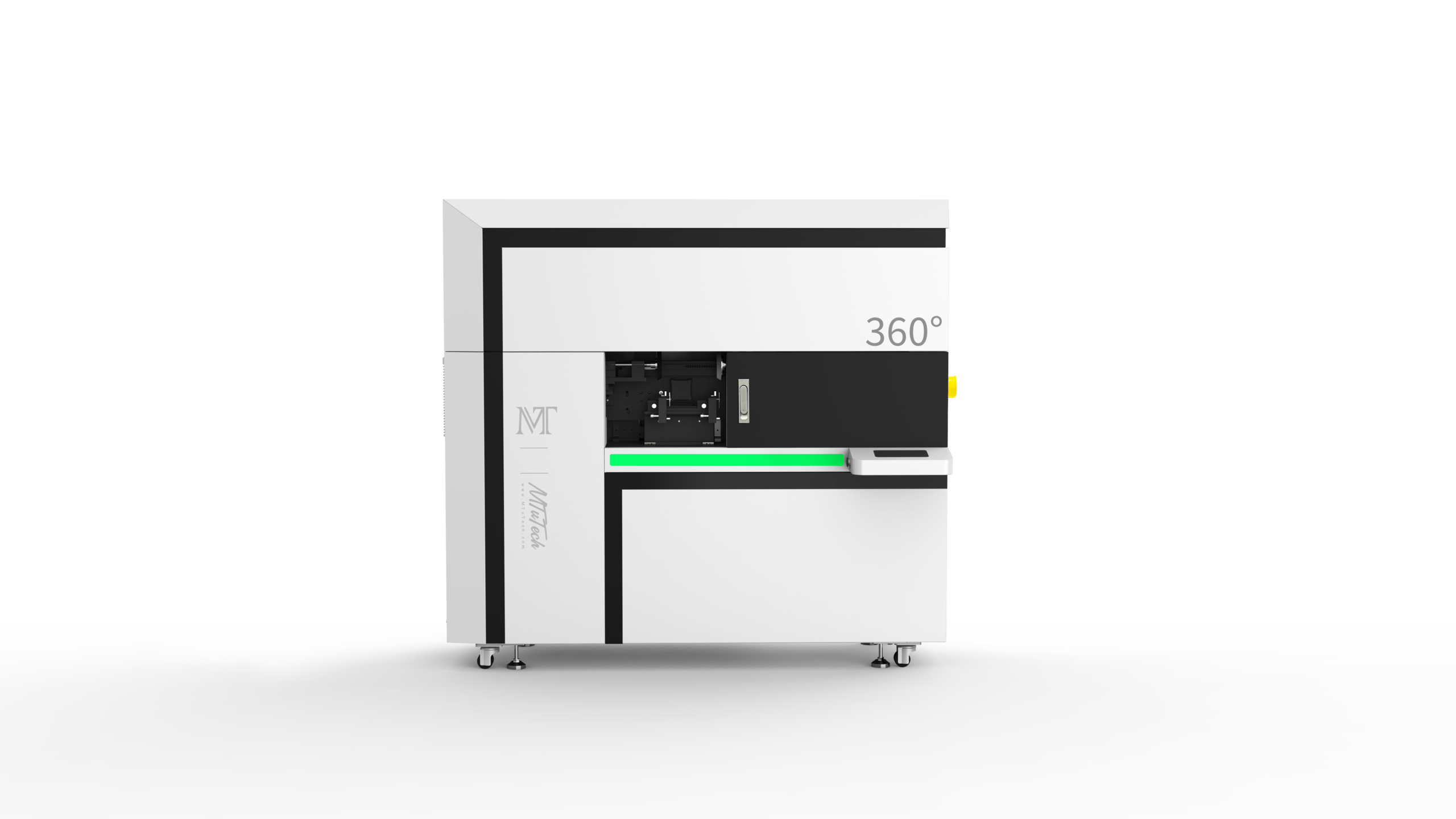
A desktop cylindrical printer is a strong starting point, but it is not the end of the roadmap. When the shop starts receiving larger repeat orders, wider diameter ranges, full-wrap work, or production deadlines that exceed the desktop machine’s comfortable output, it may be time to compare a larger 360 rotary UV printer.
The 360 rotary UV printer production guide explains workflow for bottles, tumblers, and cylindrical products at higher production expectations. For shops that are still validating demand, the desktop approach may be smarter because it keeps the entry cost and footprint lower.
正面-scaled.png)
Quality Control Checklist
- Confirm the product diameter and printable area before designing.
- Check that the product surface is clean and dry.
- Use a saved artwork template for each product size.
- Run a test print when using a new coating, shape, or supplier.
- Inspect alignment, seam position, color, cure, and edge quality.
- Photograph approved samples for repeat orders and online marketing.
- Record setup notes so the next batch is faster.
How This Content Supports Ranking
From an SEO perspective, this topic is useful because it captures buyer questions around product planning rather than only machine specifications. It can rank for desktop cylindrical printer, cylindrical printer for startup, tumbler printing product menu, bottle printing machine for small business, and custom drinkware printer workflow. Those searches can then move naturally to the cylindrical printer, tumbler printer, and machine comparison pages.
It also links sideways to related support assets such as tumbler printer vs sublimation, which helps search engines understand that MTuTechPrinter has depth across drinkware, cylindrical products, rotary UV printing, and startup production.
Common Mistakes
- Starting with too many product types before the first workflow is stable.
- Accepting tapered or irregular products without testing them first.
- Designing artwork too close to the top, bottom, or seam area.
- Undercharging for one-off personalization and file repair.
- Ignoring fixtures and setup notes, which makes every repeat job feel new.
- Using the same care instructions for every material and coating.
FAQ
Is a desktop cylindrical printer good for a startup?
Yes, if the startup begins with a focused product menu and repeatable sizes. Tumblers, bottles, cups, candle jars, and cosmetic containers are practical starting points when the shop controls setup and pricing.
Can a cylindrical printer print full-wrap designs?
Many cylindrical workflows can support full-wrap or near-full-wrap designs, but the result depends on product shape, diameter, artwork setup, and machine capability. Start with partial wraps before selling complex full-wrap production.
When should a shop choose a 360 rotary UV printer instead?
Choose a 360 rotary UV printer when order volume, full-wrap work, diameter range, or production speed exceeds what a desktop cylindrical workflow can comfortably handle.
Final Recommendation
A desktop cylindrical printer can be a smart entry point for a small business, but only when it is supported by a clear product menu, repeatable templates, honest pricing, and quality control. Start with a narrow set of tumblers, bottles, cups, jars, and containers. Build samples, document settings, and link each product offer back to the correct MTuTechPrinter commercial page. That structure helps the business sell better and helps the website build topical authority around cylindrical printing.