
A UV DTF printer for stickers is not the same as a paper sticker printer or a basic label printer. UV DTF creates hard-surface transfers that can be applied to glass, plastic, metal, acrylic, coated packaging, bottles, jars, electronics, phone cases, candles, gift boxes, and promotional products. That makes it useful for small-batch product branding when direct printing is too slow, too difficult to fixture, or not flexible enough for mixed orders.
This guide explains how a UV DTF sticker workflow works, which products it fits, how it differs from ordinary adhesive labels, what affects cost, and how shops can build a profitable product-label service around it. It supports the main UV DTF printer page while targeting a clear long-tail buyer question: can UV DTF be used for stickers and product labels?
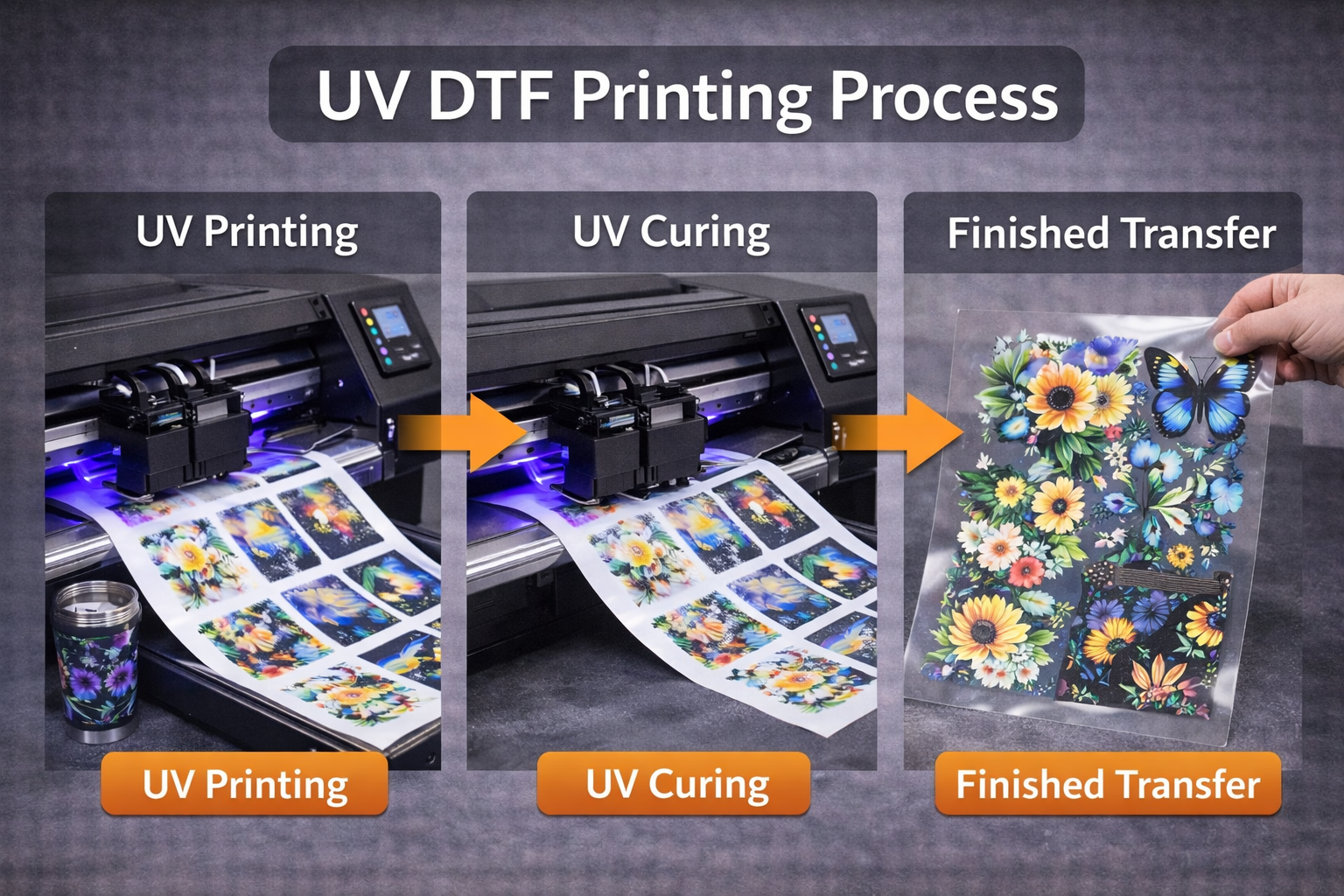
What Makes UV DTF Stickers Different?
Traditional stickers are usually printed on adhesive paper, vinyl, PET, or similar label stock. They remain a printed film with adhesive behind it. UV DTF transfers work differently. The printer produces a design on transfer film with UV ink, adhesive, and protective layers. The finished transfer can then be applied to a hard product surface without printing directly on that product.
This matters when a business wants a premium logo on a difficult object. A cosmetic bottle, curved jar, powder-coated tin, acrylic display piece, or gift box may be hard to load into a flatbed printer for every small order. A UV DTF transfer lets the shop print the design first, then apply it to the product later.
Best Products for UV DTF Stickers and Labels
UV DTF is strongest when the product surface is hard, smooth, clean, and valuable enough to justify a premium transfer. It is not the right choice for every sticker order. It becomes attractive when the customer wants a raised, glossy, durable, no-background look on a product rather than a paper label edge.
- Cosmetic bottles, jars, tubes, lids, and sample packaging.
- Glass candles, perfume bottles, drinkware, and promotional containers.
- Phone cases, power banks, electronics accessories, and tech products.
- Acrylic tags, badges, awards, signs, and retail display components.
- Metal tins, coated boxes, product shells, and branded sample kits.
- Short-run ecommerce packaging where the brand needs premium decoration without high minimums.
For product buyers, the core machine page is UV DTF printer. Shops comparing width, material use, and commercial production should also read the commercial 60cm UV DTF printer guide because 60cm production changes batching, film use, and job planning.
UV DTF Stickers vs Regular Product Labels
| Factor | UV DTF sticker transfer | Regular adhesive label |
|---|---|---|
| Look | No-background transfer with raised UV ink effect | Printed label sheet with visible label edge |
| Best surface | Hard smooth products such as glass, plastic, metal, acrylic | Packaging, bottles, boxes, jars, cartons, flat label zones |
| Order type | Short runs, premium samples, mixed products | Repeat packaging and larger standardized label batches |
| Durability | Strong handling resistance when applied correctly | Depends on label material, adhesive, coating, and environment |
| Setup | Film workflow, lamination/transfer handling, application step | Label print/cut workflow and application step |
A regular label is often better for large packaging runs with standardized label zones. UV DTF is better when the customer wants a printed-on look, a raised logo, premium decoration, or mixed hard-surface branding. The best shops offer both when demand justifies it, but they explain the difference clearly to customers.
How the UV DTF Sticker Workflow Works
- Prepare artwork with clean edges, correct size, and enough spacing between designs.
- Print the design onto UV DTF film with the required color, white, and varnish structure.
- Apply the adhesive/protective film layer through the correct transfer process.
- Cut or separate designs by product, customer, or order group.
- Clean the product surface before application.
- Apply the transfer with steady pressure and remove the carrier film carefully.
- Inspect edges, adhesion, alignment, and final finish before packing.
The workflow sounds simple, but profit comes from controlling the details. Film tension, dust, curing, adhesive quality, spacing, cutting, storage, and application pressure all influence the final result. A good operator treats the transfer sheet as a production part, not as a casual sticker sheet.
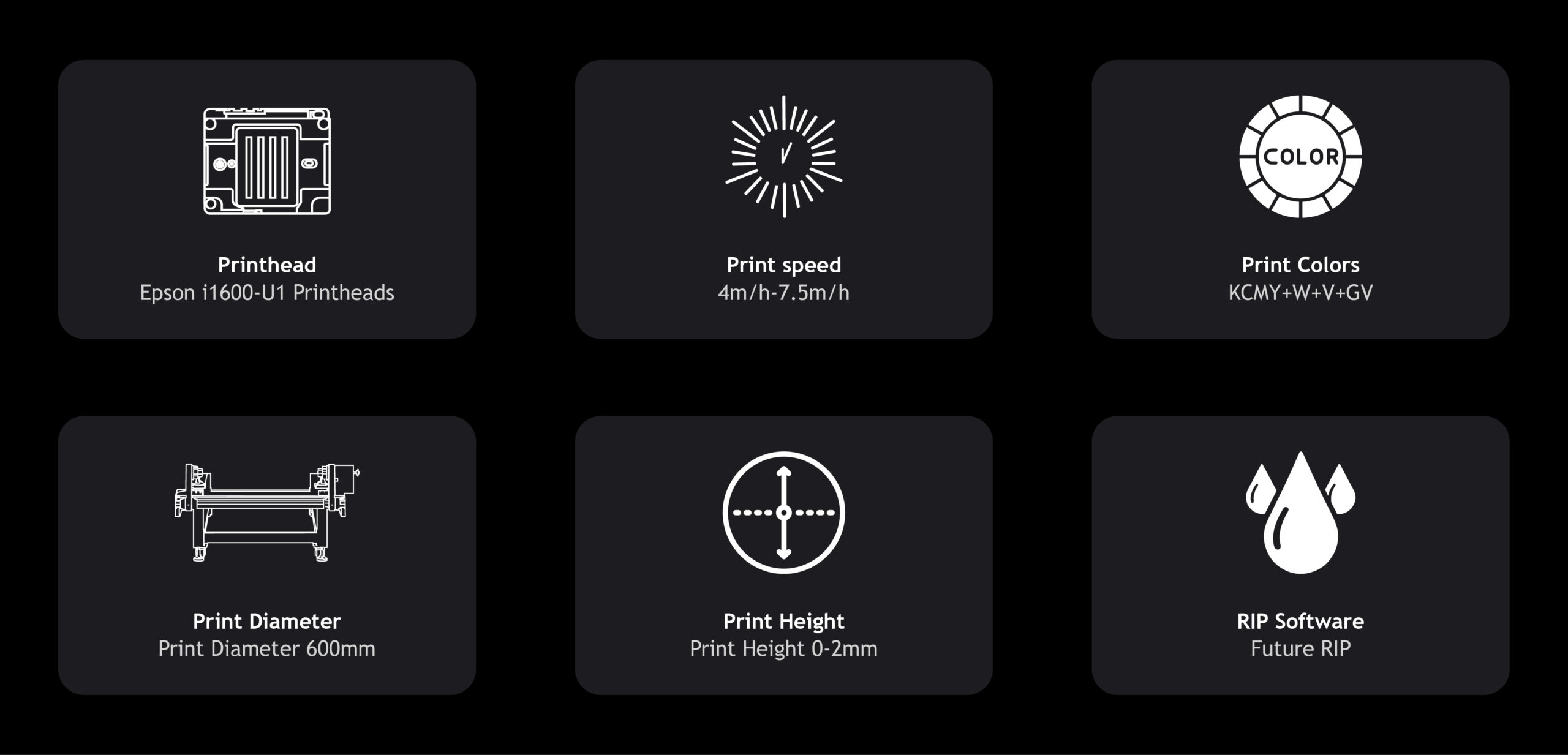
Artwork Setup for UV DTF Stickers
UV DTF artwork should be built with transfer behavior in mind. Thin lines, tiny disconnected details, very small dots, and low-contrast type can be difficult to weed, apply, or inspect. A design that looks beautiful on screen may be fragile if every letter is separate and too small.
- Use vector artwork for logos and text whenever possible.
- Avoid extremely thin strokes that may lift during transfer.
- Keep small text large enough for both printing and hand application.
- Add spacing between designs so operators can cut sheets cleanly.
- Group designs by order to reduce picking mistakes.
- Create product templates for common bottles, jars, boxes, cases, and lids.
For buyers still deciding between direct printing and transfers, the UV printer vs UV DTF printer comparison gives a practical workflow view. Direct printing may win for repeat flat products, while UV DTF often wins for mixed hard goods and premium transfer-style labels.
Material Compatibility and Surface Prep
UV DTF transfers usually work best on clean, smooth, non-porous or coated surfaces. Glass, acrylic, coated plastic, painted metal, hard packaging, and smooth product shells are common targets. Rough, oily, dusty, highly textured, silicone-like, or very soft surfaces can create adhesion problems.
Surface cleaning is not optional. Fingerprints, oil, dust, release agents, or packaging residue can stop the adhesive from bonding. For repeat products, shops should write a short prep rule: what cleaner to use, how long to let it dry, where to place the transfer, and how much pressure to apply.
UV DTF Stickers for Cosmetic Packaging
Cosmetic packaging is one of the best use cases because brands often need small runs, premium appearance, and fast sample changes. A startup may need 50 jars for a product launch, then 200 bottles with a revised logo, then a small influencer kit with names or batch codes. UV DTF handles those changes better than many traditional decoration methods.
For cosmetic bottles, the operator should test curved surfaces, shoulder areas, caps, and jars separately. A transfer that applies perfectly to a flat lid may behave differently on a curved bottle. Keep the design within stable surface zones, especially when the packaging has taper or rounded corners.
UV DTF Stickers for Glass and Drinkware
Glass and drinkware can look excellent with UV DTF, especially for logos, short-run event branding, candle jars, coffee cups, and sample bottles. The result can look more premium than a paper label because the transfer does not need a rectangular background. However, drinkware and glass items are handled often, so durability testing matters.
If drinkware becomes a major product line, direct cylindrical printing may be worth comparing through the 360 rotary UV printer or tumbler printer pages. UV DTF can support short runs and mixed designs, while rotary UV printing may be stronger for repeat full-wrap production.
Cost Factors in UV DTF Sticker Production
UV DTF sticker cost includes film, ink, adhesive/protective film, artwork prep, machine time, cutting or separating, application labor, test pieces, rejected transfers, packaging, and margin. Shops sometimes underprice UV DTF because the transfer sheet looks inexpensive. The real cost includes handling and application time.
Batch planning improves profit. A 60cm printer can place multiple customer designs on one run, but operators must avoid mixing orders in a way that creates sorting mistakes. Clear labels, job IDs, and cut marks reduce confusion when several small orders are printed together.
How to Price UV DTF Stickers and Product Labels
There are two useful pricing models. The first is sheet-based pricing, where customers buy a printed transfer sheet with designs arranged by size. This works for DIY application or businesses that apply transfers in-house. The second is finished-product pricing, where the shop prints the transfers and applies them to bottles, boxes, cases, or merchandise before delivery.
Finished-product pricing should be higher because application, alignment, cleaning, inspection, and packing take time. A single premium cosmetic bottle may justify more labor than a sheet of general promotional transfers. For B2B buyers, explain this clearly so they understand what they are paying for.
Quality Checks Before Delivery
- Check that every transfer is fully cured and clean before application.
- Inspect edges for lifting after the carrier film is removed.
- Confirm logo alignment on the actual product, not only on the sheet.
- Rub-test a sample when durability matters.
- Pack products so transfers do not rub during shipping.
- Keep one sample or photo for repeat orders.
These checks make the difference between a sticker service and a reliable product-label workflow. Customers care less about the printer name and more about whether their logo looks clean when the product reaches a buyer.
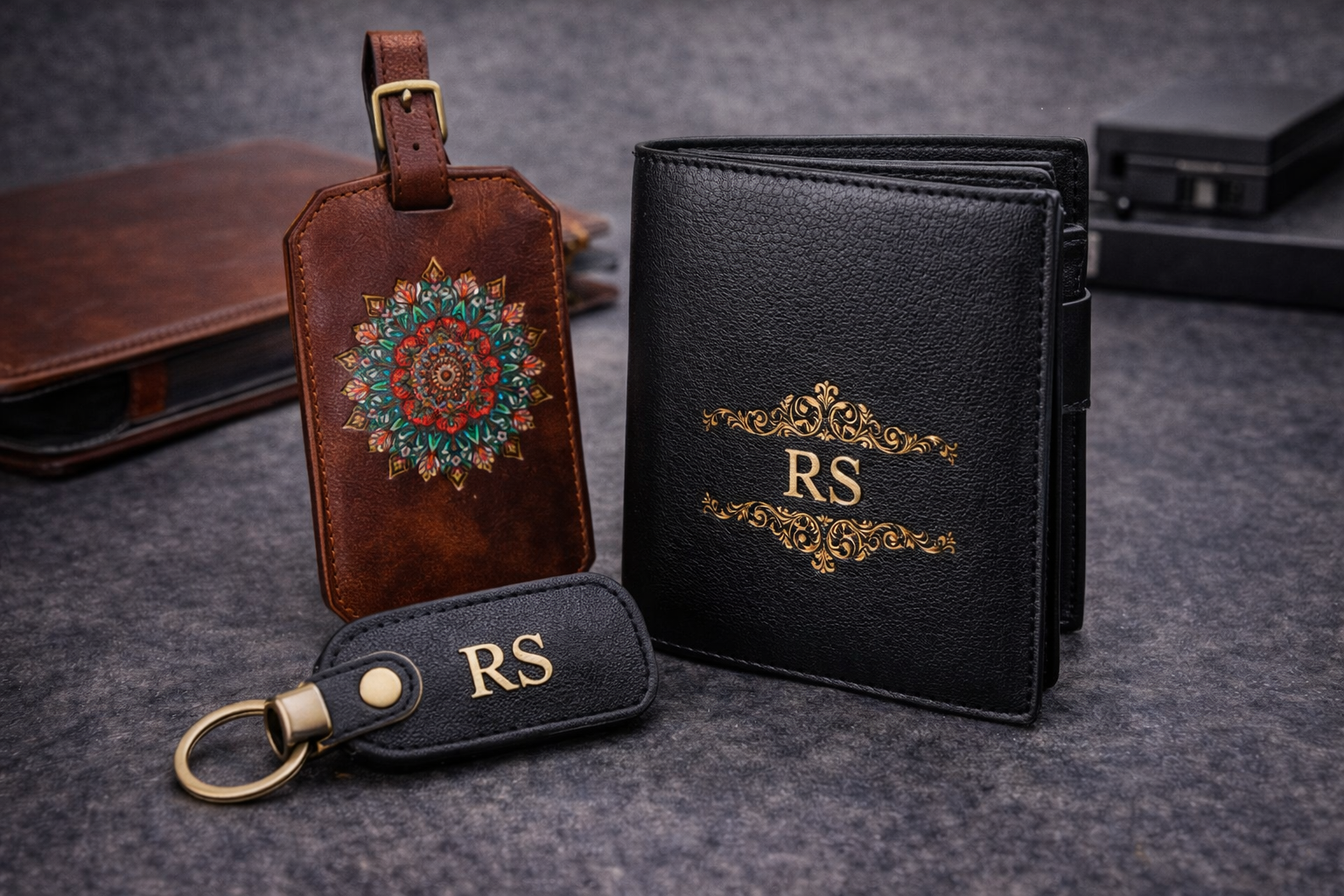
Storage and Handling of UV DTF Transfers
UV DTF transfers should not be treated like loose office stickers. Heat, dust, humidity, pressure, and careless stacking can affect the transfer before it reaches the product. Finished sheets should be stored flat, separated by order, and protected from dust. If the shop ships transfers to a customer for self-application, include basic handling instructions so the customer does not blame the print for poor storage or application.
A simple packaging rule helps: keep transfers clean, label the application side, avoid folding, and keep similar product sizes together. For repeat B2B customers, create a reorder code for each transfer size and product type. That makes it easier to reproduce a candle jar logo, cosmetic bottle label, or phone case decal without rebuilding the job from scratch.
Questions to Ask Before Buying a UV DTF Printer for Stickers
- What is the maximum film width and how many sticker sizes can be batched efficiently?
- How does the printer handle white ink, varnish, and adhesive transfer layers?
- Which films and consumables are recommended for hard-surface product labels?
- Can the supplier test transfers on your actual glass, plastic, metal, or acrylic products?
- What is the daily maintenance routine for steady sticker production?
- How should finished transfers be stored, shipped, and applied by customers?
These questions move the buying conversation away from generic printer specs and toward real production. A shop buying a UV DTF printer for stickers needs confidence in film workflow, consumables, transfer quality, support, and repeat application results.
When UV DTF Is Not the Best Sticker Method
UV DTF is not always the best answer. Paper shipping labels, large quantities of simple packaging stickers, flexible fabric graphics, cheap giveaway labels, and labels that need to wrap around highly flexible packaging may be better served by other methods. A good sales team should not force UV DTF into every label conversation.
The best use case is premium hard-surface branding where the customer values appearance, low minimums, and fast design changes. That is where UV DTF transfers can carry higher margin and support a stronger product menu.
Common Mistakes in UV DTF Sticker Production
Selling It as a Cheap Sticker
UV DTF should be positioned as premium hard-surface decoration. Competing only on cheap sticker pricing makes the workflow hard to sustain.
Skipping Real Surface Tests
Glass, acrylic, coated plastic, and metal can behave differently. Test the customer’s actual product before promising a large batch.
Ignoring Application Labor
Applying transfers takes time. Finished-product pricing should include cleaning, alignment, application, inspection, and packing.
Building a UV DTF Sticker Product Menu
A product menu helps customers buy without confusion. Instead of selling “UV DTF stickers” as a vague service, package the offer into clear use cases: cosmetic bottle transfers, candle jar branding, hard-surface logo decals, product sample labels, premium packaging marks, event merchandise decals, and small business branding kits.
Each package should state the recommended surfaces, size range, minimum quantity, expected finish, and whether the shop applies the transfers or ships them as sheets. This reduces random questions and makes the workflow easier to repeat.
Internal Links That Help Buyers Choose
A strong buyer path should connect this article to the main UV DTF printer page, the commercial 60cm UV DTF printer guide, the UV DTF foil stamping workflow, and the broader applications page. These links help visitors move from sticker research to machine selection and application proof.
For SEO, this article supports UV DTF authority without competing directly with the main commercial page. The main page should rank for the core machine keyword. This support article targets a narrower sticker and product-label intent, then passes relevance back to the commercial page.
FAQ
Can a UV DTF printer make stickers?
Yes. A UV DTF printer can make transfer-style stickers for hard surfaces such as glass, acrylic, plastic, metal, bottles, jars, cases, and packaging.
Are UV DTF stickers waterproof?
They can resist water and handling when printed, cured, and applied correctly. Durability depends on the product surface, cleaning, transfer quality, and use environment.
Are UV DTF stickers better than vinyl labels?
They are better for premium hard-surface transfers with a printed-on look. Vinyl or paper labels may be better for large standard label runs.
Which MTuTech machine should buyers compare?
Start with the UV DTF printer page. For commercial transfer volume, compare the 60cm UV DTF printer workflow and contact MTuTech for product-specific testing.
Bottom line: UV DTF stickers are a rankable, commercial support topic because buyers are already searching for ways to brand products without large minimums. The opportunity is strongest when the shop sells the workflow as premium hard-surface decoration, not as a cheap paper sticker alternative.