
The phrase UV printer vs UV DTF printer sounds like a simple equipment comparison, but the better question is operational: which workflow fits the products, order sizes, staff skill, and delivery promises of the business? Direct UV printing and UV DTF printing both use UV-curable ink, but they solve different production problems. A direct UV printer prints onto the object or sheet itself. A UV DTF printer creates a transfer that is later applied to the object. That difference changes fixture planning, material range, labor, inventory, speed, finish, and profit.
This guide is written for buyers comparing equipment, print shops adding a second workflow, and business owners trying to decide which product line to build first. It supports the main UV printer, UV DTF printer, applications, and machine comparison pages by explaining how the decision should be made in real production, not only from brochure specifications.
Quick Answer: The Best Workflow Depends on Product Shape
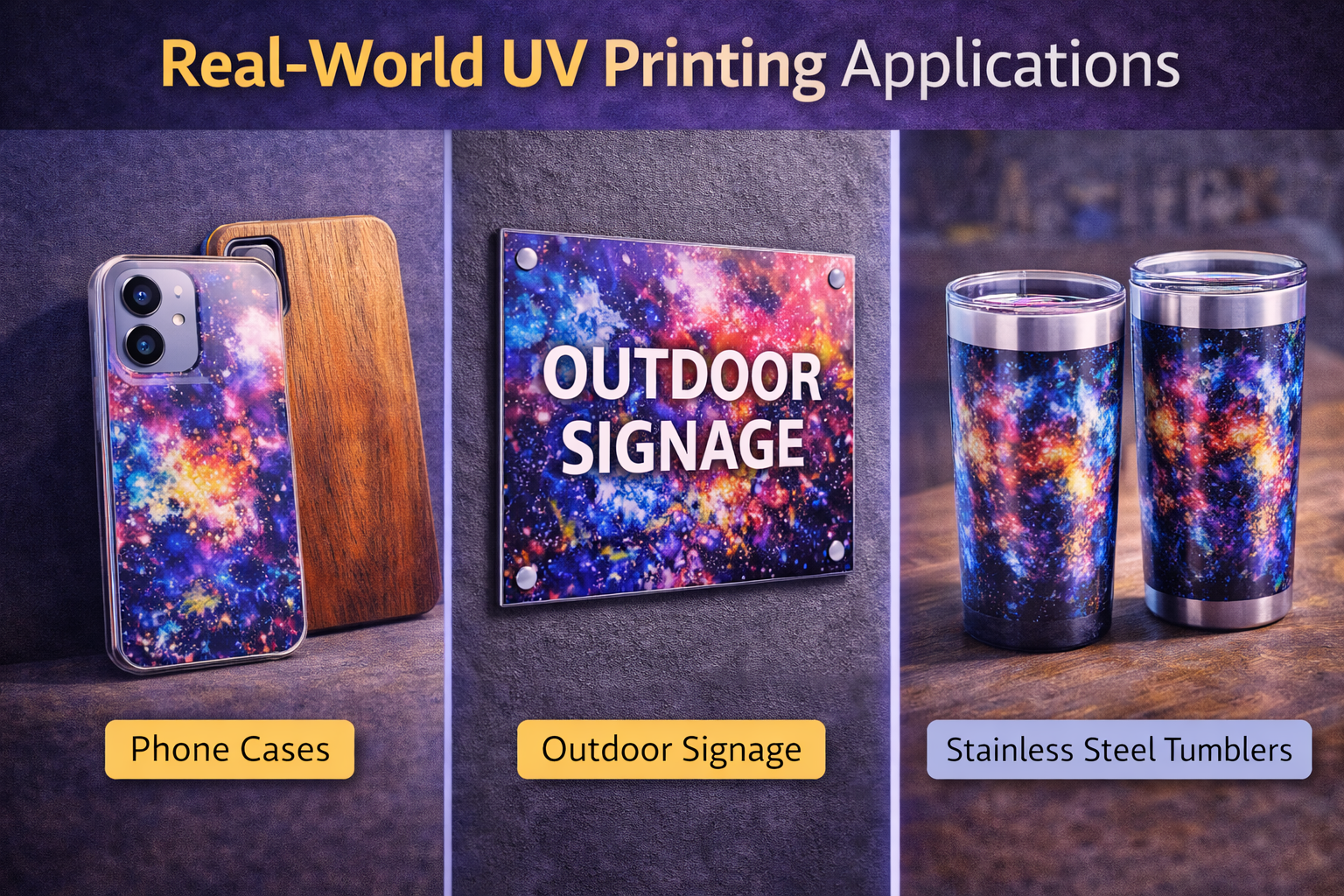
Choose direct UV printing when the item is flat, rigid, stable, and repeatable enough to hold on a bed or fixture. Choose UV DTF when the item is hard to fixture, has curves or edges that make direct printing slow, or needs a transfer-style decoration workflow for mixed hard goods. Shops with steady commercial demand often use both: direct UV for premium product and sheet work, UV DTF for flexible hard-good decoration.
| Decision factor | Direct UV printer | UV DTF printer |
|---|---|---|
| Best fit | Flat goods, panels, acrylic, signs, boards, phone cases, cards, plaques | Mixed hard goods, curved items, irregular surfaces, small-batch transfer work |
| Setup style | Bed positioning, jigs, camera alignment, rotary attachments | Film print, adhesive layer, lamination, cut/trim, transfer application |
| Finish feel | Direct printed surface with strong premium feel | Transfer layer on top of product surface |
| Main cost driver | Fixture time, bed setup, white ink, operator control | Film, adhesive, lamination, transfer labor, waste control |
| Best MTuTech path | UV printer, UV Printer 9060, visual positioning UV printer | UV DTF printer and support guides |
How Direct UV Printing Works
Direct UV printing places the object or sheet onto the printer bed, aligns the printable area, prints ink directly onto the surface, and cures that ink immediately with UV lamps. The workflow is straightforward when the object is flat and stable. That is why direct UV remains a strong option for acrylic signs, metal cards, nameplates, plaques, phone cases, control panels, product samples, packaging prototypes, small boards, and promotional products.
Direct UV printing becomes more powerful when the shop builds repeatable fixtures. A simple jig can turn a slow custom job into a predictable batch process. For shops handling small and mid-size flat goods, the UV Printer 9060 is an important model-specific page to review. For mixed short-run objects and alignment-heavy work, a visual positioning UV printer can reduce manual measurement and make jigless or low-jig work easier.
How UV DTF Printing Works
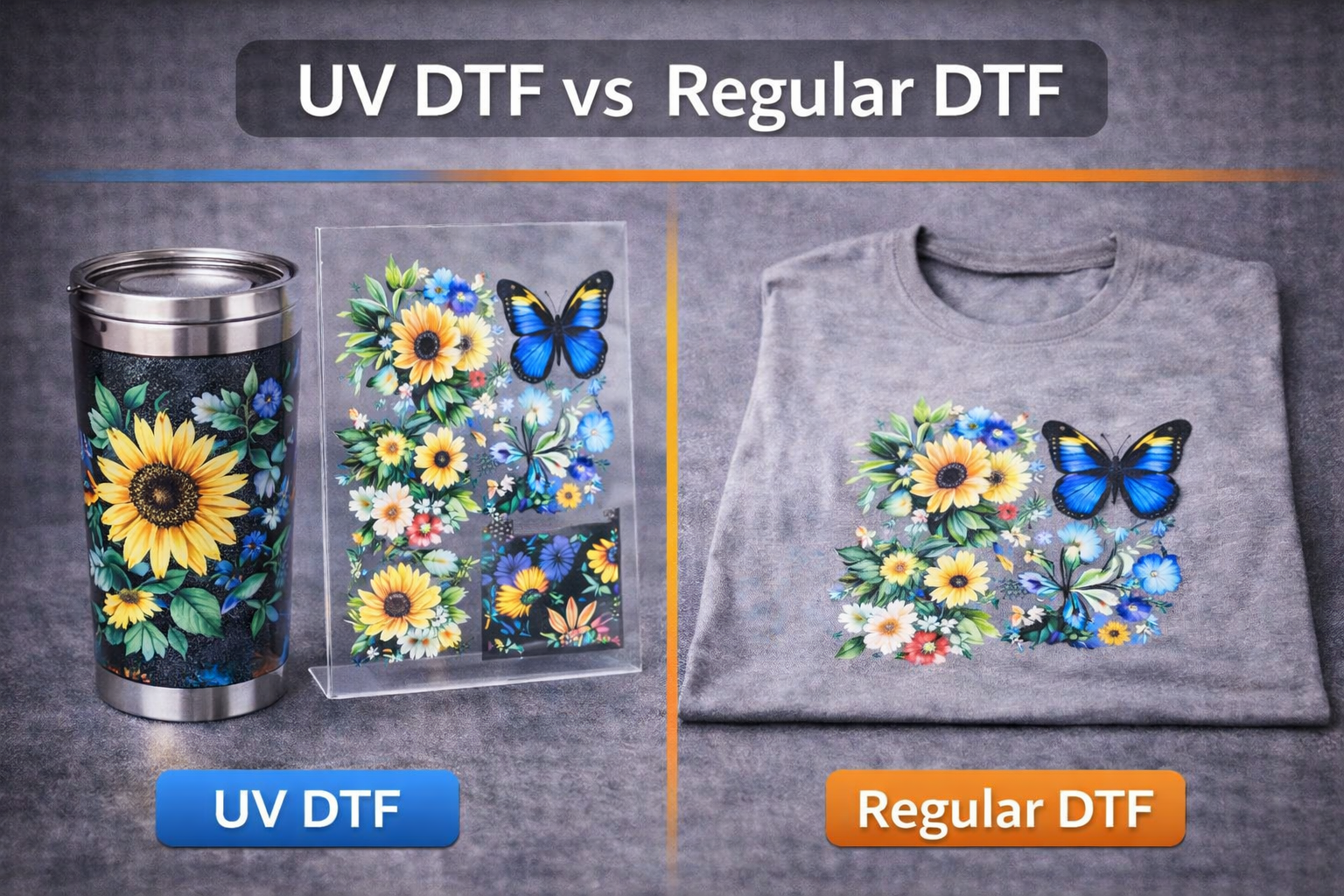
UV DTF printing uses a different sequence. The design is printed onto film, combined with adhesive and lamination, then transferred to the product surface. The finished transfer can be applied to many hard goods without putting the object inside the printer. That makes the workflow attractive for small shops, gift suppliers, ecommerce sellers, and businesses that decorate mixed product shapes.
The tradeoff is that UV DTF adds consumables and manual application steps. Film, adhesive, lamination, trimming, transfer placement, pressure, and operator consistency all matter. The workflow can be very flexible, but it should not be treated as a magic replacement for direct UV. It is a production system with its own quality control rules.
Product Fit: Which Items Should Go to Each Workflow?
The easiest way to decide is to group products by shape and repeatability. Flat and rigid products usually belong in direct UV. Highly mixed, irregular, or hard-to-fixture products often make more sense in UV DTF. Round products can go either way depending on whether the shop owns the correct rotary or cylinder workflow.
- Use direct UV for acrylic signs, cards, plaques, panels, boards, nameplates, badges, phone cases, wood, metal, glass, and short-run packaging samples.
- Use UV DTF for mixed hard goods, promotional items with difficult edges, curved surfaces, small ecommerce batches, and objects that are hard to hold on a flatbed.
- Use a 360 rotary UV printer, tumbler printer, or cylinder UV printer for round-object direct printing when full-wrap control and repeatability matter.
- Use the machine comparison page when the product mix includes flat goods, round goods, transfers, and larger production surfaces.
Durability and Finish Expectations
Direct UV gives a true direct-to-object finish. On the right material with the right preparation, it feels integrated with the product and supports premium sample presentation. UV DTF creates a transfer layer. That can be durable for many products, but buyers should understand the difference in touch, edge feel, and application consistency.
Durability depends on more than printer type. Surface preparation, coating, primer, curing, white ink control, varnish, and handling all matter. Shops selling dark, clear, metallic, or transparent items should review white ink in UV printers because opacity and layer order affect both direct UV and UV DTF workflows.
Speed, Labor, and Batch Size
Direct UV can be fast when jigs and artwork templates are ready. It can be slow when every object needs individual alignment. UV DTF can be efficient when many transfers are nested on film and applied later, but application labor becomes the bottleneck if the shop underestimates trimming, positioning, and finishing time.
For one-off samples, UV DTF may feel easier because fixture design is avoided. For repeat commercial products, direct UV may win because the setup becomes reusable. For mixed ecommerce decoration, UV DTF may protect flexibility. For production batches with consistent blanks, direct UV often gives better control.
Cost Structure: Do Not Compare Only Ink
A bad buying decision often comes from comparing only ink cost. Direct UV costs include fixture design, bed setup, white ink use, cleaning, rejected pieces, and operator time. UV DTF costs include film, adhesive, lamination, transfer labor, spoiled transfers, trimming, and application consistency. The right comparison is cost per sellable product after labor, not cost per milliliter.
| Cost area | Direct UV | UV DTF |
|---|---|---|
| Consumables | Ink, primer where needed, cleaning supplies | Ink, film, adhesive, lamination, transfer waste |
| Labor | Alignment, jig setup, proofing, QC | Film setup, cutting, transfer placement, application QC |
| Waste risk | Misalignment or adhesion failure on product | Film waste or transfer application error |
| Profit lever | Reusable jigs and repeat jobs | Flexible product menu and batched transfer production |
Maintenance and Operator Skill
Both workflows need disciplined maintenance. UV DTF owners must control film feed, lamination, adhesive behavior, white ink circulation, printhead checks, and application quality. Direct UV owners must control bed cleanliness, printhead protection, material height, static, white ink, curing, and fixture accuracy. The easier machine is the one your team can maintain every day.
Support content such as UV DTF maintenance schedules, RIP software, and white ink routines should be connected internally to the correct product pages. That is why this article links into maintenance, RIP, and application resources instead of standing alone as a generic comparison.
When a Shop Should Buy Direct UV First
- The core product list is mostly flat, rigid, and repeatable.
- Customers need premium direct-to-object samples or product finishes.
- The shop can build jigs and templates for repeat orders.
- The business sells signs, awards, panels, cards, plaques, cases, product prototypes, or packaging samples.
- The buyer wants to build a stronger commercial hub around UV printer and model-specific pages such as UV Printer 9060.
When a Shop Should Buy UV DTF First
- The product list changes constantly and includes mixed shapes.
- The shop serves small businesses, gift sellers, ecommerce stores, or short-run decorators.
- The operator wants to avoid frequent direct fixture setup.
- Transfers, labels, hard-good decoration, and small-batch customization are the main revenue path.
- The buyer wants to target the growing UV DTF printer workflow and related small-business support topics.
Best Long-Term Setup: Use Each Workflow for Its Strength
The strongest commercial shops do not force one workflow to do every job. They route orders. Direct UV handles premium direct prints and repeatable objects. UV DTF handles difficult shapes and transfer-style decoration. Rotary and cylindrical workflows handle bottles and tumblers. The applications page becomes important because a buyer should start with products, not with machine names.
Internal Linking Strategy for This Topic
This article should pass relevance to the UV printer page for direct equipment, the UV DTF printer page for transfer workflow, the UV Printer 9060 page for small and mid-size flatbed decisions, the visual positioning UV printer page for alignment-heavy products, and the machine comparison page for buyers still comparing machine families. That routing keeps the comparison article from competing with the commercial pages.
Quality Control Checklist for Both Workflows
A serious comparison should include quality control because most profit leaks happen after the equipment is already installed. For direct UV, the operator should check material height, bed origin, surface cleaning, first-piece alignment, white ink opacity, curing, adhesion, and edge quality. For UV DTF, the operator should check film condition, adhesive layer, lamination, transfer cut quality, placement pressure, edge lift, and finished surface feel.
The first approved sample should become the reference standard. Photograph it, save the print settings, keep the artwork file, and record material details. This prevents the next reorder from becoming a guessing exercise. Commercial buyers should ask vendors how repeat jobs are documented before they buy the machine.
- Direct UV QC: nozzle check, material height, bed cleanliness, jig fit, color, white ink layer, varnish, curing, and adhesion.
- UV DTF QC: film feed, printed transfer density, adhesive coverage, lamination pressure, trimming, application alignment, edge finish, and rub resistance.
- Shared QC: proof approval, spelling, barcode or QR readability, customer logo direction, packing protection, and retained sample photos.
Pricing Strategy: Keep the Two Workflows Separate
Direct UV and UV DTF should not be priced with one generic formula. Direct UV pricing should account for fixture time, machine time, white ink layers, varnish, product handling, and material risk. UV DTF pricing should include film usage, adhesive and lamination cost, transfer application labor, trimming, and waste. If both workflows are priced only by square area, one of them will eventually become underpriced.
A practical shop menu can separate products into direct-print packages and transfer packages. Direct-print packages might include acrylic plaques, metal cards, product samples, control labels, and packaging boards. UV DTF packages might include hard-good transfers, small ecommerce product batches, gift items, and mixed promotional products. This lets the sales team explain the difference without confusing buyers.
How the Topic Should Be Used for SEO
The comparison keyword should act as a bridge, not as the main ranking target for every related page. The page can capture users searching for UV printer vs UV DTF printer, then route them to the correct commercial decision path. Direct-print visitors should move toward UV printer, UV Printer 9060, and visual positioning UV printer. Transfer-focused visitors should move toward UV DTF printer and related small-business or maintenance content.
This prevents keyword cannibalization. The comparison article educates and qualifies traffic, while the product pages remain the main commercial pages for machine-specific buying intent. That is exactly the kind of page ownership cleanup Phase 2 is supposed to strengthen.
Decision Matrix for Real Buyer Scenarios
A buyer should not decide between a UV printer and a UV DTF printer by looking only at machine price. The better question is how the customer orders arrive, what repeatability is needed, and how much manual finishing the shop can absorb every day. A direct UV printer is usually stronger when the business wants controlled placement, repeat products, fixtures, and direct-to-object output. A UV DTF printer is useful when the shop needs flexible transfer decoration for curved, irregular, or hard-to-fixture products.
| Buyer scenario | Better first workflow | Reason |
|---|---|---|
| Repeat logos on acrylic, metal plates, small boards, and flat promotional parts | Direct UV printer | Fixtures, bed control, and repeat placement matter more than transfer flexibility. |
| Mixed ecommerce orders across bottles, gift items, cases, and irregular surfaces | UV DTF printer | Transfer film gives the seller more shape flexibility without building a fixture for every product. |
| Packaging samples, display boards, sample panels, and direct product prototypes | Direct UV printer | Direct printing gives better production discipline for boards, samples, and premium proofing. |
| Low-volume custom gifts where the product catalog changes often | UV DTF printer | The workflow is more forgiving when product shapes change frequently. |
How to Avoid Buying the Wrong Workflow
The most common mistake is treating UV DTF as a replacement for every direct UV job. It is not. UV DTF adds flexibility, but the film, adhesive, transfer layer, lamination, cutting, application pressure, and edge finish all become part of the production cost. Direct UV has its own setup discipline, especially around height control, fixtures, white ink, varnish, and material testing, but it can be more efficient when the same product repeats every week.
A shop planning to serve industrial labels, branded panels, acrylic signage, nameplates, rigid promotional products, and packaging mockups should review the direct UV printer workflow first. A shop planning to sell personalized cups, bottles, cases, small gifts, and irregular consumer items may prioritize UV DTF first. If both order types are already real, the better answer may be a staged plan: build one workflow properly, then add the second once monthly order volume proves the need.
Supplier Questions That Separate Serious Quotes From Generic Quotes
- Which materials should be tested before purchase, and which ones usually need primer?
- What is the real daily maintenance routine for white ink, varnish, printheads, and film handling?
- How many repeat jobs can be produced per hour after fixtures or transfer steps are included?
- What consumables should be included in the first-month operating budget?
- Which machine should support the main commercial page: UV printer, UV DTF printer, or a combined production setup?
FAQ
Is UV DTF better than direct UV printing?
Not universally. UV DTF is better for some mixed, curved, or hard-to-fixture products. Direct UV is better for many flat, rigid, premium, and repeatable products.
Can a UV printer and UV DTF printer target the same customers?
Yes. Promotional product sellers, packaging teams, ecommerce decorators, and sample shops may need both workflows, but each workflow should be priced and sold differently.
Which workflow is easier for beginners?
UV DTF can feel easier at first because it avoids some fixture work, but it still requires film, lamination, transfer application, and quality control. Direct UV requires better setup discipline but can be stronger for repeat jobs.
Which page should rank for UV printer vs UV DTF printer?
This support article should rank for the comparison phrase while sending authority to the main UV printer and UV DTF printer commercial pages.
Bottom line: the UV printer vs UV DTF printer decision should be based on product shape, repeatability, finish expectations, labor, consumables, and long-term order mix. Buyers who are unsure should review MTuTech’s machine comparison page or contact MTuTech for a workflow recommendation.