
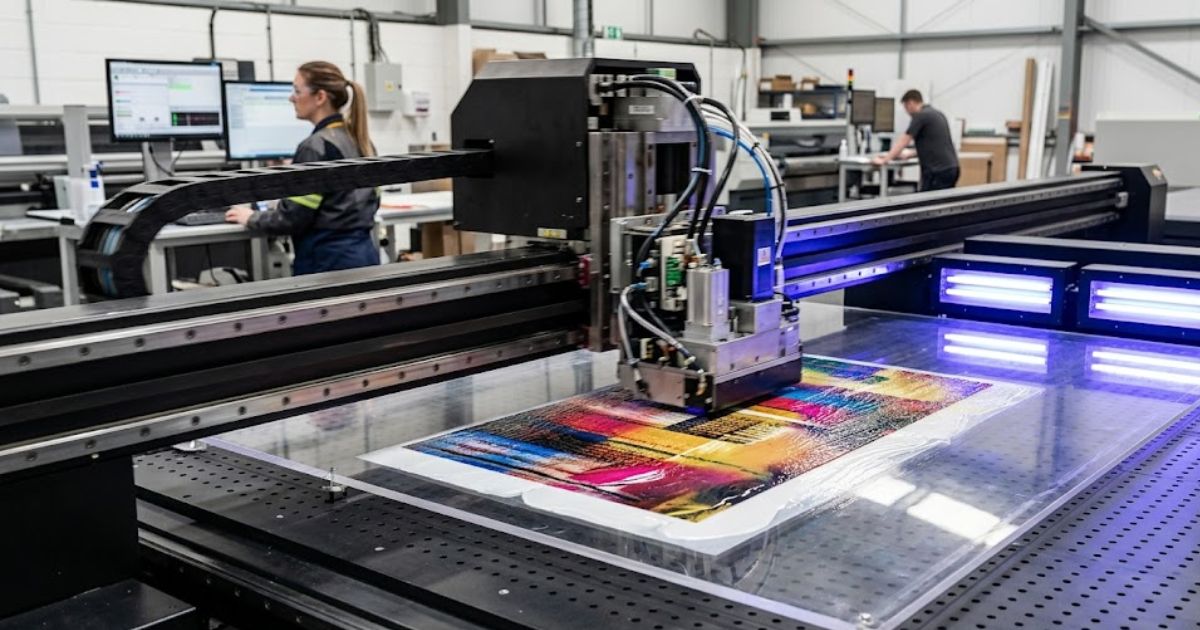
An industrial UV flatbed printer is bought for repeatable production, not for one impressive sample. The right machine should hold rigid materials securely, keep color stable through long jobs, manage white ink properly, cure prints consistently, and help the operator move from artwork to saleable product without rebuilding the workflow every time. That is why buyers need to compare more than bed size and advertised DPI.
This guide explains how to choose an industrial UV flatbed printer for acrylic, signage, packaging, wood, glass, metal, phone cases, industrial parts, and custom merchandise. It covers bed size, print height, ink configuration, printheads, workflow speed, software, fixtures, sample testing, and ROI. It also shows when a flatbed printer is the correct choice and when a rotary, hybrid, or UV DTF workflow may fit better.
What Makes a UV Flatbed Printer Industrial?
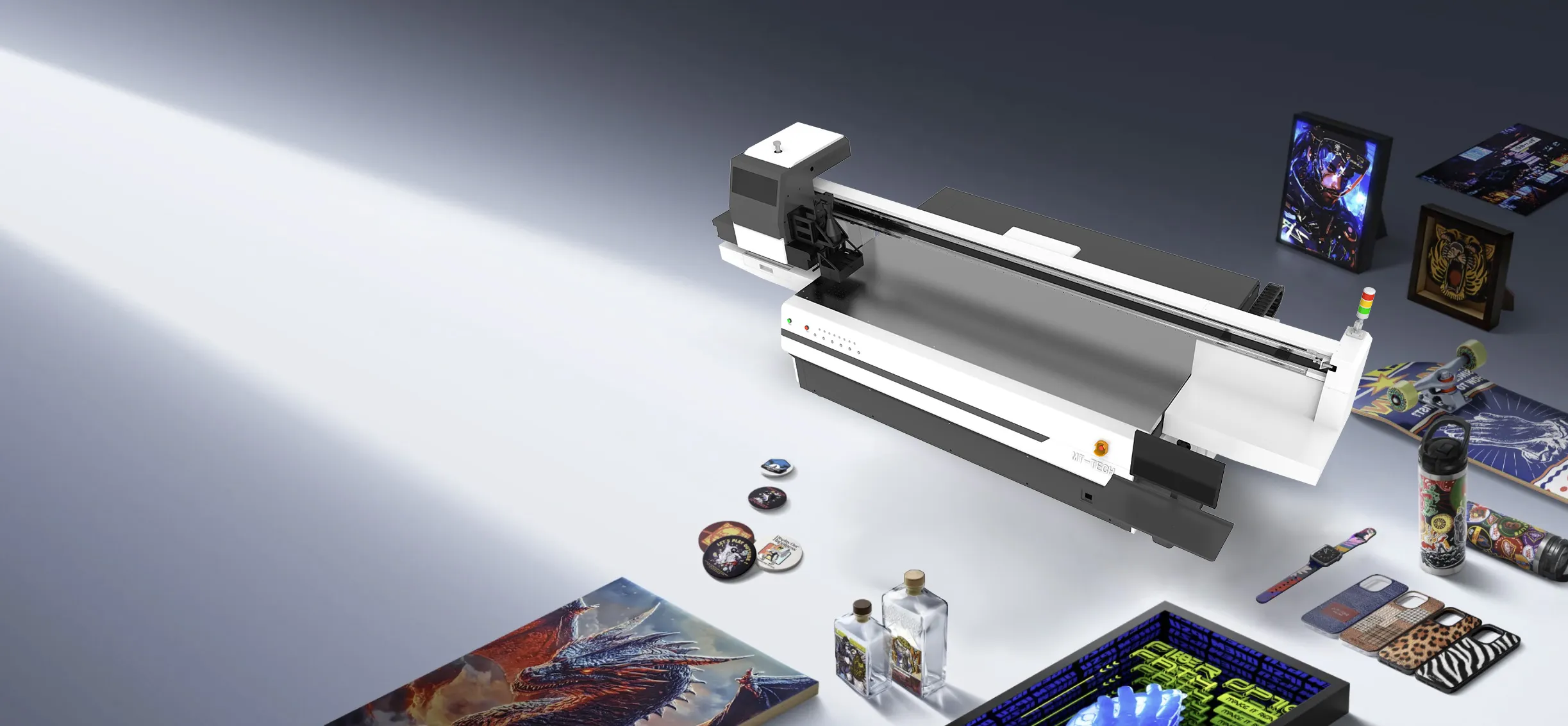
A desktop printer can be useful for gifts and early-stage testing, but an industrial UV flatbed printer is designed for steadier output. It should support larger or heavier materials, stronger bed stability, better media handling, more repeatable print modes, clearer maintenance routines, and production support. The machine must survive real shop conditions: dust, changing jobs, operator shifts, urgent deadlines, and customers who expect the same result every time.
Industrial does not always mean the largest machine. A mid-size printer can still be industrial when it is built for daily work and has the right ink, curing, printhead, and support system. The key question is whether the machine fits the products that create revenue for the business.
Start With the Product List
Before comparing models, write down the products you expect to print during the first six months. This prevents buying a machine that looks powerful but does not match the actual order book. A shop printing acrylic awards needs different priorities from a factory printing metal labels or a packaging studio printing prototypes.
- Acrylic signs, nameplates, awards, and display products.
- Wood panels, personalized gifts, coasters, and decor.
- Glass, ceramic, and coated metal items.
- Phone cases, small plastic products, and promotional goods.
- Rigid packaging samples, boxes, display boards, and branded panels.
- Industrial parts, warning plates, control panels, and product labels.
If most of your products are rigid and flat, start with the main UV printer category and compare bed sizes. If you also need bottles, cups, and tubes, review the 360 rotary UV printer and cylinder UV printer pages. If you need transfer-style decoration for mixed hard goods, the UV DTF printer workflow may be useful as a second production path.
Bed Size: Match the Work, Not the Ego
Bed size is one of the first things buyers compare, but bigger is not automatically better. A large bed helps when you print signs, panels, large sheets, furniture parts, or many small items in one layout. A smaller bed can be more efficient for phone cases, gifts, acrylic pieces, and short-run products because setup is quicker and the machine footprint is easier to manage.
The UV Printer 9060 is a common middle-ground category because it gives more working area than compact desktop equipment without jumping into very large industrial floor space. For buyers comparing sizes, the UV Printer 9060 buying guide is a useful support page. Larger factories may need a wider bed, but only if the order mix justifies it.
Print Height and Material Handling
Print height controls how thick a product can be. Many industrial buyers need to print on boxes, blocks, plaques, cases, wood pieces, metal parts, fixtures, or assembled objects. A useful flatbed printer should allow stable height adjustment and protect the printhead from strikes. It should also make setup simple enough that operators can repeat it safely.
Ask about the maximum material height, automatic height detection, vacuum bed, jig support, and how the machine handles uneven items. A printer that can technically accept a tall product may still be slow if every job requires careful manual adjustment. Production value comes from safe repeatability.
Printhead and Production Speed
Printhead choice affects speed, detail, maintenance, and long-term cost. Industrial buyers should ask which printhead is used, how many printheads are included, what color channels are supported, and how much replacement parts cost. Speed should be discussed by real print mode, not only by the fastest draft setting.
For a real quote, ask the supplier to estimate output in the mode you will actually sell. Fine text, white ink, varnish, and multilayer effects are slower than simple color passes. A realistic speed number helps plan staffing, pricing, and delivery dates.
White Ink and Varnish
White ink is essential for dark, transparent, metallic, and colored substrates. Varnish can create gloss, raised texture, and premium effects. These features make an industrial UV flatbed printer more valuable, but they require maintenance and correct file setup. White ink circulation should be discussed before purchase because poor white ink handling can create nozzle issues and weak opacity.
If premium textures, raised effects, and layered designs matter to your product line, compare this with the existing guide on multilayer printing and the product details on MTuTech’s UV printer pages. The best workflow is not just having white ink and varnish; it is knowing when those layers increase selling price enough to justify slower production.
UV Curing and Durability
UV curing turns printed ink into a handled product. Weak curing can create scratch issues, poor adhesion, or slow packing. A strong curing system helps the shop move faster from printing to inspection and shipping. Ask whether cure intensity is adjustable and how different materials should be tested.
Durability also depends on the substrate. Acrylic, glass, metal, wood, leather, ceramic, and coated plastic may require different cleaning or pretreatment. Industrial buyers should run adhesion checks on real materials instead of judging only by a showroom sample.
Software and Color Workflow
RIP software controls color, white ink, varnish, print modes, and production settings. A strong software workflow helps the team repeat orders. A weak software workflow creates wasted time and inconsistent output. Ask whether licensed software is included, whether ICC profiles are supplied, and how operators are trained.
The RIP software page is worth reviewing if your team is still building a UV workflow. Good software habits let operators save templates, standardize white ink layers, and reduce avoidable reprints.
Fixtures, Jigs, and Repeat Orders
Industrial flatbed printing often depends on fixtures. Phone cases, metal tags, acrylic pieces, and repeated packaging parts should not be placed by eye every time. A simple jig can turn a slow custom job into a predictable production routine. Ask whether the manufacturer supplies fixtures, offers custom jig advice, or expects the buyer to build everything after delivery.
For short-run production, fixtures should be easy to label and store. For repeat customers, save the jig, artwork file, print mode, and setup notes together. This is how a print shop turns one job into a repeatable product.
Industrial UV Flatbed Printer vs Hybrid UV Printer
A flatbed printer is strongest for rigid sheets and objects. A hybrid UV printer is useful when the shop handles both rigid flat materials and roll media. If your work includes signs, banners, roll films, and boards, a hybrid workflow may save floor space. If your work is mostly rigid products, a flatbed printer may be simpler and more stable.
The flatbed vs roll-to-roll UV printer guide can help compare these production models. The decision should be based on daily work, not on which machine looks more versatile in a brochure.
When Visual Positioning Pays Off
A visual positioning UV printer can help when products are irregularly placed or when short-run batches change often. Camera alignment reduces manual jig work and can make small batches easier. It is especially useful for mixed gift items, irregular shapes, and production teams that change artwork many times per day.
Visual positioning is not required for every flatbed shop. It pays off when setup time is a real bottleneck. If your team spends more time aligning products than printing them, camera positioning deserves a serious look.
Cost and ROI Planning
ROI depends on machine cost, ink use, labor, waste, order volume, and selling price. An industrial UV flatbed printer should be evaluated by the products it can sell profitably. For each product category, estimate blank cost, ink cost, setup time, print time, finishing time, reject rate, and selling price.
A larger printer can pay back faster when it batches many small items or handles higher-value products. A smaller printer can pay back faster when it has lower overhead and easier setup. Do not choose by size alone. Choose by monthly profit potential.
Questions to Ask Before Buying
- Which bed size fits my actual product list?
- What is the maximum print height and safe working height?
- Which printhead is included and what is the replacement cost?
- How does the machine manage white ink circulation?
- What RIP software and training are included?
- Can the supplier print samples on my real materials?
- What fixtures or jigs are recommended?
- What daily maintenance is required?
- Which spare parts should be stocked for uptime?
Sample Testing Checklist
Send real products before buying. Include a difficult artwork file with small text, solid color, gradients, white ink, and any raised effect you want to sell. Ask for photos and video of the sample process, not only the finished piece. If the sample requires special pretreatment, ask exactly what was used.
Judge the sample by sharpness, color, adhesion, white ink opacity, surface finish, and repeatability. If you need to print batches, ask for multiple pieces. One perfect sample does not prove the machine can produce steady work.
Production Planning for the First 90 Days
The first 90 days after installation should be planned before the machine arrives. Choose five to ten products that have clear demand, simple supply, and repeatable pricing. For example, a shop may start with acrylic signs, phone cases, wood awards, metal tags, packaging panels, and branded gift items. These products are different enough to prove the machine, but not so random that the team loses focus.
During the first month, record every setup. Note the material, artwork file, bed position, print mode, white ink setting, curing setting, operator, time per piece, and reject reason. These notes become the shop’s production memory. By the second month, the team should know which products are profitable and which products need better pricing or better fixtures. By the third month, the strongest products can be pushed into marketing campaigns, sample kits, and repeat-order packages.
How to Build a Profitable Product Menu
An industrial UV flatbed printer can print many things, but a business should not try to sell everything at once. A focused product menu is easier to market and easier to operate. Build packages around repeatable categories: acrylic signage, corporate gifts, product labels, packaging prototypes, interior decor, industrial marking, and personalized merchandise. Each category should have sample photos, size limits, minimum order quantities, and clear pricing rules.
For each product, decide what is standard and what costs extra. Standard printing may include color only. White ink, varnish, texture, rush orders, design cleanup, and unusual materials should be priced separately. This protects profit and helps sales staff quote consistently.
Operator Training Matters More Than Many Buyers Expect
A strong printer can still produce weak results if the operator is not trained. Operators must understand file preparation, material cleaning, bed setup, printhead height, nozzle checks, white ink handling, curing, and inspection. They also need to know when to stop a job. Continuing to print after a nozzle issue or adhesion failure wastes material and damages customer trust.
Ask the supplier what training is included and how support works after installation. A good training process should include daily startup, shutdown, emergency stop, cleaning, file setup, white ink workflow, and sample troubleshooting. If more than one person will run the printer, create a shared checklist so the process does not depend on one operator’s memory.
Quality Control Before Shipping
Industrial customers expect consistency. Before shipping an order, check color, registration, curing, adhesion, scratches, dust, banding, and edge quality. Keep a retained sample for repeat customers when possible. If a customer reorders a product three months later, that retained sample helps confirm that color and finish still match expectations.
For higher-value jobs, create a short approval step. A photo, sample piece, or signed production proof can prevent disputes. This is especially useful for packaging prototypes, corporate branding, industrial labels, and products with exact color requirements.
Maintenance Habits That Protect Profit
Maintenance is part of the business model, not a background task. Daily nozzle checks, cleaning, capping, white ink circulation, dust control, and bed inspection protect the quality of paid work. Weekly routines should include checking filters, waste ink, rails, fixtures, and common wear parts. A simple checklist near the machine helps operators follow the same process even during busy weeks.
Good maintenance improves SEO value indirectly too, because the business can confidently show real samples, publish case studies, and sell repeatable applications. A printer that is clean and stable gives the marketing team better photos and gives customers more confidence.
In practical terms, maintenance turns the printer from a risky purchase into a reliable production asset that can support repeat orders profitably.
Common Buying Mistakes
Choosing Only by Bed Size
A bigger bed does not guarantee better profit. Match bed size to actual products and available floor space.
Ignoring Maintenance
Industrial UV printing needs daily care. Nozzle checks, cleaning, white ink circulation, and proper shutdown routines protect uptime.
Skipping Real Material Tests
Different substrates behave differently. Test acrylic, glass, metal, wood, plastic, and coated materials before selling large jobs.
Underpricing Setup Time
Artwork prep, jig setup, cleaning, and inspection all cost money. Include them in pricing.
How MTuTech Pages Fit the Decision
Start with the main UV printer page for the broad machine category. Review the UV Printer 9060 if you need a mid-size flatbed workflow. Compare visual positioning UV printer options if alignment time is slowing down short-run jobs. Use the hybrid UV printer page if roll media is also part of your business. If round products matter, compare with the 360 rotary UV printer and related bottle workflows.
FAQ
What is the best industrial UV flatbed printer size?
The best size depends on your product list. Small rigid goods may not need a large bed, while signage and panels may require more area.
Do industrial UV flatbed printers need pretreatment?
Some materials may need cleaning, coating, or adhesion testing. Always test the actual substrate before production.
Is visual positioning necessary?
It is useful when products are irregularly placed or job changes are frequent. It is not required for every flatbed workflow.
Can a flatbed printer handle bottles?
Flatbed printers are best for rigid flat products. Bottles and tumblers usually need a rotary or cylindrical workflow for full-wrap printing.
Bottom line: an industrial UV flatbed printer should be chosen by product fit, repeatability, support, sample quality, software, fixtures, and ROI. A machine that fits the workflow will outperform a bigger or cheaper machine that creates setup problems every day.