
A UV printer for promotional products should be judged by what it helps a shop sell repeatedly, not by one shiny sample on a trade-show table. Promotional work is practical work: logos must land straight, colors must stay consistent, small text must remain readable, blanks must survive handling, and the operator has to move through mixed orders without wasting half the day on setup. That is where a well-chosen UV printer can become a serious production asset.
This guide is written for print shops, gift suppliers, agency production teams, ecommerce sellers, and distributors who want to build a stronger promotional product workflow. It covers the products that make sense, machine choice, artwork setup, white ink, fixtures, pricing, quality checks, internal production notes, and the MTuTech pages to compare before buying. The target keyword is simple: UV printer for promotional products. The business decision behind it is more detailed.

Why UV Printing Fits Promotional Products
Promotional product buyers care about personalization, short lead times, and a finish that feels better than a sticker. UV printing fits that market because it can print directly on many rigid materials without screen setup, plate making, or long minimum order runs. That makes it useful for company gifts, event merchandise, product launches, awards, desk items, retail displays, branded samples, and limited campaign pieces.
The advantage is not just material compatibility. The advantage is speed of decision. A buyer can approve a digital artwork file, see a sample quickly, and order a small batch without waiting for traditional tooling. For small businesses and corporate gift suppliers, that flexibility creates margin. Customers pay more when the item feels specific to their event, team, or brand.
Best Promotional Products for UV Printers
A strong product menu starts with items that are easy to source, easy to hold on the bed, and easy to price. New shops often try to sell everything a UV printer can touch. That sounds exciting, but it creates operational noise. Start with products that have repeat demand and then add more difficult items once your staff has reliable templates.
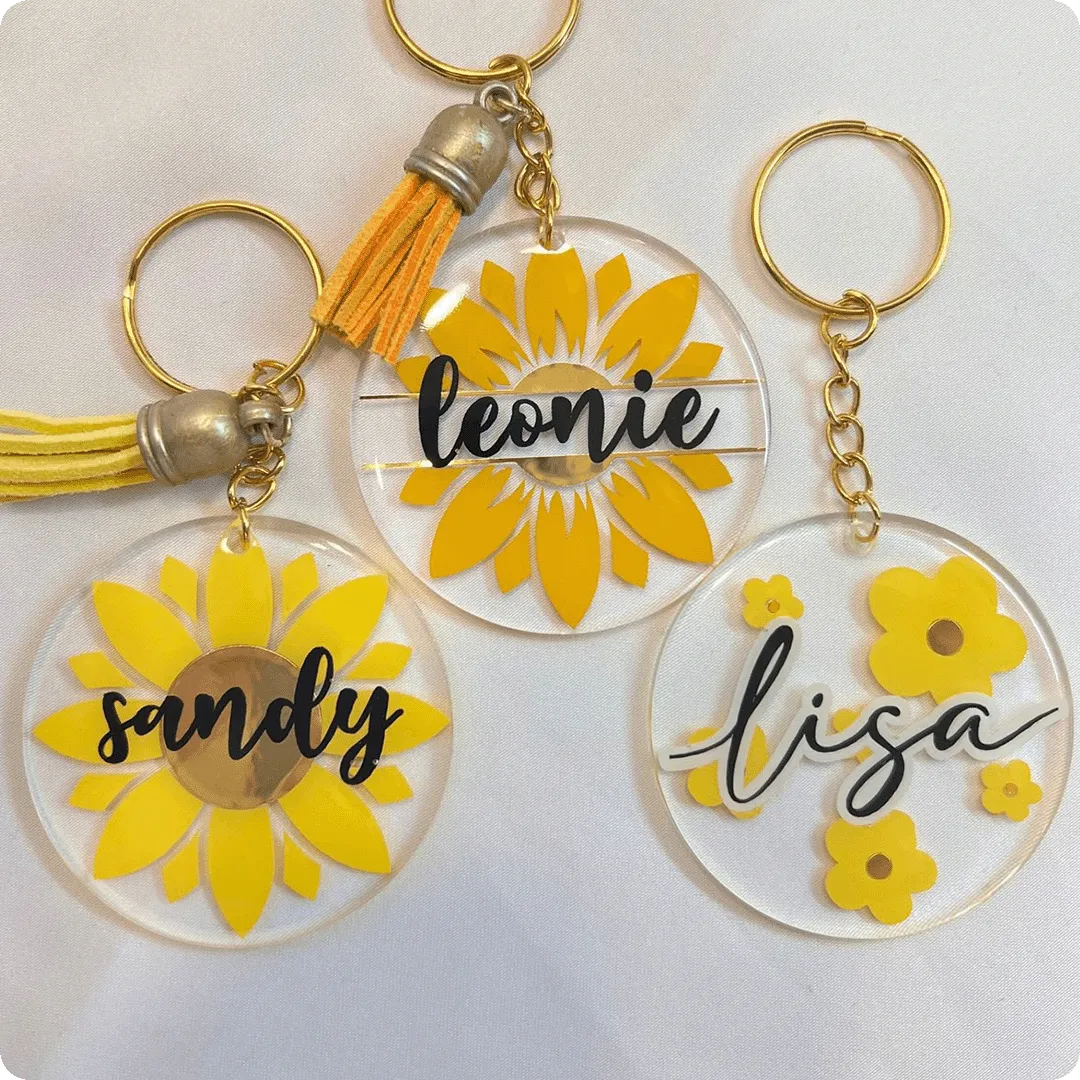
- Acrylic keychains, standees, badges, plaques, and nameplates.
- Phone cases, earbud cases, power banks, USB drives, and tech accessories.
- Metal business cards, tags, small signs, ID plates, and control labels.
- Wood coasters, desktop awards, decorative panels, and small gift items.
- Bottle openers, bottle caps, magnets, golf products, and event merchandise.
- Premium sample kits for agencies, distributors, and brand owners.
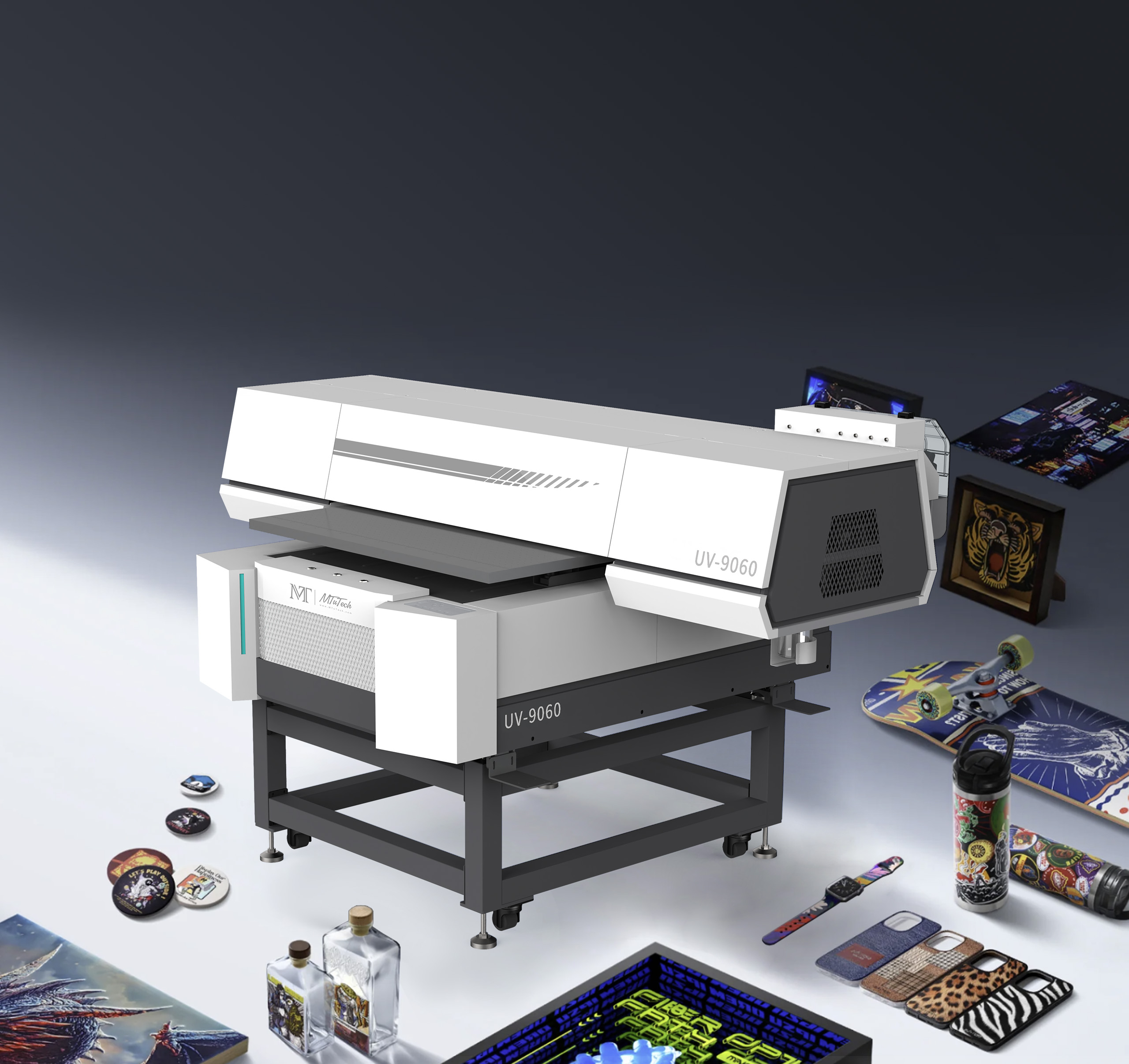
If your product list is mostly flat goods, compare the core UV printer category and the mid-size UV Printer 9060. If you expect a lot of bottles, cups, and drinkware, compare the 360 rotary UV printer and tumbler printer pages as well. Promotional product businesses often need more than one workflow as they grow.
Machine Choice: Flatbed, Visual Positioning, Rotary, or UV DTF
Most promotional product shops start by comparing flatbed UV printers because so many items are small, rigid, and flat enough to sit on the bed. A flatbed printer is a sensible base for keychains, cards, awards, tags, phone cases, display pieces, coasters, and small packaging samples. It also gives the operator a clear surface for jigs and batch layouts.
A visual positioning UV printer becomes useful when the shop handles irregular shapes, mixed objects, and short-run custom jobs. The camera alignment workflow helps reduce manual measuring and makes one-off placement faster. It is not a replacement for every jig, but it can save time when the order changes constantly.
For round promotional products, direct flatbed printing is not always the answer. Full-wrap bottles, tumblers, tubes, and cups need a rotary or cylindrical workflow. Buyers should review the 360 rotary UV printer application page before promising full-circumference drinkware to clients. For transfer-style work on mixed hard goods, UV DTF printer production can also support promotional orders that are difficult to fixture directly.
| Product type | Best workflow | Why it fits |
|---|---|---|
| Acrylic keychains and badges | UV Printer 9060 or flatbed UV | Fast bed layout, easy jigs, strong color on acrylic |
| Phone cases and tech accessories | Visual positioning UV printer | Frequent artwork changes and tight placement needs |
| Bottles and tumblers | 360 rotary UV printer | Designed for round-object rotation and wrap control |
| Mixed hard goods | UV DTF printer | Transfer workflow supports uneven shapes and short batches |
| Signs and larger panels | Hybrid UV printer or large flatbed | Better for boards, displays, and wider media |
Fixture Planning Is Where Profit Hides
Promotional printing succeeds when the second order is faster than the first. That only happens when fixtures, templates, and job notes are treated as assets. A simple acrylic or foam jig for 20 keychains can prevent crooked prints, reduce setup time, and make it easier for a new operator to repeat the job.
Every repeat product should have a stored setup note. Include product size, printable area, jig file, bed origin, print mode, white ink setting, curing setting, and a photo of the approved sample. This sounds boring until a customer reorders 500 pieces two months later and the team can reproduce the result without starting from zero.
Artwork Rules for Promotional Products
Promotional artwork is often supplied by customers who do not understand print production. Logos may be low resolution, colors may be RGB, text may be too small, and transparent effects may not separate cleanly for white ink. A shop that accepts poor files without review pays for that mistake in reprints.
- Request vector logos whenever possible.
- Keep small text above the readable size for the material and viewing distance.
- Use a safe zone so logos do not sit too close to product edges.
- Separate white ink and varnish layers clearly before sending the job to RIP software.
- Create product templates for common blanks such as keychains, cards, tags, and cases.
- Save the approved proof with the customer name and product SKU.
RIP setup matters here. The RIP software page and the deeper RIP software guide for UV printing explain why color control, white ink layers, varnish, queues, and profiles should not be left to guesswork.
White Ink, Varnish, and Premium Effects
White ink is important on dark, clear, colored, metallic, and transparent products. Without it, colors can look weak or disappear into the material. Varnish can add gloss, raised texture, and a premium finish. These effects increase perceived value, but they must be priced correctly because they slow production and require more maintenance.
If your shop plans to sell acrylic awards, clear keychains, metallic cards, black phone cases, or premium packaging inserts, read the existing guide on white ink in UV printers. White ink is not just a checkbox on a machine spec. It is a workflow that affects file prep, nozzle health, cleaning, curing, and operator training.
How to Build a Promotional Product Menu
A good product menu is specific. Instead of saying the shop can print on anything, package the service into categories customers already understand. For example: corporate desk gifts, event badges, retail sample kits, custom tech accessories, acrylic awards, branded drinkware, and short-run launch merchandise. Each category should have clear size limits, minimum order quantities, lead times, and finish options.
This makes selling easier. A customer who wants 75 conference badges can choose a standard badge package. A brand manager who needs a prototype sample kit can choose a sample kit package. Sales conversations become less vague, and operators get fewer strange requests with no pricing logic behind them.
Pricing UV Printed Promotional Products
Pricing should include the blank, ink, setup, artwork cleanup, fixture time, printing time, inspection, packing, expected waste, and margin. Do not price only by ink cost. On small promotional products, labor and setup usually matter more than ink. A job with 25 different names can take longer than a job with 250 identical logos.
Use tiers. One-off samples should carry a setup fee. Small batches should be priced higher per piece. Repeat orders should become more profitable because the fixture and artwork are already prepared. Rush jobs, white ink, varnish, multilayer effects, difficult materials, and customer file cleanup should be charged separately.
Quality Control Before Delivery
Promotional products are often handled by many people at an event or inside a company. A weak print becomes visible quickly. Build a quick QC routine before packing. Check alignment, spelling, color, curing, scratches, dust, edge quality, adhesion, and consistency across the batch. Keep a sample from larger jobs when possible.
- Inspect the first piece before running the full bed.
- Check that logos are upright and aligned to the customer’s expected viewing direction.
- Test adhesion on new materials before accepting large orders.
- Photograph approved samples for repeat jobs.
- Package products so printed surfaces do not rub during shipping.
A 90-Day Rollout Plan for a Promotional Product Shop
The fastest way to make promotional UV printing profitable is to launch in controlled stages. During the first 30 days, choose a narrow product set and learn the real setup time. Good starting products include acrylic keychains, metal cards, phone cases, small signs, badges, and USB drives. These items are common enough to sell, but different enough to teach the operator how materials behave.
During days 31 to 60, turn the best products into repeatable packages. Create sample photos, standard sizes, minimum quantities, turnaround times, and finish options. This is also the right time to build jigs for items that keep repeating. A shop should not wait until a big order arrives before making fixtures. Fixtures are part of the offer.
During days 61 to 90, start building partnerships with agencies, event companies, corporate gifting suppliers, local schools, clubs, and ecommerce sellers. These buyers care about speed, reliability, and presentation. Show them a small sample kit rather than a long list of everything the printer can do. A clean sample kit does more selling than a vague claim about unlimited materials.
How to Build a Sample Kit That Sells
A sample kit should be designed like a sales tool, not a random box of leftovers. Include one dark item with white ink, one clear acrylic item with backing white, one textured or varnished item, one metal or coated product, one full-color logo sample, and one practical corporate item such as a badge or card. Label each sample with material, finish, and typical use case.
This gives buyers a way to compare finish and value quickly. It also teaches sales staff how to talk about the printer. Instead of saying the machine can print on acrylic, metal, wood, glass, and plastic, the salesperson can show a finished campaign idea. That difference matters. Promotional product buyers buy outcomes: event badges that look premium, launch gifts that arrive on time, and branded samples that make a client remember the company.
How to Connect Blog Traffic to Product Inquiries
A blog post can rank, but it should also move visitors toward the right commercial page. Readers searching for a UV printer for promotional products may be at different stages. Some want to buy a machine. Some want to understand what products can be printed. Some are comparing direct UV with UV DTF or rotary printing. The article should guide each reader to the next useful page, which is why links to UV Printer 9060, visual positioning UV printer, UV DTF printer, and machine comparison are important.
The final call to action should not be generic. It should invite the reader to match their product list to a machine. For MTuTech, the natural conversion path is to review the applications page, compare machines, and then use the contact page to request a recommendation based on materials, batch size, and print area.
How to Choose Blanks for Repeat Orders
Blank selection can make or break promotional product printing. Cheap blanks with inconsistent coating, warped surfaces, or uneven thickness create problems that look like printer failure. Before adding a blank to the product menu, test five to ten pieces from the same supplier. Check whether the surface is flat, whether the print area is consistent, whether edges interfere with the printhead path, and whether the printed finish survives handling.
Once a blank performs well, document the supplier, part number, size, color, surface, and preferred print mode. This protects repeat orders. If a supplier changes coating or dimensions, retest before accepting a large customer job. Promotional product profit depends on dependable inputs as much as dependable hardware.
Also separate sample blanks from production blanks. Samples are useful for testing artwork and sales conversations, but the final customer batch should come from a controlled stock source. This keeps color, coating, and fit more predictable when the order moves from approval to delivery.
Where Internal Linking Should Point
This article should support the main UV printer page, the UV Printer 9060 page, visual positioning UV printer for jigless short runs, UV DTF printer for transfer work, 360 rotary UV printer for drinkware, and the broader printer applications page. That internal link structure helps Google understand that MTuTech is not publishing random articles. The blog supports real commercial categories and buyer decisions.
Common Mistakes to Avoid
Selling Too Many Products Too Early
A UV printer can print many things, but a new production team should not accept every possible item. Start with repeatable products, prove the workflow, then expand.
Ignoring Fixtures
Hand placement may work for one sample. It does not work for steady promotional production. Fixtures protect alignment and reduce stress.
Undercharging for Artwork Cleanup
Customer artwork often needs repair. That time should be quoted clearly instead of hidden inside the print price.
Forgetting Packaging
Promotional products can scratch during delivery. Packing is part of quality control, especially for glossy, dark, or varnished products.
FAQ
What is the best UV printer for promotional products?
The best UV printer depends on the product mix. Flatbed UV printers fit keychains, plaques, cases, tags, and cards. Rotary UV printers fit bottles and tumblers. UV DTF printers support transfer work on mixed hard goods.
Can a UV printer print on metal promotional products?
Yes, but adhesion depends on the coating, surface preparation, and curing settings. Always test the exact metal blank before selling a large batch.
Is UV DTF better than direct UV printing for promotional products?
UV DTF is better for some uneven or difficult-to-fixture products. Direct UV printing is often better when the item can be held accurately and the customer wants a direct premium finish.
How do I make UV printed promotional products profitable?
Use repeatable product packages, fixtures, templates, clear setup fees, proper artwork rules, and tiered pricing. Profit comes from repeatability as much as machine capability.
Bottom line: a UV printer for promotional products is strongest when it is tied to a focused product menu, good fixtures, reliable white ink handling, disciplined pricing, and a clear internal path to product pages such as UV printers, UV Printer 9060, visual positioning UV printers, and UV DTF printers. That is how the blog supports rankings and actual sales.