
Industrial printing has entered a new era where speed, durability, automation, and customization are no longer optional. At the center of this transformation is Industrial UV Printing, a technology that has completely changed how manufacturers print on rigid and flexible materials.
From promotional products to packaging and electronics, UV printers are now the backbone of modern digital production systems.
What Is Industrial UV Printing?
Industrial UV printing is a digital printing process where special UV inks are instantly cured using ultraviolet light. Unlike solvent inks, UV inks solidify immediately.
The most common machine used is a professional UV printer, now considered essential in manufacturing environments.
How Does a UV Printer Work?
A UV printer sprays ink on the surface and cures it instantly using UV lamps. This results in:
- No drying time
- No smudging
- High durability
Even compact models like the UV printer 9060 deliver true industrial quality.
Types of UV Printers in Industrial Use
Flatbed UV Printer
Best for printing on wood, glass, metal, acrylic, tiles, and boards.
This is the standard UV printer used in most factories.
Cylinder UV Printer
Designed for cylindrical objects like bottles, jars, tumblers, and mugs.
A cylinder UV printer uses rotary attachments to rotate the product while printing.
360 Rotary UV Printer
Prints full 360° designs in one cycle.
The 360 rotary UV printer is ideal for premium bottle branding.
Visual Positioning UV Printer
Uses AI cameras to detect random objects and print automatically.
This is known as a visual positioning UV printer and is used for mass customization.
Hybrid UV Printer
Can print both rigid and flexible materials.
A hybrid UV printer is perfect for mixed workloads.
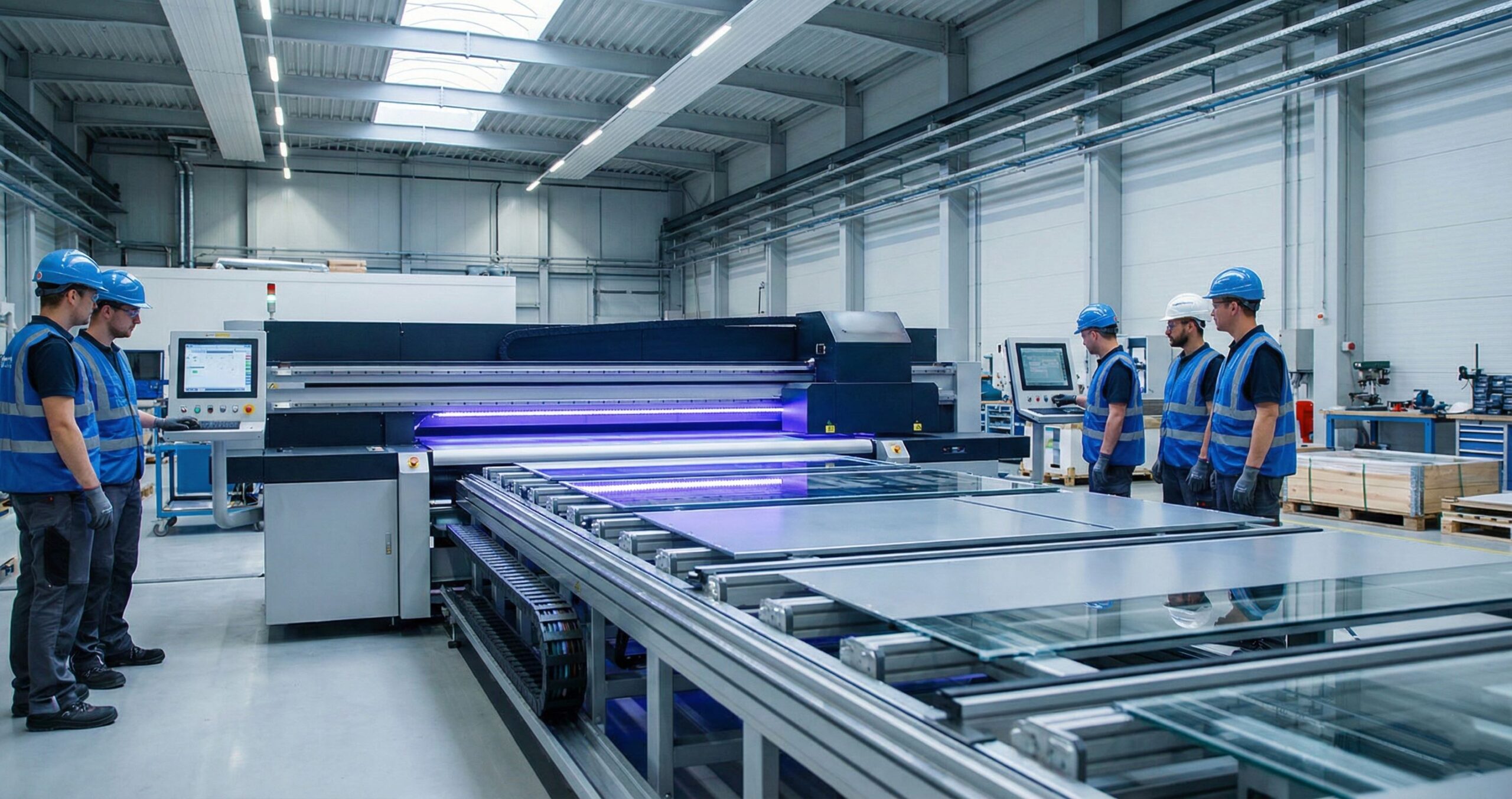
MTuTech production notes for UV printer buying guide
For buyers comparing UV printer buying guide options, the strongest ranking signal is not only the definition of the process. The page should also explain machine fit,
How to use this guide before choosing a machine
A buyer should use this industrial UV printing guide as a practical filter before comparing machine price. The first decision is not the brand name or the advertised speed. It is whether the printer can hold the material steady, keep the print head at the correct working distance, cure the ink properly, and repeat the same result across a production batch.
Questions to answer before requesting a quote
- What is the largest product size, and does the job need flatbed, rotary, or hybrid handling?
- Will the product require white ink, varnish, primer, textured layers, or a special fixture?
- How many pieces must be produced per day, and how much setup time is acceptable?
- Will operators need camera alignment, repeatable
- Industrial UV printer selection framework
Industrial UV printing should be judged by repeatability, not by one attractive sample. A manufacturing team needs to know whether the printer can run the same substrate, same color target, and same fixture position across hundreds or thousands of pieces. This is why bed size, vacuum strength, linear guide stability, printhead configuration, and curing power all matter before the final purchase decision.
For flat parts such as acrylic panels, signage, packaging boards, plaques, switch plates, metal labels, and promotional products, a flatbed UV printer is usually the strongest starting point. For mixed jobs with mid-size parts, compare the UV Printer 9060 and larger flatbed models before choosing. If the customer expects cylindrical objects, bottles, tumblers, or tapered drinkware, a rotary or cylinder-specific workflow should be evaluated instead of forcing those products onto a flat fixture.
What separates a production-ready UV printer from an entry-level machine?
Stable media holding so the substrate does not shift during multi-pass printing.
Reliable white ink circulation to reduce nozzle clogging and opacity inconsistency.
Accurate bed calibration so printhead height stays safe across uneven products.
RIP workflow support for white, color, varnish, texture, and repeat templates.
Service access, spare parts, operator training, and response time after installation.
A buyer who compares only advertised speed can easily choose the wrong printer. Real output depends on artwork preparation, number of ink layers, curing settings, fixture loading time, and reject control. A slower but more stable machine can produce better profit if it reduces reprints and operator mistakes.
When to talk with MTuTech before buying
Before requesting a quote, prepare sample product dimensions, material photos, target daily output, required finish, and whether the print needs white ink, varnish, raised texture, or outdoor durability. With those details, MTuTech can guide buyers toward the right UV printer category instead of recommending one machine blindly. jigs, or RIP templates to reduce mistakes? - What is the expected durability requirement: indoor display, packaging, drinkware, outdoor signage, or industrial labeling?
For MTuTech, this is also where internal comparison matters. A small sample shop may start with a compact UV printer, but a production business should compare printable area, gantry stability, ink configuration, curing strength, and after-sales support. When the job includes mixed products, compare the relevant product pages before making a final shortlist.
Helpful MTuTech comparison pages
Machine Comparisonproduction limits, material behavior, ink or fixture requirements, and the next page a buyer should read before requesting a quote.
Best machine fit
Use this guide together with UV Printer when the job requires stable UV output, repeatable setup, and production-ready print quality. If the work involves different shapes, materials, or order sizes, compare it with UV Printer 9060 before choosing the final printer.
Production checklist
- Confirm the printable area, part height, and fixture or rotary requirements before quoting the job.
- Match ink, primer, and curing settings to the substrate so adhesion and scratch resistance are predictable.
- Standardize artwork preparation, white ink layers, and test prints before moving into batch production.
- Track production cost by ink use, setup time, rejects, and finishing steps instead of looking only at printer price.
Related MTuTech resources
FAQ
Which MTuTech printer should this article connect to? The best next page depends on the material, shape, and production volume. Flat products usually start with UV printer or UV Printer 9060 pages, while bottles, tumblers, and round products should connect to rotary, cylinder, tumbler, or cylindrical printer pages.
What should buyers check before ordering? Buyers should confirm print size, material compatibility, white ink needs, fixture design, curing performance, maintenance expectations, and whether the workflow supports repeatable production rather than one-off samples only.
UV Printing vs Other Technologies
UV vs DTF
A DTF printer prints on film and transfers to fabric.
UV prints directly on the product.
UV vs DTG
A DTG printer prints only on cotton garments.
UV prints on hard materials.
UV vs Dye Sublimation
A dye sublimation printer works only on polyester.
UV works on almost all materials.
Where UV DTF Fits In
A UV DTF printer prints UV designs on film which can be transferred onto objects.
Good for small businesses.
But for factories, direct UV printing is superior.
Single Pass Printing in Industry
For very high-volume production, factories use single pass printers which print entire widths in one movement.
Final Truth About UV Printing
Most successful print businesses eventually move:
DTF → UV
DTG → UV
Sublimation → UV
Because UV is where industrial money is.
Manufacturing checklist for industrial UV printing
Industrial UV printing works best when the printer is treated as part of a production cell. The buyer should look beyond resolution and ask how the machine will handle fixtures, repeat jobs, color matching, rejected parts, operator training, and maintenance windows. These details decide whether the printer becomes a profit center or a slow sampling tool.
For manufacturers, the first decision is usually the shape of the product. Flat control panels, acrylic parts, tags, sheets, and rigid boards fit a flatbed UV printer workflow. Cylindrical packaging, drinkware, bottles, and tubes need a rotary or cylinder UV printer setup with reliable alignment and repeatable loading.
A practical buying process should include sample files, real substrates, production quantities, and acceptance standards. This gives both the buyer and MTuTech a clearer way to recommend bed size, ink channels, fixture design, and curing configuration.
- Define maximum part size, printable area, and height clearance before comparing models.
- Decide whether jigs, camera alignment, or rotary tooling will save the most labor.
- Calculate cost by accepted part, not only by ink consumption.
- Keep maintenance, operator training, and spare-part access in the purchase plan.
Useful next pages: UV Printer, Visual Positioning UV Printer, 360 Rotary UV Printer, Contact MTuTech.And that’s why industrial UV printing is now the backbone of modern digital manufacturing.
Industrial UV printing acceptance checks
For industrial buyers, the final machine decision should include acceptance checks before production starts. Confirm the largest part size, fixture method, printable height, barcode or logo sharpness, curing strength, and the cleaning routine operators will follow. A printer that passes one showroom sample still needs to prove it can repeat the same result through a batch.
The best process is to document the first approved job as a standard: material, profile, print mode, white ink setting, curing strength, operator steps, and reject limits. That standard becomes the benchmark for future production and makes training easier when new staff operate the printer.
Commercial Buyer Notes for industrial UV printing
This topic matters because manufacturers evaluating UV printing as a production process rather than a hobby printing method. A post can rank for an informational keyword and still support a commercial page when it answers the practical questions a buyer asks before requesting a quote. For MTuTechPrinter.com, this article should guide readers toward the right production path instead of competing with the main product page.
The best audience for this page is industrial print departments, product manufacturers, packaging teams, and B2B custom-print providers. These visitors are usually not looking for a basic definition only. They want to know whether the workflow fits their products, whether the machine can handle the job repeatedly, and what problems they should avoid before investing in equipment.
Best-fit buyer scenarios
- Rigid product decoration where buyers care about repeatability, realistic cost per job, and a production process that does not collapse once order volume increases.
- Sample-to-production packaging where buyers care about repeatability, realistic cost per job, and a production process that does not collapse once order volume increases.
- Short-run industrial marking where buyers care about repeatability, realistic cost per job, and a production process that does not collapse once order volume increases.
- Custom panels and signage where buyers care about repeatability, realistic cost per job, and a production process that does not collapse once order volume increases.
Production checks before choosing a printer
- Throughput target should be tested on the same materials, blanks, inks, and finishing conditions the shop will use for paid orders.
- Part size range should be tested on the same materials, blanks, inks, and finishing conditions the shop will use for paid orders.
- Ink adhesion should be tested on the same materials, blanks, inks, and finishing conditions the shop will use for paid orders.
- Operator process should be tested on the same materials, blanks, inks, and finishing conditions the shop will use for paid orders.
- Maintenance rhythm should be tested on the same materials, blanks, inks, and finishing conditions the shop will use for paid orders.
How This Article Supports the Main Product Pages
The primary commercial path from this article should lead to commercial UV printer. Readers who are comparing related workflows can also review hybrid UV printer, UV printer 9060, 360 rotary UV printer, visual positioning UV printer. This keeps the blog post useful as an educational asset while passing topical relevance to the commercial pages that should rank for buyer-intent terms.
For search engines, this creates a cleaner hierarchy: the blog post handles long-tail questions, application details, mistakes, workflow checks, and comparison language; the product page remains the main destination for machine specifications, inquiry intent, and conversion. That structure helps reduce keyword overlap and gives Google clearer signals about which page should own the commercial keyword.
Internal linking recommendation
When this article is referenced from future content, use natural anchors such as “industrial UV printing”, “commercial industrial UV printing workflow”, and “buyer guide for industrial UV printing”. Reserve exact commercial anchors for the product page, especially when building external guest posts or high-authority references.
Decision Table for Commercial Use
| Use case | Key check | Why it matters |
|---|---|---|
| rigid product decoration | throughput target | Use this as a buying signal before choosing the final printer workflow. |
| sample-to-production packaging | part size range | Use this as a buying signal before choosing the final printer workflow. |
| short-run industrial marking | ink adhesion | Use this as a buying signal before choosing the final printer workflow. |
| custom panels and signage | operator process | Use this as a buying signal before choosing the final printer workflow. |
What Makes This Topic Easier to Rank
The easiest ranking angle is not to repeat broad product-page copy. The stronger approach is to answer specific buyer questions around setup, mistakes, material fit, cost control, workflow, and production risk. Those long-tail topics usually create impressions earlier than broad head terms, especially in the United States where buyers compare several suppliers before contacting a manufacturer.
This article should therefore be used as a support asset: keep the language practical, connect it to real production decisions, and link clearly to the right MTuTech Printer page. Over time, impressions from these long-tail phrases can help the site build topical authority and send more qualified visitors toward the pages that matter commercially.
Common Mistakes That Reduce ROI
One common mistake is judging a machine only by the sample print shown in a demo. A sample proves the printer can produce an attractive result once. A business needs repeatability across many jobs, blanks, operators, and customer artwork files. For industrial UV printing, that means the buyer should test the workflow under realistic shop conditions before assuming the same result will hold at production volume.
A second mistake is ignoring finishing, handling, and packaging. Many print problems appear after the print leaves the bed or fixture: scratches during packing, poor adhesion after cleaning, alignment drift across repeated items, or color mismatch when the same job is repeated later. These are not only technical issues; they affect refunds, customer satisfaction, and the confidence needed to sell higher-value jobs.
The final mistake is buying without a clear product plan. A printer is easier to profit from when the shop already knows the first 5 to 10 products it wants to sell. That product list should determine bed size, rotary needs, white ink use, fixture strategy, software workflow, and the kind of support expected from the supplier.
Simple pre-purchase checklist
- Choose three real products and test industrial UV printing on each one before scaling.
- Compare setup time, print time, curing quality, and post-print handling.
- Check whether the machine supports the exact material size and shape the business will sell.
- Confirm training, maintenance, spare parts, and workflow support before purchase.
- Keep one commercial page as the main quote path and use support articles to answer detailed questions.