
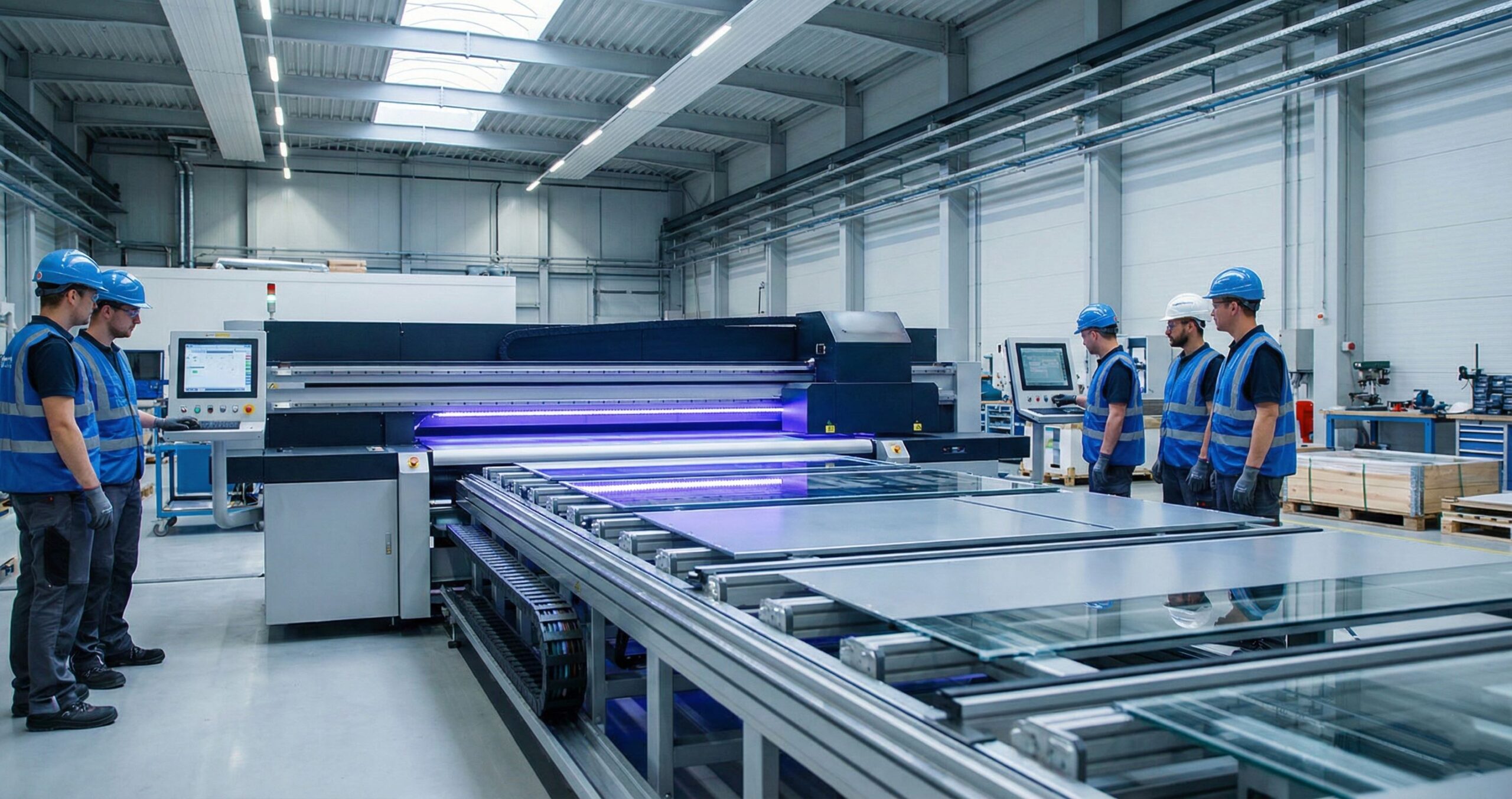
An industrial UV printer stands apart through continuous operation and output stability, not price tags. We’ve worked with manufacturing production lines where duty cycle determines everything. Rigid substrates move through 24/7 without stopping. UV printing on metal surfaces, glass, or wood. Up time matters more than footprint size.
Digital industrial printing transforms raw materials into finished products at scale. We track machines running 18 hour shifts in automotive plants. The UV curing technology works while parts keep moving. Industrial UV printers handle temperature swings and dust better than desktop units. Real manufacturing production lines demand this reliability over marketing promises.
What Makes a UV Printer Suitable for High Volume Manufacturing?
Print Speed Affects Production Throughput
Print speed measured in m²/hour determines real throughput rate during batch production. We calculate units per shift, not vendor specs. Faster machines complete more jobs before breaks.
Automation Features Reduce Labor Dependency
Automation systems handle media handling and conveyor integration without human touch. We see automation readiness cut workforce risks on busy floors. Machines load themselves while operators supervise multiple lines.
Duty Cycle Ratings Impact 24/7 Reliability
Duty cycle predicts failures during 24/7 operation under industrial workload conditions. We track machines rated for continuous runs versus desktop models. Industrial reliability comes from tested endurance limits.
Service Networks Affect Up time and TCO
Service network coverage controls mean time to repair and total cost of ownership. We measure lost production hours when technicians arrive late. Strong networks keep manufacturing scalability and high volume production moving. Throughput metrics drop fast without local support.
Industrial UV Printer Comparison for Manufacturing Use
Print Speed Comparison in Square Meters Per Hour
Square meters per hour shows true production output when normalized across models. We compare machines at identical settings for fair results. Industrial UV printer comparison reveals which units deliver consistent speed under load.
Supported Materials and Thickness Limits
Rigid materials fail at specific substrate thickness points during production runs. We test material compatibility until breaks occur, not just approved lists. Knowing failure thresholds prevents costly downtime and wasted stock.
Ink Systems Include CMYK White Varnish and Multilayer Options
UV ink systems with white ink and varnish ink configurations affect product margins. We track defect rates when adding layers to complex jobs. Manufacturing specifications must match ink demands for profit goals.
Automation and Workflow Integration with Factory Systems
RIP software connects to MES systems for complete workflow automation across floors. We link printers to inventory and scheduling databases daily. Production capacity grows when machines talk to other factory tools.
Energy Use and Curing Efficiency Through UV LED Technology
UV LED curing controls energy consumption and heat output for stable environments. We monitor power draw during long shifts to predict operational efficiency. Lower heat means fewer cooling costs and better print quality.
Explore the difference : UV printing and traditional printing
Best Industrial UV Printers by Manufacturing Application
UV Printers for Packaging Production
Packaging manufacturing demands fast turnaround for short run packaging and prototype packaging batches. We prioritize speed to market over decoration alone when selecting equipment. Manufacturing applications shift when clients need samples before full runs.
UV Printers for Signage and Display Manufacturing
Signage production requires consistent color across every display graphics panel in batches. We match panels from job one to job one thousand. Industrial use cases fail when colors shift between production days.
UV Printers for Industrial Parts and Components
Industrial components need permanent part marking and durable labeling that survives harsh conditions. We use UV printing for functional identification, not branding artwork. Serial numbers and safety warnings must stay readable for years.
UV Printers for Customized Mass Production
MTuTech production notes for UV printer buying guide
For buyers comparing UV printer buying guide options, the strongest ranking signal is not only the definition of the process. The page should also explain machine fit, production limits, material behavior, ink or fixture requirements, and the next page a buyer should read before requesting a quote.
Best machine fit
Use this guide together with UV Printer when the job requires stable UV output, repeatable setup, and production-ready print quality. If the work involves different shapes, materials, or order sizes, compare it with UV Printer 9060 before choosing the final printer.
Production checklist
- Confirm the printable area, part height, and fixture or rotary requirements before quoting the job.
- Match ink, primer, and curing settings to the substrate so adhesion and scratch resistance are predictable.
- Standardize artwork preparation, white ink layers, and test prints before moving into batch production.
- Track production cost by ink use, setup time, rejects, and finishing steps instead of looking only at printer price.
Related MTuTech resources
FAQ
Which MTuTech printer should this article connect to? The best next page depends on the material, shape, and production volume. Flat products usually start with UV printer or UV Printer 9060 pages, while bottles, tumblers, and round products should connect to rotary, cylinder, tumbler, or cylindrical printer pages.
What should buyers check before ordering? Buyers should confirm print size, material compatibility, white ink needs, fixture design, curing performance, maintenance expectations, and whether the workflow supports repeatable production rather than one-off samples only.
Mass customization through variable data printing expands SKU counts without retooling lines. We print unique codes and names on thousands of items daily. Changing designs between pieces happens instantly without stopping machines.
When Should You Upgrade to an Industrial UV Printer?
Production bottlenecks signal the right time for an equipment upgrade decision. We watch for missed deadlines and overtime labor costs climbing every month. Current machines running past rated hours show real capacity strain. Orders pile up while older printers struggle to keep pace with demand.
Equipment upgrade choices depend on actual workflow failures, not ambitious growth plans. We track rejected jobs and rush fees paid to outside vendors. Production bottlenecks hurt profit margins before new equipment costs ever appear. Machines that break down weekly cost more than investing in reliable units.
Why Manufacturers Choose Industrial UV Printers Over Conventional Printing
UV Curing Reduces Production Lead Time
Instant curing delivers lead time reduction that impacts order fulfillment deadlines directly. We ship finished products same day instead of waiting for drying racks. Digital UV printing beats conventional printing schedules by hours per batch.
Direct to Substrate Printing Lowers Material Waste
Direct printing eliminates transfer steps that create waste reduction and cost leakage. We print straight onto surfaces without adhesive backing or liners. Mtutech Printer models cut material costs by removing unnecessary layers from production.
Digital Workflows Increase SKU Flexibility
Digital workflows enable SKU management expansion without retooling presses or making new plates. We launch new product variants in minutes, not weeks. Manufacturing agility grows when design changes happen instantly on screen.
UV Inks Improve Durability and Compliance
UV ink durability meets industrial compliance standards that reduce legal and warranty risks. We pass abrasion and chemical resistance tests required for regulated industries. Compliance protects manufacturers from costly recalls and liability claims.
FAQs
What Production Speed Qualifies as Industrial UV Printing?
Industrial UV printing starts at 1,000 square feet per hour. We deliver speeds above this threshold. Our machines handle high volume jobs fast. Desktop printers cannot match this output rate.
Can Industrial UV Printers Run Continuously?
Yes, industrial UV printers run 24 hours straight. We use advanced thermal stability systems. Our machines prevent overheating during long runs. This keeps your production line moving without breakdowns.
Which Materials Require Industrial UV Curing?
Dense materials need industrial UV curing power. UV printing on metal, glass, and thick plastics. Desktop UV fails on these surfaces. Our industrial lamps ensure proper adhesion every time.
How Long Do Industrial UV Printheads Last?
Industrial UV printheads last 2 to 5 years typically. We use high quality ink chemistry. This extends printhead life significantly. Proper care saves you money on replacements long term.
What Maintenance Schedule Do Manufacturers Need?
We recommend weekly cleaning and monthly deep service checks. Plan maintenance around your production schedule carefully. This prevents costly downtime surprises. Our team helps you create smart uptime plans.
See Compatible Industrial UV Printers for Your Manufacturing Needs
We match industrial UV printer models to your specific manufacturing requirements instead of pushing catalogs. Tell us your substrate size, daily output targets, and shift patterns. We recommend Mtutech Printer units based on actual floor space and power availability. Manufacturing requirements drive every equipment decision, not sales quotas or feature lists.
How manufacturers should compare industrial UV printers
Industrial UV printers should be compared by the work they remove from the production floor. A machine with a larger bed, stronger vacuum, better fixture support, or camera alignment can be more valuable than a cheaper printer if it reduces setup time and rejected parts. This is especially true for manufacturers printing control panels, metal plates, acrylic parts, packaging samples, or branded components.
The right comparison starts with the largest part size, monthly order volume, acceptable color tolerance, and the number of product variations. If the work changes daily, visual positioning can reduce jig dependency. If the product is consistent, a fixed jig and a larger flatbed may create better throughput. If the products are cylindrical, rotary capability becomes the central requirement.
A good supplier should help test real artwork and real materials before the final quote. That gives the buyer a practical view of speed, curing, adhesion, and operator workload.
- Compare accepted output per shift, not only printed square meters per hour.
- Ask for fixture recommendations when part placement affects registration.
- Check service access, ink supply, training, and maintenance routines.
- Use sample results to choose between flatbed, visual positioning, hybrid, or rotary workflows.
Useful next pages: UV Printer, Visual Positioning UV Printer, Hybrid UV Printer, Contact MTuTech.
Commercial Buyer Notes for industrial UV printers for manufacturing
This topic matters because manufacturers comparing UV printer models by speed, bed size, workflow, and output consistency. A post can rank for an informational keyword and still support a commercial page when it answers the practical questions a buyer asks before requesting a quote. For MTuTechPrinter.com, this article should guide readers toward the right production path instead of competing with the main product page.
The best audience for this page is US production teams, industrial suppliers, packaging manufacturers, and growing custom-product factories. These visitors are usually not looking for a basic definition only. They want to know whether the workflow fits their products, whether the machine can handle the job repeatedly, and what problems they should avoid before investing in equipment.
Best-fit buyer scenarios
- SKU marking and panels where buyers care about repeatability, realistic cost per job, and a production process that does not collapse once order volume increases.
- Packaging prototypes where buyers care about repeatability, realistic cost per job, and a production process that does not collapse once order volume increases.
- Multi-shift promotional production where buyers care about repeatability, realistic cost per job, and a production process that does not collapse once order volume increases.
- Mixed rigid and flexible media work where buyers care about repeatability, realistic cost per job, and a production process that does not collapse once order volume increases.
Production checks before choosing a printer
- Production bed size should be tested on the same materials, blanks, inks, and finishing conditions the shop will use for paid orders.
- Ink configuration should be tested on the same materials, blanks, inks, and finishing conditions the shop will use for paid orders.
- Operator training should be tested on the same materials, blanks, inks, and finishing conditions the shop will use for paid orders.
- Fixture repeatability should be tested on the same materials, blanks, inks, and finishing conditions the shop will use for paid orders.
- Service and spare parts should be tested on the same materials, blanks, inks, and finishing conditions the shop will use for paid orders.
How This Article Supports the Main Product Pages
The primary commercial path from this article should lead to industrial UV printer. Readers who are comparing related workflows can also review hybrid UV printer, UV printer 9060, visual positioning UV printer. This keeps the blog post useful as an educational asset while passing topical relevance to the commercial pages that should rank for buyer-intent terms.
For search engines, this creates a cleaner hierarchy: the blog post handles long-tail questions, application details, mistakes, workflow checks, and comparison language; the product page remains the main destination for machine specifications, inquiry intent, and conversion. That structure helps reduce keyword overlap and gives Google clearer signals about which page should own the commercial keyword.
Internal linking recommendation
When this article is referenced from future content, use natural anchors such as “industrial UV printers for manufacturing”, “commercial industrial UV printers for manufacturing workflow”, and “buyer guide for industrial UV printers for manufacturing”. Reserve exact commercial anchors for the product page, especially when building external guest posts or high-authority references.
Decision Table for Commercial Use
| Use case | Key check | Why it matters |
|---|---|---|
| SKU marking and panels | production bed size | Use this as a buying signal before choosing the final printer workflow. |
| packaging prototypes | ink configuration | Use this as a buying signal before choosing the final printer workflow. |
| multi-shift promotional production | operator training | Use this as a buying signal before choosing the final printer workflow. |
| mixed rigid and flexible media work | fixture repeatability | Use this as a buying signal before choosing the final printer workflow. |
What Makes This Topic Easier to Rank
The easiest ranking angle is not to repeat broad product-page copy. The stronger approach is to answer specific buyer questions around setup, mistakes, material fit, cost control, workflow, and production risk. Those long-tail topics usually create impressions earlier than broad head terms, especially in the United States where buyers compare several suppliers before contacting a manufacturer.
This article should therefore be used as a support asset: keep the language practical, connect it to real production decisions, and link clearly to the right MTuTech Printer page. Over time, impressions from these long-tail phrases can help the site build topical authority and send more qualified visitors toward the pages that matter commercially.
Common Mistakes That Reduce ROI
One common mistake is judging a machine only by the sample print shown in a demo. A sample proves the printer can produce an attractive result once. A business needs repeatability across many jobs, blanks, operators, and customer artwork files. For industrial UV printers for manufacturing, that means the buyer should test the workflow under realistic shop conditions before assuming the same result will hold at production volume.
A second mistake is ignoring finishing, handling, and packaging. Many print problems appear after the print leaves the bed or fixture: scratches during packing, poor adhesion after cleaning, alignment drift across repeated items, or color mismatch when the same job is repeated later. These are not only technical issues; they affect refunds, customer satisfaction, and the confidence needed to sell higher-value jobs.
The final mistake is buying without a clear product plan. A printer is easier to profit from when the shop already knows the first 5 to 10 products it wants to sell. That product list should determine bed size, rotary needs, white ink use, fixture strategy, software workflow, and the kind of support expected from the supplier.
Simple pre-purchase checklist
- Choose three real products and test industrial UV printers for manufacturing on each one before scaling.
- Compare setup time, print time, curing quality, and post-print handling.
- Check whether the machine supports the exact material size and shape the business will sell.
- Confirm training, maintenance, spare parts, and workflow support before purchase.
- Keep one commercial page as the main quote path and use support articles to answer detailed questions.