
Quick answer: A hybrid UV printer makes sense when one shop needs to print both rigid boards and flexible roll media without splitting work across two separate machines. The best results come from treating the machine as a production line, not just a wider printer. Bed setup, roll tension, ink limits, curing, operator handoff, and finishing all need a repeatable workflow.
This guide is written for sign shops, packaging sample teams, display manufacturers, and print businesses comparing a dedicated flatbed, a dedicated roll-to-roll system, and a hybrid UV printer. It avoids the common mistake of looking only at print width or price. The stronger buying question is simple: can one workflow reduce changeover time, floor space, reprints, and outsourcing?
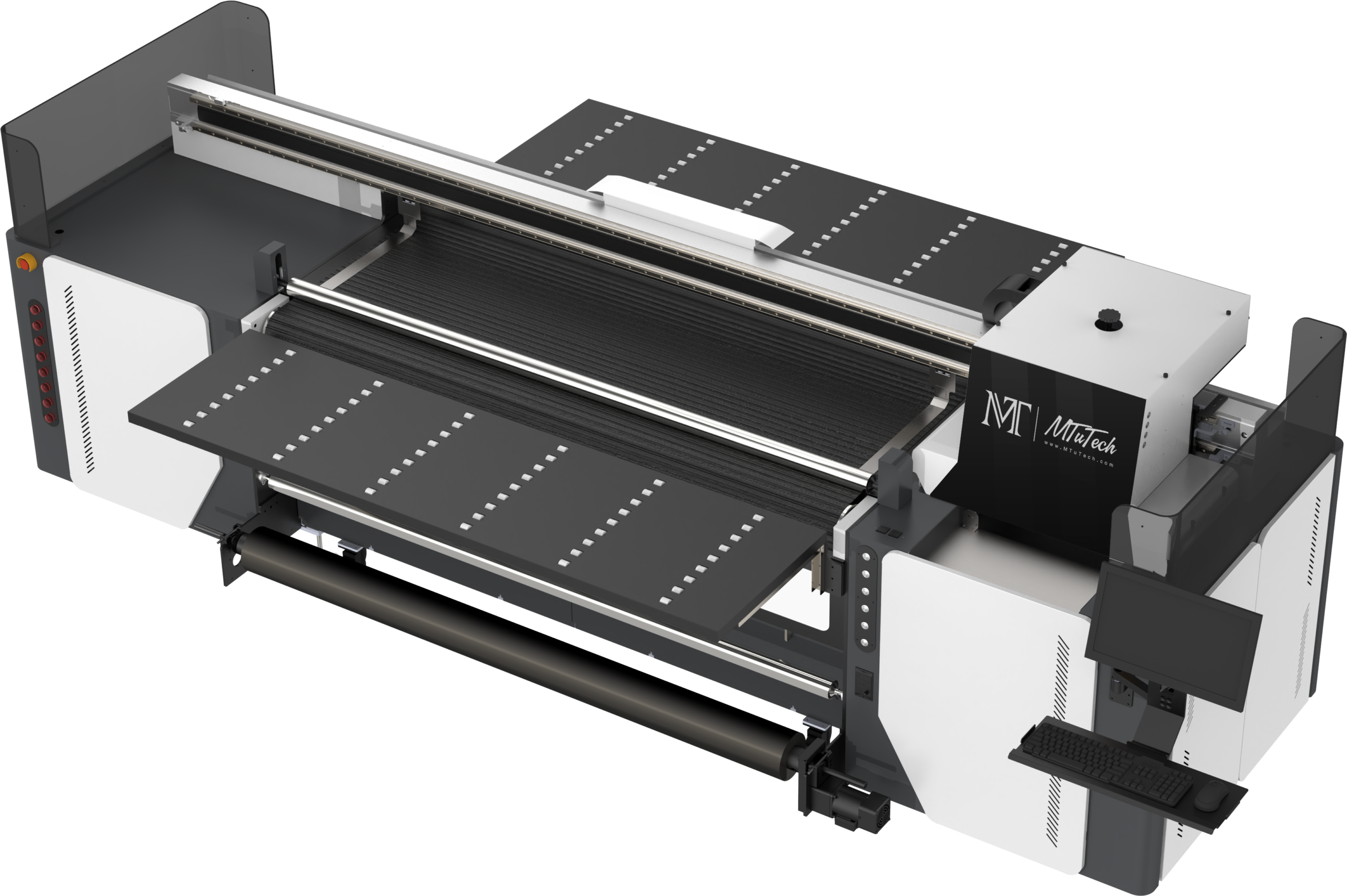
What a hybrid UV printer actually solves
A hybrid UV printer combines flatbed-style rigid media handling with roll-to-roll media support. It is designed for shops that move between acrylic panels, PVC boards, foam board, corrugated packaging prototypes, banners, films, wall graphics, and flexible display materials. Instead of sending roll jobs to one machine and rigid jobs to another, the hybrid platform gives operators one ink system, one RIP workflow, and one quality-control routine.
The practical benefit is not just convenience. It changes production planning. When a customer orders a retail launch kit, the job may include acrylic shelf talkers, PVC counter cards, window decals, adhesive labels, and flexible hanging signage. A hybrid system lets the shop keep those pieces in one production cell, which helps color consistency and reduces the number of operator handoffs.
For larger rigid-only work, the industrial UV printer category still matters. For smaller flatbed samples, a model such as the UV Printer 9060 can be a better fit. The hybrid UV printer is different because it is built around mixed-format throughput.
When a hybrid workflow beats two separate machines
The strongest case for a hybrid UV printer appears when the same team handles both rigid and flexible jobs every week. If roll media work is rare, a dedicated flatbed may be simpler. If rigid jobs are rare, a dedicated roll-to-roll printer may be faster to operate. A hybrid workflow becomes attractive when variety is constant and changeover discipline is already part of the shop culture.
1. Packaging prototypes and short-run display kits
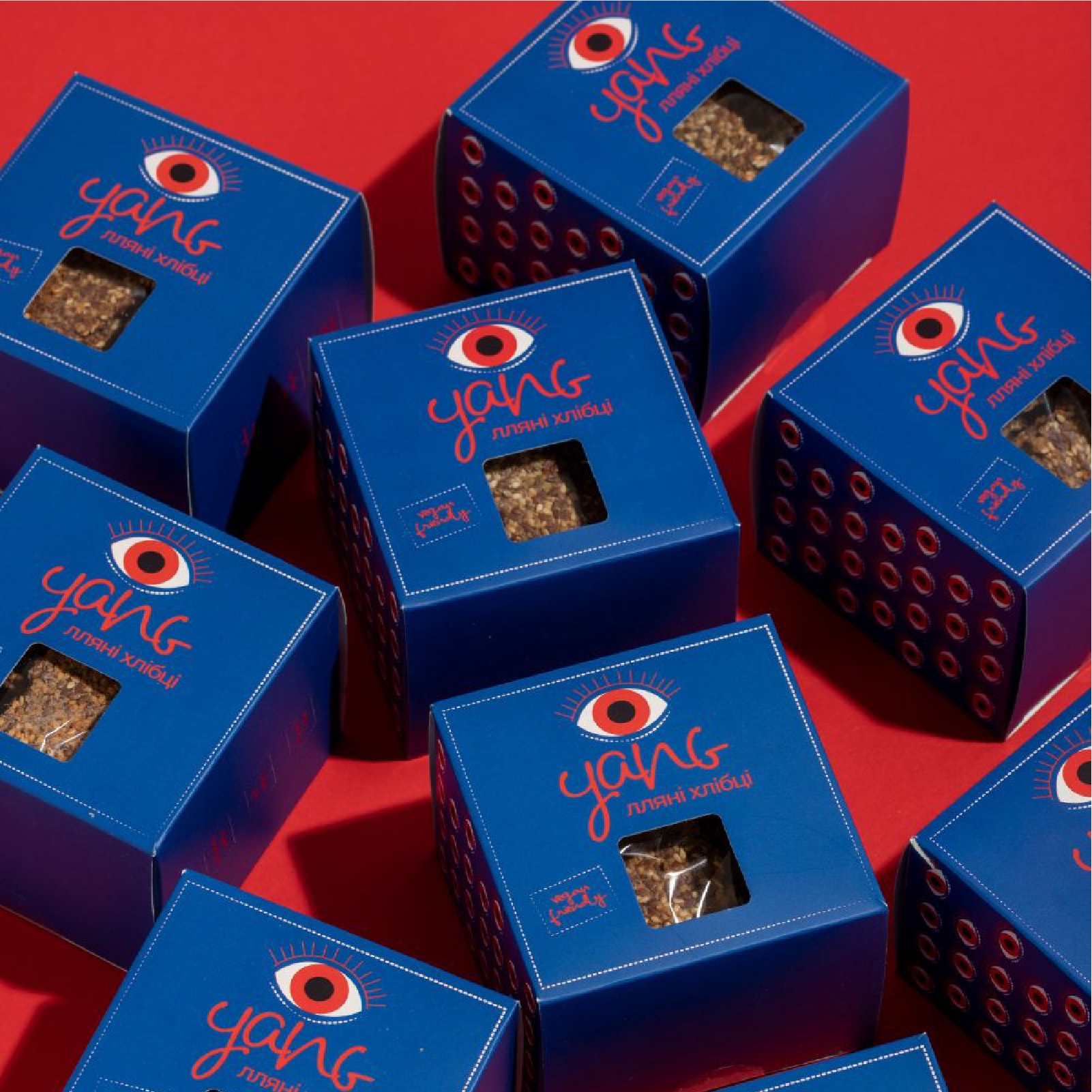
Packaging teams often need mockups on rigid board, corrugated samples, acrylic panels, and adhesive films. A hybrid printer keeps the proofing language consistent across these materials. Designers can approve color on multiple outputs without waiting for separate vendors or separate machine queues.
2. Sign shops with mixed daily work
A typical sign shop may print foam board in the morning, banner material after lunch, and acrylic panels before the end of the day. A hybrid UV printer can reduce idle time if the operator has a defined setup checklist for each media type. The advantage is strongest when job batching is disciplined.
3. Retail and exhibition suppliers
Retail display suppliers rarely sell one printed item at a time. They sell a kit. That kit may include rigid headers, floor graphics, hanging panels, and window film. A hybrid workflow supports those mixed deliverables while keeping color management and finishing notes in one job packet.
The production workflow that keeps hybrid printing profitable
A hybrid UV printer will only feel efficient when the workflow is built before the machine is busy. The machine can print many materials, but every material still needs its own loading, height, vacuum, tension, ink, cure, and finishing logic. The goal is to remove guessing from the operator’s day.
Step 1: Sort orders by media behavior, not only by due date
Many shops schedule jobs only by deadline. That creates too many changeovers. A better hybrid UV printer workflow groups jobs by media behavior first, then by urgency. Rigid boards with similar thickness should run together. Roll media with similar tension and curing needs should run together. Transparent substrates that need white ink should be batched separately from opaque boards.
This batching approach cuts setup time and reduces the chance of using yesterday’s settings on today’s material. It also makes ink limits easier to control because similar substrates behave in similar ways under UV curing.
Step 2: Build a media setup sheet
Every recurring substrate should have a setup sheet. Include material name, thickness, recommended head height, vacuum zone, roll tension, surface cleaning method, white ink mode, varnish mode, curing intensity, and expected finishing step. This is especially important when operators switch between rigid and flexible work on the same day.
- Rigid acrylic may need surface cleaning, anti-static control, and careful white ink opacity settings.
- PVC foam board may need lower ink density to avoid over-saturation.
- Clear film may need white ink underlay and slower curing validation.
- Banner or roll media may need tension checks before the first sellable print.
Step 3: Lock color control before production volume grows
Hybrid printing often fails when color control is treated as an afterthought. The same brand color may appear on rigid board, flexible film, and acrylic. If each substrate has a different profile or ink limit, the output can look inconsistent even when the file is correct. Use substrate-specific profiles and keep approved swatches for repeat customers.
This is also where a documented RIP workflow matters. If the operator changes resolution, pass count, white ink density, or varnish without documenting it, repeat work becomes difficult. Hybrid UV printing rewards process memory. Without it, every reprint becomes a small investigation.
Hybrid UV printer vs flatbed UV printer
A flatbed UV printer is often the cleaner choice when the business mainly prints rigid materials. Rigid signs, acrylic panels, glass, wood, metal, promotional products, and industrial panels all benefit from a stable bed and a straightforward loading process. If the shop rarely prints roll media, adding hybrid capability may create complexity without enough return.
A hybrid UV printer becomes stronger when roll media is not a side project. If the shop repeatedly prints film, banners, labels, wall graphics, or flexible display material along with rigid boards, the hybrid platform can reduce outsourcing and improve campaign consistency. The right question is not which machine is more advanced. The right question is which machine matches the job mix.
| Production need | Better fit | Reason |
|---|---|---|
| Mostly rigid boards and panels | Flatbed UV printer | Simpler loading and fewer media transitions |
| Rigid boards plus roll media every week | Hybrid UV printer | One workflow can cover mixed campaign output |
| Small parts and sample work | UV Printer 9060 | Lower footprint and efficient short-run setup |
| Wide production with mixed materials | Hybrid UV printer | Best balance of width, variety, and throughput |
Important specs to check before buying
Specs matter, but they need to be read through production reality. Print width is only one line item. The machine also needs to support the materials, operators, job schedule, and finishing workflow that make up the actual business.
Print width and media handling
A wider printer is useful only when the shop can feed it profitable work. Check maximum rigid sheet size, roll width, roll diameter, media weight, vacuum behavior, and loading space around the machine. If the shop cannot physically stage large boards or finished rolls, theoretical capacity will not turn into revenue.
Printhead platform
Printheads affect speed, ink behavior, droplet control, and service expectations. For production environments, Ricoh Gen5 and Gen6 style platforms are often selected for stability and output capacity. The important point is not just the brand of head. It is whether the head, ink, waveform, and maintenance process match the materials being sold.
White ink and varnish control
Hybrid UV work often includes clear, dark, glossy, and premium materials. White ink control is essential for opaque color on transparent or dark substrates. Varnish can add gloss, texture, and protection, but it also changes curing and finishing time. Shops should test these modes before promising premium effects at scale.
Curing and adhesion
UV curing needs to be strong enough to set the ink but controlled enough to avoid heat or adhesion issues on sensitive media. Adhesion is not decided by the printer alone. Cleaning, primer, surface energy, ink compatibility, and curing energy all work together.

Internal linking and product path for MTuTech buyers
If the main target is large mixed-format production, start with the MT-UV 2000 hybrid UV printer. If the buyer mainly prints rigid boards, panels, acrylic, wood, metal, or glass, compare it with the MT-UV 2513 industrial UV printer. If the shop needs smaller short-run flatbed work, review the UV Printer 9060.
For cylindrical jobs, a hybrid UV printer is not the right substitute for a dedicated rotary system. Bottle and tumbler work should be compared against the 360 Rotary UV Printer, tumbler printer, cylindrical printer, or cylinder UV printer depending on the object type and production volume.
Common mistakes that make hybrid UV printing look slower than it is
Mistake 1: Treating every substrate as a new experiment
When setup notes are missing, operators test too much. They change height, pass count, ink density, and curing on the fly. That can work during sampling, but it destroys repeatability in production. Create approved presets for the top ten recurring substrates before volume grows.
Mistake 2: Selling roll media without tension tests
Roll media needs predictable feed behavior. If tension is wrong, long prints can drift, wrinkle, or show alignment issues. Test common rolls at production length, not just on a small sample strip.
Mistake 3: Forgetting finishing time
Hybrid printing may produce the image quickly, but trimming, mounting, routing, laminating, packaging, and inspection still control delivery time. Price the entire job, not only the printed square footage.
Mistake 4: Using one color expectation for every material
Acrylic, PVC, film, and coated board can reflect light differently. A brand color may need material-specific approval. Keep swatches and customer sign-off records to avoid disputes on repeat jobs.
ROI questions before choosing a hybrid UV printer
ROI depends on the work that moves from outsourced or delayed to in-house and repeatable. A hybrid UV printer can improve margins when it replaces multiple vendor steps, reduces reprints, and helps the shop sell complete kits. It is harder to justify when the shop has only occasional roll work or no finishing capacity.
- How many rigid and roll jobs are currently outsourced each month?
- How often do customer projects require both formats in the same campaign?
- Can the shop run batch scheduling instead of constant one-off changeovers?
- Does the team have space for staging, drying checks, trimming, and packaging?
- Can sales package rigid and flexible output together at a higher order value?
When those answers are strong, hybrid UV printing becomes more than a machine purchase. It becomes a production strategy.
How to prepare the shop before installation
The best hybrid UV printer results usually start before the machine arrives. A shop that plans floor space, power, ventilation, media storage, finishing, and operator flow will reach stable production faster. A shop that installs first and designs workflow later often spends the first month solving preventable issues.
Plan media staging space
Rigid boards and roll media need different staging habits. Boards need clean horizontal or vertical storage so corners do not bend and surfaces do not collect dust. Rolls need storage that prevents edge damage, moisture exposure, and confusion between similar materials. If the operator has to search for media, production speed drops before printing begins.
Separate dirty prep from clean printing
Cutting, sanding, unpacking, and trimming can create dust. UV printing does not like dust. Keep dirty prep work away from the machine bed and loading area. This is especially important for clear acrylic, glossy boards, and premium retail work where tiny particles become visible under the printed layer.
Create a first-month testing calendar
The first month should not be judged only by paid jobs. It should include structured tests on the materials the shop will sell most often. Test adhesion, color, cure, white ink opacity, roll feed, scratch resistance, and finishing behavior. Save each approved setting as part of the media library. This creates the confidence needed to quote jobs quickly.
Sales strategy for hybrid UV printing
A hybrid UV printer opens a better sales conversation when the shop sells complete campaigns instead of isolated prints. A buyer may ask for a banner, but the real project may need window graphics, rigid shelf signs, event boards, product displays, and short-run packaging pieces. Sales teams should be trained to ask about the whole campaign.
This is where hybrid capability becomes easier to monetize. Instead of competing only on the price of one board or one roll print, the shop can package multiple deliverables around launch speed and consistency. A single color-managed workflow can become part of the pitch: one supplier, one proofing process, and one schedule for the full campaign.
Questions sales teams should ask
- Will this campaign need both indoor and outdoor pieces?
- Do you need rigid displays, window graphics, and flexible hanging signage together?
- Should the same artwork appear on packaging samples or product prototypes?
- Is brand color consistency important across every printed material?
- Will the campaign repeat seasonally or across multiple locations?
These questions uncover higher-value work. They also help the production team plan batches in advance instead of reacting to last-minute add-ons.
What to measure after the printer is running
After installation, track metrics that reflect workflow health. Print speed alone is not enough. Measure setup time by media type, reprint rate, average job value, outsourced work recovered, idle time between batches, and finishing bottlenecks. If setup time stays high, improve media sheets and batching. If reprints stay high, review profiles, curing, or operator training.
A healthy hybrid workflow should gradually show fewer rushed setup decisions, better repeat color, and larger mixed-format orders. That is the difference between owning a capable printer and building a stronger production business.
Hybrid UV Workflow Routing for Sales Teams
Sales teams should route a hybrid UV printer inquiry by material mix. If the buyer mainly prints rigid boards, compare the main UV printer and flatbed options first. If the buyer regularly prints both boards and flexible media, move them to the hybrid UV printer page. If the buyer asks about bottles, tumblers, or cylindrical goods, send them to 360 rotary UV printer or cylinder UV printer instead.
This routing keeps the hybrid content cluster focused and reduces page confusion. The workflow article should answer practical questions, while the commercial hybrid page should receive the strongest buyer-intent links.
FAQ
Is a hybrid UV printer better than a flatbed UV printer?
It is better only when the shop regularly prints both rigid and roll media. If the work is mostly rigid sheets, a flatbed UV printer may be simpler and more efficient.
Can a hybrid UV printer print packaging prototypes?
Yes. Hybrid systems are useful for packaging prototypes because they can print on rigid boards, films, display samples, and other campaign materials with one color workflow.
Does a hybrid UV printer replace a cylinder UV printer?
No. Cylindrical items such as bottles, cups, jars, and tumblers need rotary handling. Use a dedicated rotary or cylinder UV printer for those applications.
What is the best next step?
Map the last 30 days of jobs by media type. If rigid and roll work both appear often, review the MTuTech hybrid UV printer and compare it against flatbed-only options.