
How Long Do UV Prints Last? Durability & Longevity Guide
Learn how long UV prints last on different materials. Discover what makes UV printing so durable and tips to maximize the lifespan of your printed products.
Quick Answer: UV prints typically last 3-5 years outdoors and 7-10+ years indoors under normal conditions. With proper surface preparation and protective coatings, UV prints can remain vibrant for decades. The instant UV curing process creates a chemical bond that resists scratching, fading, water, and chemicals far better than traditional printing methods.
One of the most common questions about UV printing is how long the prints actually last. Whether you’re creating outdoor signage, custom drinkware, or promotional products, durability matters — both for customer satisfaction and your business reputation.
The good news? UV printing is one of the most durable printing technologies available. Here’s everything you need to know about UV print longevity.
UV Print Lifespan by Application
How long your UV prints last depends heavily on the application and environment:
| Application | Expected Lifespan | Notes |
| Indoor signage & displays | 7-10+ years | No UV exposure, minimal wear |
| Outdoor signage | 3-5 years | Sun, rain, temperature exposure |
| Custom drinkware (tumblers) | 2-5 years | Daily use, washing, handling |
| Phone cases | 2-4 years | Pocket friction, drops, handling |
| Awards & plaques | 10+ years | Display only, minimal handling |
| UV DTF transfers | 2-3+ years | Outdoors; indefinitely indoors |
Why UV Prints Are So Durable
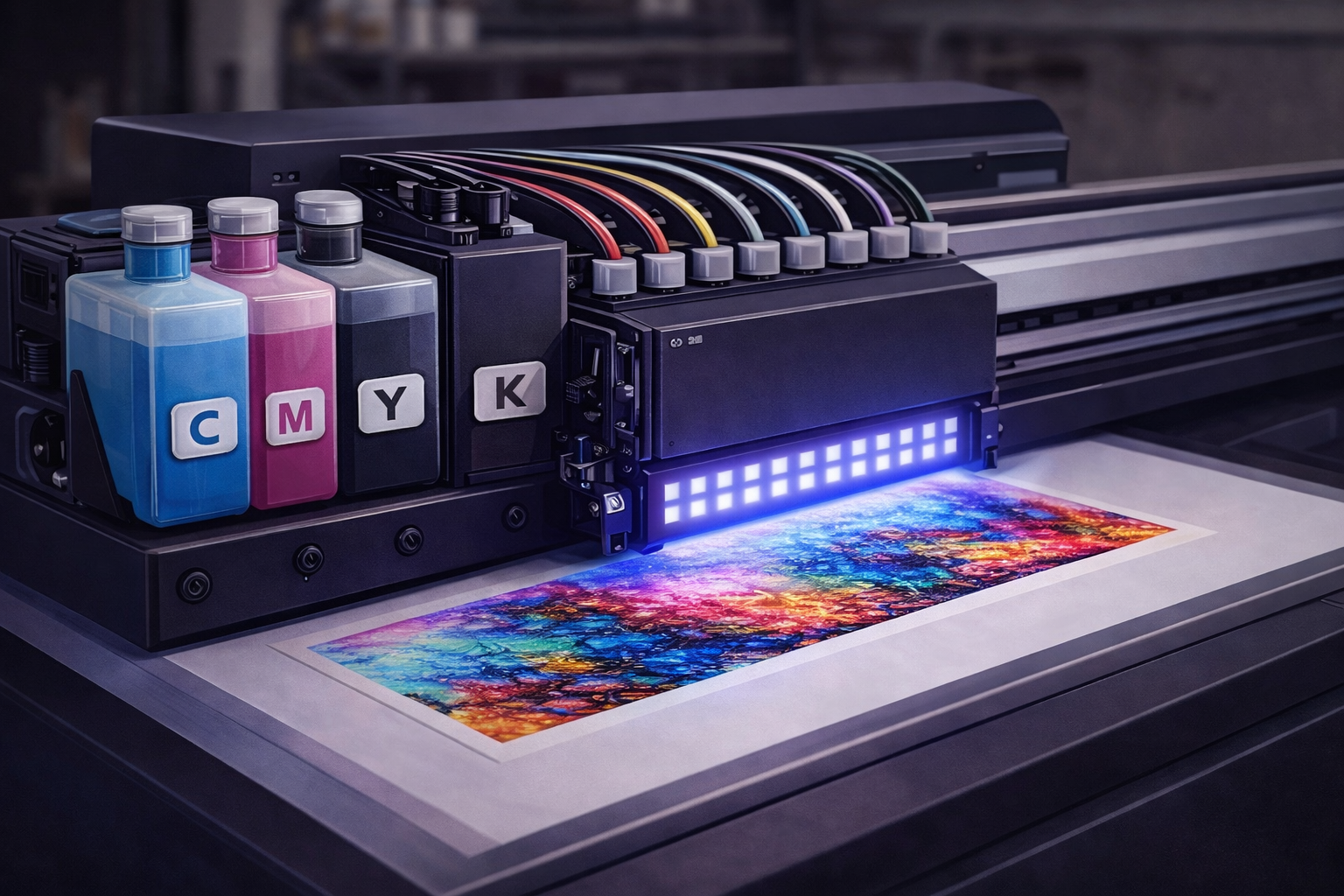
UV printing durability comes from the unique curing process. Unlike traditional inks that air-dry or absorb into materials, UV inks undergo a chemical transformation:
- Instant curing: UV LED lights cure the ink in milliseconds, creating an immediate hard finish
- Chemical bonding: The photopolymerization process creates a chemical bond with the substrate surface
- No absorption: Ink stays on the surface rather than soaking in, maintaining color vibrancy
- Hard finish: Cured UV ink forms a tough, scratch-resistant layer
- UV-resistant pigments: Quality UV inks contain pigments that resist fading from sunlight
Does UV LED vs Mercury Lamp Affect Print Longevity?
Yes — the type of UV curing technology used plays a significant role in how long UV prints last.
UV LED curing systems provide more consistent and controlled curing compared to traditional mercury lamps. LED systems emit a stable wavelength and maintain consistent output over their lifespan, ensuring that inks cure evenly on every print. This consistency results in harder ink films, better surface bonding, and improved long-term durability.
Another key factor is heat output. UV LED systems operate at much lower temperatures than mercury lamps. Reduced heat stress improves ink adhesion on heat-sensitive substrates like plastics, acrylics, films, and thin materials. Better adhesion directly translates into longer-lasting prints with reduced risk of cracking, peeling, or edge lifting over time.
In contrast, mercury lamps degrade as they age, leading to inconsistent curing. As lamp output weakens, prints may become under-cured without obvious visual signs. Under-cured ink layers remain softer and are more prone to scratching, fading, and premature wear — especially in outdoor or high-use applications.
Modern UV LED printers deliver more consistent durability over time compared to mercury lamp systems, making them the preferred choice for businesses focused on long-term print quality and reliability.
UV Print Durability Properties
Scratch Resistance
Cured UV ink creates a hard surface layer that resists scratching far better than traditional printing. This makes UV printing ideal for products that experience regular handling like phone cases, keychains, and drinkware.
Water & Moisture Resistance
UV prints are inherently waterproof. The cured ink doesn’t dissolve or run when exposed to water, making it perfect for outdoor signs, drinkware, and bathroom applications. Tumblers and water bottles can handle daily washing without print degradation.
Fade Resistance
MTuTech production notes for UV printer
For buyers comparing UV printer options, the strongest ranking signal is not only the definition of the process. The page should also explain machine fit, production limits, material behavior, ink or fixture requirements, and the next page a buyer should read before requesting a quote.
Best machine fit
Use this guide together with UV Printer when the job requires stable UV output, repeatable setup, and production-ready print quality. If the work involves different shapes, materials, or order sizes, compare it with UV Printer 9060 before choosing the final printer.
Production checklist
- Confirm the printable area, part height, and fixture or rotary requirements before quoting the job.
- Match ink, primer, and curing settings to the substrate so adhesion and scratch resistance are predictable.
- Standardize artwork preparation, white ink layers, and test prints before moving into batch production.
- Track production cost by ink use, setup time, rejects, and finishing steps instead of looking only at printer price.
Related MTuTech resources
FAQ
Which MTuTech printer should this article connect to? The best next page depends on the material, shape, and production volume. Flat products usually start with UV printer or UV Printer 9060 pages, while bottles, tumblers, and round products should connect to rotary, cylinder, tumbler, or cylindrical printer pages.
What should buyers check before ordering? Buyers should confirm print size, material compatibility, white ink needs, fixture design, curing performance, maintenance expectations, and whether the workflow supports repeatable production rather than one-off samples only.
Quality UV inks contain UV-stabilized pigments that resist fading from sunlight. Indoor prints maintain color for a decade or more. Outdoor prints typically show minimal fading for 3-5 years depending on direct sun exposure.
Chemical Resistance
UV-cured inks resist common chemicals including cleaning products, alcohol, and mild solvents. This durability makes UV printing suitable for industrial labels, medical devices, and products that require regular sanitization.
Factors That Affect UV Print Longevity
Several factors influence how long your UV prints will last:
- Surface preparation: Clean, properly prepared surfaces create stronger ink adhesion
- Ink quality: Premium UV inks contain better pigments and more UV stabilizers
- Proper curing: Under-cured prints are softer and less durable
- Substrate material: Some materials bond better with UV ink than others
- Environmental exposure: Direct sunlight, extreme temperatures, and abrasion reduce lifespan
- Protective coatings: Varnish layers add extra protection and longevity
Real-World Example:
A UV printed acrylic signage panel installed outdoors in India showed minimal color fading after 4 years of continuous sun exposure. The print was produced using UV LED curing with a protective varnish layer. Despite heat, dust, and monsoon conditions, the graphics retained strong color saturation and adhesion — demonstrating the long-term durability of properly cured UV prints.
Tips to Maximize UV Print Durability
- Clean surfaces thoroughly: Remove dust, oils, and contaminants before printing with isopropyl alcohol
- Use primers when recommended: Glass, ceramics, and some metals benefit from pre-treatment for better adhesion
- Apply varnish layers: A clear varnish topcoat adds scratch resistance and UV protection
- Ensure proper curing: Verify UV lamp intensity and curing speed settings are correct
- Use quality inks: Don’t compromise on ink quality — premium inks last significantly longer
- Match ink to application: Use outdoor-rated inks for products exposed to sunlight
UV Printing vs Other Printing Methods: Durability Comparison
| Property | UV Printing | Screen Printing | Inkjet |
| Scratch Resistance | Excellent | Good | Poor |
| Water Resistance | Excellent | Good | Poor-Fair |
| Fade Resistance | Excellent | Good | Fair |
| Outdoor Lifespan | 3-5 years | 2-4 years | 6-12 months |
| Indoor Lifespan | 7-10+ years | 5-7 years | 2-3 years |
Built to Last
UV printing delivers exceptional durability that justifies premium pricing for custom products. When customers invest in personalized items, they expect them to last — and UV printing delivers on that promise.
Ready to create durable, long-lasting printed products? Explore our UV printer collection to find the right machine for your business.
Frequently Asked Questions
Are UV printed tumblers dishwasher safe?
Yes, UV prints on tumblers are generally dishwasher safe. However, for maximum longevity, hand washing is recommended. The high heat and harsh detergents in dishwashers can reduce print lifespan over time.
Will UV prints crack or peel?
Properly cured UV prints on prepared surfaces should not crack or peel under normal use. Cracking typically indicates under-curing or poor surface preparation. Quality UV prints flex with the substrate without separation.
How do UV prints handle extreme temperatures?
UV-cured inks are temperature stable and handle both hot and cold conditions well. They won’t melt in hot cars or crack in freezing weather. This makes UV printing ideal for outdoor signage and drinkware.
Can I extend UV print life with protective coatings?
Durability checklist for real UV printer jobs
A UV printer durability claim is only useful when it is tied to a real use case. Indoor nameplates, outdoor signs, phone cases, metal tags, acrylic displays, and drinkware do not fail in the same way. Some jobs need scratch resistance, some need sunlight stability, and others need strong adhesion after handling, cleaning, or shipping.
The best shops standardize a small test routine before accepting a repeat order. Print a sample on the real substrate, let it cure fully, then test scratch, tape pull, water exposure, and edge chipping. If the job needs outdoor life, add lamination or a protective coating to the estimate instead of hoping the ink alone will carry the warranty.
Durability also depends on maintenance. Weak nozzles, wrong lamp power, rushed curing, dusty material, and inconsistent primer use can make the same printer produce very different results from one week to the next.
- For acrylic and signage, check adhesion at corners and drilled edges.
- For metal and glass, confirm primer compatibility before quoting volume work.
- For phone cases and gifts, test rubbing and hand-contact areas.
- For bottles and tumblers, verify rotary registration and coating behavior together.
Useful next pages: UV Printer, UV Printer 9060, Cylinder UV Printer, Contact MTuTech.Yes! Adding a clear varnish layer during printing significantly extends durability. Varnish provides extra scratch resistance and UV protection. Most UV printers support varnish as an additional ink channel.
Commercial Buyer Notes for UV printer durability
This topic matters because buyers checking whether UV prints last on commercial products and outdoor or handled items. A post can rank for an informational keyword and still support a commercial page when it answers the practical questions a buyer asks before requesting a quote. For MTuTechPrinter.com, this article should guide readers toward the right production path instead of competing with the main product page.
The best audience for this page is B2B customers who need durable product decoration for acrylic, metal, packaging, bottles, and promotional products. These visitors are usually not looking for a basic definition only. They want to know whether the workflow fits their products, whether the machine can handle the job repeatedly, and what problems they should avoid before investing in equipment.
Best-fit buyer scenarios
- Handled promotional products where buyers care about repeatability, realistic cost per job, and a production process that does not collapse once order volume increases.
- Outdoor signage samples where buyers care about repeatability, realistic cost per job, and a production process that does not collapse once order volume increases.
- Drinkware and bottles where buyers care about repeatability, realistic cost per job, and a production process that does not collapse once order volume increases.
- Industrial labels and panels where buyers care about repeatability, realistic cost per job, and a production process that does not collapse once order volume increases.
Production checks before choosing a printer
- Surface prep should be tested on the same materials, blanks, inks, and finishing conditions the shop will use for paid orders.
- Ink compatibility should be tested on the same materials, blanks, inks, and finishing conditions the shop will use for paid orders.
- Curing energy should be tested on the same materials, blanks, inks, and finishing conditions the shop will use for paid orders.
- Scratch testing should be tested on the same materials, blanks, inks, and finishing conditions the shop will use for paid orders.
- Chemical exposure should be tested on the same materials, blanks, inks, and finishing conditions the shop will use for paid orders.
How This Article Supports the Main Product Pages
The primary commercial path from this article should lead to UV printer. Readers who are comparing related workflows can also review UV printer 9060, cylinder UV printer, UV printer applications. This keeps the blog post useful as an educational asset while passing topical relevance to the commercial pages that should rank for buyer-intent terms.
For search engines, this creates a cleaner hierarchy: the blog post handles long-tail questions, application details, mistakes, workflow checks, and comparison language; the product page remains the main destination for machine specifications, inquiry intent, and conversion. That structure helps reduce keyword overlap and gives Google clearer signals about which page should own the commercial keyword.
Internal linking recommendation
When this article is referenced from future content, use natural anchors such as “UV printer durability”, “commercial UV printer durability workflow”, and “buyer guide for UV printer durability”. Reserve exact commercial anchors for the product page, especially when building external guest posts or high-authority references.
Decision Table for Commercial Use
| Use case | Key check | Why it matters |
|---|---|---|
| handled promotional products | surface prep | Use this as a buying signal before choosing the final printer workflow. |
| outdoor signage samples | ink compatibility | Use this as a buying signal before choosing the final printer workflow. |
| drinkware and bottles | curing energy | Use this as a buying signal before choosing the final printer workflow. |
| industrial labels and panels | scratch testing | Use this as a buying signal before choosing the final printer workflow. |
What Makes This Topic Easier to Rank
The easiest ranking angle is not to repeat broad product-page copy. The stronger approach is to answer specific buyer questions around setup, mistakes, material fit, cost control, workflow, and production risk. Those long-tail topics usually create impressions earlier than broad head terms, especially in the United States where buyers compare several suppliers before contacting a manufacturer.
This article should therefore be used as a support asset: keep the language practical, connect it to real production decisions, and link clearly to the right MTuTech Printer page. Over time, impressions from these long-tail phrases can help the site build topical authority and send more qualified visitors toward the pages that matter commercially.
Common Mistakes That Reduce ROI
One common mistake is judging a machine only by the sample print shown in a demo. A sample proves the printer can produce an attractive result once. A business needs repeatability across many jobs, blanks, operators, and customer artwork files. For UV printer durability, that means the buyer should test the workflow under realistic shop conditions before assuming the same result will hold at production volume.
A second mistake is ignoring finishing, handling, and packaging. Many print problems appear after the print leaves the bed or fixture: scratches during packing, poor adhesion after cleaning, alignment drift across repeated items, or color mismatch when the same job is repeated later. These are not only technical issues; they affect refunds, customer satisfaction, and the confidence needed to sell higher-value jobs.
The final mistake is buying without a clear product plan. A printer is easier to profit from when the shop already knows the first 5 to 10 products it wants to sell. That product list should determine bed size, rotary needs, white ink use, fixture strategy, software workflow, and the kind of support expected from the supplier.
Simple pre-purchase checklist
- Choose three real products and test UV printer durability on each one before scaling.
- Compare setup time, print time, curing quality, and post-print handling.
- Check whether the machine supports the exact material size and shape the business will sell.
- Confirm training, maintenance, spare parts, and workflow support before purchase.
- Keep one commercial page as the main quote path and use support articles to answer detailed questions.