
The Ultimate Guide to UV Printing Technology: How It’s Transforming Modern Printing Businesses
Introduction
The printing industry has evolved rapidly over the last decade, and one of the biggest technological breakthroughs has been UV printing. From customized products and promotional items to industrial applications, UV printing has completely changed how businesses approach printing in terms of speed, quality, durability, and profitability.
Traditional printing methods often involve long drying times, limited material compatibility, and frequent quality issues. UV printing solves most of these problems by using ultraviolet light to instantly cure ink, making the process faster, cleaner, and far more versatile.
Today, UV printing is not just for large factories. Even small and medium businesses are adopting UV printers to expand their service offerings, increase margins, and stay competitive in a crowded market.
This guide will help you understand:
- What UV printing is
- How it works
- Its main benefits
- Applications across industries
- And why investing in a UV printer is one of the smartest business decisions today
What is UV Printing?
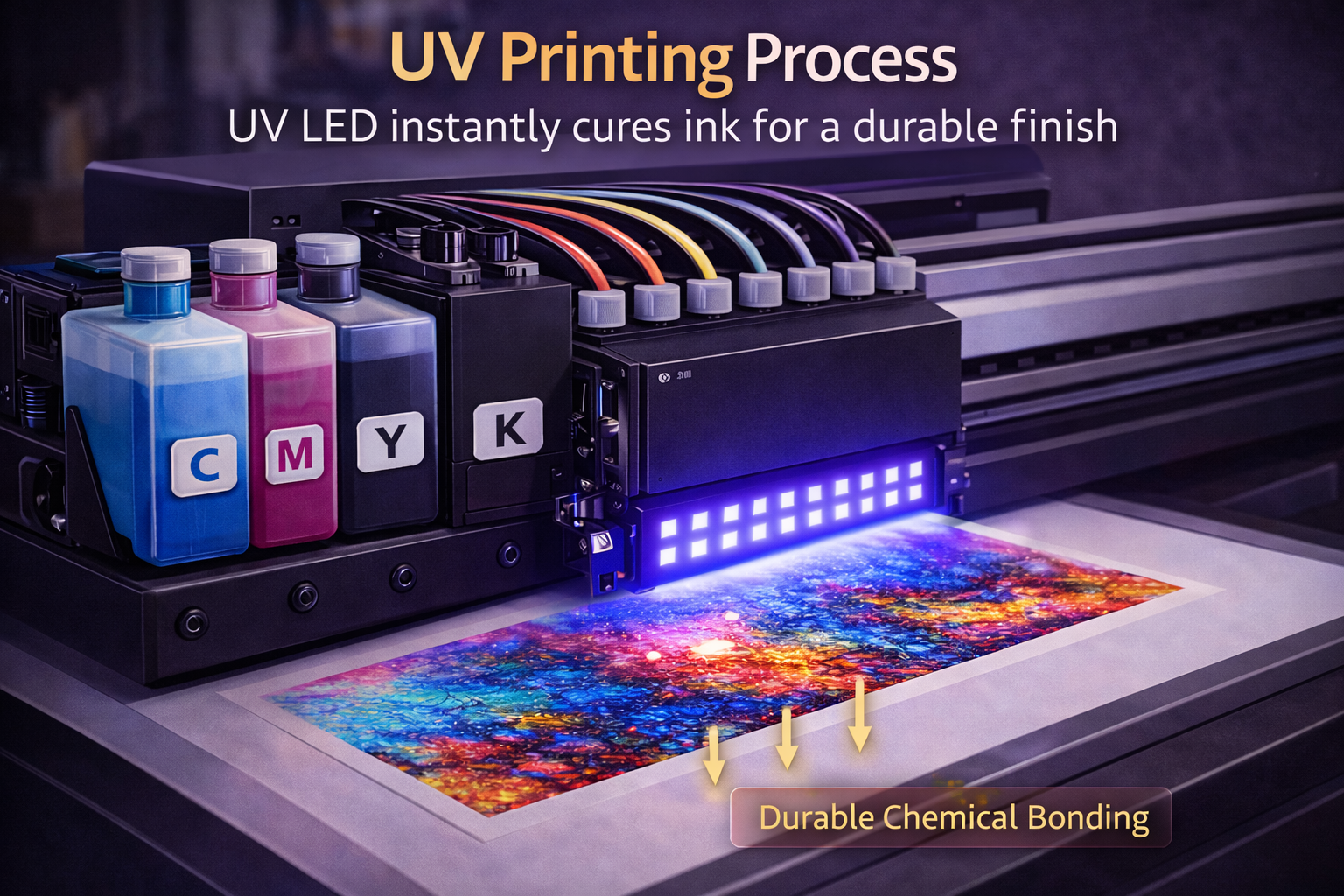
UV printing is a digital printing technology where UV-curable inks are used instead of traditional solvent or water-based inks. These inks are instantly dried (cured) using ultraviolet lamps as soon as they hit the surface.
Unlike conventional printing, where ink absorbs into the material and needs time to dry, UV ink sits on top of the surface and hardens immediately.
This results in:
- Sharper images
- More vibrant colors
- Zero smudging
- And instant handling
How UV Printing Works (Simple Explanation)
The UV printing process works in four basic steps:
- The printer sprays UV ink onto the surface.
- UV LED lamps follow immediately behind the print head.
- The UV light instantly cures the ink.
- The print is fully dry and ready for use.
No heat drying.
No waiting time.
No post-processing.
This is why UV printers are extremely popular for on-demand printing businesses.
Key Benefits of UV Printing
1. Instant Drying = Higher Productivity
Since prints are cured immediately, there is no drying time at all. This allows:
- Faster job completion
- Higher daily output
- Same-day delivery for clients
For commercial printers, this directly translates into more revenue per machine per day.
2. Print on Almost Any Material
One of the biggest advantages of UV printing is material flexibility. You can print on:
- Acrylic
- Glass
- Wood
- Metal
- Leather
- Plastic
- Ceramic
- PVC sheets
- Phone covers
- Bottles
- Cylinders
- Fabrics (with proper ink)
This opens doors to hundreds of product categories from a single machine.
3. Superior Print Quality
UV prints are known for:
- High resolution
- Sharp edges
- Deep color saturation
- Strong contrast
Because the ink doesn’t spread into the material, the output looks premium and professional.
4. Extremely Durable Prints
UV-cured ink is:
- Scratch resistant
- Water resistant
- Fade resistant
- Chemical resistant
This makes UV printing ideal for:
- Outdoor signage
- Industrial labels
- Promotional products
- Long-term branding materials
5. Eco-Friendly Technology
UV printing is more environmentally friendly because:
- No solvent evaporation
- No harmful fumes
- Lower energy consumption
- Minimal waste
This is a big plus for businesses targeting corporate or export clients.
Major Applications of UV Printing
1. Advertising & Signage
UV printers are widely used for:
- Flex banners
- ACP boards
- Foam boards
- Acrylic signboards
- Backlit displays
Because of durability and color accuracy, UV prints last longer even outdoors.
2. Promotional Products
UV printing is perfect for:
- Phone cases
- Corporate gifts
- Diaries
- Keychains
- Pens
- Trophies
- Customized merchandise
This market alone is worth crores annually.
3. Packaging Industry
UV printers are used for:
- Sample packaging
- Short-run boxes
- Labels
- Rigid packaging
Startups love UV printing because it allows low minimum order quantities.
4. Interior & Décor
UV printing is heavily used in:
- Glass printing
- Wall panels
- Wooden frames
- Tiles
- Customized furniture
Interior designers prefer UV because of the premium finish.
5. Industrial Printing
Industries use UV printing for:
- Control panels
- Machine labels
- Barcode plates
- Electrical components
MTuTech production notes for UV printer buying guide
For buyers comparing UV printer buying guide options, the strongest ranking signal is not only the definition of the process. The page should also explain machine fit, production limits, material behavior, ink or fixture requirements, and the next page a buyer should read before requesting a quote.
Best machine fit
Use this guide together with UV Printer when the job requires stable UV output, repeatable setup, and production-ready print quality. If the work involves different shapes, materials, or order sizes, compare it with UV Printer 9060 before choosing the final printer.
Production checklist
- Confirm the printable area, part height, and fixture or rotary requirements before quoting the job.
- Match ink, primer, and curing settings to the substrate so adhesion and scratch resistance are predictable.
- Standardize artwork preparation, white ink layers, and test prints before moving into batch production.
- Track production cost by ink use, setup time, rejects, and finishing steps instead of looking only at printer price.
Related MTuTech resources
FAQ
Which MTuTech printer should this article connect to? The best next page depends on the material, shape, and production volume. Flat products usually start with UV printer or UV Printer 9060 pages, while bottles, tumblers, and round products should connect to rotary, cylinder, tumbler, or cylindrical printer pages.
What should buyers check before ordering? Buyers should confirm print size, material compatibility, white ink needs, fixture design, curing performance, maintenance expectations, and whether the workflow supports repeatable production rather than one-off samples only.
These require long-lasting prints, which UV delivers easily.
Types of UV Printers
1. Flatbed UV Printer
Best for:
- Rigid materials
- Large boards
- Industrial usage
Perfect for signage and furniture printing.
2. Roll-to-Roll UV Printer
Best for:
- Flexible materials
- Banners
- Wallpapers
- Vinyl
Great for advertising businesses.
3. Hybrid UV Printer
Combines flatbed + roll printing.
4. Cylinder / Rotary UV Printer
Best for:
- Bottles
- Mugs
- Tumblers
- Pipes
- Cylindrical objects
High demand in promotional markets.
5. UV DTF Printer
Best for:
- Stickers
- Transfer prints
- Irregular surfaces
Very popular for small entrepreneurs.
Why UV Printing is a High-Profit Business
Low Running Cost
Once you invest in the machine:
- Ink cost is low
- Power consumption is minimal
- No consumables like plates or chemicals
High Selling Price
Clients happily pay premium for:
- Customization
- Fast delivery
- Unique materials
Margins of 40%–70% are very common.
Unlimited Niches
You can serve:
- Corporate clients
- Retail customers
- Online sellers
- Export businesses
- Designers
- Event companies
One UV printer = multiple income streams.
UV Printing vs Traditional Printing
| Feature | Traditional Printing | UV Printing |
|---|---|---|
| Drying time | Hours | Instant |
| Material range | Limited | Almost unlimited |
| Print durability | Medium | Very high |
| Environmental impact | High | Low |
| Business scalability | Slow | Very fast |
Common Mistakes New UV Businesses Make
- Buying the cheapest machine without support
- Not training operators properly
- Using low-quality ink
- No focus on niche markets
- Competing only on price
UV printing is powerful, but only when done professionally.
How to Succeed in UV Printing Business
Focus on Niches
Instead of general printing, specialize in:
- Corporate gifting
- Bottle printing
- Interior décor
- Industrial labels
Niche businesses earn 3x more.
Offer Customization
Personalization is the real gold:
- Names
- Logos
- Photos
- QR codes
People pay more for customized products.
Build Online Presence
Use:
- Instagram reels
- WhatsApp catalog
- Google Business profile
- Website portfolio
Most UV printing orders today come from online leads.
Partner with Designers & Agencies
Agencies bring bulk work without marketing cost.
Future of UV Printing
The future of UV printing is extremely bright because:
- E-commerce needs personalization
- Brands want short-run packaging
- Interior décor is growing
- Corporate gifting is booming
- Industrial labeling is mandatory
How to judge UV printing technology before buying a machine
For a buyer, UV printing technology should be judged by what it allows the shop to produce repeatedly, not only by the headline resolution. A practical evaluation starts with the material list, part size, print height, white ink stability, fixture requirements, and the operator time needed between jobs.
A flatbed printer is usually the safer starting point when most work is acrylic, signs, rigid packaging samples, panels, plaques, or flat promotional products. A rotary or cylinder-focused workflow becomes more important when the business expects steady demand for bottles, tumblers, cups, jars, or drinkware.
Before requesting a quotation, compare the expected order mix with the bed size, ink configuration, curing system, and service support. This prevents the common mistake of buying a machine that can make samples but cannot hold registration, color, and speed in batch production.
- Check whether the print area covers the largest common order size with room for jigs.
- Ask how white ink circulation, nozzle cleaning, and primer use are handled day to day.
- Test adhesion on the actual materials your customers buy, not only on showroom samples.
- Plan the next machine around the bottleneck: bed size, rotary output, fixture time, or operator skill.
Useful next pages: UV Printer, UV Printer 9060, 360 Rotary UV Printer, Contact MTuTech.UV printing is not a trend.
It is becoming the standard.
UV printing technology buying shortcut
A simple way to choose a UV printing workflow is to start with the product shape. Flat rigid products point toward a flatbed UV printer, medium-format work often points toward a 9060 bed size, and bottles or tumblers need a rotary or cylinder-focused setup. When the product changes daily, camera alignment can become more valuable than raw speed.
For a serious purchase, bring real artwork and real material samples into the discussion. The right printer should be selected around accepted output, fixture time, white ink needs, curing performance, and service support, not only around a brochure specification.
Commercial Buyer Notes for UV printing technology
This topic matters because readers learning how UV printing works and which UV printer type fits a commercial workflow. A post can rank for an informational keyword and still support a commercial page when it answers the practical questions a buyer asks before requesting a quote. For MTuTechPrinter.com, this article should guide readers toward the right production path instead of competing with the main product page.
The best audience for this page is new print business owners, purchasing teams, and operators comparing UV printing against older methods. These visitors are usually not looking for a basic definition only. They want to know whether the workflow fits their products, whether the machine can handle the job repeatedly, and what problems they should avoid before investing in equipment.
Best-fit buyer scenarios
- Direct-to-object production where buyers care about repeatability, realistic cost per job, and a production process that does not collapse once order volume increases.
- Flatbed sample printing where buyers care about repeatability, realistic cost per job, and a production process that does not collapse once order volume increases.
- Curved-product printing where buyers care about repeatability, realistic cost per job, and a production process that does not collapse once order volume increases.
- Multi-material product decoration where buyers care about repeatability, realistic cost per job, and a production process that does not collapse once order volume increases.
Production checks before choosing a printer
- Material compatibility should be tested on the same materials, blanks, inks, and finishing conditions the shop will use for paid orders.
- White ink needs should be tested on the same materials, blanks, inks, and finishing conditions the shop will use for paid orders.
- Fixture setup should be tested on the same materials, blanks, inks, and finishing conditions the shop will use for paid orders.
- RIP workflow should be tested on the same materials, blanks, inks, and finishing conditions the shop will use for paid orders.
- Curing quality should be tested on the same materials, blanks, inks, and finishing conditions the shop will use for paid orders.
How This Article Supports the Main Product Pages
The primary commercial path from this article should lead to UV printer. Readers who are comparing related workflows can also review UV printer 9060, 360 rotary UV printer, UV printer comparison. This keeps the blog post useful as an educational asset while passing topical relevance to the commercial pages that should rank for buyer-intent terms.
For search engines, this creates a cleaner hierarchy: the blog post handles long-tail questions, application details, mistakes, workflow checks, and comparison language; the product page remains the main destination for machine specifications, inquiry intent, and conversion. That structure helps reduce keyword overlap and gives Google clearer signals about which page should own the commercial keyword.
Internal linking recommendation
When this article is referenced from future content, use natural anchors such as “UV printing technology”, “commercial UV printing technology workflow”, and “buyer guide for UV printing technology”. Reserve exact commercial anchors for the product page, especially when building external guest posts or high-authority references.
Decision Table for Commercial Use
| Use case | Key check | Why it matters |
|---|---|---|
| direct-to-object production | material compatibility | Use this as a buying signal before choosing the final printer workflow. |
| flatbed sample printing | white ink needs | Use this as a buying signal before choosing the final printer workflow. |
| curved-product printing | fixture setup | Use this as a buying signal before choosing the final printer workflow. |
| multi-material product decoration | RIP workflow | Use this as a buying signal before choosing the final printer workflow. |
What Makes This Topic Easier to Rank
The easiest ranking angle is not to repeat broad product-page copy. The stronger approach is to answer specific buyer questions around setup, mistakes, material fit, cost control, workflow, and production risk. Those long-tail topics usually create impressions earlier than broad head terms, especially in the United States where buyers compare several suppliers before contacting a manufacturer.
This article should therefore be used as a support asset: keep the language practical, connect it to real production decisions, and link clearly to the right MTuTech Printer page. Over time, impressions from these long-tail phrases can help the site build topical authority and send more qualified visitors toward the pages that matter commercially.
Common Mistakes That Reduce ROI
One common mistake is judging a machine only by the sample print shown in a demo. A sample proves the printer can produce an attractive result once. A business needs repeatability across many jobs, blanks, operators, and customer artwork files. For UV printing technology, that means the buyer should test the workflow under realistic shop conditions before assuming the same result will hold at production volume.
A second mistake is ignoring finishing, handling, and packaging. Many print problems appear after the print leaves the bed or fixture: scratches during packing, poor adhesion after cleaning, alignment drift across repeated items, or color mismatch when the same job is repeated later. These are not only technical issues; they affect refunds, customer satisfaction, and the confidence needed to sell higher-value jobs.
The final mistake is buying without a clear product plan. A printer is easier to profit from when the shop already knows the first 5 to 10 products it wants to sell. That product list should determine bed size, rotary needs, white ink use, fixture strategy, software workflow, and the kind of support expected from the supplier.
Simple pre-purchase checklist
- Choose three real products and test UV printing technology on each one before scaling.
- Compare setup time, print time, curing quality, and post-print handling.
- Check whether the machine supports the exact material size and shape the business will sell.
- Confirm training, maintenance, spare parts, and workflow support before purchase.
- Keep one commercial page as the main quote path and use support articles to answer detailed questions.