
Standard flat prints no longer satisfy buyers wanting premium tactile products today. Complex UV printing techniques require precise control over multiple UV ink layers simultaneously. Most operators struggle with layered printing technology because timing and height settings confuse them. Your UV printer must deposit ink at exact thicknesses to create proper texture.
Multi-layer UV design transforms ordinary graphics into products that customers actually touch and feel. A quality flatbed UV printer handles dimensional UV printing when you master the advanced UV printing workflow properly. We spent months perfecting layered UV printing settings before achieving consistent raised effects reliably. Your digital printing workflow needs specific file preparation that standard design software often misses. For tricky product shapes requiring exact layer alignment, a Visual Positioning UV Printer uses cameras to nail registration every time.
What Is Layered UV Printing?
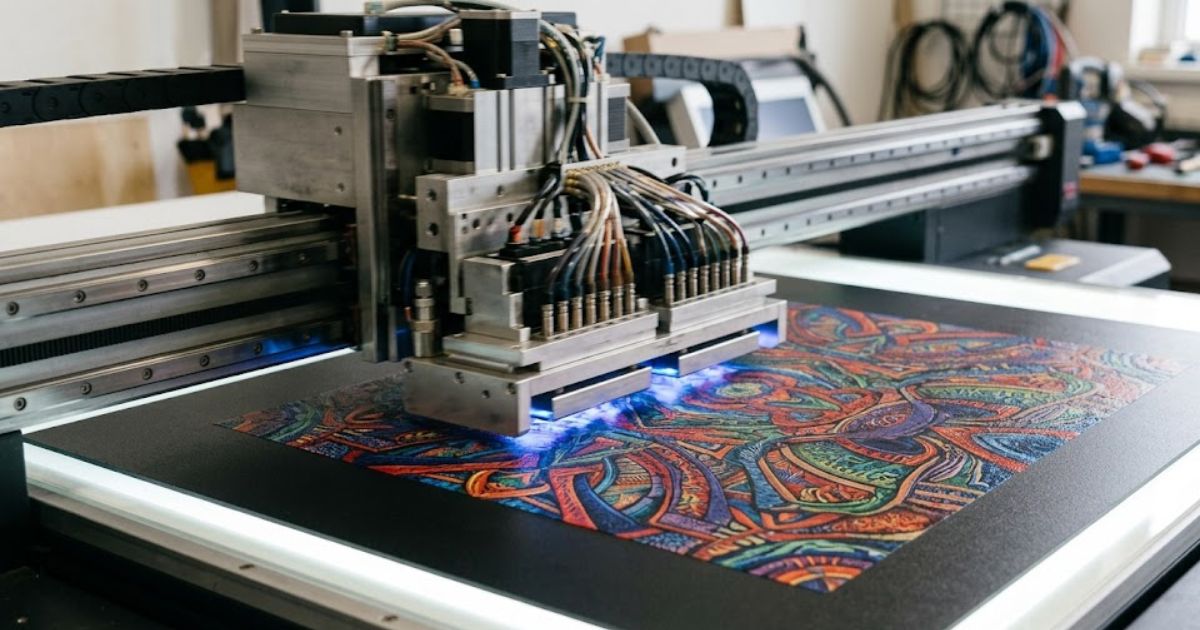
Many printers produce flat images that lack visual depth and tactile appeal. The layered UV printing process solves this by stacking UV ink layers precisely. Your print heads deposit ink in controlled passes while curing lamps harden each layer. Multi-layer ink printing builds an actual height you can feel with your fingers.
Dimensional printing effects transform ordinary substrates into premium feeling products completely. Most people find that these textured prints grab attention far better than standard flat graphics.
How Layered Printing Works in UV Technology
Your print head system moves across the material depositing ink in sequential passes. UV LED curing hardens each layer before the next one gets applied on top. The multi-layer UV printing process repeats this cycle until reaching desired thickness levels. Each pass adds roughly 10 to 15 microns of cured ink height.
We tested different pass counts to find optimal texture for various products. Timing between layers affects adhesion, so rushing this step causes peeling problems. Temperature control matters because heat buildup changes ink behavior during longer jobs.
Differences Between Single Layer and Multi Layer Printing
Single layer printing produces flat graphics with no raised surface texture at all. Multi-layer printing stacks multiple ink layers through repeated curing stages carefully. Standard prints dry smooth, while layered prints create bumps you actually feel. Height differences between areas create shadows that add visual depth.
Flat prints work fine for basic signage and simple decal applications typically. Layered techniques suit products where touch experience drives purchasing decisions strongly. Production time increases with each added layer but premium pricing justifies this.
Applications That Require Layered Printing
Textured UV printing dominates the decorative panels market for interior design projects. Premium packaging brands use raised logos to signal quality before boxes even open. Dimensional printing creates Braille signage that meets accessibility requirements properly too. Award plaques and trophies gain perceived value through tactile surface treatments.
Business cards with raised lettering stand out from flat printed competitors immediately. Automotive interior panels use textured printing for buttons and control surfaces. Any product where touch influences purchase benefits from this layered approach directly.
Why Do Complex Designs Require Layer Management?
Messy design layers create printing disasters that waste ink and materials badly. UV printing layer management keeps every element in its proper printing sequence. Your RIP software reads these layers and tells the printer what goes where. Without proper organization the multi-layer design workflow falls apart completely during production.
Layered UV printing demands file structures that match actual machine printing sequences precisely. Mixed up layers cause colors to print in wrong order ruining the final product.
Organizing Design Layers for Printing
Design layer organization starts inside your graphics program before anything ever prints. Adobe Illustrator handles vector layers cleanly for most commercial printing applications today. CorelDRAW offers similar layer controls that experienced designers prefer for signage work. Name each layer clearly so the printer operator understands what prints first.
We label layers with numbers showing exact print sequences for complex jobs. Spot colors need separate layers from process colors in most layered applications. Texture layers sit above color layers in your file structure logically always.
Managing Ink Layer Thickness
Ink layer thickness control determines how much texture your finished print actually shows. UV ink deposition varies based on pass count and print head height settings. Thin layers create subtle texture while thick layers deliver bold raised effects clearly. Most textured prints need between three and eight passes for proper depth.
Too much thickness causes ink to crack or peel during product handling later. Not enough passes leave prints feeling flat and looking ordinary unfortunately. You’ll find the sweet spot changes based on substrate type and end use.
Preparing Files for Multi-Layer Printing
Multi-layer file preparation prevents costly reprints and frustrated production staff completely. Your RIP software converts design files into machine readable print instructions automatically. Design export formats like PDF and TIFF preserve layer data better than JPG files. Check separation previews before sending jobs to catch layer errors early.
We run test prints on scrap material before committing to full production runs. Export settings must match your specific RIP requirements exactly every time. Wrong color profiles or flattened layers cause texture mapping failures during printing sadly.
How Does Registration Accuracy Affect Multi-Layer Printing?
Misaligned layers create blurry edges and ruined prints that customers reject immediately. Print registration accuracy keeps each layered UV printing pass landing exactly where intended. Your print head alignment must stay perfect throughout jobs lasting several hours continuously. The positioning system tracks material location and compensates for any tiny movements.
UV print alignment errors become visible even at half millimeter deviations badly. Complex designs with fine details suffer most when registration drifts during production runs.
Understanding Print Registration in UV Printing
Your printing registration system uses sensors and encoders to track exact positions. Alignment calibration happens before each job to ensure heads start from correct points. Servo motors move print carriages with micron level precision across the print bed. Belt tension and rail condition affect how accurately heads follow programmed paths.
We calibrate machines every morning before starting any production work at all. Worn bearings cause gradual position drift that ruins layered jobs over time. Temperature changes also shift frame dimensions slightly affecting registration accuracy noticeably.
Challenges of Multi-Layer Alignment
Print alignment errors compound with each additional layer you add to designs. Substrate movement during printing shifts material position between consecutive passes unfortunately. Vacuum hold down tables grip materials firmly but thin substrates still shift sometimes. Static electricity lifts corners and edges causing misregistration on detailed graphic areas.
Flexible materials expand slightly from heat generated during UV curing cycles consistently. Rigid substrates stay put better but still need proper fixturing for long jobs.
Using Visual Positioning Systems for Precision
Visual positioning printing technology eliminates guesswork from layer alignment completely now. Your camera positioning system photographs registration marks and adjusts print origin automatically. A visual positioning UV printer reads fiducial marks printed in first passes precisely. Software calculates exact offsets and shifts subsequent layers to match perfectly every time.
These systems compensate for substrate movement that manual positioning simply cannot catch. Most people find print quality improves dramatically after upgrading to camera systems.
How Do Curing Stages Affect Layered UV Printing?
Improper UV curing stages cause layers to separate or crack during product use. The ink curing process must harden each layer enough before adding the next one. UV LED lamps deliver energy that triggers chemical reactions inside UV ink formulations. Curing intensity settings determine how fast and completely each layer solidifies properly.
MTuTech production notes for UV printing applications
For buyers comparing UV printing applications options, the strongest ranking signal is not only the definition of the process. The page should also explain machine fit, production limits, material behavior, ink or fixture requirements, and the next page a buyer should read before requesting a quote.
Best machine fit
Use this guide together with UV Printer when the job requires stable UV output, repeatable setup, and production-ready print quality. If the work involves different shapes, materials, or order sizes, compare it with Flatbed UV Printer 2513 before choosing the final printer.
Production checklist
- Confirm the printable area, part height, and fixture or rotary requirements before quoting the job.
- Match ink, primer, and curing settings to the substrate so adhesion and scratch resistance are predictable.
- Standardize artwork preparation, white ink layers, and test prints before moving into batch production.
- Track production cost by ink use, setup time, rejects, and finishing steps instead of looking only at printer price.
Related MTuTech resources
FAQ
Which MTuTech printer should this article connect to? The best next page depends on the material, shape, and production volume. Flat products usually start with UV printer or UV Printer 9060 pages, while bottles, tumblers, and round products should connect to rotary, cylinder, tumbler, or cylindrical printer pages.
What should buyers check before ordering? Buyers should confirm print size, material compatibility, white ink needs, fixture design, curing performance, maintenance expectations, and whether the workflow supports repeatable production rather than one-off samples only.
Undercured layers stay tacky and smear when the next pass deposits fresh ink.
The Role of UV LED Curing in Layered Printing
UV curing technology uses specific light wavelengths to harden specialized ink formulations instantly. LED curing lamps produce consistent energy output without warmup delays older systems needed. Light penetrates the top ink surface and triggers hardening throughout the layer depth. Different ink colors cure at slightly different rates based on pigment density levels.
We adjust lamp power based on ink coverage percentage for each specific job. White and clear inks need higher energy than standard CMYK colors typically always.
Managing Curing Timing Between Layers
Multi-stage curing balances layer hardness with ability to bond with subsequent passes. Ink layer bonding depends on leaving some surface tackiness for adhesion between layers. Full cure too early prevents proper layer fusion, causing delamination during product use. Partial cure keeps surfaces receptive while solidifying internal ink structure adequately first.
Fast printing speeds require higher lamp power to achieve proper cure levels. Slow speeds risk overcuring which blocks proper adhesion with following ink layers badly.
Preventing Layer Distortion During Printing
Print distortion prevention requires careful thermal management throughout production jobs entirely. Curing temperature buildup warps thin substrates and causes layer misalignment over time. Heat sinks and cooling fans pull excess thermal energy away from print surfaces. Some machines pause between passes, allowing materials to cool before adding more layers.
Dark colors absorb more curing energy and heat substrates faster than light colors. Air circulation across the print bed helps maintain stable material temperatures throughout jobs.
What Production Workflow Works Best for Complex UV Designs?
Random production approaches waste materials and create inconsistent layered UV printing results constantly. An advanced UV printing workflow follows structured steps from design file to finished product. Your design software creates the foundation while RIP software translates files for printing. Production workflow optimization saves hours and reduces costly reprints on complex jobs.
Skipping steps causes problems that show up only after materials get wasted badly. Professionals follow the same sequence every time to guarantee predictable quality outcomes always.
Design Planning for Complex Prints
Advanced print design planning maps out every layer before any printing begins at all. Your graphic design software must organize elements by print sequence logically from the start. Texture areas need separate layers from flat color zones for proper machine processing. Plan white underbase placement for transparent substrates during this early design stage.
We sketch layer maps on paper before building complex digital files for clarity. Color proofing screens help spot potential problems before committing to actual production runs. Client approval checkpoints prevent expensive changes after printing has already started unfortunately.
Test Printing and Calibration
Your print calibration process verifies machine settings match design requirements exactly before production. Test print samples reveal color accuracy and layer registration issues on inexpensive materials. Run small sections of complex designs to check texture height and surface quality. Adjust ink volumes and pass counts based on what test samples show clearly.
Calibration prints catch problems costing dollars rather than hundreds in wasted production materials. Save successful settings as job presets for faster setup on repeat orders later.
Scaling Production for Complex Designs
Production workflow scaling maintains quality standards as order quantities increase significantly over time. Batch printing groups similar jobs together reducing setup changes between different projects. Queue management prevents machine idle time while operators prepare next substrates for loading. Template positioning speeds up material placement for repeat production runs efficiently.
Document every setting that produces good results for future reference and training. Staff rotation schedules prevent fatigue errors during long complex production shifts daily. Quality checks at regular intervals catch drift before entire batches get ruined badly.
Exploring UV Printers Designed for Advanced Layered Printing
Basic UV printer models struggle to maintain precision across multiple layer passes consistently. Advanced UV printers handle layered UV printing through precision engineering and specialized software features. These multi-layer printing machines include height sensors that adjust automatically for each pass. Your textured prints need equipment built specifically for dimensional work from the start.
For large format dimensional work, the UV 3220GX delivers the bed size and precision needed for premium layered applications. We tested entry level versus professional machines and saw dramatic quality differences immediately. Premium equipment pays for itself through reduced waste and higher value product capabilities.
Frequently Asked Questions
What is layered UV printing?
Layered UV printing stacks multiple ink passes to create texture and dimensional effects. Each layer cures before the next one prints on top building actual height.
How do you create multi-layer designs in UV printing?
UV printer users prepare separate design layers in graphics software carefully first. RIP software then tells the machine which elements to print in each pass.
Why is print registration important in layered printing?
Registration keeps each layer landing exactly where the previous one printed before. Misalignment causes blurry edges and ruins complex UV printing techniques, unfortunately.
Can UV printers create textured or dimensional effects?
Yes, professional machines build raised surfaces through repeated printing and curing cycles. The height reaches several millimeters on equipment designed for dimensional applications specifically.
What software is used to prepare layered UV printing files?
Adobe Illustrator and CorelDRAW create layer structures while RIP software translates files. Proper layer naming and organization ensure accurate machine processing every time.
Discover Advanced Capabilities Today
Ready to produce textured prints and dimensional effects your competitors simply cannot match? Our UV printers at MTuTech Printers feature precision layer control and visual positioning for perfect registration. Digital printing equipment designed for advanced work transforms your production capabilities completely now.