
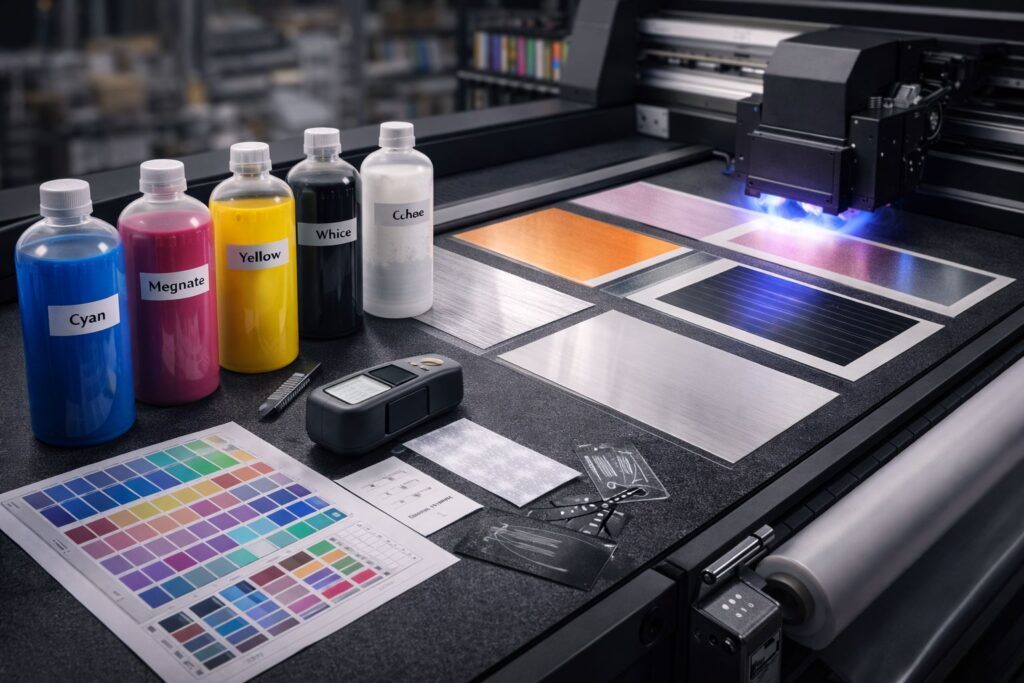
UV printing ink changes how modern printing delivers sharp results on tricky surfaces. Unlike standard inks that dry through evaporation, UV LED lamps or mercury vapor lamps trigger instant curing through ultraviolet curing. Photo initiators inside the ink react to UV light and start polymerization. This transforms liquid ink into solid ink film formation in seconds. We’ve watched this process handle non porous substrates like metal and glass where regular inks fail. Inkjet printheads spray precise dots that cure before they spread or smudge.
The beauty lies in how light and chemistry team up to solve adhesion problems. Traditional inks seep into paper fibers to stick, but UV systems create a hardened layer on top of any material. That’s why prints on plastic phone cases or aluminum signs don’t scratch off easily. Color stays dense because pigments lock in place during curing instead of getting absorbed unevenly. We recommend UV printing when durability matters more than cost per print. The mechanism directly boosts output quality through controlled curing that standard methods can’t match.
What Types of UV Printing Inks Are Available?
CMYK UV Inks for Standard Color Printing
CMYK UV ink builds full color images using cyan, magenta, yellow, and black layers. Controlled pigment dispersion keeps each dot sharp after curing instead of bleeding outward. We’ve tested prints where dot gain stayed minimal because UV light locks particles before they spread. The color gamut matches what you see on screen when pigments cure at exact positions. Sharp edge reproduction separates professional work from blurry amateur prints on promotional items.
White UV Ink for Dark and Transparent Materials
White UV ink acts as a functional base layer rather than just another color choice. Titanium dioxide gives the opacity control needed to block dark surfaces underneath. We apply white underbase first, then add CMYK on top for vibrant results on black phone cases. Think of it as a primer that reflects light back through colored inks above it. Layer sequencing logic follows white, then color, then varnish UV ink for protection.
Varnish and Clear UV Ink for Protection and Effects
Clear UV varnish works as surface engineering that boosts scratch resistance and visual appeal together. Spot UV creates raised texture on logos while keeping backgrounds matte for contrast. Gloss level directly ties to how customers perceive product value when they touch packaging. Thicker varnish layers block everyday wear better than thin coats that chip off corners.
Hard vs Flexible vs Neutral UV Inks
Hard UV ink creates high surface hardness perfect for rigid substrates like wood signs that never bend. Flexible UV ink maintains ink elasticity when materials fold or stretch without cracking the image. Neutral UV ink balances both properties for projects where material movement stays moderate. We choose based on crosslink density after curing because flexural resistance determines if prints survive real world handling. Rigid substrates need hardness while flexible substrates demand bend tolerance to prevent peeling failures.
How Do UV Ink Colors and Channels Work Together?
Ink channels control how printers organize CMYKWV colors during production runs. Each channel feeds one color through dedicated nozzles that fire at precise moments. RIP software calculates which channels activate based on your artwork and material choice. We’ve configured six channel systems where cyan, magenta, yellow, black, white, and varnish all work independently. Ink sequencing determines if white prints first or if varnish comes last to protect everything underneath.
Channel configuration directly impacts your wallet and production speed in ways most buyers ignore. Multi layer printing needs specific pass strategy settings that balance quality against time. Running white and color in separate passes costs more minutes but prevents muddy results. We adjust channel logic based on whether reliability matters more than fast turnaround for rush orders. Fewer active channels mean lower ink waste but sometimes sacrifice the visual punch customers expect.
Which UV Ink Is Best for My Printer?
Ink Compatibility with Printheads
Printhead model determines which ink viscosity keeps nozzles firing without clogs or leaks. Wrong thickness causes permanent damage because particles jam inside the nozzle plate channels. We’ve replaced expensive Epson printheads after clients used thick formulas designed for Ricoh systems. Jetting stability fails when viscosity mismatches create pressure spikes that crack delicate internal components. OEM UV ink matches your specific hardware because manufacturers test hundreds of batches for safe flow.
UV Ink Compatibility with Printer Type
Flatbed UV printer systems need slower drying formulas because ink sits still during curing passes. Roll to roll UV printer machines require faster chemistry that handles material movement without smearing. UV DTF printer models work with specialized inks that transfer cleanly from film to fabric surfaces. We match ink behavior to motion mechanics since moving media creates different curing windows than stationary sheets. UV printer compatibility becomes a risk management choice when downtime costs hundreds per hour.
UV Ink Compatibility with Curing Technology
UV LED wavelength sits around 385-395 nanometers while mercury lamp spectrum covers broader ranges including shorter wavelengths. Photo initiators inside ink only respond to specific light frequencies their chemistry recognizes. Curing mismatch creates under cured surfaces that stay tacky or brittle ink films that crack immediately. We verify lamp specifications before selecting ink formulas to avoid costly adhesion failures later.
How Do You Match UV Ink to Materials?
UV Ink for Rigid Materials
Glass, acrylic, and metal demand substrate compatibility testing before production runs start. Surface energy on polished metal sits too low for standard formulas to grip properly. We’ve watched prints peel off untreated aluminum within hours because adhesion never formed at molecular level. Hardness becomes less important than impact resistance when glass items get handled during shipping. PMMA scratches easily so harder ink protects better than flexible versions designed for fabric.
UV Ink for Flexible and Soft Materials
PVC, TPU, and leather need ink that bends without cracking when materials stretch or fold. Elongation tolerance after curing determines if your print survives normal wear on phone cases. We test flex by bending samples repeatedly until cracks appear or ink stays intact. Leather requires special attention because natural oils can block proper bonding if surfaces aren’t cleaned first. Softer materials move more so ink chemistry must stretch with them instead of fighting movement.
UV Ink Adhesion Challenges and Solutions
Primer ink acts as adhesion insurance between difficult surfaces and your color layers above. Surface treatment changes molecular structure through plasma or flame methods that raise energy levels. We apply primers on low energy plastics where standard inks would wipe off with light rubbing. Treating surfaces before printing costs extra time but prevents entire batches from failing quality checks later. Primers aren’t optional extras when working with polyethylene or polypropylene that naturally resist bonding.
UV Ink Compatibility Issues You Must Avoid
Ink Clogging and White Ink Circulation Problems
White ink circulation system prevents titanium dioxide particles from settling at the bottom of tanks. Sedimentation happens when printers sit idle overnight without agitation keeping pigments suspended evenly. We’ve cleared dozens of clogged nozzles caused by heavy particles that dried into rock hard blockages. Ink failure starts within hours of shutdown if circulation stops on white channel systems. Gravity pulls dense pigments downward faster than colored formulas that stay mixed naturally.
Adhesion Failures and Cracking
Ink brittleness creates visible cracks when hard formulas get applied to materials that flex. Substrate movement during temperature changes breaks rigid ink films that can’t stretch with underlying surfaces. We trace most print defect complaints back to wrong hardness choices made during initial setup. Brittle chemistry works great on glass but fails instantly on vinyl banners flapping in wind. Matching flexibility to expected movement patterns prevents premature failure that ruins customer relationships.
Color Inconsistency and Curing Errors
Under curing leaves tacky surfaces that smudge when touched because photo initiators didn’t receive enough energy. Over curing makes colors fade and films turn yellow from excessive UV exposure burning pigments. Spectral mismatch between ink chemistry and lamp wavelength causes both problems when frequencies don’t align properly. We adjust lamp intensity based on ink specifications rather than guessing at power settings randomly. Wrong curing destroys otherwise perfect prints through chemistry failures invisible until items leave production.
Why Choose the Right UV Printing Ink?
Print quality suffers when mismatched formulas create streaks, weak colors, or surface tackiness that ruins finished products. Fewer reprints translate directly into saved materials and labor hours that would otherwise vanish on correcting avoidable errors. We’ve monitored operations where proper ink selection cut waste by 40% within the first production month. Equipment lifespan grows when compatible chemistry protects delicate components from corrosion and particle buildup that destroys printheads. Lower downtime keeps Mtutech Printer systems running at full capacity instead of sitting idle during expensive repair visits.
Operating cost balloons when bargain inks demand constant troubleshooting or fail quality checks that damage client relationships permanently. Higher customer satisfaction flows from delivering durable prints with vibrant colors that survive shipping and daily handling. We’ve watched businesses transform profitability by switching to matched formulas that eliminate recurring complaints and rushed reorders. Smart ink choices convert technical specifications into measurable business wins that compound over thousands of production runs annually.
FAQs
Can UV inks print on both rigid and flexible materials?
Yes, UV inks work on both material types. We print on rigid substrates like acrylic and wood. Flexible materials like vinyl and banner also work great. Substrate compatibility depends on proper ink formulation and surface preparation.
Is white UV ink always required?
No, white ink is not always needed. We use white UV ink for opacity control on dark or clear substrates. Light colored materials often skip this step. White ink creates a base layer for vibrant color results.
What is the difference between UV LED and mercury inks?
The main difference is curing wavelength technology. UV LED inks cure at lower temperatures using specific wavelengths. Mercury lamps use a broader spectrum and more heat. LED systems save energy and work on heat sensitive materials.
Are UV inks environmentally safer than solvent inks?
Yes, UV inks produce fewer harmful emissions. We choose UV inks because of low VOC emissions. Solvent inks release more volatile compounds into air. UV technology meets strict environmental safety standards for indoor printing applications.
Can I use third party UV inks without damaging my printer?
Third party inks carry significant printhead risk concerns. We recommend manufacturer approved inks for best results. Off brand formulas may clog or damage expensive printheads. Warranty coverage often ends when using non certified ink products.
Shop UV Printers Compatible with Professional UV Inks
Professional UV printers from Mtutech Printer arrive as pre validated ink systems instead of just standalone machines requiring guesswork. Ink certified printers eliminate compatibility testing because manufacturers already matched printheads, curing lamps, and chemistry specifications during factory setup. We’ve guided dozens of buyers who wasted thousands on trial and error ink purchases with uncertified equipment. Certified systems remove the risk of adhesion failures, clogged nozzles, or warranty violations caused by unapproved formulas. Buying validated combinations means production starts immediately without expensive troubleshooting phases that delay revenue. Our catalog focuses on tested printer-ink pairs that deliver consistent results from day one.