
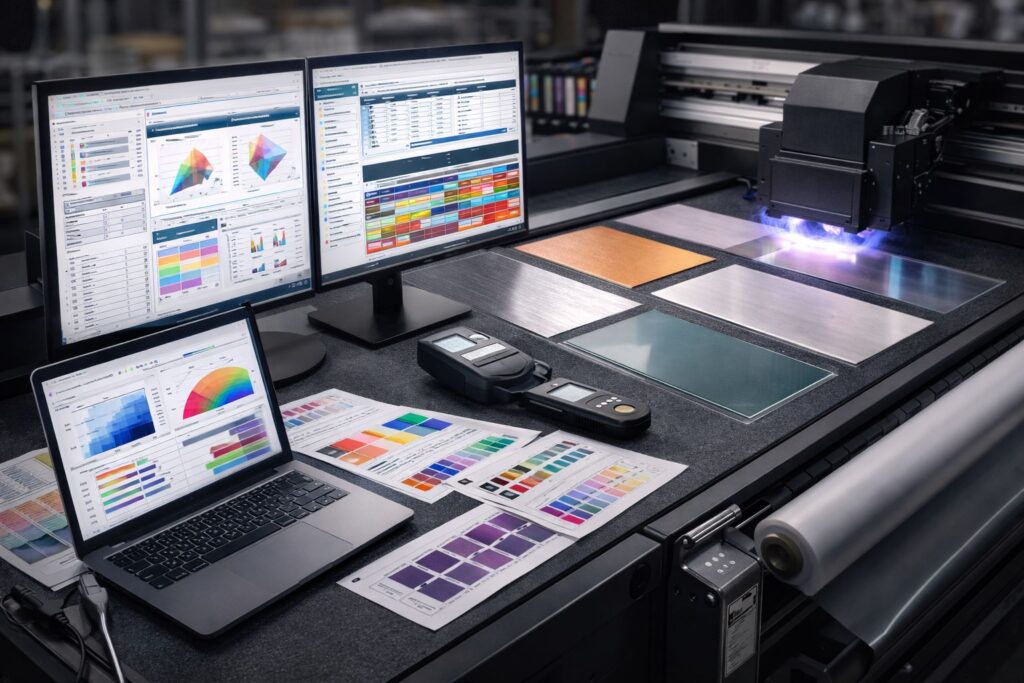
Think of UV printer software as your production boss, not just another tech tool. RIP software tells your inkjet control software exactly how much ink to spray and when to fire those UV lights. We’ve watched print shops waste thousands because their software couldn’t sync ink droplets with the UV curing process. The right UV printer needs smart software that reads your design file and breaks it into microscopic commands. It controls ink layers like a chef measures ingredients, manages color accuracy down to the pixel, and speeds up your print jobs without cooking the material too fast.
Most people think software just opens files and hits print. Your production controller calculates how fast the print head moves across acrylic versus wood. It adjusts UV lamp intensity so thick white ink cures solid while thin cyan stays vibrant. We use software that optimizes print throughput by running multiple jobs smart, not just fast. When software manages every microscopic detail, you get consistent colors on job one and job one thousand. Bad software gives you streaky prints and angry customers calling about faded graphics. Good software turns your UV printer into a money machine that runs smoothly from morning coffee until closing time.
RIP Software vs Design Software for UV Printing
RIP Software Do for UV Printers
RIP software manages layer logic through mathematical sequencing, not simple file reading like beginners think. White ink deposits first on transparent acrylic so CMYK colors show vibrancy instead of transparency. Base layers cure partially before color inks spray on top to prevent mixing. We rely on RIP systems that apply ICC profiles based on material selection you click. Glossy metal needs different ink density than porous canvas for identical color appearance. The software controls ink order so primer, color, and varnish never overlap wet. Waste reduction happens when algorithms calculate exact coverage instead of flooding surfaces with excess ink. Layer sequencing determines whether your $500 custom job ships perfectly or gets trashed immediately. Smart logic turns amateur designs into professional merchandise that customers actually want to buy.
Design Software Works with UV Printers
Adobe Illustrator builds vector artwork using mathematical curves that resize infinitely without quality loss. Logo files created here print identically on pens or vehicles without pixelation issues. Photoshop processes raster images with pixel grids perfect for photographic reproduction on substrates. Sunset photos or portrait prints need raster data that captures color gradients smoothly. Corel DRAW handles signage layouts with ruler guides and text warping built specifically for billboard work. File type dependency affects everything downstream in your production workflow chain. Vector paths from Illustrator maintain crispness regardless of final output dimensions you choose. Raster images from Photoshop require 300 DPI minimum or prints look fuzzy and unprofessional. We check source file quality before queuing jobs to avoid wasted materials and reprint costs. Your creative tools generate the visual concept, then specialized print software translates ideas into physical reality.
Best RIP Software for UV Printing
Picking the best RIP software matches your workflow maturity, not internet popularity contests or review scores. SAi Photo PRINT suits entry level shops printing phone cases and promotional items with basic color needs. Maintop RIP targets startups watching budgets who need functional layer control without subscription drain. Caldera RIP serves mid volume operations juggling twenty different substrates and custom color profiles daily. ONYX RIP powers growing facilities managing multiple printers and automated job queuing systems. ONYX Thrive handles industrial scale production with client portals, real time job tracking, and profitability analytics. We’ve matched shops to platforms based on monthly output volume instead of wishful growth projections.
Your production stage dictates which platform eliminates bottlenecks instead of manufacturing fresh problems weekly. Beginners overspend on enterprise automation they won’t touch for thirty six months minimum. SAi Photo PRINT keeps interfaces simple while you’re mastering substrate adhesion and cure timing. Maintop RIP cuts monthly expenses but lacks nesting algorithms that slash material waste significantly. Growing businesses hit ceilings with basic software that won’t batch process or manage color consistency. Caldera RIP provides scalability without forcing complete retraining when volume doubles next quarter. ONYX Thrive justifies premium pricing once you’re coordinating multiple operators and tracking per job margins.
Best UV Printer Software by UV Printer Type
Software for Flatbed UV Printers
Flatbed UV printers need software that handles rigid substrates like acrylic, glass, and wood without breaking them. We’ve seen prints fail when Z-height settings don’t match the material thickness. RIP software controls object height tolerance so your printer knows exactly where to fire ink. Precise layering makes the difference between a sharp logo and a blurry mess on rigid materials.
Most flatbed printers require software that reads material density before printing starts. Your RIP software should adjust drop size when switching from smooth glass to rough wood. We recommend testing Z-height calibration every morning to avoid costly material waste.
Software for Roll to Roll UV Printers
Roll to roll UV printers run fast on continuous media like vinyl, film, and banner material. Speed means nothing if your software can’t handle tiling efficiency. RIP software optimizes nesting so you print more designs per roll without wasting edges. We’ve watched shops double their output just by switching to smarter media handling tools.
Roll printers depend on software that predicts tension changes as material unwinds. Your system should auto adjust color density when printing long banner runs. Smart tiling arranges jobs to minimize cuts and maximize usable space on every roll.
Software for Hybrid UV Printers
Hybrid UV printers switch between rigid and flexible substrates in the same production day. Your RIP software acts like a context switch engine that adapts workflow logic instantly. Hybrid workflow tools save time by storing separate profiles for each media type. We use software that remembers settings so switching from acrylic to vinyl takes seconds.
Hybrid printers need software smart enough to change vacuum strength and curing speed automatically. The best systems let you queue rigid jobs and flexible jobs together without manual adjustments.
Best UV RIP Software by Business Type
Small UV Printing Businesses
Small print shops waste money buying RIP software with features they never touch. We’ve watched startups spend $2,000 on programs when a $300 budget RIP software does the same job. Your entry level UV printer needs software with a fast learning curve so you start earning back your investment within weeks. Setup speed matters more than fancy tools when you’re printing 20 jobs a day instead of 200.
Sign Shops and Custom Product Sellers
Sign shops switch between white ink printing, varnish effects, and mixed substrates all day long. Your software should cut design to output speed in half by storing preset profiles for each material type. We’ve seen shops lose clients because their RIP software took 10 minutes to prep a simple acrylic sign. Fast switching between jobs means you take more orders and finish them before lunch.
Industrial and Manufacturing Printers
Manufacturing printers need production automation that runs overnight without supervision. Color repeatability separates good software from great software when you’re printing 5,000 identical labels. Batch processing lets your RIP software queue 50 jobs while your team goes home for the night. We track ROI by counting how many jobs finish without human babysitting. Software cost pays for itself when consistency at scale eliminates reprints and refunds.
Why Choosing the Right UV Printer Software Matters
Bad UV printer software drains your wallet through hidden profit leakage you never see coming. We’ve tracked shops losing $400 monthly just from poor ink consumption control that oversprays every job. Wrong software increases waste by laying down more ink than your design actually needs. Your printer keeps running but your margins keep shrinking because the program can’t calculate precise drop placement.
Print accuracy falls apart when your software can’t talk to your printer’s real capabilities. We’ve seen clients redo 30% of orders because their program guessed wrong on color matching. Production downtime kills profits faster than any other problem in your shop. Right software improves throughput by catching errors before they waste material and machine time. Smart programs stop your printer before it ruins a $200 sheet of acrylic.
FAQs
What is the best RIP software for UV printers?
ONYX, Caldera, and PhotoPRINT are top choices for UV printing. We recommend ONYX for large shops. Caldera works great for color accuracy. PhotoPRINT fits smaller budgets well.
Can UV printers run without RIP software?
No, UV printers need RIP software to work properly. The print controller and firmware alone cannot handle complex jobs. RIP software translates your designs into printable files.
Does RIP software support white ink and varnish?
Yes, modern RIP software supports white ink and varnish layers. We use spot layers and ink channels to control each layer. This gives you perfect raised textures.
Is RIP software compatible with all UV printers?
Not always. You must check drivers and firmware compatibility first. We help customers match RIP software with their UV printer brand. This ensures smooth printing every time.
Which RIP software is best for beginners?
Maintop and PhotoPRINT are perfect for beginners. They have simple menus and easy setup. We often recommend these for new UV printer owners starting their business.
See Compatible UV Printers for Each RIP Software
Most people buy RIP software without checking if it actually talks to their machine first. We’ve helped shops return expensive programs because their software compatibility list didn’t include their specific UV printer models. Mtutech Printer owners need to verify their software matches printer capability before spending a dime on licenses. Your program might handle Epson heads perfectly but crash when connected to Ricoh printheads. Check the developer’s hardware chart to see which firmware versions work with your exact model number and build year.