
UV Printer 9060 vs 6090: Which Size is Right for Your Business?

Complete comparison of 9060 and 6090 UV flatbed printers. Understand the naming convention, print bed dimensions, speed differences, and which size is best for your promotional products business.
Quick Answer: The terms “9060” and “6090” refer to the same print bed size — 900mm × 600mm (approximately 35.4″ × 23.6″). The only difference is how manufacturers label the dimensions: 9060 lists width first (90cm × 60cm), while 6090 lists depth first (60cm × 90cm). Both are A1-size UV flatbed printers ideal for promotional products, custom gifts, signage, and small-format printing. When comparing models, focus on printheads, speed, features, and support — not the naming convention.
If you’ve been shopping for a small-format UV flatbed printer, you’ve probably noticed some manufacturers call their machines “UV Printer 9060” while others label the identical size as “UV Printer 6090.” This creates understandable confusion — are these different sizes? Which one is bigger? Does the naming affect performance?
This comprehensive guide clears up the confusion, explains the naming convention, and helps you understand what actually matters when choosing a UV Printer 9060 for your business.
Understanding the 9060 vs 6090 Naming Convention
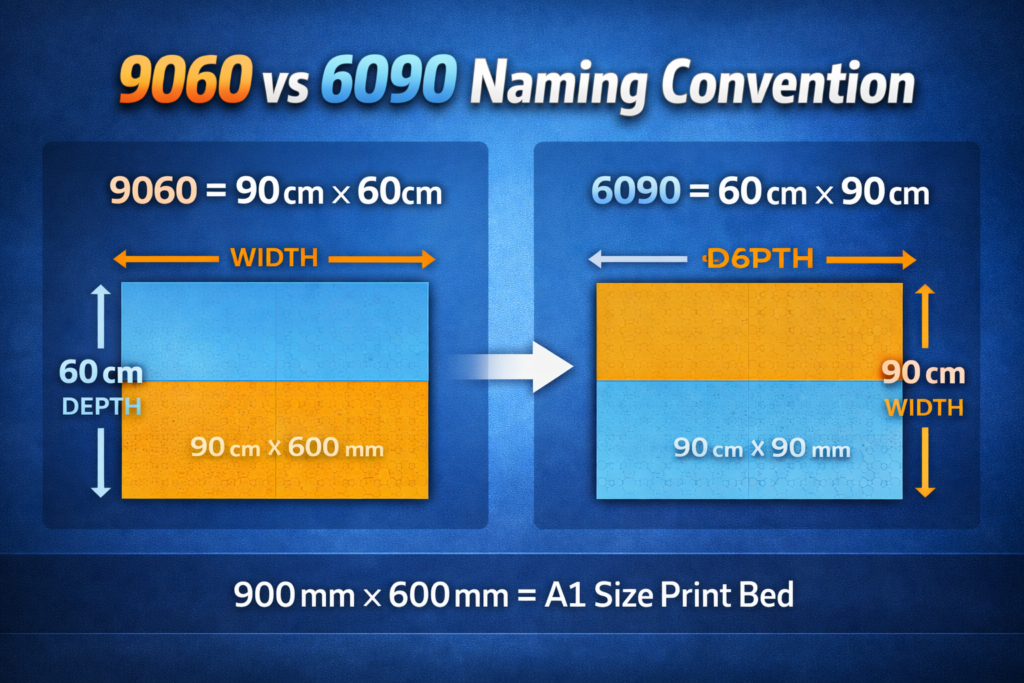
The numbers in UV printer model names typically represent the print bed dimensions in centimeters. However, different manufacturers use different conventions for listing these dimensions:
What “9060” Means
9060 = 90cm (width) × 60cm (depth)
When a manufacturer labels a printer “9060,” they’re listing the width first. The print bed is 90cm (900mm) wide and 60cm (600mm) deep. This is the orientation where the printhead travels across the 90cm width while the bed moves along the 60cm depth.
What “6090” Means
6090 = 60cm (depth) × 90cm (width)
When a manufacturer labels a printer “6090,” they’re listing the depth first. It’s the same physical print bed — 60cm deep and 90cm wide. The dimensions are identical; only the naming order is different.
Side-by-Side Comparison
| Specification | UV Printer 9060 | UV Printer 6090 |
| Print Bed Width | 900mm (35.4″) | 900mm (35.4″) |
| Print Bed Depth | 600mm (23.6″) | 600mm (23.6″) |
| Print Area | 0.54 m² (5.8 sq ft) | 0.54 m² (5.8 sq ft) |
| Paper Size Equivalent | A1 Size | A1 Size |
| Naming Convention | Width × Depth | Depth × Width |
Key Takeaway: The 9060 and 6090 refer to the exact same print bed size. The difference is purely in how manufacturers label the dimensions — width × depth (9060) versus depth × width (6090). Focus on the actual specifications, not the naming convention.
Why “90” Width Matters for Print Speed
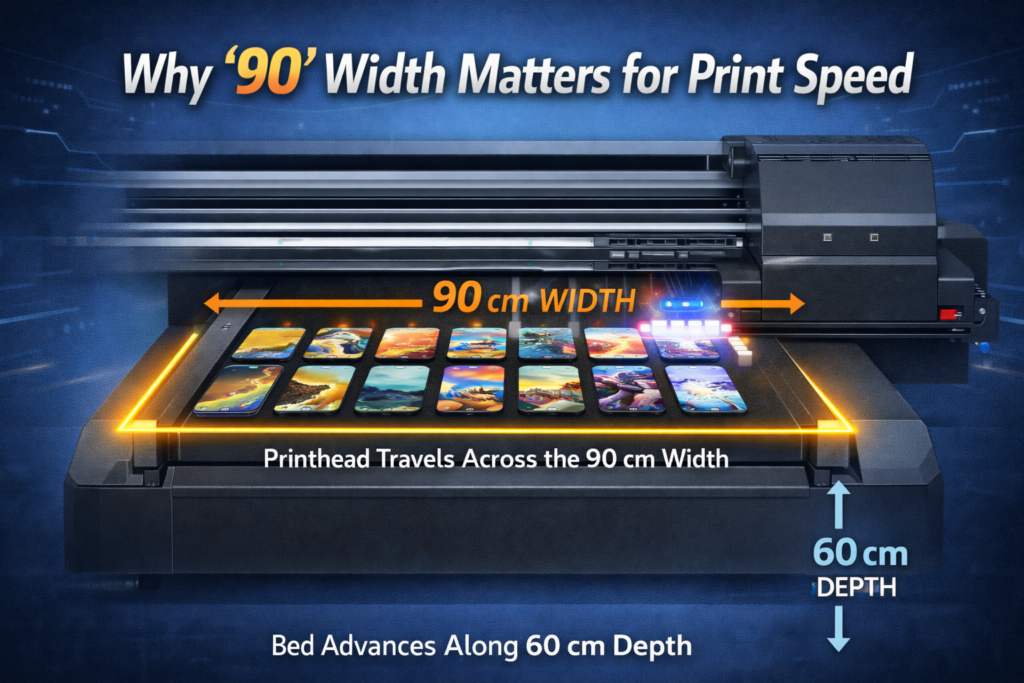
While the naming convention itself doesn’t affect performance, understanding which dimension is the width versus the depth is important for understanding print speed:
How UV Flatbed Printers Work
- Printhead travels across the width: The printhead carriage moves left-to-right across the 90cm width, laying down ink in each pass.
- Bed moves along the depth: After each pass, the print bed advances forward along the 60cm depth.
- Width determines throughput: A wider print bed means more items can be printed side-by-side in each pass, increasing overall productivity.
This is why having 90cm as the width (rather than 60cm) results in faster printing when processing multiple items. You can line up more phone cases, keychains, or promotional items across the 90cm width for efficient batch production.
Typical Print Speeds for 9060/6090 UV Printers
| Printhead Type | Speed (m²/hr) | Speed (sq ft/hr) | Configuration |
| Epson XP600 | 2-3 m²/hr | 21-32 sq ft/hr | Entry-level |
| Epson i3200 | 5-8 m²/hr | 54-86 sq ft/hr | 2-3 heads |
| Ricoh Gen5/Gen6 | 8-12 m²/hr | 86-129 sq ft/hr | Production |
| MT-UV 9060 Pro | 10-17 m²/hr | 108-183 sq ft/hr | i3200 + Visual Positioning |
Key Specifications for 9060/6090 UV Printers
When comparing UV Printer 9060 or 6090 models from different manufacturers, focus on these critical specifications rather than the naming convention:
1. Print Bed Dimensions & Height
| Dimension | Standard Range | What It Means |
| Print Area | 900mm × 600mm | A1 size, ideal for promotional products |
| Max Print Height | 80mm – 200mm | Taller = thicker items (boxes, bottles) |
| Cylinder Diameter | 45mm – 110mm | Range for bottles, tumblers, cups |
2. Printhead Technology
The printhead is the most critical component affecting print quality, speed, and long-term reliability:
| Printhead | Nozzles | Price | Lifespan | Best For |
| Epson XP600 | 1,080 | $80-150 | 8-12 months | Budget printers |
| Epson F1080 | 1,080 | $150-250 | 12-18 months | Upgraded entry |
| Epson i3200 | 3,200 | $400-600 | 18-24 months | Best value |
| Ricoh Gen5/Gen6 | 1,280-2,560 | $800-1,500 | 24-36 months | Production |
3. Ink Configuration
Standard UV printer ink configurations:
- CMYK: Cyan, Magenta, Yellow, Black — basic 4-color printing
- CMYK + White: Essential for printing on dark or transparent substrates
- CMYK + White + Varnish: Adds gloss, matte, or 3D textured finishes
- CMYK + LC + LM + White + Varnish: Light Cyan and Light Magenta for smoother gradients
Recommendation: For promotional products, CMYK + White + Varnish is the minimum configuration. White ink is essential for printing on dark materials, and varnish enables premium textured finishes that command higher prices.
4. Essential Features to Compare
- Vacuum suction bed: Keeps thin and light materials flat during printing — essential for consistent quality
- Auto height sensor: Automatically measures substrate thickness and adjusts printhead height
- White ink circulation: Prevents white ink from settling — critical for reliable white printing
- Dual UV LED lamps: Ensures complete ink curing in both print directions
- Rotary attachment: Enables 360° printing on cylindrical items like bottles and tumblers
- Visual positioning system: Camera-based alignment for printing on pre-made items — increases efficiency by up to 80%
- Anti-collision protection: Protects printheads from crashes — saves expensive repairs
Best Applications for 9060/6090 UV Printers
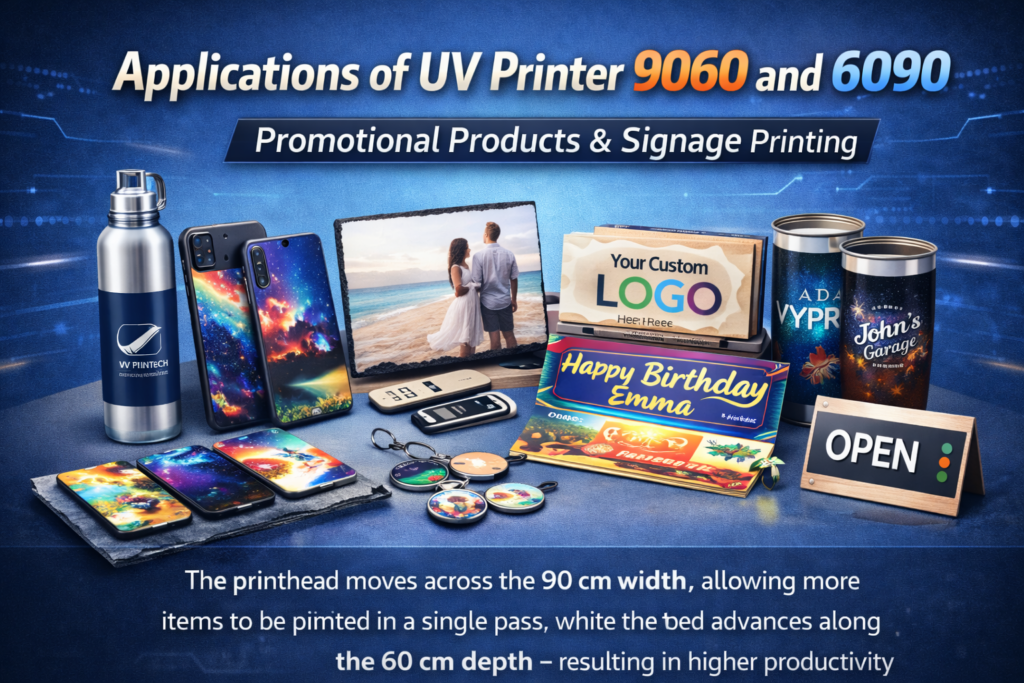
The A1-size print bed (900mm × 600mm) makes these printers ideal for:
Promotional Products & Custom Gifts
- Phone cases: Print 50-100+ cases per hour, $15-25 profit each
- Keychains & badges: High-volume, low-cost items with 300%+ margins
- Pens & USB drives: Corporate promotional items with personalization
- Puzzles & games: Custom jigsaw puzzles, Rubik’s cubes, baby blocks
- Golf balls & sports items: Personalized sports equipment
Drinkware & Cylindrical Items
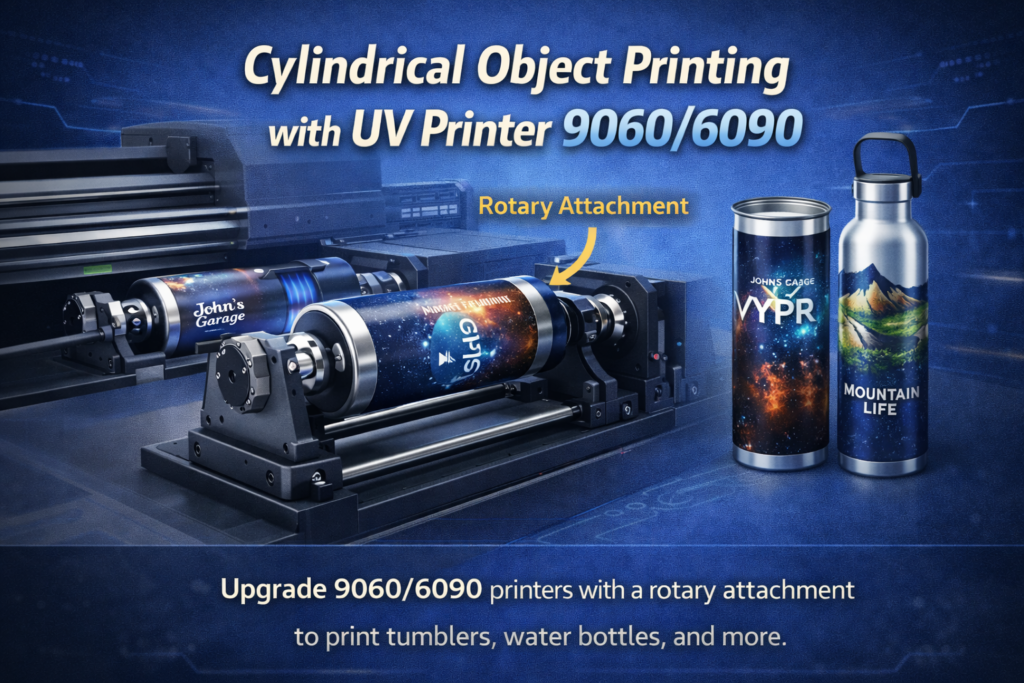
- Tumblers & travel cups: High-demand items, $12-20 profit per piece
- Water bottles: Stainless steel, plastic, and glass bottles
- Wine & beer bottles: Custom labels for events and businesses
- Candles & cosmetic containers: Premium product customization
Signage & Industrial Printing
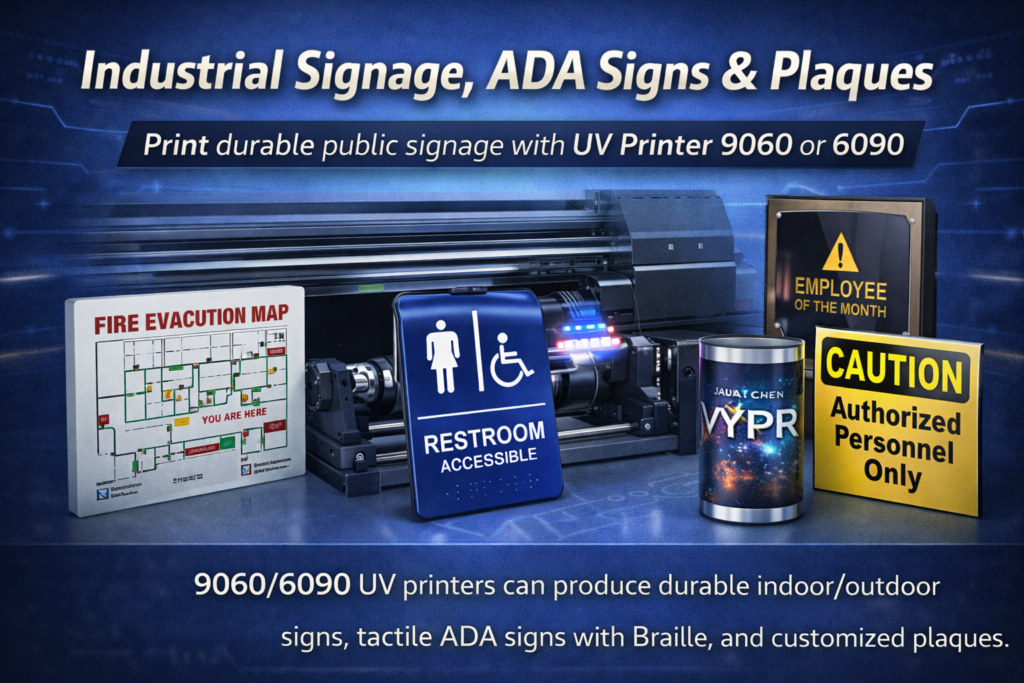
- Small format signs: Desk signs, name plates, room numbers
- ADA/Braille signage: One of the most profitable UV applications
- Control panels & labels: Industrial equipment marking
- Award plaques & trophies: Acrylic, glass, and metal awards
Home Décor & Art
- Photo panels: Metal, acrylic, and wood photo prints
- Decorative tiles: Ceramic and glass tile customization
- Wood signs: Custom wood plaques and decorations
- Gift boxes & packaging: Premium custom packaging
UV Printer 9060/6090 Price Guide 2026
| Category | Price Range | Typical Features | Best For |
| Entry-Level | $3,000 – $6,000 | XP600 heads, basic features, CMYK+W | Hobbyists, testing market |
| Small Business | $6,000 – $12,000 | i3200 heads, varnish, rotary option | Startups, growing businesses |
| Professional | $12,000 – $20,000 | Multi-head i3200, visual positioning, full features | Established print shops |
| Production | $20,000+ | Ricoh heads, industrial components | High-volume operations |
How to Choose the Right 9060/6090 UV Printer
Questions to Ask Before Buying
- What’s your primary application? Phone cases need different features than signage.
- What volume do you expect? Higher volume justifies investing in faster printheads.
- Do you need cylindrical printing? Ensure rotary attachment is available.
- What’s your budget for maintenance? Cheaper printers often cost more in the long run.
- What support does the manufacturer offer? Training, warranty, and parts availability matter.
Red Flags to Avoid
- Extremely low prices: Printers under $2,000 often use unreliable components
- No white ink circulation: White ink settles quickly — circulation is essential
- Unknown printhead brands: Stick to Epson or Ricoh for reliability
- No local support: Parts and service should be accessible
- Mercury UV lamps instead of LED: LEDs last 10,000+ hours vs 1,000-2,000 for mercury
Ready to invest in a UV Printer 9060? Explore MTuTech’s 9060 UV printer lineup — featuring visual positioning technology, Epson i3200 printheads, and comprehensive training and support.
Frequently Asked Questions
Is a 9060 UV printer the same as a 6090 UV printer?
Yes, they refer to the same print bed size: 900mm × 600mm (approximately 35.4″ × 23.6″). The difference is purely naming convention — 9060 lists width first, while 6090 lists depth first. Always verify the actual dimensions in the specifications.
What can I print with a 9060/6090 UV printer?
These printers can print on virtually any hard or semi-rigid surface: phone cases, promotional products, signage, awards, keychains, pens, glass, wood, metal, acrylic, ceramic, and much more. With a rotary attachment, you can also print on cylindrical items like bottles, tumblers, and candles.
How much does a 9060/6090 UV printer cost?
Prices range from $3,000-$6,000 for entry-level models to $12,000-$20,000 for professional machines with advanced features. The main factors affecting price are printhead type (XP600 vs i3200 vs Ricoh), number of printheads, ink configuration, and additional features like visual positioning.
What’s the print speed of a 9060/6090 UV printer?
Print speed depends primarily on printhead configuration. Entry-level XP600 printers achieve 2-3 m²/hour, while i3200-based printers reach 5-8 m²/hour, and Ricoh-based machines can hit 10-12 m²/hour. The MT-UV 9060 Pro with visual positioning achieves 10-17 m²/hour.
Do I need a rotary attachment for a 9060/6090 printer?
If you plan to print on cylindrical items like bottles, tumblers, cups, or candles, yes — a rotary attachment is essential. Most 9060/6090 printers offer rotary as a standard or optional accessory. Make sure the attachment supports your desired cylinder diameter range (typically 45mm-110mm).
What maintenance does a 9060/6090 UV printer require?
Daily maintenance includes nozzle checks, printhead cleaning, and ink level monitoring (5-10 minutes). Weekly maintenance involves deep cleaning printheads, cleaning ink caps and wipers, and inspecting UV LEDs (30-60 minutes). Printers with white ink circulation systems require less frequent manual attention.
What’s the cost per print on a 9060/6090 UV printer?
UV printing costs typically range from $0.30-$1.50 per small item (phone case, keychain) depending on size, color coverage, and whether white ink or varnish is used. On average, UV printing costs approximately $1.20-$1.50 per square meter, making it very cost-effective for promotional products.
Is the 9060/6090 size right for my business?
The A1-size 9060/6090 format is ideal for promotional products, custom gifts, small signage, and personalized items. If you primarily need to print larger signage or display graphics, consider a larger format like 1314 (130cm × 140cm) or 1610 (160cm × 100cm). For desktop operations with smaller items only, an A3 or A2 printer might suffice.