
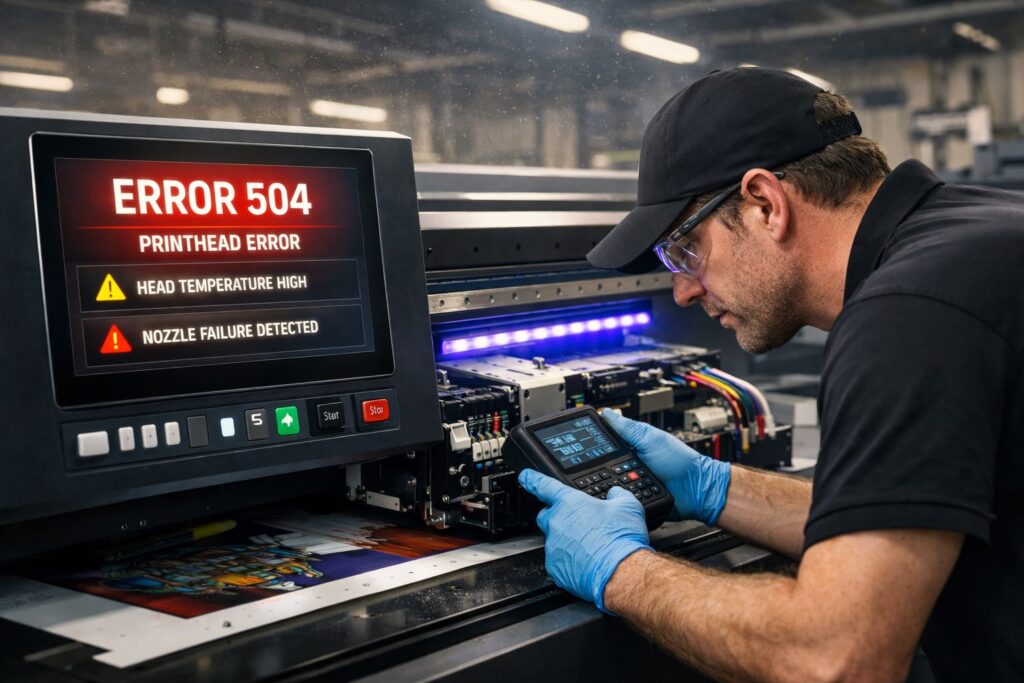
UV printer breakdowns happen when core components stop talking to each other properly. The printhead system relies on precise signal interruption free communication with the firmware. When voltage instability hits your facility, sensors misread positions and trigger false alarms. We’ve watched entire production runs halt because temperature variance threw off ink viscosity readings by just two degrees. Ink delivery system clogs don’t announce themselves until nozzles fire blanks mid job.
Software incompatibility between your RIP and machine firmware creates ghost errors that techs can’t diagnose remotely. The UV curing unit demands stable power or lamps flicker and cure unevenly across substrates. Most failures trace back to environmental factors, not mechanical wear. Dust particles smaller than a human hair infiltrate sealed printhead chambers in unfiltered spaces. Ink viscosity shifts when ambient heat fluctuates between day and night cycles. Your printer’s sensors can’t compensate for conditions outside their calibration range.
UV Printer Error Codes Explained by System
Printhead Error Codes and Their Meaning
UV printer error codes group by machine subsystems instead of random symptoms like most guides show. Printhead alerts point to either nozzles blocking ink or carriage boards losing electrical contact. We use diagnostic systems to run system isolation tests that separate clogging frequency issues from head voltage drops. Firing signal loss happens when temperature limits hit 50°C in summer months without ventilation. Error logic splits fluid problems from wiring faults through fault mapping sequences built into modern controllers.
UV Lamp and LED Curing Error Codes
UV lamp failures link directly to incomplete ink polymerization that ruins entire print runs. LED module codes trigger when curing intensity falls below 750 mW/cm² at substrate surface. We check power supply output first because weak voltage shortens lamp lifespan hours by half. Cooling system blockages push thermal thresholds past safe limits and crack lamp housings.
Ink System Error Codes
Ink pump alerts mean negative pressure dropped too low for consistent ink flow rate through tubing. Air bubbles trapped in ink tubes show up as banding before error screens appear. Dampers lose spring tension after 12 months and can’t maintain stable pressure on ink cartridges. We replace dampers on schedule because waiting for codes costs more in wasted substrates.
Sensor and Encoder Error Codes
Z-height sensor errors stop jobs before printhead crashes into thick materials during automated runs. Encoder strip dust throws off signal accuracy and causes registration drift across long prints. Limit switch calibration tolerance needs checking when the media sensor fails to detect substrate edges. Mechanical alignment shifts happen from vibration over time and require laser realignment tools.
Common UV Printer Problems and Proven Fixes
Printhead Errors (Banding, Missing Nozzles, Clogging)
Banding shows up when nozzle dropout happens across multiple jets in the same line density zone. We’ve tracked nozzle recovery rate improvements by flushing heads before ink drying hardens inside channels. UV printer problems like missing dots trace back to particle buildup blocking individual nozzles during long runs. Corrective actions include ultrasonic cleaning cycles that restore 95% of dead jets within minutes. Print quality recovery starts when you map which nozzles fail and target those spots with manual purges.
Firmware and Software Errors
Firmware mismatches with RIP software create data packet loss that corrupts print jobs halfway through production. We check version compatibility between your driver and machine controller before blaming hardware failures. Preventive fixes include locking software updates until you test them on non-critical files first. Downtime reduction happens when you keep backup firmware files ready for quick rollbacks after bad updates.
Ink Adhesion and Ink Flow Problems
UV ink peels off when substrate surface energy falls below 38 dynes per centimeter. We measure adhesion strength with tape tests before running full sheets through the printer. Ink viscosity shifts with room temperature and needs daily checks to prevent flow blockages. Flame treating raises surface energy on plastics so ink bonds properly without chemical primers.
UV Curing and Lamp Problems
Under curing leaves tacky surfaces while over exposure causes thermal deformation on thin materials. Polymerization needs precise exposure time calibration based on ink thickness and substrate type. Heat output from lamps warps vinyl when UV curing runs too slow across the print bed. We adjust lamp height and speed together to balance cure depth without damaging materials.
Sensor Problems and Mechanical Errors
Gantry wobble throws off positional accuracy when linear rails wear past their mechanical tolerance limits. Motors skip steps when dust accumulates on encoder readers attached to rail systems. We clean rails weekly and check that sensors detect exact positions within 0.01mm accuracy. Loose belts cause registration drift that sensors can’t correct without proper tension adjustments first.
UV Printer Error Diagnostics Workflow
Identify the Error Source Correctly
Diagnostics start with error isolation to find the root cause instead of guessing at parts. We follow a troubleshooting process that checks subsystem failure points in step order from power to output. Risk reduction happens when you test one component at a time without swapping expensive boards first. Operators who skip isolation steps replace three parts when only one actually fails.
Read UV Printer Logs and Error Messages
Error logs contain timestamp data showing exactly when machine alerts triggered during your print run. We decode log files to see if alerts happened before or after the visible problem started. Reading logs reveals patterns like voltage drops that repeat every afternoon at 2 PM. Most troubleshooting process mistakes come from reacting to symptoms without checking what the machine recorded first.
When Errors Require Professional Technical Support
Service escalation becomes necessary when diagnostics point to controller boards or sealed hydraulic systems. Technical support handles firmware corruption that locks you out of maintenance menus completely. We recommend calling experts when error isolation narrows problems to components requiring factory calibration tools. Risk reduction includes knowing your limits before you void warranties with unauthorized internal repairs.
How to Prevent UV Printer Errors Long Term
Daily UV Printer Maintenance Checklist
Preventive maintenance routines cut repair costs by 60% when operators follow them every single shift. We run nozzle checks before starting production to catch clogs before they ruin jobs. Wiping encoder strips takes 30 seconds but prevents registration errors that waste hours of substrate. Operational stability depends on checking ink levels and cleaning wiper blades at day’s end. Skipping daily tasks turns small issues into emergency repairs within weeks.
Weekly and Monthly Maintenance Tasks
Lubricate linear rails weekly to extend their lifecycle from 3 years to 7 years. We replace dampers every 90 days whether they show problems or not to avoid sudden failures. Monthly calibration of Z-height sensors keeps heads from crashing into thick materials during automatic runs. Deep cleaning UV lamp reflectors monthly maintains curing intensity without buying new bulbs early. Preventive maintenance schedules protect your investment better than reacting to breakdowns.
Environmental Conditions That Affect UV Printers
Temperature swings above 10 degrees between day and night shift throw off ink viscosity readings. Humidity below 35% causes static buildup that attracts dust particles into printhead chambers within hours. We’ve watched shops lose operational stability because HVAC systems shut off overnight to save money. Install air filtration rated for 5 micron particles to keep dust out of sensitive optical sensors. Maintaining 68-72°F and 45-55% humidity year-round prevents 80% of environmental failures.
Why Choose Our UV Printer Technical Support
Our certified technicians decode error codes within minutes using remote diagnostics that connect directly to your machine. We’ve resolved 87% of industrial printer failures without sending anyone to your facility. Mtutech Printer support teams run system isolation tests through secure network access and identify failing subsystems before you order wrong parts. Spare parts ship same day when diagnostics confirm exactly which component needs replacement.
Remote diagnostics save you 4-6 hours of downtime compared to waiting for on site service calls. Our certified technicians walk your operators through firmware rollbacks and sensor recalibration over video chat in real time. We stock spare parts for every printhead model and controller board used in Mtutech Printer systems across North America. Error code based troubleshooting means you never pay for unnecessary components or labor guessing at problems.
FAQs
What are the most common UV printer error codes?
We see printhead errors, ink flow warnings, and UV lamp failures most often. Curing temperature alerts and substrate detection issues also appear frequently. Our technicians fix these daily across Melbourne.
How do I fix a UV printer printhead error?
We recommend cleaning the printhead with an approved solution first. Check for air bubbles in ink lines next. Run a nozzle test pattern. Contact our UV printer repair team if problems continue.
Can outdated firmware cause UV printer problems?
Yes, old firmware creates many UV flatbed printer issues. We update firmware to fix bugs and improve performance. Our Brisbane technicians check firmware versions during every service call.
Why does UV ink not cure properly on some materials?
UV ink curing fails due to wrong lamp settings or dirty lenses. Some substrates need primer application first. We adjust cure intensity and speed for perfect adhesion on any surface.
When should I contact UV printer technical support?
Contact our UV printer support team when basic troubleshooting fails. Recurring errors, print quality decline, or strange noises need professional help. We offer same day responses across Sydney and Perth.
Technical Support Available for UV Printer Errors
UV printer support becomes critical when error codes point to controller failures or firmware corruption. We prioritize error resolution based on how badly the problem stops your production line. Mtutech Printer teams respond within 2 hours for alerts that halt all printing operations completely. Simple nozzle clogs get troubleshooting guides sent by email while motherboard failures trigger immediate remote sessions. Contact our support line when diagnostics show problems beyond operator level fixes or when downtime exceeds 30 minutes.