
Best UV DTF Printer for Small Business: 2026 Buying Guide
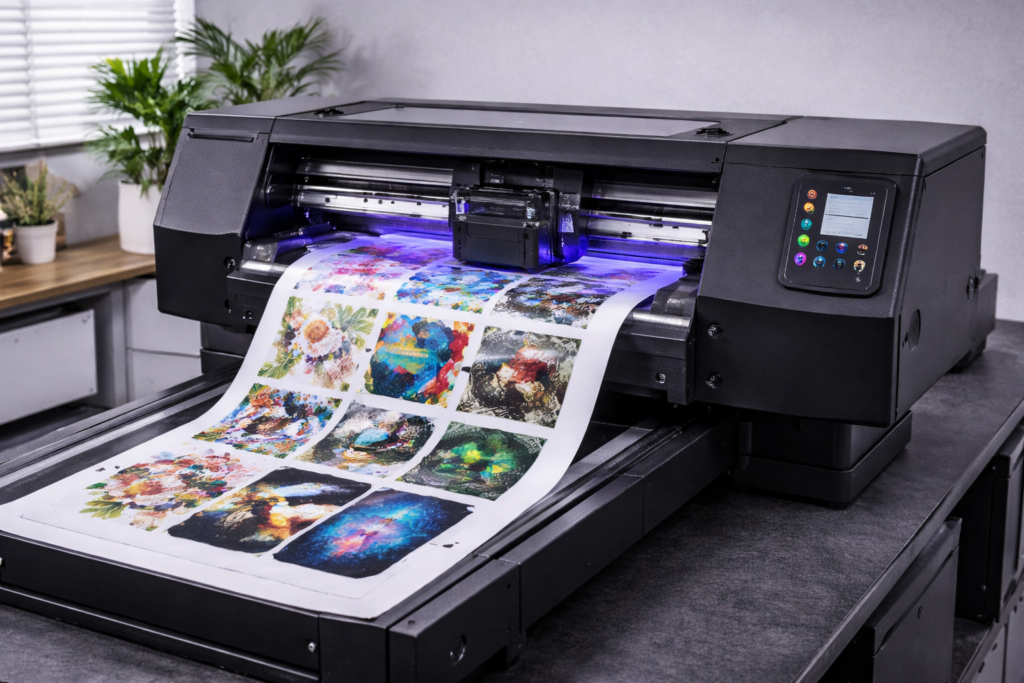
Complete guide to choosing the best UV DTF printer for your small business. Compare A3 vs 60cm models, understand key specifications, and find the right machine for your budget and production needs.
Quick Answer: The best UV DTF printer for most small businesses is an A3-size model ($5,000-$15,000) with Epson printheads, integrated laminator, and white ink circulation. For higher production volumes, a 60cm roll-to-roll system ($15,000-$30,000) offers faster speeds and lower per-unit costs. Key factors: print quality (720+ DPI), production speed (4-12 m²/hour), reliability, and manufacturer support.
Choosing the right UV DTF printer is one of the most important decisions you’ll make for your custom printing business. The wrong choice can lead to frustrating downtime, inconsistent print quality, and expensive repairs. The right choice can transform your business with reliable production, premium-quality outputs, and excellent profit margins.
UV DTF (Direct-to-Film) printing has exploded in popularity because it allows businesses to create vibrant, durable transfers that apply to virtually any hard surface — glass, metal, plastic, wood, ceramic, and more — with simple peel-and-stick application. No heat press required, no surface limitations, no minimum orders.
This comprehensive buying guide covers everything you need to know to select the best UV DTF printer for your small business in 2026, including key specifications, price ranges, must-have features, and common mistakes to avoid.
Why UV DTF Printing is Perfect for Small Businesses
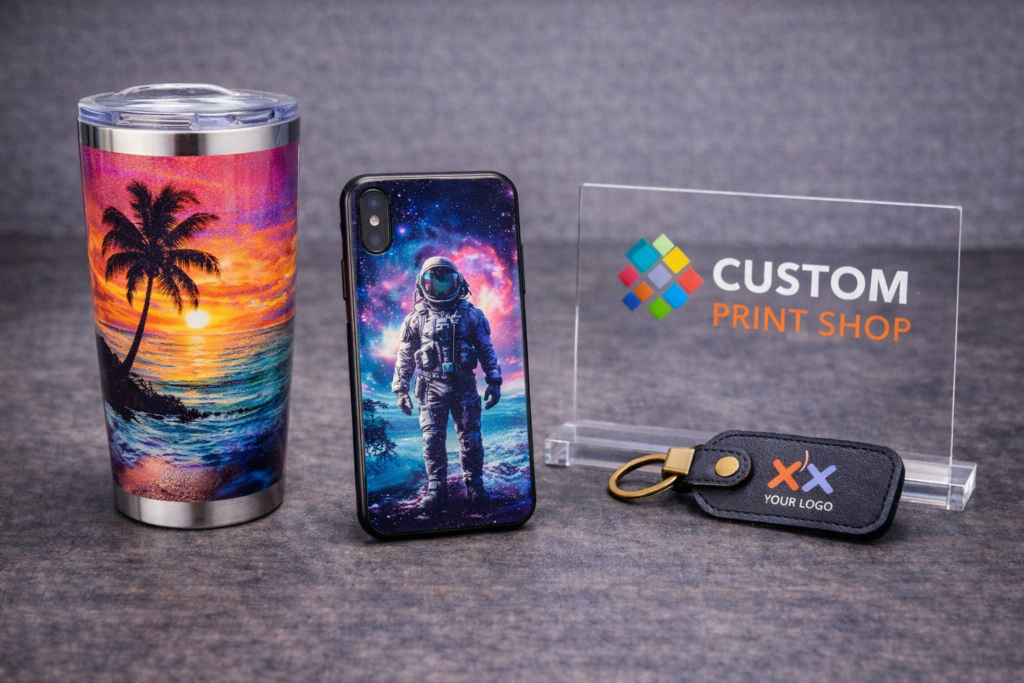
Before diving into specific printer recommendations, let’s understand why UV DTF technology has become the go-to choice for small business owners and entrepreneurs entering the custom products market.
- No heat press required: Unlike traditional DTF for fabrics, UV DTF transfers are peel-and-stick. This eliminates expensive equipment and reduces application time to seconds.
- Works on virtually any hard surface: Glass, metal, plastic, wood, ceramic, acrylic, leather, and more. One printer opens unlimited product possibilities.
- Curved and irregular surfaces: Print on tumblers, bottles, phone cases, and products that won’t fit in a flatbed UV printer.
- Low startup costs: Entry-level systems start around $5,000 — far less than industrial UV flatbed printers.
- No minimum orders: Print single pieces as economically as bulk orders. Perfect for personalized products and on-demand business models.
- Premium durability: UV-cured transfers are waterproof, scratch-resistant, and fade-resistant for years of use.
- High profit margins: Material costs of $0.50-2.00 per transfer sell for $5-25+ on finished products (300-500% markup).
Key Specifications to Evaluate
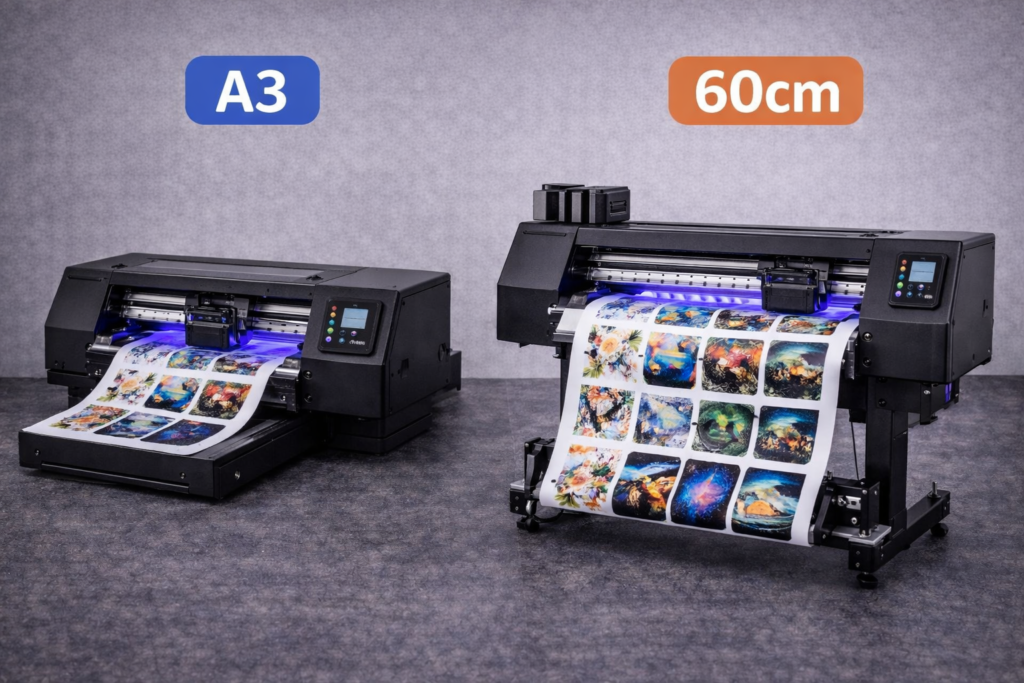
Understanding UV DTF printer specifications helps you compare models objectively and choose the right machine for your production needs. Here are the most important factors to consider:
1. Print Size (A3 vs 60cm vs Larger)
Print size determines the maximum transfer dimensions and production efficiency. Most small businesses choose between A3 (roughly 13″ x 19″) and 60cm (roughly 24″) width systems.
| Size | Best For | Price Range | Production |
| A3 (13″ x 19″) | Startups, home-based, low-medium volume | $5,000 – $15,000 | 2-6 m²/hour |
| 60cm (24″) | Growing businesses, medium-high volume | $15,000 – $30,000 | 6-12 m²/hour |
| 90cm+ (36″+) | Production facilities, wholesale, high volume | $30,000+ | 12-20+ m²/hour |
Recommendation: For most small businesses starting out, an A3 UV DTF printer offers the best balance of capability, price, and space requirements. Upgrade to 60cm when you’re consistently maxing out production capacity.
2. Print Resolution (DPI)
Print resolution, measured in dots per inch (DPI), determines the sharpness and detail quality of your transfers. Higher resolution means crisper text, smoother gradients, and more photographic-quality results.
- 720 DPI: Good for most commercial applications, text, logos, and graphics viewed at normal distances
- 1080-1440 DPI: Excellent for detailed artwork, fine text, and premium-quality products
- 2880 DPI: Maximum quality for photographic images and ultra-fine details (slower print speeds)
Most modern UV DTF printers offer 720-1440 DPI, which is more than sufficient for professional-quality transfers. Higher resolution comes at the cost of slower print speeds, so consider your production needs when evaluating this specification.
3. Printhead Technology
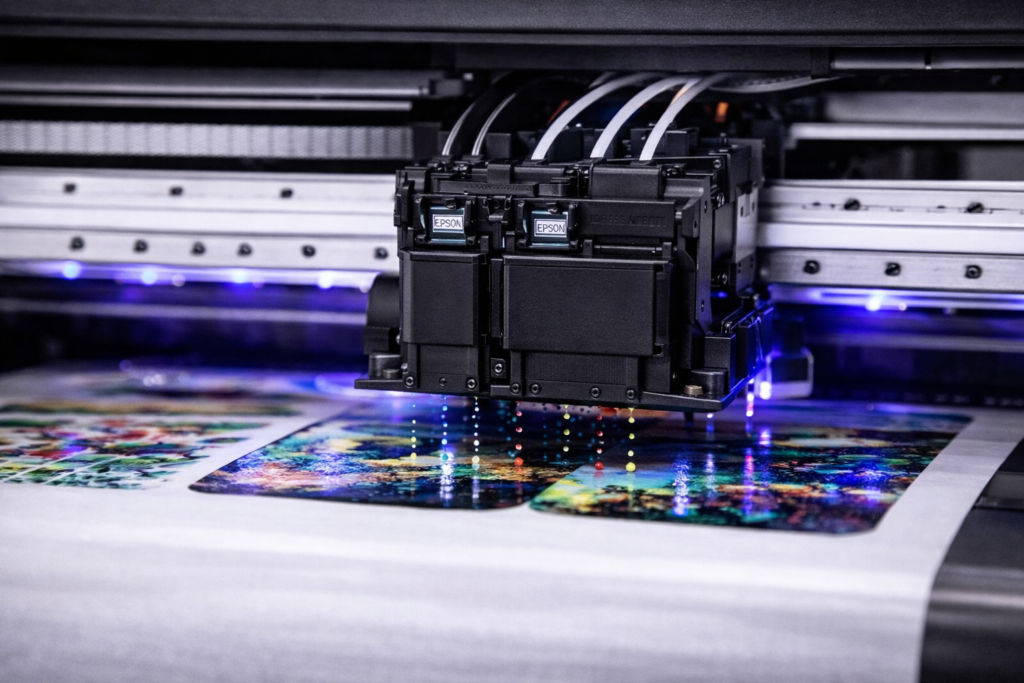
The printhead is the heart of any UV printer. Quality printheads determine print consistency, reliability, lifespan, and maintenance requirements. Epson printheads dominate the UV DTF market due to their proven reliability and widespread support.
| Printhead | Nozzles | Best For | Replacement Cost |
| Epson XP600 | 1,080 | Entry-level, budget systems | $80-150 |
| Epson i1600 | 1,600 | Mid-range, quality focus | $200-350 |
| Epson i3200 | 3,200 | Production speed, high volume | $400-600 |
| Ricoh Gen5/6 | 1,280-2,560 | Industrial, continuous production | $800-1,500 |
Single vs Dual Printheads:
- Single printhead: Lower cost, simpler maintenance, sufficient for startup production volumes (5-10 m²/hour typical)
- Dual printhead: Faster speeds, higher production capacity, worth the investment for growing businesses (10-20+ m²/hour typical)
4. Production Speed
Production speed determines how many transfers you can create per hour. It’s typically measured in square meters per hour (m²/hour) or by the number of passes (4-pass, 6-pass, 8-pass). Fewer passes means faster printing but potentially lower quality.
- 4-pass mode: Fastest speed, good for production runs, acceptable quality for most commercial applications
- 6-pass mode: Balanced speed and quality, recommended for most business use
- 8-12 pass mode: Maximum quality, slower speeds, best for premium products and detailed artwork
Real-World Speed Expectations: An A3 UV DTF printer typically produces 3-6 square meters per hour at production quality. For perspective, a standard tumbler wrap is about 0.06 m², so you could produce 50-100 tumbler wraps per hour depending on your machine and quality settings.
5. Ink System & White Ink Circulation
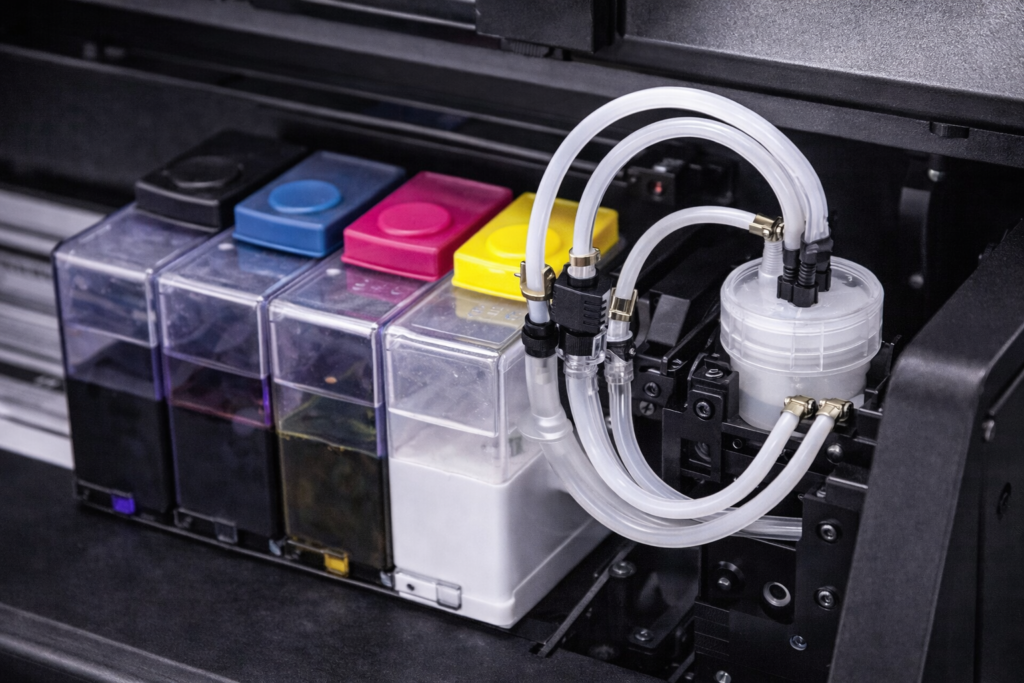
UV DTF printers use CMYK + White + Varnish ink systems. White ink is essential for vibrant colors on dark or transparent surfaces, but it’s also the most problematic component because titanium dioxide particles settle and can clog printheads.
Critical Feature: White Ink Circulation
Automatic white ink circulation systems continuously agitate the white ink to prevent settling and clogging. This feature significantly reduces maintenance time and printhead replacement costs. Never buy a UV DTF printer without white ink circulation.
- Continuous circulation: Best option — constantly keeps white ink mixed even when not printing
- Timed circulation: Circulates at intervals — good but requires printer to be powered on
- Manual stirring: Budget systems only — high maintenance, frequent clogging issues
6. Integrated Laminator
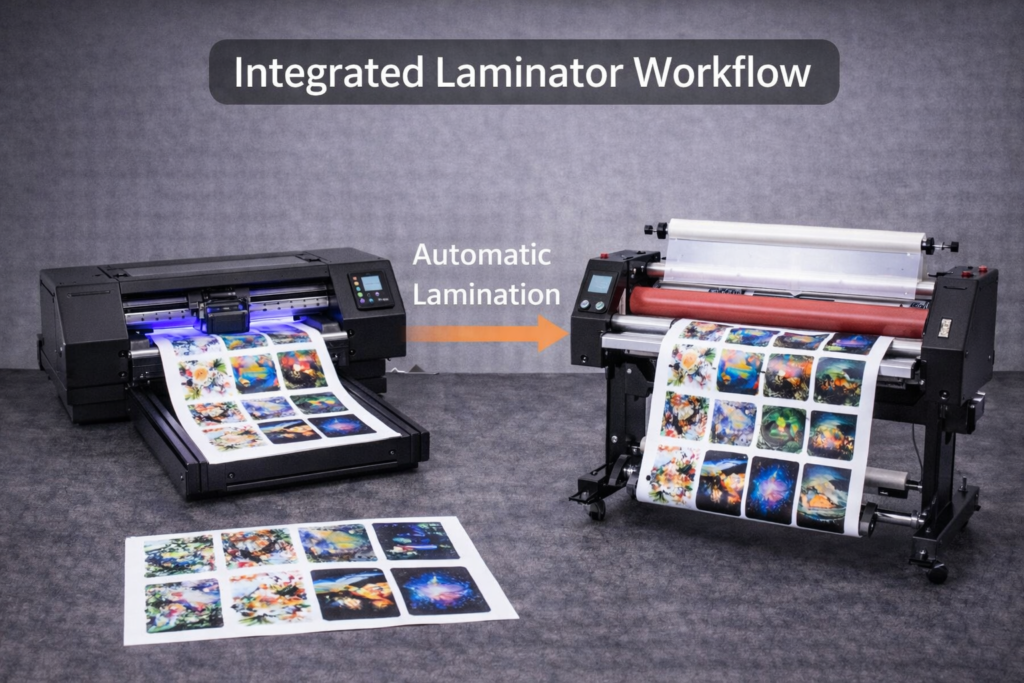
UV DTF transfers require lamination to create the adhesive layer that allows peel-and-stick application. You have two options: integrated laminator (built into the printer) or standalone laminator (separate machine).
- Integrated laminator: Print-and-laminate in one pass, saves space, streamlined workflow, higher initial cost
- Standalone laminator: Lower printer cost, requires manual transfer step, takes more space, allows batch lamination
Our Recommendation: For small businesses, an integrated laminator is worth the extra investment. It simplifies workflow, reduces labor time, and minimizes handling errors. The time savings pay for themselves quickly.
UV DTF Printer Price Guide 2026
Understanding the full cost of UV DTF printing helps you budget appropriately and avoid surprises. Here’s a comprehensive breakdown of what to expect:
Printer Price Ranges by Category
| Category | Price Range | What’s Included | Best For |
| Entry-Level | $5,000 – $10,000 | A3 printer, basic software, starter ink | Hobbyists, testing the market |
| Small Business | $10,000 – $18,000 | A3+ printer, integrated laminator, full ink set, training | Serious startups, growing businesses |
| Mid-Range | $18,000 – $30,000 | 60cm width, dual heads, advanced features, extended support | Established businesses, higher volume |
| Production | $30,000+ | 90cm+, industrial components, maximum speed | Wholesale, production facilities |
Ongoing Costs to Budget For
| Consumable | Cost | Coverage/Usage |
| UV Ink Set (CMYK+W+V) | $300-600/set | 50-100 m² depending on coverage |
| UV DTF Film (A+B) | $0.15-0.40/linear foot | Varies by transfer size |
| Lamination Film | $0.08-0.20/linear foot | Same as print film |
| Printhead Replacement | $80-600 per head | Every 1-3 years with care |
| Cleaning Supplies | $50-100/month | Cleaning solution, wipes, etc. |
Cost Per Transfer: When you factor in ink, film, and lamination, most UV DTF transfers cost $0.50-2.00 to produce depending on size and coverage. A typical tumbler wrap costs about $0.40-0.80 in materials.
Must-Have Features for Small Business UV DTF Printers
Not all UV DTF printers are created equal. Here are the features that separate reliable business machines from problematic budget models:
- White Ink Circulation System: Prevents the #1 cause of UV DTF printer failures — white ink clogging. Non-negotiable for any serious business use.
- Epson-Based Printheads: Proven reliability, readily available replacements, and widespread technical support. Avoid unknown printhead brands.
- UV LED Curing (Not Mercury Lamp): Instant on/off, 10,000+ hour lifespan, 50-80% less energy, no heat damage to film. Mercury lamps are outdated technology.
- Automatic Height Sensor: Maintains optimal print head distance for consistent quality across different film thicknesses.
- Integrated Laminator: Streamlines workflow, reduces handling errors, saves production time.
- RIP Software Included: Professional RIP software handles color management, white ink generation, and print optimization. Essential for consistent results.
- Bulk Ink System: Larger ink tanks (250ml+) reduce refill frequency and lower cost per print compared to small cartridges.
- Manufacturer Support & Training: Remote installation support, operation training, technical assistance, and responsive customer service make the difference between success and frustration.
Common Mistakes to Avoid When Buying a UV DTF Printer
Many first-time buyers make costly mistakes that lead to frustration, wasted money, and failed businesses. Learn from others’ experiences:
1. Buying the Cheapest Option
Ultra-cheap printers (under $3,000) often lack essential features like white ink circulation, use unreliable components, and come with minimal support. The money you “save” upfront gets spent on repairs, replacements, and lost production time. A $5,000 savings on the printer can easily cost $10,000+ in the first year from downtime and frustration.
2. Ignoring Manufacturer Reputation
UV DTF printers require ongoing support, parts availability, and technical assistance. Buying from unknown manufacturers or fly-by-night sellers often leaves you stranded when problems occur. Research the company’s history, read reviews, and verify they have responsive support before purchasing.
3. Underestimating Maintenance Requirements
All UV printers require regular maintenance — daily nozzle checks, weekly cleaning, and periodic deep maintenance. Budget time for this work and choose a printer with automated maintenance features to reduce the burden. Neglecting maintenance leads to clogged heads, poor print quality, and expensive repairs.
4. Not Planning for Consumables Costs
The printer is just the beginning. Ink, film, lamination, and replacement parts are ongoing expenses. Budget for 6-12 months of consumables when planning your startup costs, and factor these expenses into your product pricing.
5. Buying More Machine Than You Need
A $30,000 production system is overkill if you’re making 50 transfers per week. Start with a machine sized for your current needs plus moderate growth. You can always upgrade later when demand justifies it.
Essential Maintenance for UV DTF Printer Longevity
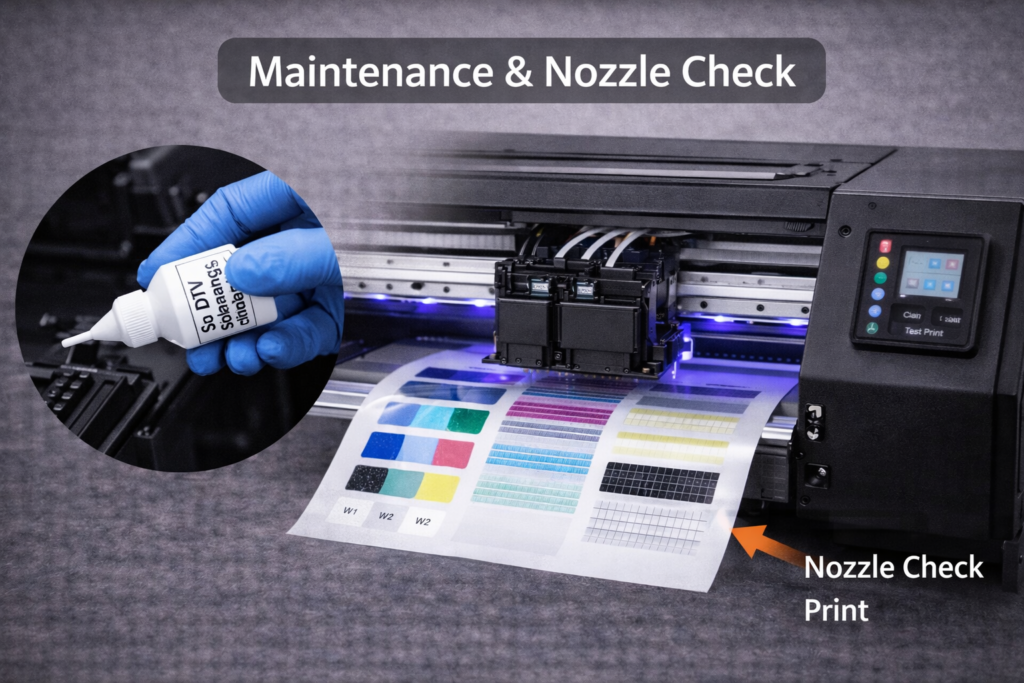
Proper maintenance dramatically extends printer life and reduces costly repairs. Follow these practices:
Daily Maintenance
- Print a nozzle check pattern before starting production
- Run head cleaning cycle if missing nozzles are detected
- Wipe printhead surface with lint-free cloth and cleaning solution
- Check ink levels and refill as needed
Weekly Maintenance
- Deep clean printheads with approved cleaning solution
- Clean ink caps, wipers, and waste ink collection
- Inspect and clean UV LED lamps
- Check white ink circulation system operation
Monthly Maintenance
- Perform manufacturer-recommended maintenance cycles
- Inspect and clean encoder strip
- Lubricate moving parts as recommended
- Review print quality and calibrate if needed
How to Choose the Right UV DTF Printer for Your Business
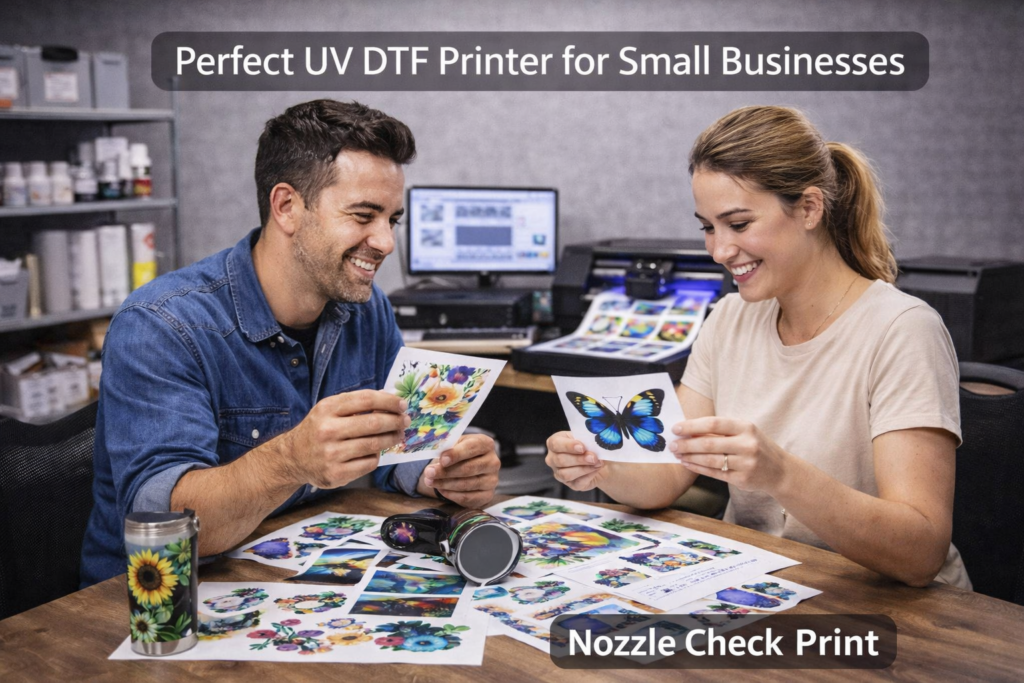
Use this decision framework to match the right printer to your specific situation:
| Your Situation | Recommended Printer | Budget Range |
| Home-based, testing the market, 10-50 transfers/week | Entry-level A3 with basic features | $5,000 – $8,000 |
| Serious startup, 50-200 transfers/week, plans to grow | A3+ with integrated laminator, white circulation | $10,000 – $15,000 |
| Established print shop adding UV DTF, 200-500/week | 60cm dual-head with full automation | $18,000 – $25,000 |
| Production facility, wholesale, 500+ transfers/week | 90cm+ production system, maximum speed | $30,000+ |
Start Your UV DTF Business With Confidence
Choosing the right UV DTF printer is a significant investment that can make or break your custom printing business. By understanding the key specifications, evaluating your production needs, and avoiding common mistakes, you can select a machine that delivers reliable performance, excellent print quality, and strong ROI.
For most small businesses starting in 2026, we recommend an A3-size UV DTF printer in the $10,000-$15,000 range with these essential features: Epson-based printheads, white ink circulation, UV LED curing, integrated laminator, and strong manufacturer support. This configuration provides professional-quality output, manageable maintenance, and room to grow.
Ready to explore UV DTF printing solutions? Browse MTuTech’s complete UV DTF printer lineup to find the right machine for your business goals, or contact our team for personalized recommendations based on your specific needs.
Frequently Asked Questions
What size UV DTF printer do I need for a small business?
For most small businesses, an A3-size UV DTF printer (approximately 13″ x 19″ print area) is ideal. It handles all common products like tumbler wraps, phone cases, keychains, and small signs while remaining compact enough for home or small shop use. Upgrade to a 60cm (24″) system when you’re consistently producing more than 200-300 transfers per week.
How much does a good UV DTF printer cost?
Quality UV DTF printers for small business range from $5,000-$30,000. Entry-level A3 systems start around $5,000-$10,000, mid-range A3+ systems with integrated laminators run $10,000-$18,000, and 60cm production systems range $18,000-$30,000. We recommend budgeting $10,000-$15,000 for a reliable system with essential features.
What’s the difference between UV DTF and regular DTF printing?
Regular DTF creates heat transfers for fabrics (t-shirts, hoodies, bags). UV DTF creates adhesive transfers for hard surfaces (glass, metal, plastic, wood). Different technologies for different applications — many businesses eventually need both to offer complete customization services.
Do I need a heat press for UV DTF printing?
No! This is one of UV DTF’s biggest advantages. UV DTF transfers are peel-and-stick — just clean the surface, apply the transfer, and press firmly with a squeegee or your hand. No heat press required, which significantly reduces startup costs and simplifies operations.
How long do UV DTF printers last?
With proper maintenance, a quality UV DTF printer can last 5-10 years or more. Printheads typically need replacement every 1-3 years depending on usage and maintenance. UV LED lamps last 10,000-30,000 hours (5-15 years of typical use). The key to longevity is choosing a quality machine and following maintenance schedules.
What maintenance does a UV DTF printer require?
Daily maintenance includes nozzle checks and head cleaning (5-10 minutes). Weekly maintenance involves deep cleaning printheads and inspecting ink systems (30-60 minutes). Monthly maintenance includes thorough system checks and calibration. Choose a printer with automated maintenance features to minimize your workload.
Can UV DTF prints go in the dishwasher?
UV DTF transfers are waterproof and can survive occasional dishwasher cycles, but hand washing is recommended for maximum longevity. The combination of high heat (140-160°F) and harsh detergents can gradually break down the adhesive bond over time. For products marketed as dishwasher-safe, inform customers that hand washing extends the design’s lifespan.
Is UV DTF printing profitable for small businesses?
Yes! UV DTF offers excellent profit margins. Material costs run $0.50-2.00 per transfer, while finished products sell for $15-50+ depending on the item. Common profit margins range from 300-500%. A tumbler that costs $4 to produce (blank + transfer) sells for $25-35, generating $20-30 profit per sale. Many small businesses achieve full ROI on their printer investment within 6-12 months.